
1. Introduction
Thank you for choosing the LEKATO MT-32W Metronome Tuner. This compact and versatile device combines three essential tools for musicians: a precise tuner, a comprehensive metronome, and a reliable tone generator. Designed for ease of use and accuracy, the MT-32W will enhance your practice sessions and ensure your instruments are always in perfect tune.

Figure 1: LEKATO MT-32W Metronome Tuner (Black model shown).
2. Package Contents
Upon opening your LEKATO MT-32W package, please ensure all the following items are present:
- 1 x LEKATO MT-32W Metronome Tuner
- 1 x USB Charging Cable
- 1 x Pickup Clip Cable
- 1 x User Manual (this document)
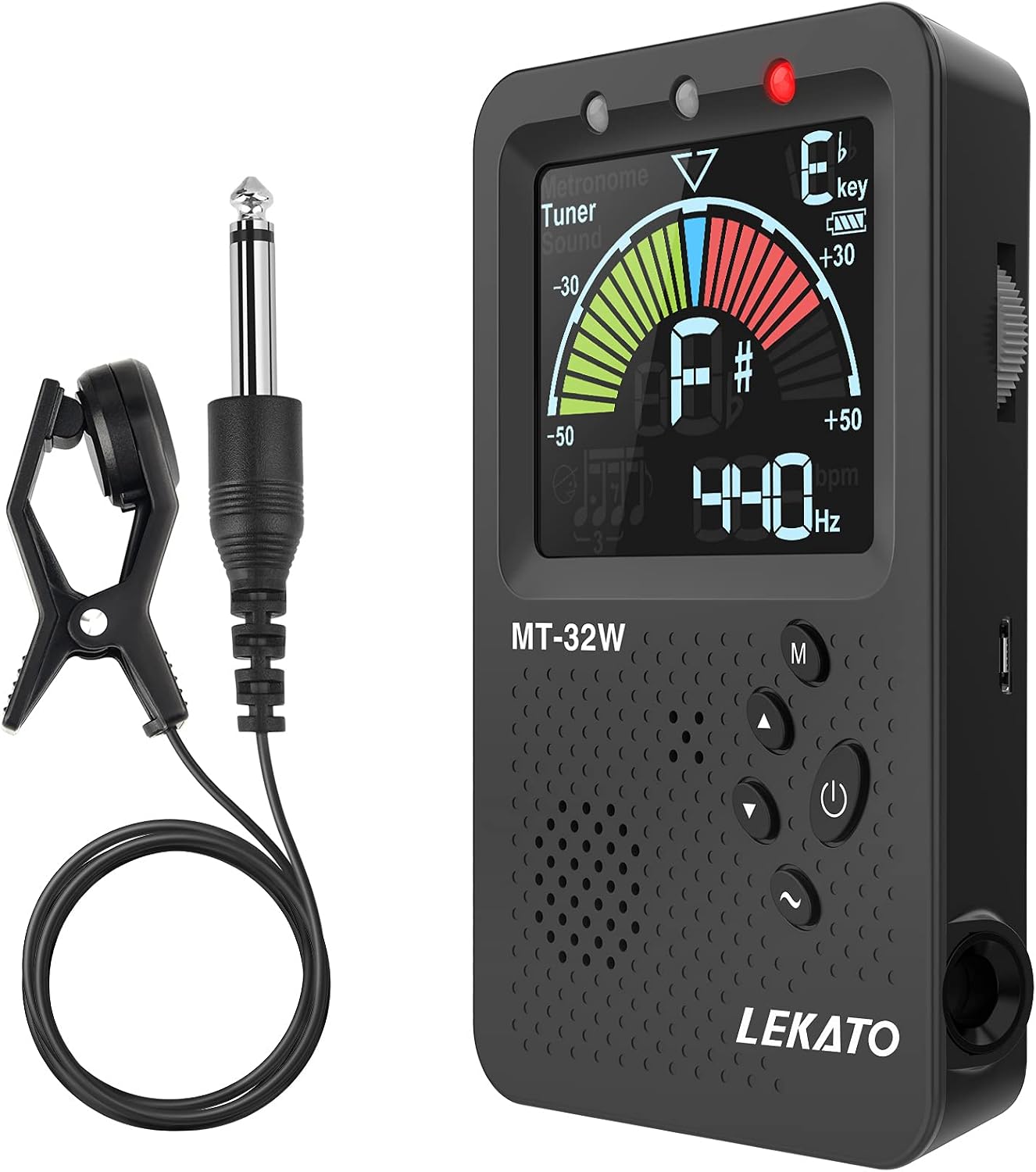
Figure 2: All items included in the LEKATO MT-32W package.
3. Setup
3.1 Charging the Device
The LEKATO MT-32W comes with a built-in rechargeable lithium battery. Before first use, or when the battery indicator shows low power, connect the device to a USB power source using the provided USB charging cable.
- Locate the Micro USB charging port on the side of the device.
- Insert the small end of the USB cable into the device's charging port.
- Connect the larger end of the USB cable to a USB wall adapter, computer USB port, or power bank.
- The charging indicator light will illuminate during charging and turn off when fully charged.

Figure 3: Connecting the USB charging cable to the device.
3.2 Powering On/Off
To power on the device, press and hold the Power button (marked with a circle and vertical line) located on the front panel until the screen illuminates. To power off, press and hold the same button until the screen turns off.
3.3 Using the Kickstand
The MT-32W features a convenient folding kickstand on the back, allowing the device to stand upright on a flat surface for easy viewing during use.

Figure 4: The device's integrated kickstand for upright positioning.
4. Operating Modes
The LEKATO MT-32W offers three primary operating modes: Tuner, Metronome, and Tone Generator. You can switch between these modes by pressing and holding the M (Mode) button on the front panel.
4.1 Tuner Mode
In Tuner Mode, the device helps you accurately tune your instrument. The large LCD display shows the note name, pitch deviation, and A4 frequency.
- Selecting Instrument/Key: Press the M (Mode) button repeatedly (short press) to cycle through different tuning modes: Chromatic (C, F, Bb, Eb keys), Guitar (G), Bass (B), Violin (V), and Ukulele (U).
- Pitch Calibration: Use the Up/Down arrow buttons to adjust the A4 reference frequency from 430Hz to 450Hz. The standard is 440Hz.
- Tuning Indication: The display will show if your note is flat (left side of the meter), sharp (right side of the meter), or in tune (center of the meter, green light).
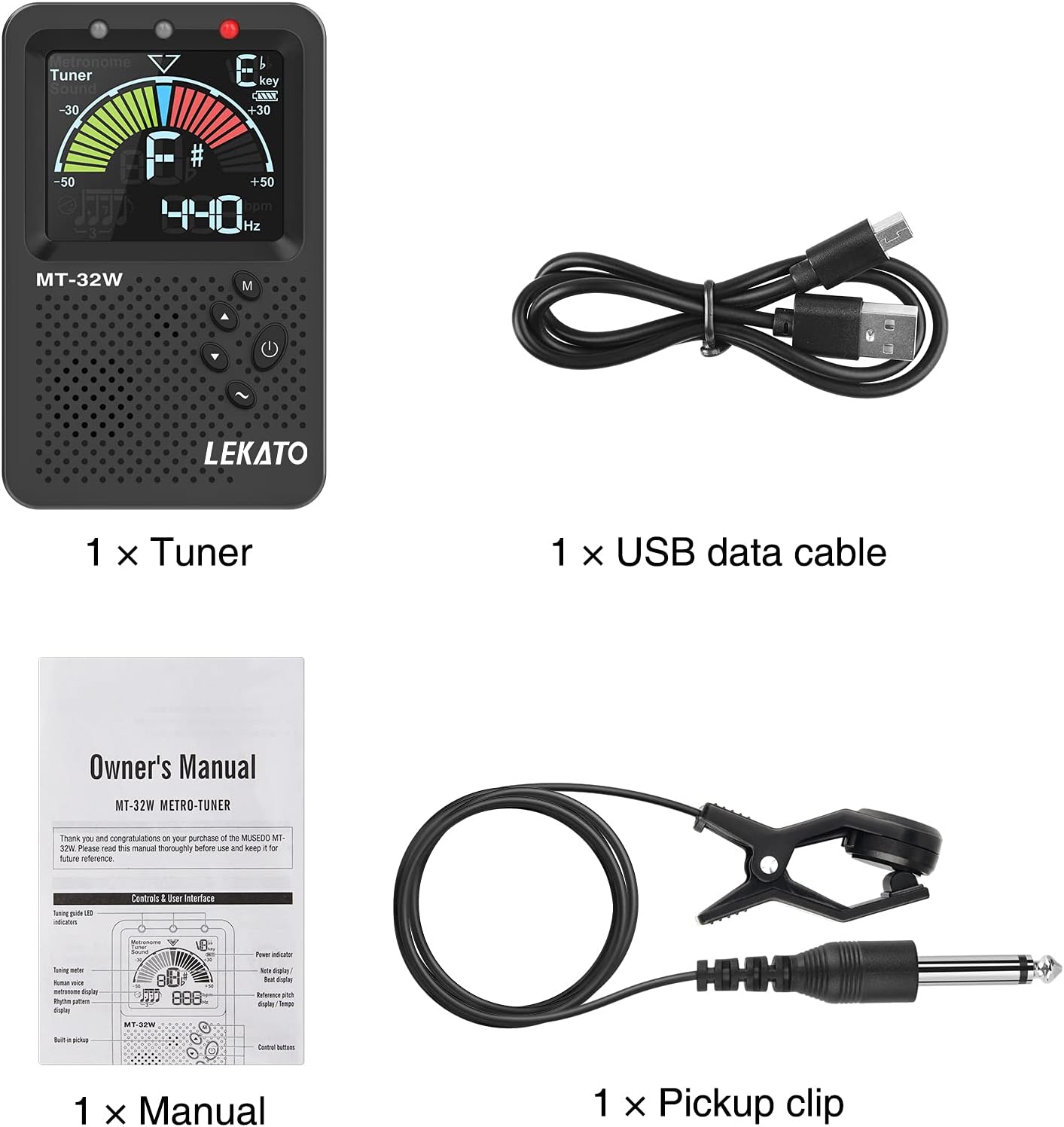
Figure 5: Visual indicators for tuning in Tuner Mode.
4.1.1 Pickup Methods
The MT-32W supports multiple methods for detecting your instrument's pitch:
- Built-in Microphone: For acoustic instruments, the internal microphone can pick up the sound.
- Pickup Clip: Attach the included pickup clip to your instrument's headstock (for string instruments) or bell (for wind instruments) and plug it into the Pickup Jack on the side of the device. This method is ideal for noisy environments as it detects vibrations directly.
- Input Jack: For electric instruments, connect your instrument cable directly to the Input Jack on the side of the device.

Figure 6: Three methods for sound input: built-in pickup, guitar line pickup, and pickup clip.
Video 1: Demonstrates the tuning and metronome functions of the LEKATO MT-32W. This video shows the device in action, including its display and various settings.
4.2 Metronome Mode
The Metronome Mode provides a steady beat for rhythm practice. It features both human voice beats and mechanical sounds.
- Starting/Stopping Metronome: In Metronome Mode, press the Power button (short press) to start or stop the metronome.
- Setting BPM: Use the Up/Down arrow buttons to adjust the beats per minute (BPM) from 30 to 250.
- Beat Patterns: Press the M (Mode) button (short press) to cycle through different beat patterns (e.g., 0, 1, 2, 3, 4, 5, 6 beats per measure, triplets, dotted notes).
- Vocal Count: The device supports human voice beats. Press the Wave button (~) to toggle the vocal count on or off.
- Volume Adjustment: Adjust the metronome volume using the volume slider on the side of the device.

Figure 7: The metronome offers both human voice and mechanical sound options.
Video 2: A short demonstration of the metronome's beat patterns and vocal count feature.
4.3 Tone Generator Mode
The Tone Generator Mode produces reference tones for various instruments, allowing you to tune by ear or check specific pitches.
- Selecting Tone: In Tone Generator Mode, use the Up/Down arrow buttons to select the desired note (A0-C8 range).
- Output: The tone will be played through the built-in speaker. For private practice, connect headphones to the Headphone Jack on the side of the device.
5. Maintenance
- Cleaning: Use a soft, dry cloth to clean the device. Avoid using abrasive cleaners or solvents.
- Storage: Store the device in a cool, dry place away from direct sunlight and extreme temperatures.
- Battery Care: To prolong battery life, avoid fully discharging the battery frequently. Charge the device regularly, even if not in constant use.
6. Troubleshooting
- Device not powering on: Ensure the device is fully charged. Connect it to a power source and try again.
- Inaccurate tuning: Check that the correct instrument/key mode is selected. Ensure the pickup clip or input cable is securely connected. For acoustic tuning, minimize background noise.
- No sound from metronome/tone generator: Check the volume slider on the side of the device. Ensure headphones are not plugged in if you expect sound from the speaker, or vice-versa.
- Buttons unresponsive: Try restarting the device by powering it off and on. If the issue persists, ensure the battery is charged.
7. Specifications
| Feature | Specification |
|---|---|
| Item Weight | 4.9 ounces |
| Package Dimensions | 4.61 x 2.99 x 1.54 inches |
| Batteries | 1 Lithium Polymer battery required (included) |
| Color Name | Black |
| Battery Type | Lithium |
| Metronome BPM Range | 30-250 BPM |
| Metronome Beat Patterns | 0-6 beats per measure |
| Tuner Range | A0-C8 |
| A4 Calibration | 430-450Hz |
8. Warranty and Support
LEKATO products are manufactured with high-quality materials and undergo strict quality control. For warranty information or technical support, please refer to the contact details provided on the product packaging or visit the official LEKATO website.