
Introduction
Thank you for choosing the GRIFEMA GB1004 TV Wall Bracket. This full-motion TV mount is designed to securely hold most 26 to 55-inch flat and curved TV screens, offering flexibility with swivel, tilt, and extension capabilities. It supports TVs weighing up to 30kg (66lbs) and is compatible with VESA mounting patterns from 75x75mm to 400x400mm. This manual provides detailed instructions for safe installation, operation, and maintenance of your TV wall bracket.
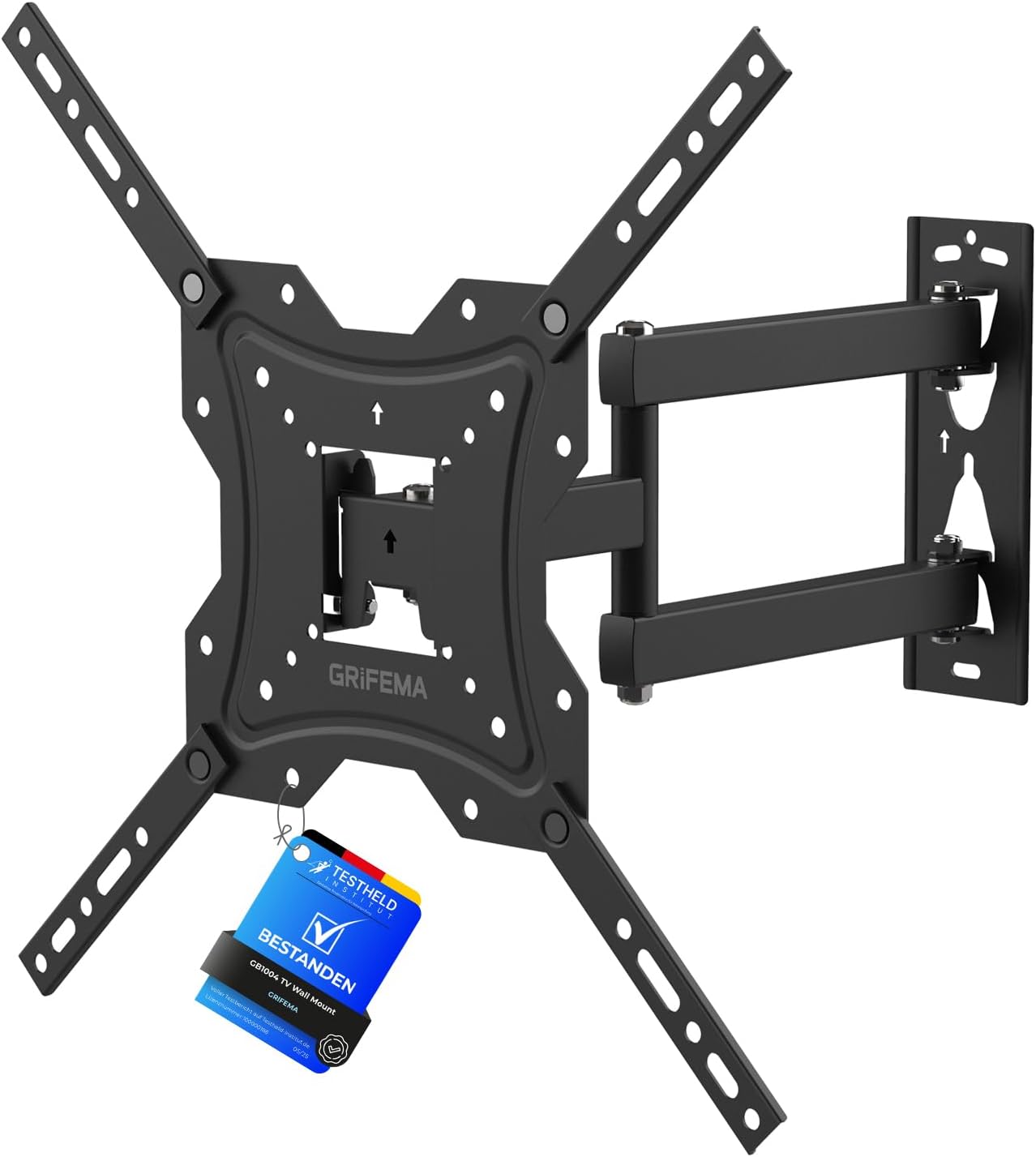
Image: The GRIFEMA GB1004 TV Wall Bracket, a full-motion mount designed for various TV sizes and VESA patterns.
Safety Information
WARNING: Failure to read and follow all instructions can result in personal injury, property damage, or voiding of warranty. If you do not understand these instructions or have doubts about the safety of the installation, please contact a qualified installer.
- Do not exceed the maximum weight capacity of 30kg (66lbs).
- Ensure the wall structure can safely support the combined weight of the mount and the TV.
- This product is designed for installation on solid concrete, concrete block, or brick walls. Do not install on plaster walls, cavity walls, or soft walls.
- Always use a stud finder to locate wooden studs if mounting to wood stud walls (though this product is specified for masonry).
- Wear appropriate safety gear during installation.
- Keep children and pets away during installation.

Image: Illustration showing compatible wall types (solid concrete/concrete block, brick wall) and a warning against plaster/cavity/soft walls.
Package Contents
Verify that all components are present and undamaged before beginning installation. If any parts are missing or defective, contact GRIFEMA customer support.
| Component | Description | Quantity |
|---|---|---|
| Wall Plate Assembly | Main wall mounting bracket with articulating arm. | 1 |
| TV Bracket Arms | Arms that attach to the back of the TV. | 2 sets (4 pieces) |
| Mounting Hardware Kit | Includes various screws, washers, spacers for TV and wall, concrete anchors, and a wrench. | 1 set |
| Installation Guide | Graphical and textual instructions. | 1 |

Image: All components included in the GRIFEMA GB1004 package, showing the wall plate, TV bracket arms, and various mounting hardware.
Specifications
- Model: GB1004
- Screen Size Compatibility: 26 to 55 inches
- Maximum Weight Capacity: 30 kg (66 lbs)
- VESA Compatibility: 75x75mm, 100x100mm, 200x100mm, 200x200mm, 300x300mm, 400x200mm, 400x300mm, 400x400mm
- Tilt Angle: +5° to -10°
- Swivel Angle: Up to ±90° (depending on TV size)
- Extension from Wall: 40mm (1.57 inches) to 420mm (16.5 inches)
- Material: Alloy Steel
- Color: Black

Image: Visual representation of the TV size compatibility (26-55 inches) and maximum load capacity (30KG / 66lbs).
Setup and Installation
Before you begin, ensure you have the necessary tools: drill, level, pencil, measuring tape, and a Phillips head screwdriver.
Step 1: Determine VESA Pattern
Locate the four mounting holes on the back of your TV. Measure the horizontal and vertical distance between these holes (center to center) in millimeters. This is your TV's VESA pattern. Ensure it falls within the supported range of this mount (75x75mm to 400x400mm).

Image: Diagram illustrating various VESA mounting patterns (e.g., 200x200mm, 400x400mm) and how to measure them.
Step 2: Attach TV Brackets to TV
- Carefully place your TV face down on a soft, clean surface to prevent scratches.
- Align the TV bracket arms with the mounting holes on the back of your TV. Ensure the arms are oriented correctly (refer to the graphical guide).
- Select the appropriate screws, washers, and spacers from the hardware kit that fit your TV's mounting holes. Use spacers if the TV back is uneven or if cables interfere.
- Securely fasten the TV bracket arms to the TV using a Phillips head screwdriver. Do not overtighten.
Step 3: Mark and Drill Wall Holes
- Determine the desired height for your TV. Consider viewing angles and furniture.
- Hold the wall plate assembly against the wall at the desired height and use a level to ensure it is perfectly horizontal.
- Mark the drilling locations through the holes on the wall plate using a pencil.
- Using an appropriate drill bit for your wall type (e.g., 8mm for concrete/brick), drill holes at the marked locations. Ensure the depth is sufficient for the anchors.
- Insert the concrete anchors into the drilled holes. Tap gently with a hammer if needed until they are flush with the wall surface.
Step 4: Mount Wall Plate to Wall
- Align the wall plate assembly with the drilled holes and inserted anchors.
- Insert the lag bolts through the wall plate and into the anchors.
- Tighten the lag bolts firmly using the provided wrench until the wall plate is securely fastened to the wall. Do not overtighten.
Step 5: Hang TV on Wall Plate
- With assistance, carefully lift the TV (with the attached TV brackets).
- Hook the TV bracket arms onto the wall plate. Ensure the TV is centered and level.
- Secure the TV to the wall plate using the safety screws or locking mechanisms provided. This prevents accidental dislodgement.
Operating the Mount
Your GRIFEMA GB1004 TV wall bracket offers full motion capabilities for optimal viewing.
Adjusting Tilt
To adjust the vertical tilt angle (+5° to -10°), loosen the tilt adjustment knobs or bolts on the TV bracket arms. Adjust the TV to the desired angle, then tighten the knobs/bolts to secure it in place. This helps reduce glare and optimize viewing from different heights.
Adjusting Swivel
The articulating arm allows you to swivel the TV up to ±90° left or right. Gently push or pull the TV to the desired horizontal angle. The friction joints are designed to hold the position without additional tightening.
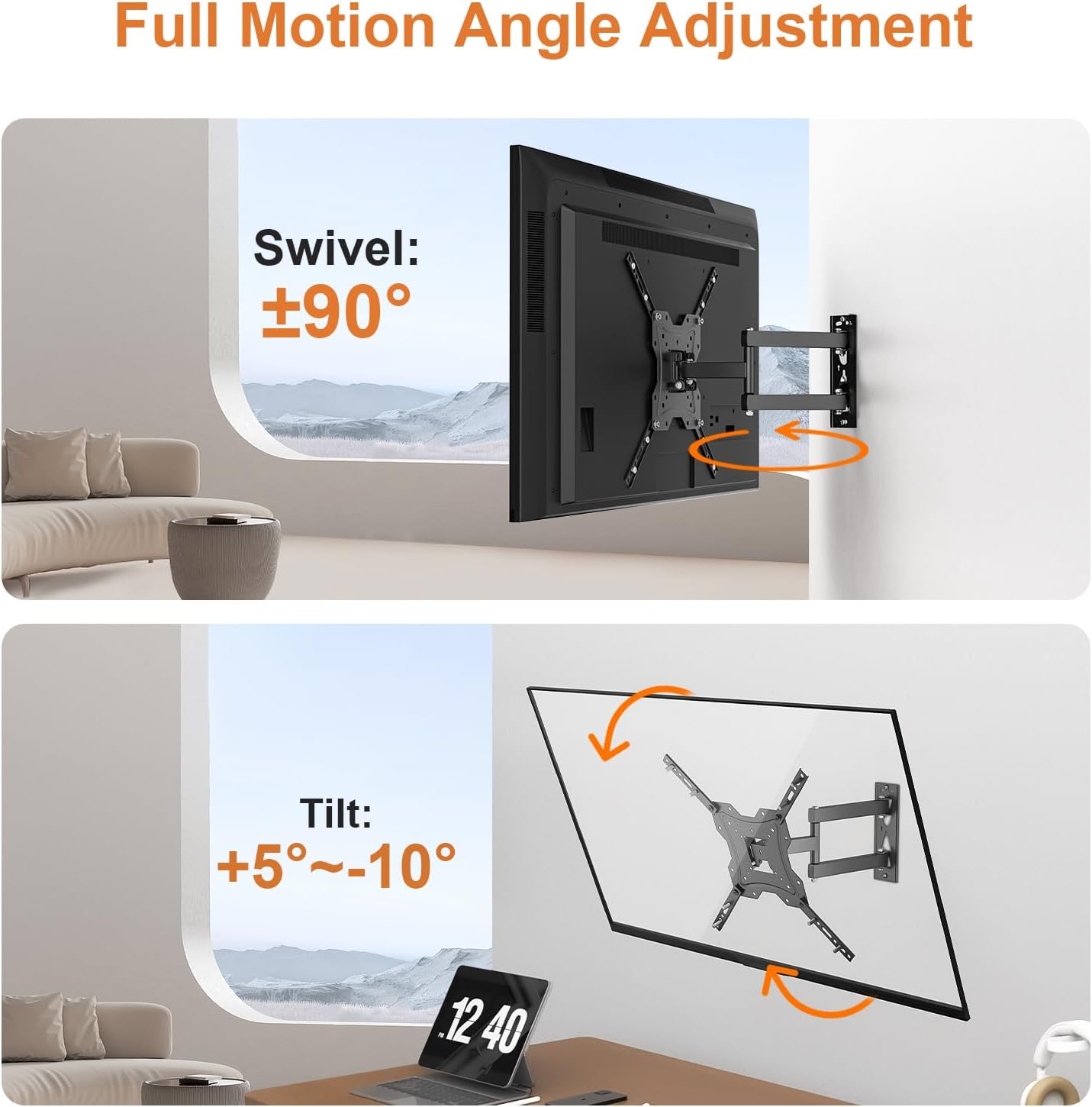
Image: Illustration demonstrating the swivel (up to ±90°) and tilt (+5° to -10°) adjustment capabilities of the TV mount.
Extending and Retracting
To extend the TV away from the wall (up to 420mm / 16.5 inches) or retract it closer to the wall (down to 40mm / 1.57 inches), gently push or pull the TV. The articulating arm will move smoothly to allow for optimal positioning and space-saving.

Image: Diagram showing the extension (up to 420mm) and retraction (down to 40mm) range of the TV wall mount.
Maintenance
Regular maintenance ensures the longevity and safe operation of your TV wall bracket.
- Cleaning: Wipe the mount with a soft, dry cloth to remove dust. For stubborn marks, use a slightly damp cloth and mild detergent, then dry thoroughly. Avoid abrasive cleaners or solvents.
- Periodic Inspection: Every few months, check all screws and bolts to ensure they are still tight. Re-tighten if necessary.
- Joint Lubrication: The articulating joints are designed for smooth movement. If you notice any stiffness, a small amount of silicone-based lubricant can be applied to the pivot points.
Troubleshooting
| Problem | Possible Cause | Solution |
|---|---|---|
| TV is not level after installation. | Wall plate not level; post-installation adjustment needed. | The mount allows for +/-3° post-installation leveling adjustment. Loosen the leveling screws, adjust the TV, and re-tighten. |
| Mount feels loose on the wall. | Wall bolts are not sufficiently tightened; incorrect wall type. | Ensure all wall bolts are securely tightened. Verify that the wall type is solid concrete, concrete block, or brick. If not, consult a professional. |
| TV does not tilt or swivel smoothly. | Joints are stiff or need lubrication. | Apply a small amount of silicone-based lubricant to the articulating joints. Check if tilt adjustment knobs are too tight. |
| Missing parts from package. | Packaging error. | Contact GRIFEMA customer support immediately for replacement parts. |
Warranty and Support
GRIFEMA products are manufactured with quality and durability in mind. This product comes with a standard manufacturer's warranty against defects in materials and workmanship. Please refer to the warranty card included in your package or visit the official GRIFEMA website for detailed warranty terms and conditions.
For technical support, missing parts, or any questions regarding your GRIFEMA GB1004 TV Wall Bracket, please contact GRIFEMA customer service. Contact information can typically be found on the product packaging or the official GRIFEMA website.
Online Resources: For additional support and frequently asked questions, visit www.grifema.com.