1. Introduction
The QUIKCELL QAIR MAX True Wireless Earbuds offer a seamless audio experience with advanced features designed for convenience and durability. This manual provides comprehensive instructions to help you get the most out of your earbuds, from initial setup to advanced operation and maintenance.
Video Description: This video provides a visual overview of the QUIKCELL QAIR MAX True Wireless Earbuds, highlighting key features such as wireless charging, touch controls, and sweat resistance.
2. Setup
2.1. Unboxing and Initial Charge
Upon unboxing, ensure all components are present: the QUIKCELL QAIR MAX earbuds, the charging case, and various ear tip sizes. Before first use, fully charge the earbuds and charging case.
- Place the earbuds into the charging case.
- Connect the charging case to a power source using the provided cable, or place it on a compatible wireless charging pad.
- The LED indicators on the charging case will illuminate to show the charging status and current power level.
- A full charge provides approximately 5 hours of playtime for the earbuds, with an additional 20 hours available from the charging case.

Image Description: The QUIKCELL QAIR MAX earbuds are shown inside their open charging case, which is positioned on a wireless charging pad. This illustrates the magnetic charging feature and the LED power indicators on the case.
2.2. Pairing with Your Device
The QAIR MAX earbuds feature hassle-free technology for automatic connection.
- Open the charging case. The earbuds will automatically turn on and connect to each other.
- On your device (smartphone, tablet, etc.), enable Bluetooth.
- Search for "QUIKCELL QAIR MAX" in the list of available Bluetooth devices and select it to pair.
- Once paired, the earbuds will automatically connect to your device whenever they are removed from the case and Bluetooth is enabled on your device.
2.3. Fitting the Earbuds
For optimal sound quality and comfort, select the correct ear tip size.
- The earbuds come with three different ear tip sizes (Small, Medium, Large).
- Try each size to find the one that provides a secure, comfortable fit and good seal in your ear canal.
- The ergonomic design ensures maximum comfort and reliability for extended periods of use.
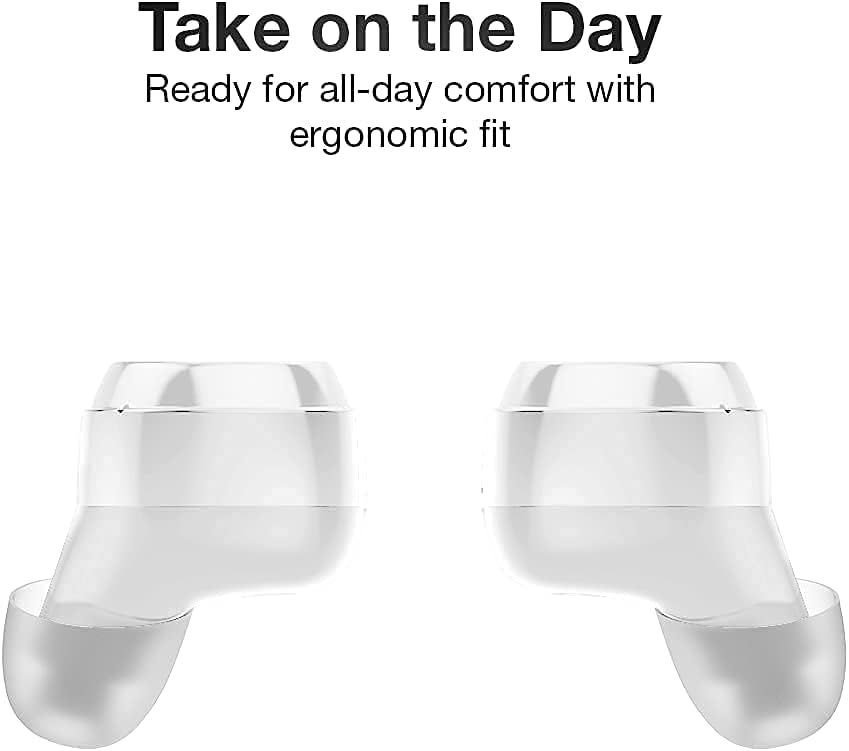
Image Description: A close-up view of two QUIKCELL QAIR MAX earbuds, highlighting their ergonomic shape designed for comfortable and secure placement in the ear.
3. Operating the Earbuds
3.1. Power On/Off
- Power On: The earbuds automatically power on when removed from the charging case.
- Power Off: Place the earbuds back into the charging case to automatically power them off and begin charging.
3.2. Touch Controls
The QAIR MAX earbuds feature intuitive touch controls on the outside of each earbud.
- Play/Pause: Tap once on either earbud.
- Next Track: Double-tap the right earbud.
- Previous Track: Double-tap the left earbud.
- Volume Up: Triple-tap the right earbud.
- Volume Down: Triple-tap the left earbud.
- Answer/End Call: Tap once on either earbud during an incoming call.
- Reject Call: Press and hold either earbud for 2 seconds during an incoming call.
3.3. Voice Assistant Activation
Utilize the built-in microphone to activate your device's voice assistant.
- Activate Voice Assistant: Press and hold either earbud for 2 seconds (when not on a call). This will activate Siri, Google Assistant, or other compatible voice assistants.
3.4. Connectivity
The earbuds maintain a stable Bluetooth connection for clear audio.
- The latest wireless technology provides crystal clear sound in both ears.
- Bluetooth connectivity is effective up to a range of 10 meters (approximately 33 feet).
4. Maintenance
4.1. Cleaning Your Earbuds
Regular cleaning helps maintain sound quality and hygiene.
- Gently wipe the earbuds and charging case with a soft, dry, lint-free cloth.
- Remove ear tips and clean them with mild soap and water, then dry thoroughly before reattaching.
- Avoid using abrasive materials or harsh chemicals.
4.2. Water Resistance
The QAIR MAX earbuds are designed for active lifestyles.
- The earbuds feature an IPX5 sweat resistance rating, protecting them against moisture and dirt.
- This rating means they can withstand splashes of water and sweat, making them suitable for workouts.
- Note: The earbuds are not waterproof and should not be submerged in water. The charging case is not water-resistant.

Image Description: Two QUIKCELL QAIR MAX earbuds are shown with visible water droplets, demonstrating their IPX5 sweat-resistant capabilities, suitable for active use.
5. Troubleshooting
5.1. Earbuds Not Pairing
- Ensure both earbuds are fully charged.
- Place both earbuds back into the charging case, close the lid, wait a few seconds, then open it again.
- Turn off and on your device's Bluetooth, then try pairing again.
- If issues persist, try forgetting the device in your Bluetooth settings and re-pairing.
5.2. No Sound or Low Volume
- Check the volume level on both your earbuds (via touch controls) and your connected device.
- Ensure the earbuds are properly seated in your ears and that the ear tips provide a good seal.
- Clean any debris from the earbud speakers and ear tips.
- Verify that the earbuds are connected to the correct audio output on your device.
5.3. Charging Issues
- Ensure the charging cable is securely connected to both the case and the power source.
- If using wireless charging, ensure the case is correctly positioned on a compatible wireless charging pad.
- Check for any debris in the charging ports of the case or on the charging contacts of the earbuds.
- Try using a different charging cable or power adapter.
6. Specifications
| Model Number | QAIRMAX-WHT |
| Connectivity Technology | Wireless (Bluetooth 5.0) |
| Bluetooth Range | Up to 10 meters |
| Battery Life (Earbuds) | Up to 5 hours per charge |
| Total Playtime (with Case) | 25+ hours |
| Water Resistance Rating | IPX5 (Sweat Resistant) |
| Control Type | Touch Control, Voice Control |
| Compatible Devices | iPhone, Android, PC, Mac (with Bluetooth) |
| Dimensions (Earbuds) | 2.6 x 1.18 x 1.18 inches (approximate) |
| Item Weight | 3.52 ounces |
| Manufacturer | Alphacomm |
7. Warranty & Support
For warranty information and customer support, please refer to the documentation included with your purchase or visit the official QUIKCELL website. Keep your proof of purchase for any warranty claims.


