
Dr Ho's #4800
Contents
DR-HO'S MotionCiser Instruction Manual
Model: #4800 | Brand: Dr Ho's
1. Introduction
The DR-HO'S MotionCiser is an innovative device designed to provide passive motion exercise, high-frequency vibrational massage, and soothing heat to help relax tight muscles and joints in the lower limbs. It is ideal for individuals seeking low-impact exercise to improve circulation and alleviate discomfort in their legs and feet.

The DR-HO'S MotionCiser unit.

The MotionCiser combines passive motion exercise, high-frequency vibrational massage, and soothing heat.
Product Overview Video
This video provides a general overview of the MotionCiser's features and benefits, including vibration, passive motion, and soothing heat.
2. Important Safety Information
Please read all instructions carefully before using the DR-HO'S MotionCiser. Keep this manual for future reference. Consult with a healthcare professional before using this device if you have any pre-existing medical conditions, are pregnant, or have any concerns about your health.
Do not use the device if it is damaged. Keep out of reach of children. Use only the provided power adapter. Do not immerse the device in water.
3. Package Contents
Ensure all items are present in the package:
- DR-HO'S MotionCiser Unit
- Remote Control
- Power Adapter
- Instruction Manual (this document)
4. Setup
Follow these simple steps to set up your MotionCiser:
- Placement: Place the MotionCiser unit on a flat, stable surface in front of a comfortable chair or sofa. Ensure there is enough space around the unit for safe operation.
- Power Connection: Connect the power adapter to the MotionCiser unit and then plug it into a standard electrical outlet.
- Remote Control: Ensure the remote control has working batteries. It is used to operate all functions of the MotionCiser.

Visual guide for initial setup and usage.
5. Operating Instructions
The MotionCiser is designed for easy, hands-free operation. Simply sit comfortably and place your bare feet or feet with socks/shoes on the footpads of the device.
Using the Remote Control
All functions are controlled via the included remote control:
- Power On/Off: Press the ON/OFF button to start or stop the device.
- Adjust Vibration Speed: Use the '+' and '-' buttons under 'Speed' to select from 10 different vibration speed levels. Higher speeds provide more intense massage and promote circulation.
- Adjust Heat Level: Use the '+' and '-' buttons under 'Degree of heat' to choose from 5 temperature settings, ranging from 86°F (30°C) to 122°F (50°C). The heat function helps warm your feet and improve comfort.

The remote control allows selection of 10 vibration speed levels.

The device offers 5 heat settings for soothing warmth.
Benefits of Use
The MotionCiser provides multiple benefits through its combined technologies:
- Lubricates & Loosens Stiff Joints: The passive motion gently flexes and extends your ankles, knees, and hips.
- Refreshes Tired Leg Muscles: High-frequency vibrational massage helps to shake up and loosen muscles.
- Supports Circulation: The combination of passive motion and vibrational massage promotes muscle movement and supports blood flow.
- Soothing Heat: Heated footpads warm your toes and the bottom of your feet, beneficial for cold feet or poor circulation.

The MotionCiser helps lubricate and loosen stiff joints.

Deep vibrational massage refreshes tired leg muscles.
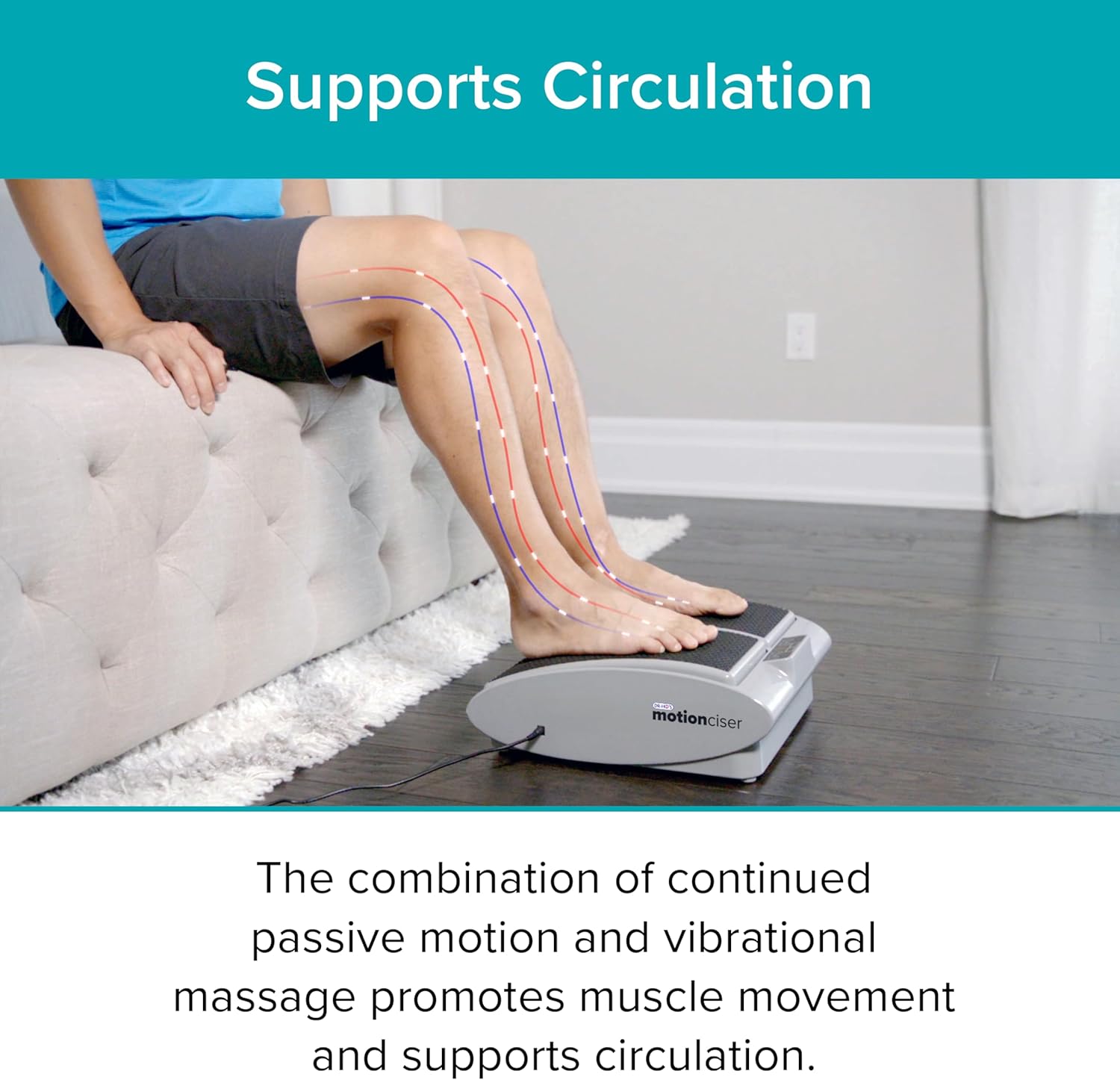
The device supports circulation through continuous motion and massage.

Soothing heat warms the feet for added comfort.
Detailed Usage and Benefits Video
This video features Dr. Michael Ho explaining the benefits of passive motion exercise, including loosening stiff joints, relaxing tight muscles, and supporting circulation, particularly for seniors.
6. Maintenance
To ensure the longevity and optimal performance of your MotionCiser, follow these maintenance guidelines:
- Cleaning: Wipe the unit with a soft, damp cloth. Do not use abrasive cleaners or immerse the unit in water.
- Storage: Store the MotionCiser in a cool, dry place when not in use.
- Power Cord: Inspect the power cord regularly for any damage. If damaged, discontinue use and contact customer support.
7. Troubleshooting
If you encounter any issues with your MotionCiser, refer to the following common problems and solutions:
- Device does not turn on:
- Ensure the power adapter is securely plugged into both the unit and the electrical outlet.
- Check if the electrical outlet is functioning correctly by plugging in another device.
- Verify that the remote control batteries are not depleted and are inserted correctly.
- Vibration is weak or inconsistent:
- Increase the vibration speed using the remote control.
- Ensure the unit is on a flat, stable surface.
- Heat function is not working:
- Increase the heat level using the remote control.
- Allow a few minutes for the heating elements to warm up.
If the issue persists after trying these steps, please contact customer support.
8. Specifications
| Feature | Detail |
|---|---|
| Brand | Dr Ho's |
| Model Number | #4800 |
| Power Source | Corded Electric |
| Operation Mode | Automatic |
| Number of Resistance Levels | 10 (Vibration Speed) |
| Temperature Levels | 5 (86°F to 122°F / 30°C to 50°C) |
| Controls Type | Remote |
| Item Weight | 9.35 Pounds |
| Material | Plastic, Rubber |
| Color | Black |
| UPC | 810890002516 |
9. Warranty and Support
DR-HO'S products are designed for quality and durability. The MotionCiser comes with a 100-day money-back guarantee, as indicated in promotional materials. For specific warranty details, product registration, or technical support, please refer to the official DR-HO'S website or contact their customer service directly.
For further assistance, visit the official DR-HO'S store on Amazon: DR-HO'S Store
Documents and downloads
Ask a question about this manual
Ask about setup, troubleshooting, compatibility, parts, safety, or missing instructions. Manuals+ will review the question and use this page’s manual context to help answer it.