
Introduction
Thank you for choosing the iDOO Electric Space Heater. This manual provides essential information for the safe and efficient operation of your new heater. Please read all instructions carefully before use and retain this manual for future reference.
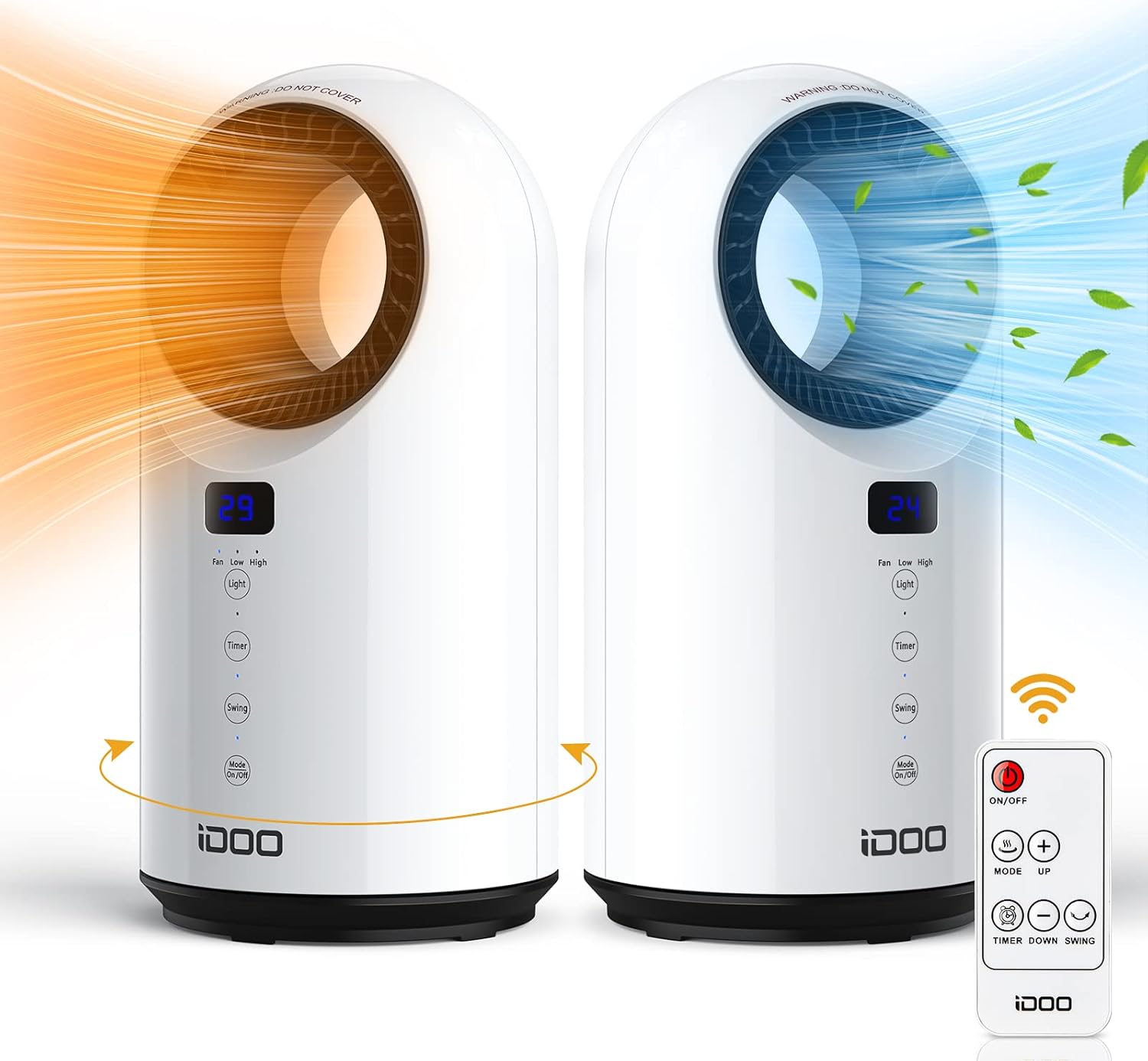
Image: The iDOO Electric Space Heater, a white tower-style unit, with its remote control. It illustrates both warm orange air and cool blue air emanating from the unit, highlighting its dual heating and fan functions.
The iDOO Electric Space Heater utilizes PTC ceramic heating technology for rapid warmth. It features multiple heating modes, oscillation, a timer function, and safety mechanisms to ensure comfortable and secure indoor use.
Important Safety Instructions
WARNING: To reduce the risk of fire, electric shock, or injury, observe the following precautions:
- Read all instructions before using this heater.
- This heater is hot when in use. To avoid burns, do not let bare skin touch hot surfaces.
- Keep combustible materials, such as furniture, pillows, bedding, papers, clothes, and curtains at least 3 feet (0.9 meters) from the front of the heater and keep them away from the sides and rear.
- Extreme caution is necessary when any heater is used by or near children or invalids and whenever the heater is left operating and unattended.
- Always unplug the heater when not in use.
- Do not operate any heater with a damaged cord or plug or after the heater malfunctions, has been dropped, or damaged in any manner.
- Do not use outdoors.
- This heater is not intended for use in bathrooms, laundry areas, and similar indoor locations. Never locate heater where it may fall into a bathtub or other water container.
- Do not run cord under carpeting. Do not cover cord with throw rugs, runners, or similar coverings. Arrange cord away from traffic area and where it will not be tripped over.
- To disconnect heater, turn controls to OFF, then remove plug from outlet.
- Do not insert or allow foreign objects to enter any ventilation or exhaust opening as this may cause an electric shock or fire, or damage the heater.
- To prevent a possible fire, do not block air intakes or exhaust in any manner. Do not use on soft surfaces, like a bed, where openings may become blocked.
- A heater has hot and arcing or sparking parts inside. Do not use it in areas where gasoline, paint, or flammable liquids are used or stored.
- Use this heater only as described in this manual. Any other use not recommended by the manufacturer may cause fire, electric shock, or injury to persons.
- Always plug heaters directly into a wall outlet/receptacle. Never use with an extension cord or relocatable power tap (outlet/power strip).
- Ensure the power outlet is rated for the heater's power consumption (1500W).
- Do not touch the inside of the air vent when the heater is operating or immediately after use.

Image: This diagram illustrates the heater's safety features. One panel shows a dog near the heater, which is tipping over, with an arrow indicating it will automatically turn off (Tip-Over Protection). The second panel shows a hand near a laptop and the heater, with a thermometer icon indicating high temperature and the heater turning off (Overheating Protection).
Product Components
Familiarize yourself with the parts of your iDOO Electric Space Heater:

Image: A detailed view of the iDOO heater's control panel, highlighting the LED display showing '27' (temperature), and buttons for Light (On/Off), Timer (1-12 H), Oscillation (Swing), and Mode/Power. This image also shows the compact design of the heater.
- Main Unit: The primary heater body with air outlet and inlet.
- Control Panel: Located on the front of the unit, featuring an LED display and touch-sensitive buttons.
- LED Display: Shows current temperature, mode, and timer settings.
- Remote Control: For convenient operation from a distance.
- Power Cord: For connecting to an electrical outlet.
Setup
- Unpack: Carefully remove the heater from its packaging. Retain packaging for storage if desired.
- Placement: Place the heater on a firm, level surface. Ensure there is at least 3 feet (0.9 meters) of clear space around the heater to allow for proper airflow and to prevent fire hazards. Do not place on soft surfaces like carpets with deep pile or bedding.
- Power Connection: Plug the power cord directly into a 120V AC, 60Hz wall outlet. Do not use extension cords or power strips.

Image: This image displays the iDOO heater in three different indoor environments: a bedroom next to a bed, a living room near a sofa, and an office on a desk. This illustrates its versatility and compact size for various spaces.
Operating Instructions
The heater can be operated using the touch control panel on the unit or the included remote control.
Power On/Off
- Press the Power/Mode button on the control panel or the ON/OFF button on the remote to turn the heater on or off.
- When turning off, the fan may continue to run for 30 seconds to dissipate residual heat.
Heating Modes
The heater offers three modes: High Heat, Low Heat, and Fan Only.

Image: This graphic illustrates the three operational modes of the heater. It shows a family enjoying High heat (1500W), a couple enjoying Low heat (1000W), and a family with a pet enjoying the Fan only mode, indicating year-round usability.
- Press the Power/Mode button repeatedly to cycle through the modes: High Heat (1500W) → Low Heat (1000W) → Fan Only.
- The LED display will indicate the current mode.
Oscillation (Swing)
The heater features a 60-degree oscillation function to distribute warmth evenly.
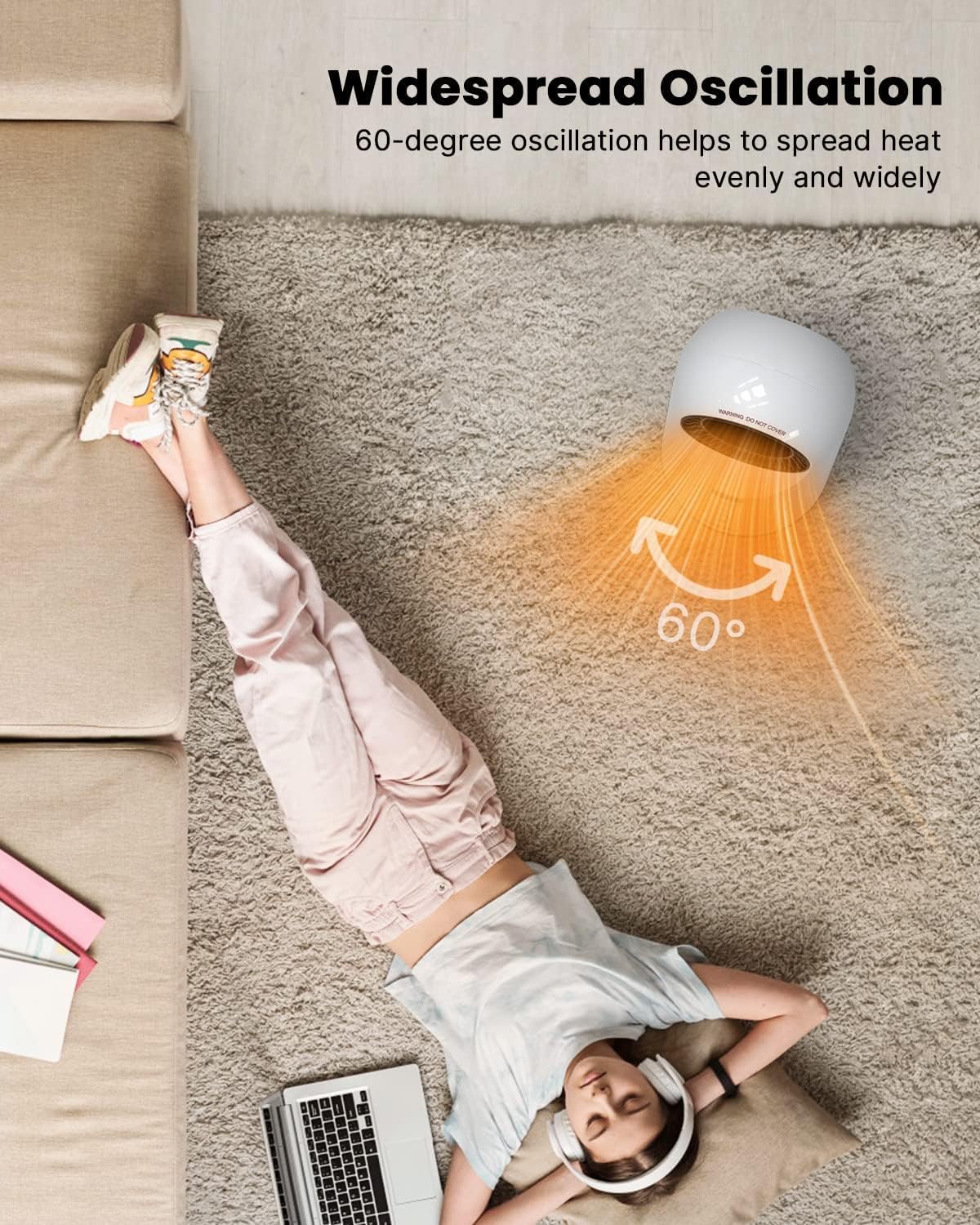
Image: An overhead view of a person relaxing on a rug, with the iDOO heater positioned to their side. Orange lines with arrows indicate a 60-degree widespread oscillation, demonstrating how the heater spreads warmth evenly.
- Press the Swing button on the control panel or remote to activate/deactivate oscillation.
Timer Function
Set the heater to automatically turn off after a specified period (1-12 hours).

Image: A graphic featuring a clock icon with '12h' and the iDOO heater, emphasizing its 1-12 hour timer functionality.
- Press the Timer button on the control panel or remote. Each press increases the timer by 1 hour, up to 12 hours.
- The LED display will show the set timer duration.
LED Display & Light Control
- The LED display shows the current room temperature and active settings.
- Press the Light button on the control panel or remote to turn the LED display light on or off.
Maintenance
Regular cleaning helps maintain the heater's performance and longevity.
- Before Cleaning: Always turn off the heater and unplug it from the power outlet. Allow it to cool completely before cleaning.
- Exterior Cleaning: Wipe the exterior surfaces with a soft, damp cloth. Do not use abrasive cleaners or solvents, as these may damage the surface.
- Air Inlet/Outlet: Use a vacuum cleaner with a brush attachment to gently remove dust and debris from the air inlet and outlet grilles. Ensure these areas are clear of obstructions.
- Storage: If storing the heater for an extended period, clean it thoroughly and place it back in its original packaging. Store in a cool, dry place.
Do not immerse the heater in water or allow water to drip into the interior of the heater.
Troubleshooting
If you encounter issues with your iDOO Electric Space Heater, refer to the following common problems and solutions:
| Problem | Possible Cause | Solution |
|---|---|---|
| Heater does not turn on. | No power supply. Tip-over switch activated. Overheat protection activated. | Ensure the power cord is securely plugged into a working outlet. Place the heater on a firm, level surface. If it was tipped, stand it upright. Unplug the heater, let it cool for 30 minutes, then plug it back in. Clear any obstructions from air inlets/outlets. |
| No heat output in heating modes. | Heater is in Fan Only mode. Overheat protection activated. | Press the Mode button to select High Heat or Low Heat. Unplug the heater, let it cool for 30 minutes, then plug it back in. Clear any obstructions. |
| Heater suddenly stops operating. | Overheat protection activated. Tip-over switch activated. Timer function expired. | Unplug, cool, and restart. Clear obstructions. Ensure heater is upright on a level surface. Check if the timer was set. Reset if necessary. |
| Remote control not working. | Batteries are dead or incorrectly inserted. Obstruction between remote and heater. | Replace batteries with new ones, ensuring correct polarity. Ensure a clear line of sight between the remote and the heater's sensor. |
If the problem persists after trying these solutions, please contact customer support.
Specifications

Image: A side view of the iDOO heater with measurement annotations, showing its width as 7 inches (18 cm) and height as 14 inches (36.7 cm), illustrating its compact design.
| Feature | Detail |
|---|---|
| Model | B0983DPW76 |
| Brand | iDOO |
| Heating Method | PTC Ceramic, Convection |
| Power Output | 1500W (High Heat), 1000W (Low Heat) |
| Voltage | AC 120V, 60Hz (Standard North American) |
| Item Weight | 2.4 Kilograms |
| Product Dimensions | 18D x 18W x 37H Centimetres (Approx. 7D x 7W x 14.5H Inches) |
| Form Factor | Tower |
| Indoor/Outdoor Usage | Indoor Only |
| Special Features | Energy Efficient, Fast Heating, Panel Control, Remote Control, 12H Timer, Oscillation, LED Display, Overheat Protection, Tip-Over Safety Switch |
Warranty and Customer Support
iDOO provides customer support for its products. If you encounter any issues or have questions regarding your iDOO Electric Space Heater, please contact us directly.
- Customer Service: For assistance, please contact iDOO customer service via Amazon.
- Response Time: We aim to resolve inquiries within 12 hours.
Please have your product model number (B0983DPW76) and purchase information ready when contacting support.

