
Introduction
This manual provides instructions for the AULCMEET AH59-02692P, AH59-02692E, and AH59-02692F replacement remote control, designed for various Samsung Sound Bar Systems. Please read this guide carefully to ensure proper use and longevity of your remote control.
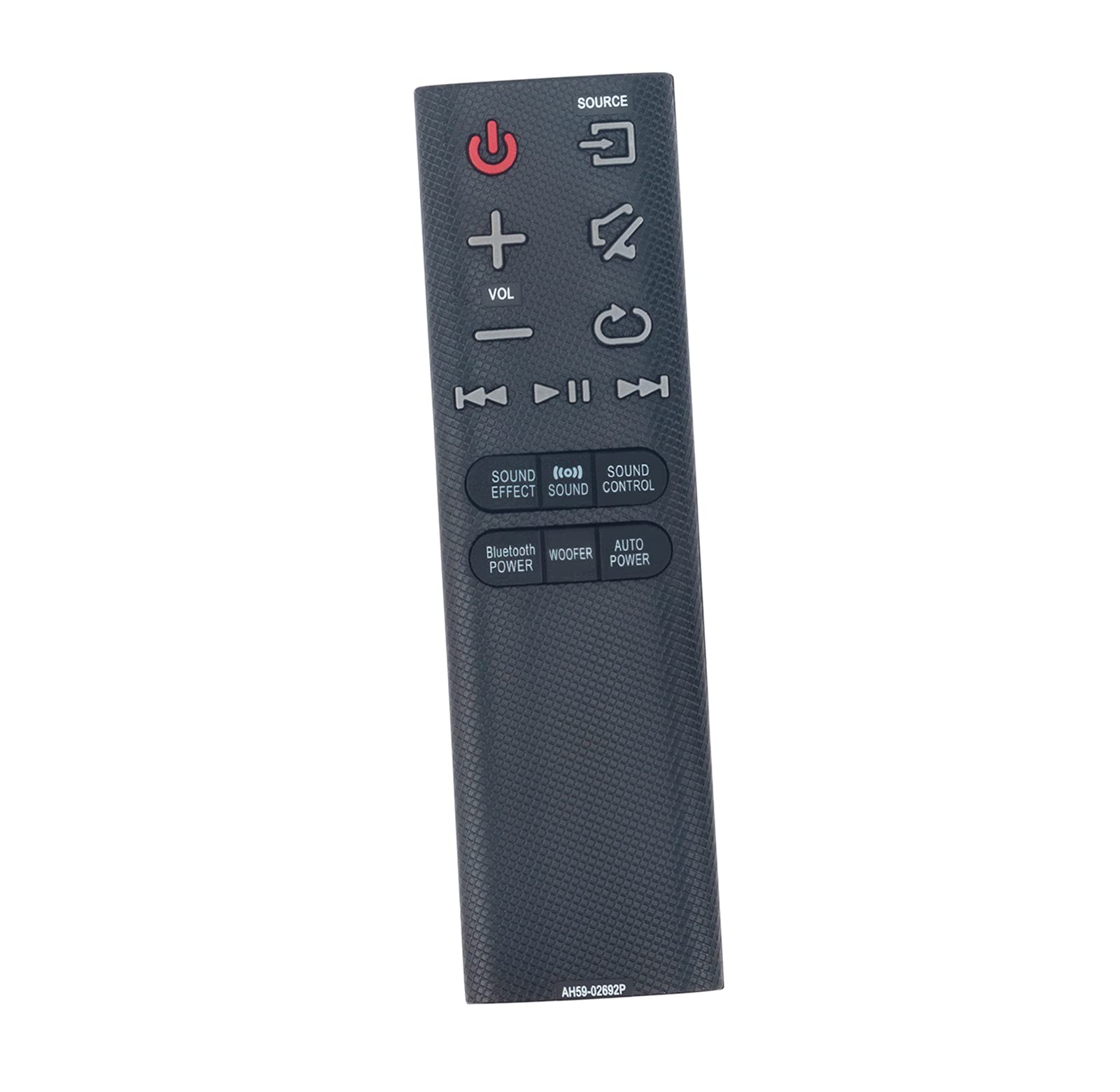
Image: The AULCMEET AH59-02692P remote control, showing its full layout of buttons including power, volume, source, and sound effect controls.
Setup
1. Battery Installation
The remote control requires two AAA batteries (not included). Follow these steps to install them:
- Locate the battery compartment cover on the back of the remote control.
- Press down on the tab and slide the cover off.
- Insert two AAA batteries, ensuring the positive (+) and negative (-) terminals match the diagrams inside the compartment.
- Slide the battery compartment cover back into place until it clicks securely.

Image: The back of the remote control with the battery compartment open, showing the slots for two AAA batteries.
2. Initial Connection
This remote control is a direct replacement and typically requires no programming. Once batteries are installed, it should function immediately with compatible Samsung Sound Bar Systems.
Operation
Point the remote control directly at your Samsung Sound Bar System. Ensure there are no obstructions between the remote and the sound bar.
Key Functions:
- Power Button (Red): Turns the sound bar on or off.
- Source Button: Cycles through available input sources (e.g., HDMI, Optical, Bluetooth).
- Volume (+/-): Adjusts the master volume level.
- Mute Button: Mutes or unmutes the sound.
- Playback Controls (Play/Pause, Skip Forward/Backward): Controls media playback when applicable (e.g., via Bluetooth).
- Sound Effect: Changes the sound effect mode.
- Sound Control: Accesses sound settings.
- Bluetooth Power: Activates or deactivates Bluetooth functionality.
- Woofer: Adjusts the subwoofer level.
- Auto Power: Manages automatic power settings.
Compatible Sound Bar Models:
This remote control is compatible with a wide range of Samsung Sound Bar Systems, including but not limited to:
- HW-J6000, HW-J6001, HW-JM35, HW-JM45
- HW-J550/ZA, HW-J551/ZA, HW-J6000/JA, HW-J6000/ZA
- HW-JM6000C/ZA, HW-J355ZA, HW-J450ZA, HW-J6666660ZA
- HW-JM35ZA, HW-JM45ZA, HW-JM35/ZA, HW-JM45/ZA
- HW-JM6000/JA, HW-JM6000/ZA, HW-JM6000JA, HW-JM6000ZA, HW-JM6000CZA
- HW-J430, HW-J355, HW-J450, HW-J460, HW-J55, HW-J550, HW-J551, HW-J560
- HW-JM45C, HW-JM6000, HW-JM6000C, PS-WJ6000
- AH59-02692E, AH59-02692F
Maintenance
Battery Replacement:
If the remote control becomes unresponsive or its range decreases, the batteries may need to be replaced. Follow the battery installation steps in the Setup section.
Cleaning:
To clean the remote control, use a soft, dry cloth. Do not use liquid cleaners or abrasive materials, as these can damage the remote's surface or internal components.
Troubleshooting
| Problem | Possible Cause | Solution |
|---|---|---|
| Remote not responding. | Dead or incorrectly installed batteries. | Replace batteries with new AAA batteries, ensuring correct polarity. |
| Reduced operating range. | Low battery power or obstruction. | Replace batteries. Ensure a clear line of sight between the remote and the sound bar. |
| Specific buttons not working. | Remote control damage or incompatibility. | Verify sound bar model compatibility. If damage is suspected, consider replacement. |
Specifications
- Brand: AULCMEET
- Model Numbers: AH59-02692P, AH59-02692E, AH59-02692F
- Connectivity Technology: Infrared (IR)
- Number of Buttons: 20
- Battery Type: 2 x AAA (Alkaline recommended)
- Maximum Range: 10 Meters (approximately 33 feet)
- Compatible Devices: Samsung Sound Bar Systems (Stereo System)
- Special Feature: No programming required
- Color: Black