1. Introduction
Thank you for choosing the Snpurdiri 60% Wired Gaming Keyboard. This ultra-compact keyboard features a 61-key layout, vibrant RGB backlighting, and a durable design, making it ideal for gamers and typists who require efficiency and portability. This manual will guide you through the essential steps to set up, operate, and maintain your new keyboard.
2. Package Contents
Please ensure all items are present in your package:
- Snpurdiri 60% Wired Gaming Keyboard
- USB-C Cable
- Instruction Manual (this document)

Figure 2.1: The Snpurdiri 60% Wired Gaming Keyboard and its detachable USB-C cable.
3. Setup
Follow these steps to connect your keyboard to your computer:
- Locate the USB-C port on the top edge of your Snpurdiri keyboard.
- Connect one end of the provided USB-C cable to the keyboard's port.
- Connect the other end of the USB-C cable to an available USB-A port on your computer (PC or Mac).
- The keyboard is plug-and-play. Your operating system should automatically detect and install the necessary drivers.
Figure 3.1: Connecting the Snpurdiri keyboard to a computer.
4. Operating Instructions
4.1. Key Layout and Function Layer
The Snpurdiri 60% keyboard features a compact 61-key layout, which omits the dedicated Numpad, F-row, and some navigation keys to save space. These functions are accessible via the Fn (Function) key in combination with other keys.
- To use F1-F12 keys, press Fn + [1-9, 0, -, =].
- Arrow keys are typically accessed via Fn + [W, A, S, D] or dedicated keys if marked.
- Other secondary functions are marked on the keycaps and can be activated by pressing Fn + [corresponding key].

Figure 4.1: The compact 60% layout and ergonomic design of the keyboard.
4.2. RGB Backlight Customization
The keyboard features customizable RGB backlighting with multiple effects and colors. Use the following key combinations to adjust the lighting:
- Fn + K: Switch between 6 different backlight effects.
- Fn + O / L: Adjust backlight brightness (increase/decrease).
- Fn + U / J: Adjust lighting speed (increase/decrease).
- Fn + I: Toggle backlight on/off.
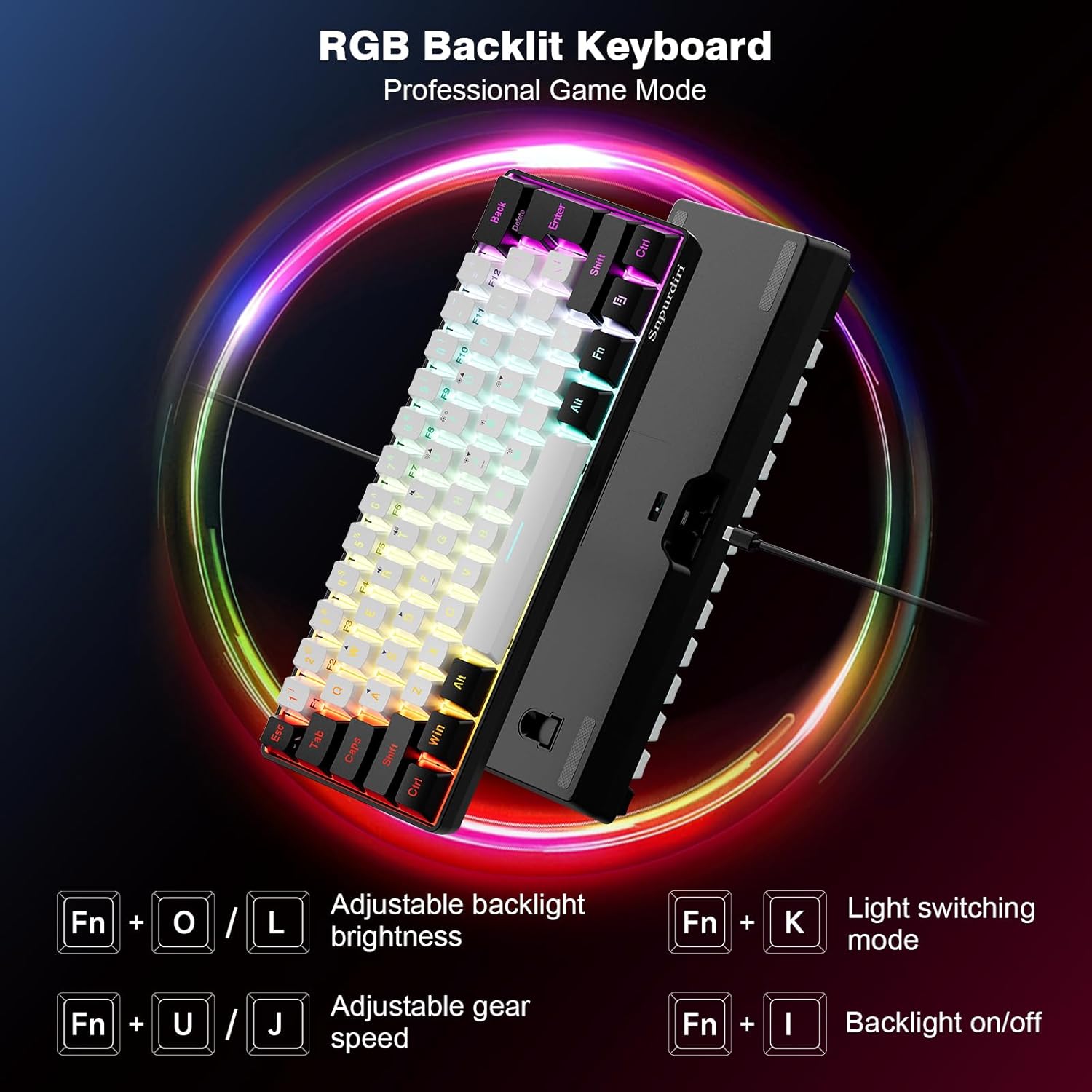
Figure 4.2: RGB backlight controls and effects.
5. Maintenance
Proper care will extend the life and performance of your keyboard:
- Cleaning: Use a soft, dry, lint-free cloth to wipe the keyboard surface. For deeper cleaning, you may use a slightly damp cloth with mild soap, ensuring no liquid enters the keyboard.
- Spill Resistance: The keyboard features a spill-resistant design. In case of accidental spills, immediately disconnect the keyboard from your computer and allow it to dry completely before reconnecting.
- Storage: Store the keyboard in a cool, dry place away from direct sunlight and extreme temperatures.

Figure 5.1: The keyboard's spill-resistant design for enhanced durability.
6. Troubleshooting
If you encounter issues with your keyboard, please refer to the following common solutions:
- Keyboard Not Responding: Ensure the USB-C cable is securely connected to both the keyboard and the computer. Try connecting the keyboard to a different USB port or a different computer to rule out port or system issues.
- Backlight Not Working: Press Fn + I to ensure the backlight is turned on. Adjust brightness using Fn + O / L.
- Specific Keys Not Functioning: For keys with secondary functions, ensure you are pressing the Fn key simultaneously. If the issue persists, try cleaning around the keycap.
- Unexpected Behavior: Restart your computer. If the problem continues, consult the Snpurdiri support for further assistance.
7. Specifications
| Feature | Detail |
|---|---|
| Product Dimensions | 11.5 x 4 x 1.6 inches (29.2 x 10.2 x 4.1 cm) |
| Item Weight | 14.1 ounces (400 grams) |
| Connectivity Technology | Wired (USB Type-C) |
| Keyboard Description | Membrane |
| Recommended Uses | Gaming |
| Special Features | Backlit, Ergonomic, Spill Resistant |
| Color | Black and White |
| Backlighting Color Support | RGB |
| Style | Classic |
8. Warranty and Support
Snpurdiri is committed to continuous improvement of product quality and customer satisfaction. For any product-related inquiries, technical support, or warranty claims, please contact Snpurdiri customer service through the retailer's platform or the official Snpurdiri website. Your satisfaction is our priority.
