
1. Introduction
The XTOOL D8S is an advanced bidirectional scan tool designed for comprehensive vehicle diagnostics and maintenance. This device offers a wide range of functionalities including topology mapping, active tests, ECU coding, and numerous special reset services. It is engineered to assist automotive technicians and enthusiasts in efficiently identifying and resolving vehicle issues.

Image 1.1: The XTOOL D8S Bidirectional Scan Tool, showcasing its compact design and user interface.
2. Setup and Initial Use
2.1 What's Included
Upon unboxing your XTOOL D8S, please verify that all components are present:
- D8S Tablet Scanner
- D815 to OBD2-16 Main Cable
- Power Charger (with EU, US, UK adapters)
- USB 3.0 Cable
- Tool Carrying Case
- User Manual (this document)
- Packing List & Quick Start Guide

Image 2.1: Visual representation of the items included in the XTOOL D8S package, such as the tablet, cables, and adapters.
2.2 Powering On and Charging
The XTOOL D8S is equipped with a 5000mAh/7.3V Lithium Ion battery. Before first use, ensure the device is fully charged using the provided power charger and USB 3.0 cable. Connect the charger to the device's Type-C port and plug it into a power outlet. The device will indicate charging status on its screen.
2.3 Software Updates
It is recommended to update the software regularly to ensure access to the latest vehicle coverage, features, and performance optimizations. The XTOOL D8S includes 3 years of free software updates. Connect the device to a Wi-Fi network and navigate to the 'Update' section within the device's menu to check for and install available updates.
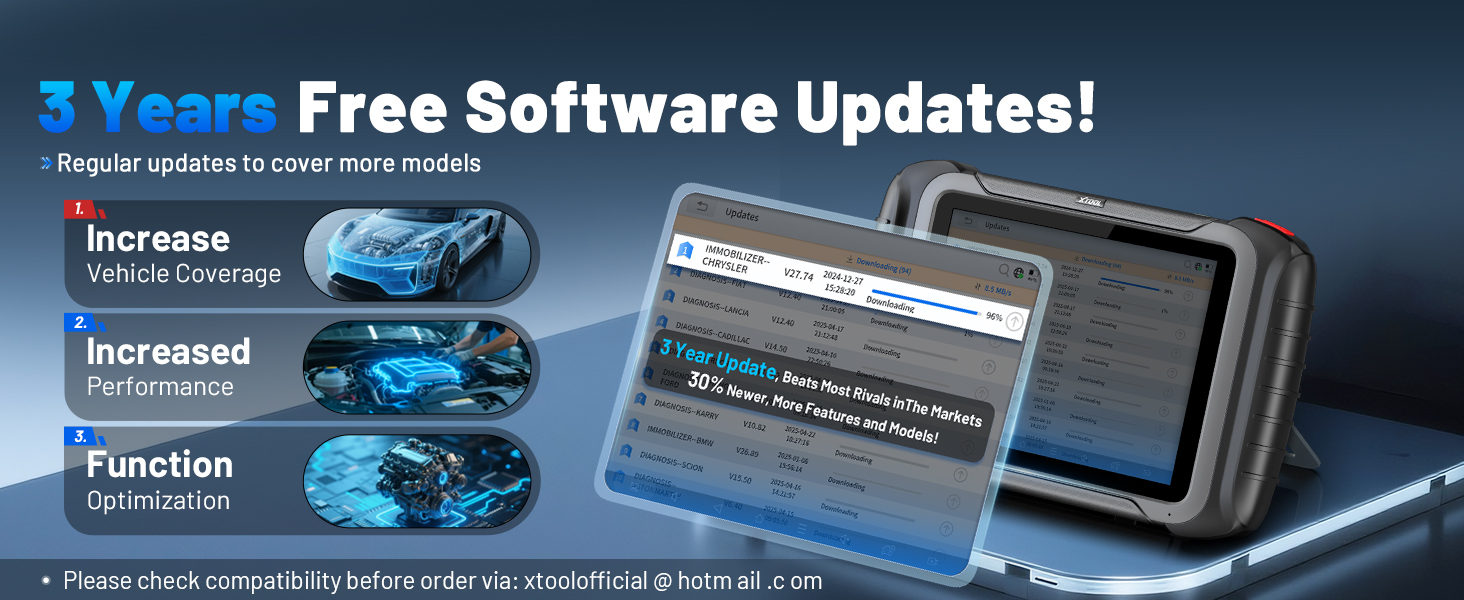
Image 2.2: The software update interface on the XTOOL D8S, illustrating the process of downloading and installing new software versions.
2.4 Connecting to a Vehicle
To connect the D8S to a vehicle, locate the vehicle's OBD-II port (typically under the dashboard). Connect the D815 to OBD2-16 Main Cable to the D8S tablet and then to the vehicle's OBD-II port. Once connected, turn the vehicle's ignition to the 'ON' position (engine off) or start the engine as required by the diagnostic procedure.
3. Operating the XTOOL D8S
The XTOOL D8S operates on Android 10.0, providing a user-friendly interface for various diagnostic functions.
3.1 OE All Systems Diagnostics
This function allows the D8S to scan all available vehicle systems, including Engine, Transmission, ABS, Airbag, Brake, Body, Chassis, HVAC, and Radio. It performs dealer-level diagnostics such as reading/clearing Diagnostic Trouble Codes (DTCs), viewing live data streams, and retrieving ECU information.

Image 3.1: An illustration of the XTOOL D8S conducting an OE All Systems Diagnostic scan, showing various vehicle modules being analyzed.
3.2 Topology Mapping
The intuitive topology module mapping feature provides a visual representation of the vehicle's communication network. This allows for quick identification of system status and fault locations, streamlining the diagnostic process.

Image 3.2: The topology mapping interface on the XTOOL D8S, displaying the vehicle's electronic control units and their interconnections.
3.3 Bi-directional Control / Active Tests
The D8S supports full bidirectional control, allowing it to send commands to vehicle ECUs to perform specific component tests. This includes tests for injectors, fuel pumps, cooling fans, A/C clutches, ABS motor pumps, windows, wipers, and more, aiding in precise fault isolation.

Image 3.3: A visual demonstrating the bidirectional control capabilities of the XTOOL D8S, showing commands being sent to vehicle components for active testing.
3.4 Special Functions / Maintenance Services
The device offers over 42 special functions for routine maintenance and service tasks. These include, but are not limited to:
- Oil Reset
- EPB (Electronic Parking Brake) Reset
- SAS (Steering Angle Sensor) Calibration
- BMS (Battery Management System) Reset
- Throttle Relearn
- Injector Coding
- ABS Bleeding
- TPMS (Tire Pressure Monitoring System) Reset
- Headlight Adjustment
- Window/Seat/Power Balance Initialization
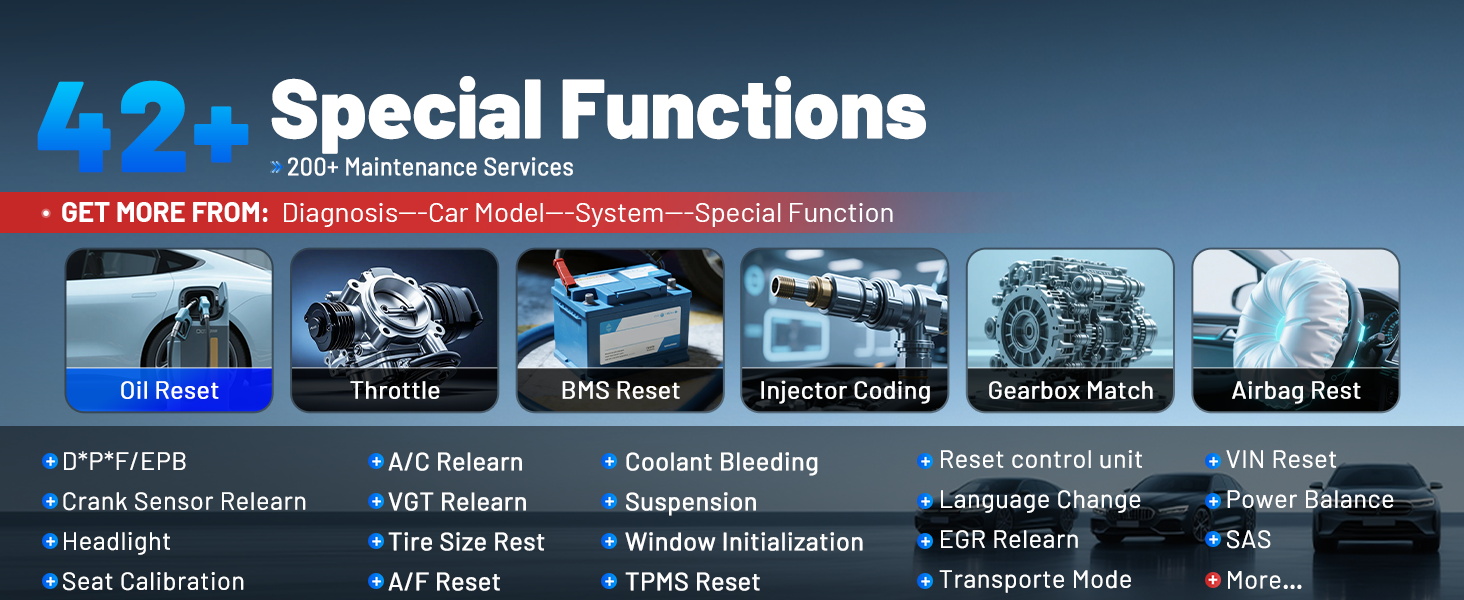
Image 3.4: A display of the various special functions available on the XTOOL D8S, categorized for easy access to maintenance services.
3.5 ECU Coding & Flash Hidden Function & PMI
The D8S provides advanced capabilities for ECU coding, allowing for customization and optimization of vehicle performance. It supports:
- ECU Coding: For Audi, VW, Skoda, and other compatible brands, enabling online calibration and parameterization.
- Flash Hidden Functions: To activate or deactivate specific vehicle features that are hidden by the factory, such as rearview mirror folding or daytime running lights.
- PMI (Programmable Module Installation): For Ford, Lincoln, and Mazda vehicles, allowing for the copying of data and installation of newly replaced modules.

Image 3.5: The advanced ECU coding screen on the XTOOL D8S, showing options for customizing vehicle settings.

Image 3.6: An illustration of the PMI (Programmable Module Installation) function, demonstrating its use for replacing and programming ECUs in compatible vehicles.
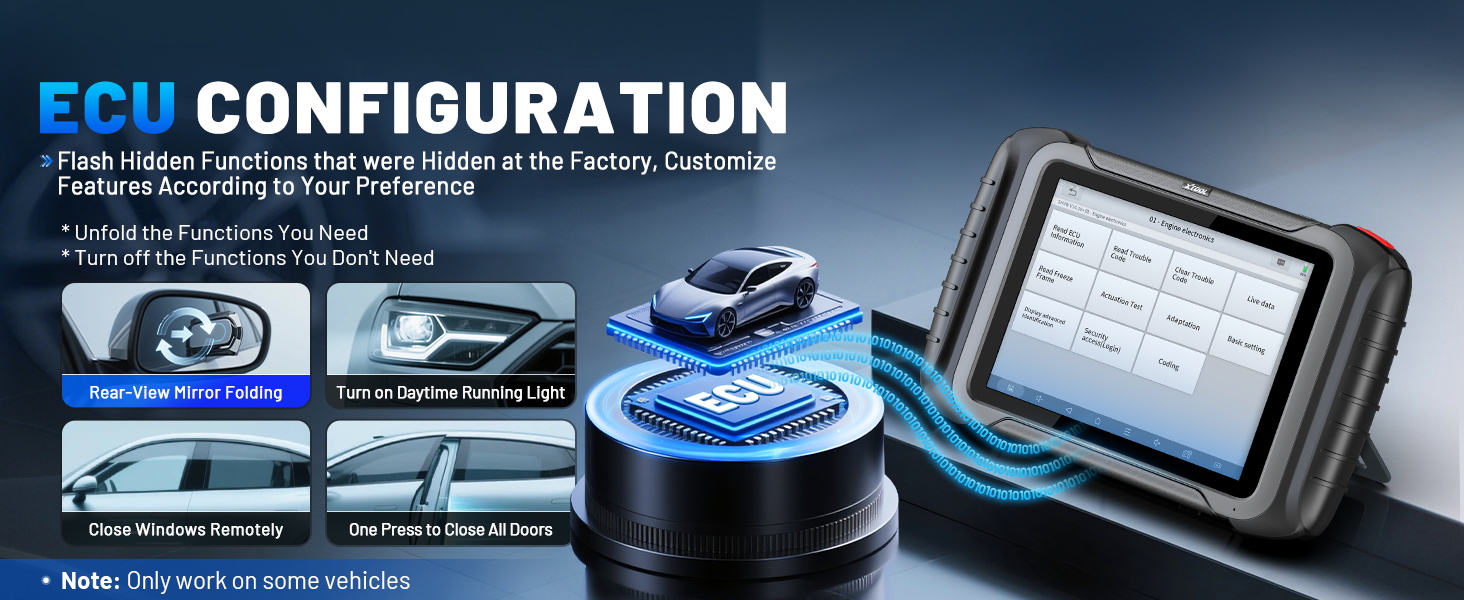
Image 3.7: The ECU configuration screen on the XTOOL D8S, showing options to flash hidden functions and customize car settings.
3.6 Diagnostic Report & Data Graphing
The D8S generates V2.0 Diagnostic Reports, which can be customized, saved, and shared. It also supports graphing of up to 8 PIDs (Parameter IDs) simultaneously, allowing for real-time monitoring and analysis of vehicle data.
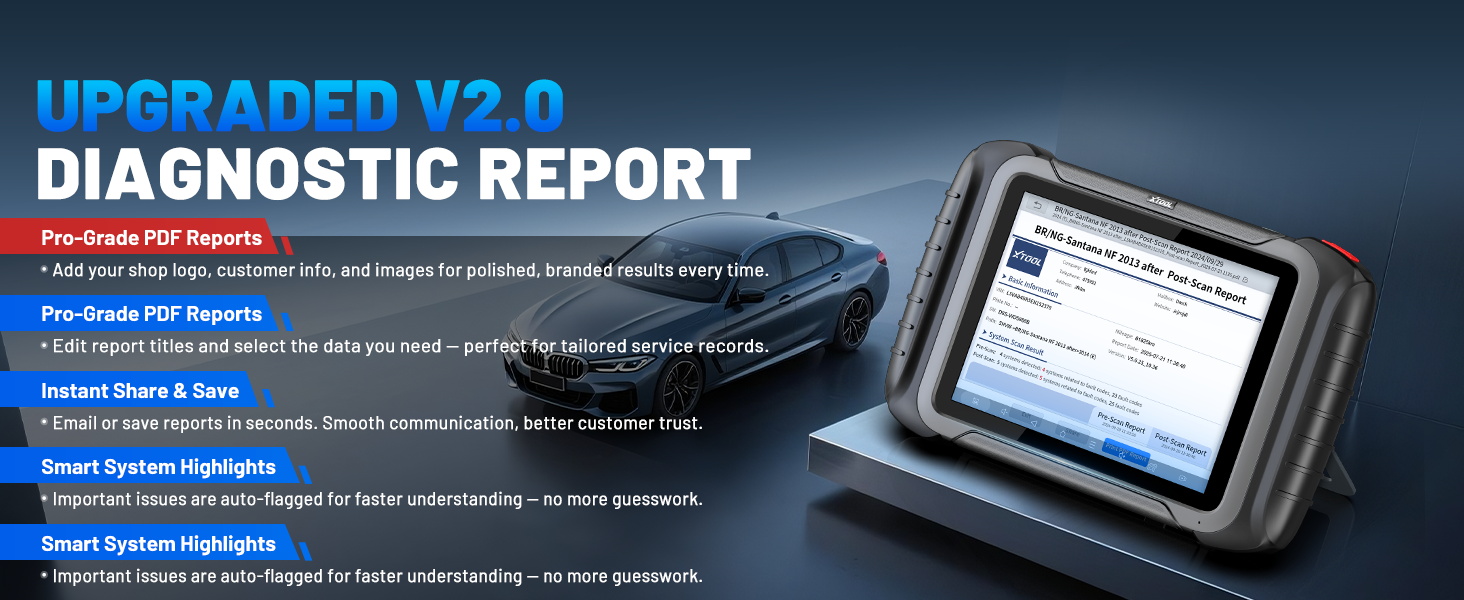
Image 3.8: A sample of the V2.0 Diagnostic Report generated by the XTOOL D8S, detailing scan results and DTC status.
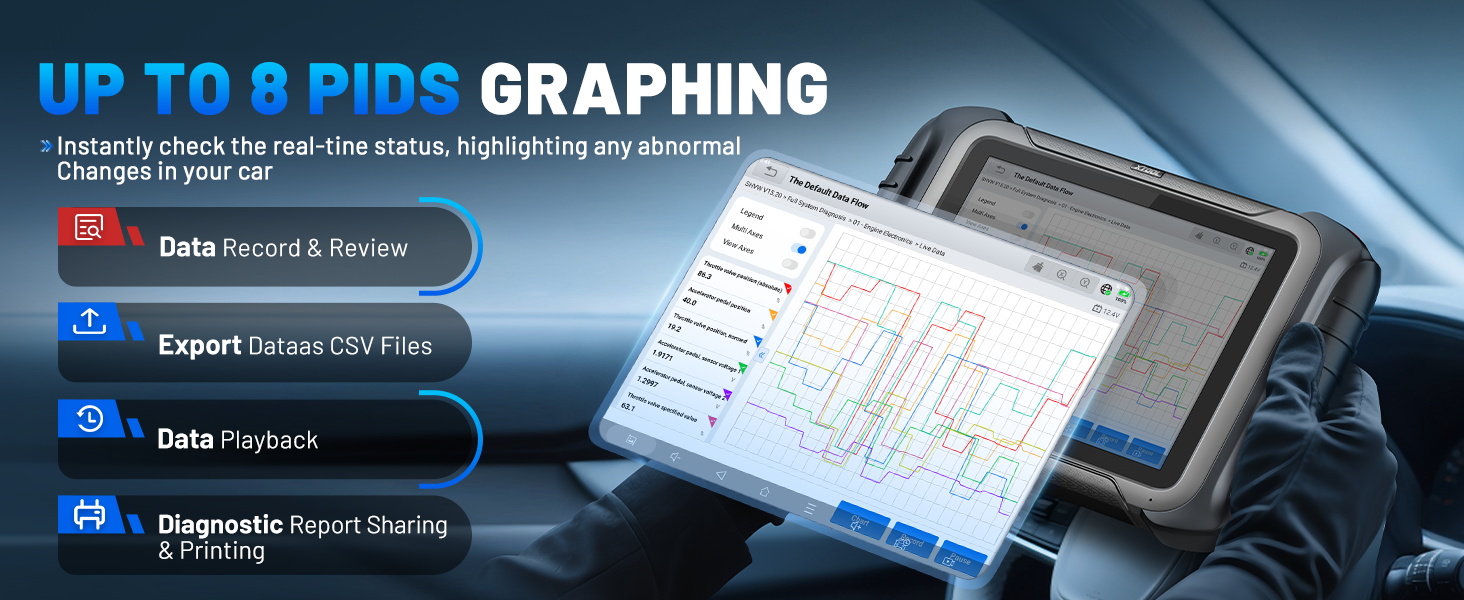
Image 3.9: The live data graphing feature on the XTOOL D8S, showing multiple PIDs plotted over time for detailed analysis.
3.7 Vehicle Coverage & Protocols
The XTOOL D8S supports over 10,000 car models globally, including 12V sedans, light-duty trucks, SUVs, mini-vans, and hybrids. It is compatible with OBDII, EOBD, and advanced protocols such as FCA AutoAuth (for Chrysler, Dodge, Jeep from 2018+), CAN FD (for GM 2020+), and DoIP (for BMW E/F/G Chassis, Jaguar, Land Rover).

Image 3.10: A world map illustrating the extensive vehicle coverage of the XTOOL D8S across various regions and car models.
3.8 Language Support
The device supports over 23 languages, with English and Spanish pre-installed. Other languages can be activated upon request by providing the device's serial number to XTOOL support.
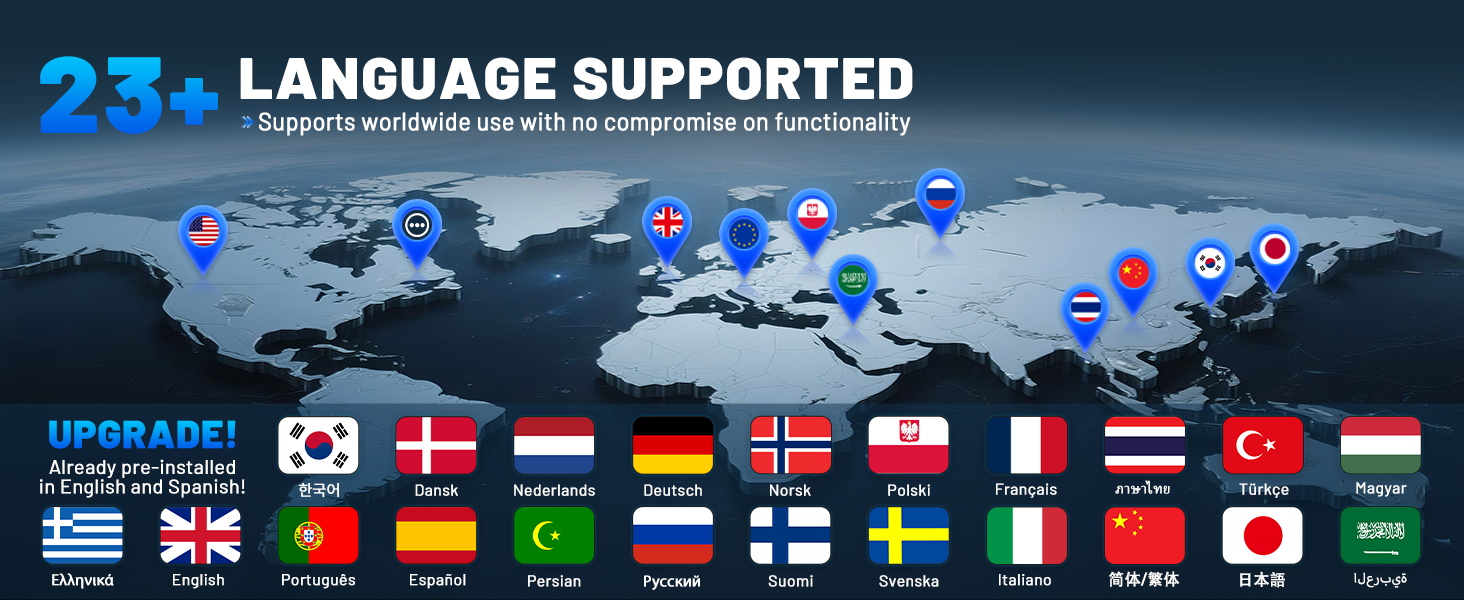
Image 3.11: A display of flags representing the 23+ languages supported by the XTOOL D8S, highlighting its global usability.
4. Maintenance
4.1 Software Updates
Regular software updates are crucial for maintaining optimal performance and expanding vehicle compatibility. Connect your device to a stable internet connection and check for updates periodically through the device's menu. Ensure the battery is sufficiently charged before initiating any update process.
4.2 Device Care
To ensure the longevity of your XTOOL D8S, follow these guidelines:
- Keep the device clean using a soft, dry cloth. Avoid abrasive cleaners or solvents.
- Store the device in its protective carrying case when not in use to prevent physical damage.
- Avoid exposing the device to extreme temperatures, direct sunlight, or high humidity.
- Protect the screen from scratches by using a screen protector if available.
4.3 Battery Care
The integrated Lithium Ion battery requires proper care:
- Charge the device regularly, avoiding complete discharge for extended periods.
- If storing the device for a long time, ensure the battery is charged to approximately 50-70% to preserve its lifespan.
- Use only the original charger and cables provided with the device.
5. Troubleshooting
This section addresses common issues you might encounter with your XTOOL D8S. For more complex problems, please contact XTOOL customer support.
5.1 Device Not Powering On
- Ensure the battery is charged. Connect the device to the power adapter and allow it to charge for at least 30 minutes before attempting to power on again.
- Verify the power adapter and cable are securely connected and functional.
5.2 Connection Issues with Vehicle
- Check that the OBD-II cable is securely connected to both the D8S and the vehicle's OBD-II port.
- Ensure the vehicle's ignition is in the 'ON' position (engine off) or the engine is running, as required by the specific diagnostic function.
- Verify vehicle compatibility. Some advanced functions may not be available for all vehicle models or years. You can contact XTOOL support with your VIN for compatibility checks.
5.3 Software Freezes or Errors
- Restart the device.
- Ensure the software is up to date. Perform a software update if available.
- If the issue persists, consider performing a factory reset (note: this will erase user data, back up important information first).
5.4 Inaccurate Readings or Functionality
- Confirm the correct vehicle make, model, and year have been selected in the diagnostic software.
- Ensure the vehicle's battery voltage is stable and sufficient for diagnostic operations.
- If a specific function is not working, it might not be supported for your particular vehicle. Check compatibility with XTOOL support.
6. Specifications
The XTOOL D8S is built with robust hardware and an optimized operating system to deliver efficient diagnostic performance.

Image 6.1: An overview of the XTOOL D8S's hardware components and their key specifications.
| Feature | Specification |
|---|---|
| Manufacturer | XTOOL |
| Model Number | XTOOL D8S |
| Operating System | Android 10.0 |
| Processor | Quad-Core 1.8GHz CPU |
| Memory | 4GB RAM & 64GB ROM |
| Display | 8-inch (1024x768 resolution) |
| Battery | 5000mAh/7.3V Lithium Ion |
| Connectivity | 2.4GHz & 5GHz Dual-Frequency Wi-Fi, USB 3.0 Type-C |
| Dimensions | 10.78 x 1.33 x 6.89 inches |
| Item Weight | 5.61 pounds |
| UPC | 789605296895 |
7. Warranty and Support
7.1 Product Warranty
The XTOOL D8S comes with a 2-year hardware warranty. Additionally, it includes 3 years of free software updates from the date of purchase, ensuring your device remains current with the latest vehicle data and diagnostic capabilities.
7.2 Customer Support
For technical assistance, compatibility inquiries, or any other support needs, please contact XTOOL customer service. You can typically find contact information on the official XTOOL website or through the seller's support channels. When contacting support, please have your device's serial number and vehicle VIN (if applicable) ready.
A detailed User Manual in PDF format is also available for download: XTOOL D8S User Manual (PDF)
Note: No official product videos with 'Seller' as creator type were provided in the product data, therefore no videos could be embedded in this manual.


