
faroro PF21
Faroro Automatic Cat Feeder User Manual
Model: PF21
1. Introduction
Thank you for choosing the Faroro Automatic Cat Feeder. This device is designed to simplify your pet feeding routine by providing scheduled meals with precise portion control. It ensures your pet receives consistent nutrition, even when you are away. Please read this manual thoroughly before operating the feeder to ensure proper use and maintenance.

Image 1.1: Faroro Automatic Cat Feeder (4L)
2. Product Overview
2.1. What's in the Box
Upon unpacking, please ensure all components are present and in good condition:
- 1 x Automatic Cat Feeder (4L)
- 1 x Stainless Steel Bowl
- 1 x DC Power Adapter
- 1 x USB Cable
- 1 x Desiccant Bag
- 1 x User Manual

Image 2.1: Contents of the product packaging.
2.2. Key Features
- 4L Food Storage Capacity: Suitable for extended periods, catering to an adult cat for approximately 28 days or a puppy for 10 days.
- Flexible Scheduled Feeding: Program up to 6 meals per day.
- Precise Portion Control: Dispense 1 to 50 portions per meal (approx. 10g per portion).
- Freshness Preservation: Airtight design with a desiccant bag to keep food fresh and crispy.
- Dual Power Supply: Operates via DC adapter or 3 alkaline D batteries (not included) for power outage backup.
- Easy to Clean: Removable components and a stainless steel bowl for hygienic feeding.
- Anti-Clog Design: Engineered to prevent food blockages.
- Voice Recording: Allows for recording a message to call your pet at meal times.
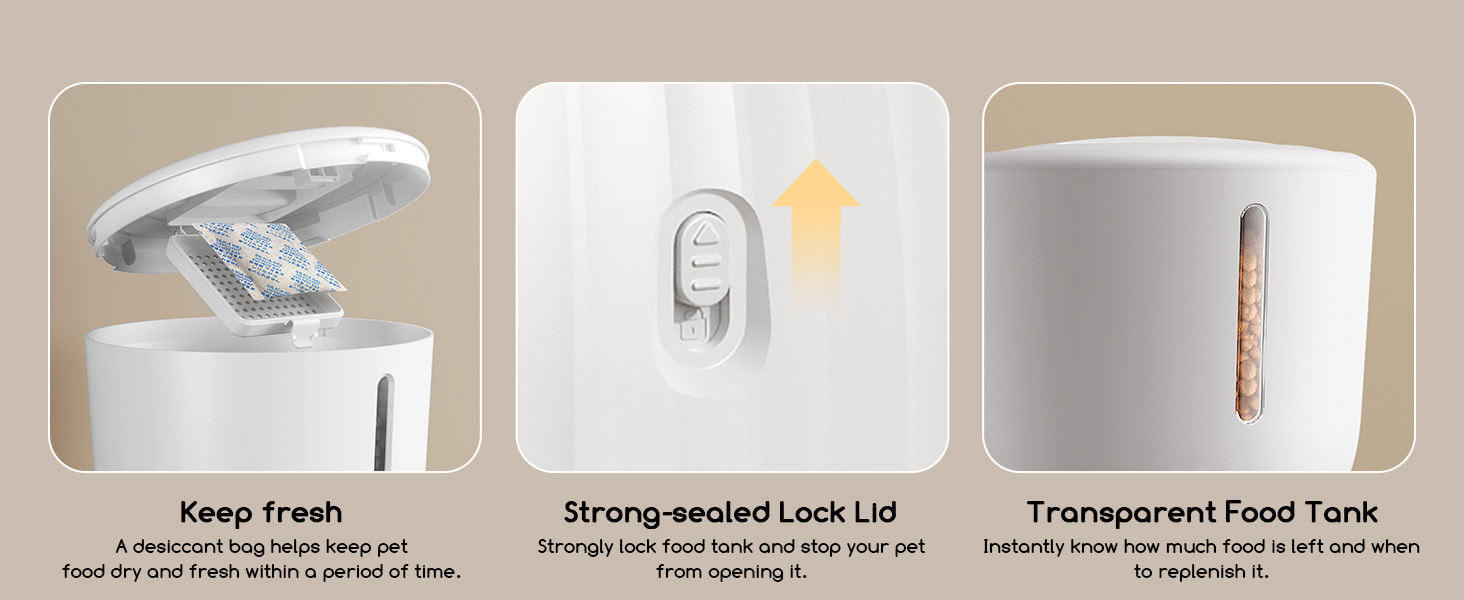
Image 2.2: Features highlighting freshness, secure lid, and transparent tank.
3. Setup
3.1. Power Supply
The feeder can be powered by two methods:
- DC Adapter: Connect the provided DC adapter to the feeder and plug it into a wall outlet. This is the primary power source.
- D Batteries (Backup): For backup power during outages, insert 3 alkaline D batteries (not included) into the battery compartment at the bottom of the feeder. Ensure correct polarity.
Important: The master switch at the bottom of the feeder must be turned to "ON" before setup and operation.

Image 3.1: Illustration of DC adapter and battery power options.
3.2. Loading Food
- Open the top lid of the feeder.
- Place the desiccant bag into its designated slot in the lid to help keep food fresh.
- Pour dry kibble into the food storage tank.
- Close the lid securely to maintain freshness and prevent pets from accessing food.
Note: This feeder is designed exclusively for dry kibble with a diameter of 2-15mm. Using wet, soft, or powdered food may cause clogging and malfunction.
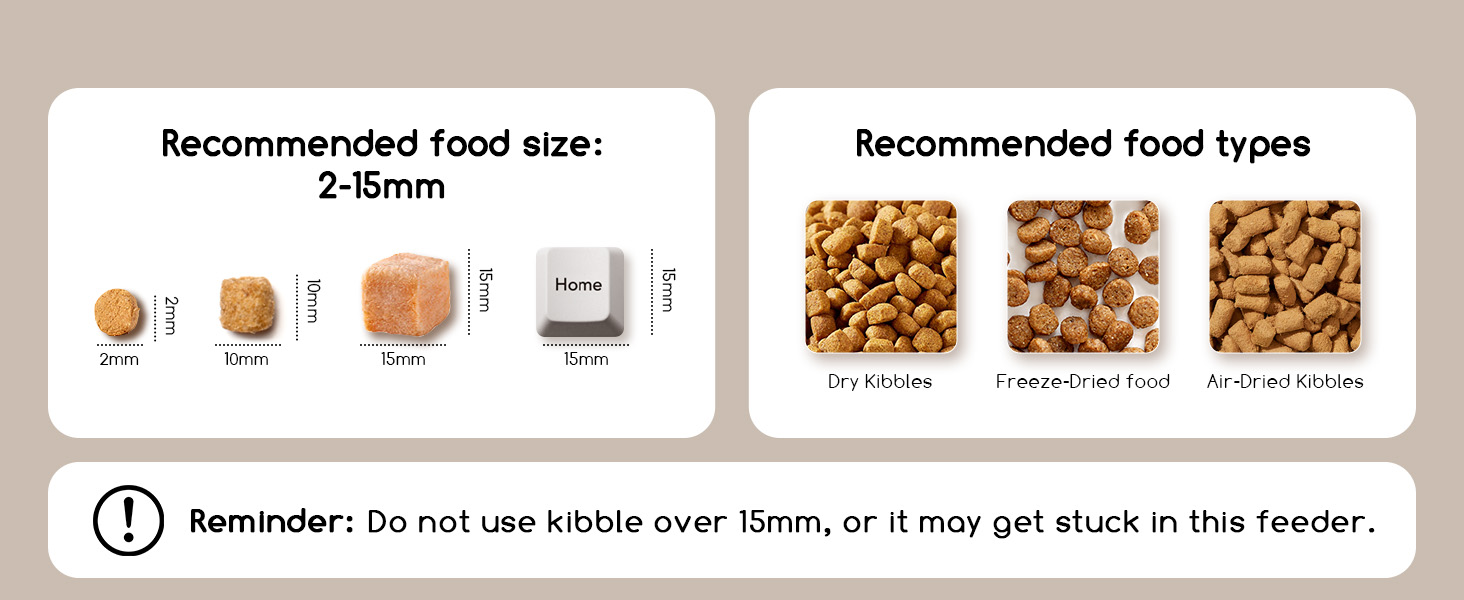
Image 3.2: Guidelines for compatible food types and sizes.
4. Operating Instructions
4.1. Setting Feeding Schedule
The intuitive control panel allows for easy programming of meal times and portions.

Image 4.1: The feeder's intuitive control panel.
You can set up to 6 meals per day. Refer to the detailed instructions in the full user manual for specific button functions and programming steps.
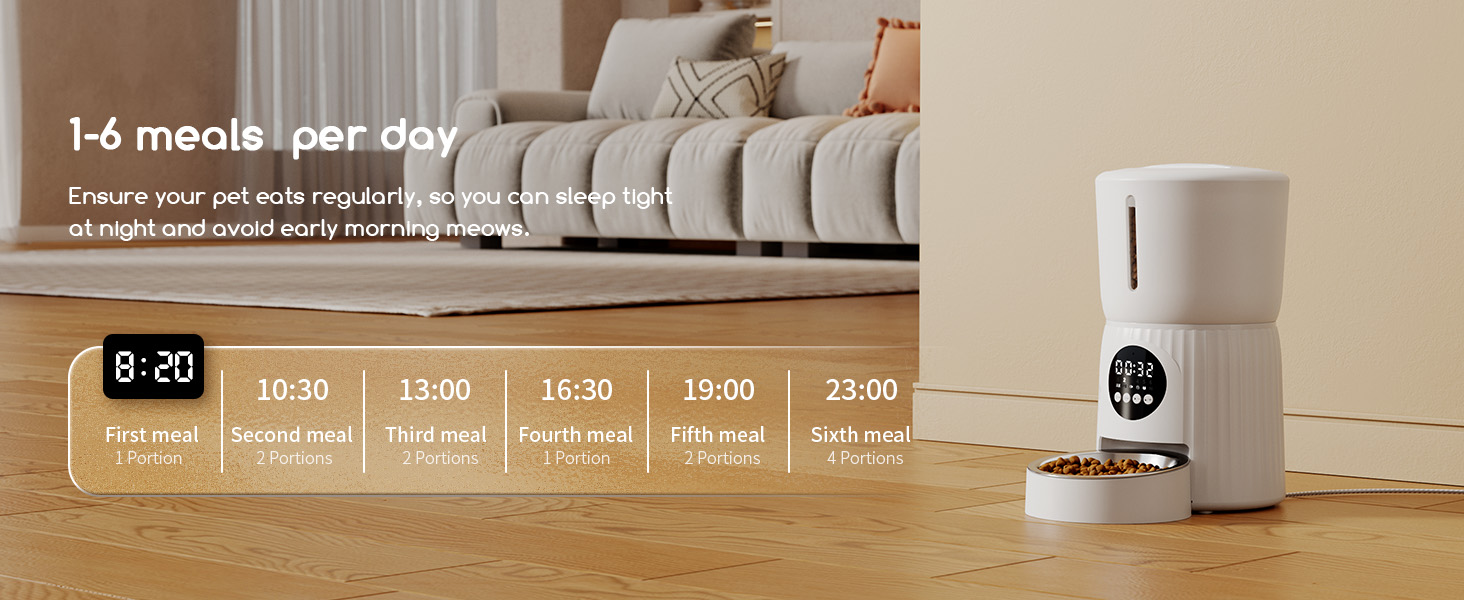
Image 4.2: Visual representation of setting multiple meals per day.
4.2. Portion Control
Each meal can be set to dispense between 1 and 50 portions. One portion is approximately 10g. Adjust the number of portions according to your pet's dietary needs to prevent overeating.

Image 4.3: Adjusting meal portions from 1 to 20 (or up to 50).
4.3. Voice Recording
The feeder supports voice recording. You can record a short message (e.g., your voice calling your pet) that will play at each scheduled meal time to attract your pet to the feeder.

Image 4.4: An automatic feeding session in progress.
5. Maintenance
5.1. Cleaning Instructions
Regular cleaning is essential for your pet's health and the feeder's longevity. The feeder features a detachable structure for easy cleaning.
- Disassembly: Carefully detach the food tank, stainless steel bowl, and the bowl holder from the main unit.
- Washing: The stainless steel bowl and plastic components (food tank, bowl holder) can be washed with mild soap and water. Rinse thoroughly.
- Drying: Ensure all parts are completely dry before reassembling to prevent moisture damage to the electronic components.
- Main Unit: Wipe the main unit with a damp cloth. Do not submerge the main unit in water.
Caution: Do not wash electronic components. Cleaning of all parts (except electronics) is recommended in the dishwasher for convenience.

Image 5.1: Exploded view showing detachable components for cleaning.
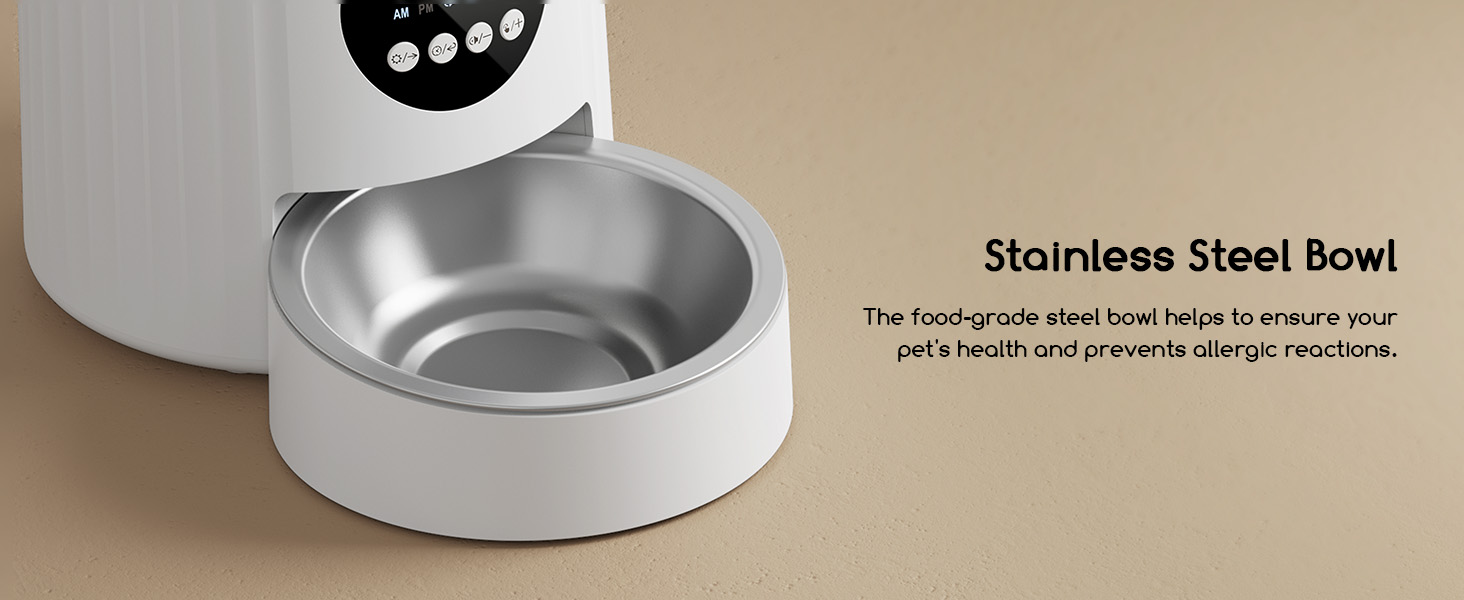
Image 5.2: The food-grade stainless steel bowl.
5.2. Storage Information
Keep the feeder in a dry area when not in use or for long-term storage.
6. Troubleshooting
If you encounter any issues with your Faroro Automatic Cat Feeder, please refer to the troubleshooting guide on page 13 of the comprehensive user manual included with your product. Common issues and their solutions are detailed there.
If problems persist after consulting the troubleshooting guide, please contact customer support for assistance.
7. Specifications
| Attribute | Detail |
|---|---|
| Product Dimensions | 17.4 x 19.3 x 33.8 cm |
| Item Weight | 1.73 kg |
| Item Model Number | PF21 |
| Capacity | 4L |
| Colour | White |
| Material | Acrylonitrile Butadiene Styrene |
| Target Species | Cat (also suitable for dogs, small animals) |
| Recommended Uses | Dry Food |
| Specific Uses | Indoor |
| Power Supply | DC Adapter, 3 x D Alkaline Batteries (backup) |
| Special Features | Portion Control, Removable, Voice Recording, Feeding Schedule |
| Compatible Devices | Smartphone (for app control, if applicable to model) |
8. Warranty and Support
8.1. Warranty Information
If the product is damaged, you can request a replacement within 2 years of purchase.
8.2. Customer Support
For any concerns, questions, or persistent issues, please contact Faroro customer support. Support details can be found on page 1 of your physical user manual or by visiting the official Faroro store on Amazon: Faroro Store.
Related documentsPF21

Ask a question about this manual
Ask about setup, troubleshooting, compatibility, parts, safety, or missing instructions. Manuals+ will review the question and use this page’s manual context to help answer it.