
1. Important Safety Instructions
Please read all instructions carefully before using the Joydeem Countertop Blender VK-1802. Failure to follow these instructions may result in electric shock, fire, or serious injury.
- Always ensure the blender is unplugged before assembling, disassembling, or cleaning.
- Do not immerse the motor base in water or other liquids.
- Keep hands and utensils out of the container while blending to prevent severe injury and/or damage to the blender.
- Never blend hot liquids above the maximum hot liquid fill line to avoid scalding.
- Ensure the lid is securely in place before operating the blender. The blender features a safety interlock system that prevents operation if the lid and cup are not perfectly placed.
- Do not operate the blender with a damaged cord or plug. Contact customer service for repair.
- This appliance is for household use only. Do not use outdoors.
- Always place the blender on a stable, flat, and dry surface.
2. Product Components
Familiarize yourself with the parts of your Joydeem Countertop Blender VK-1802.
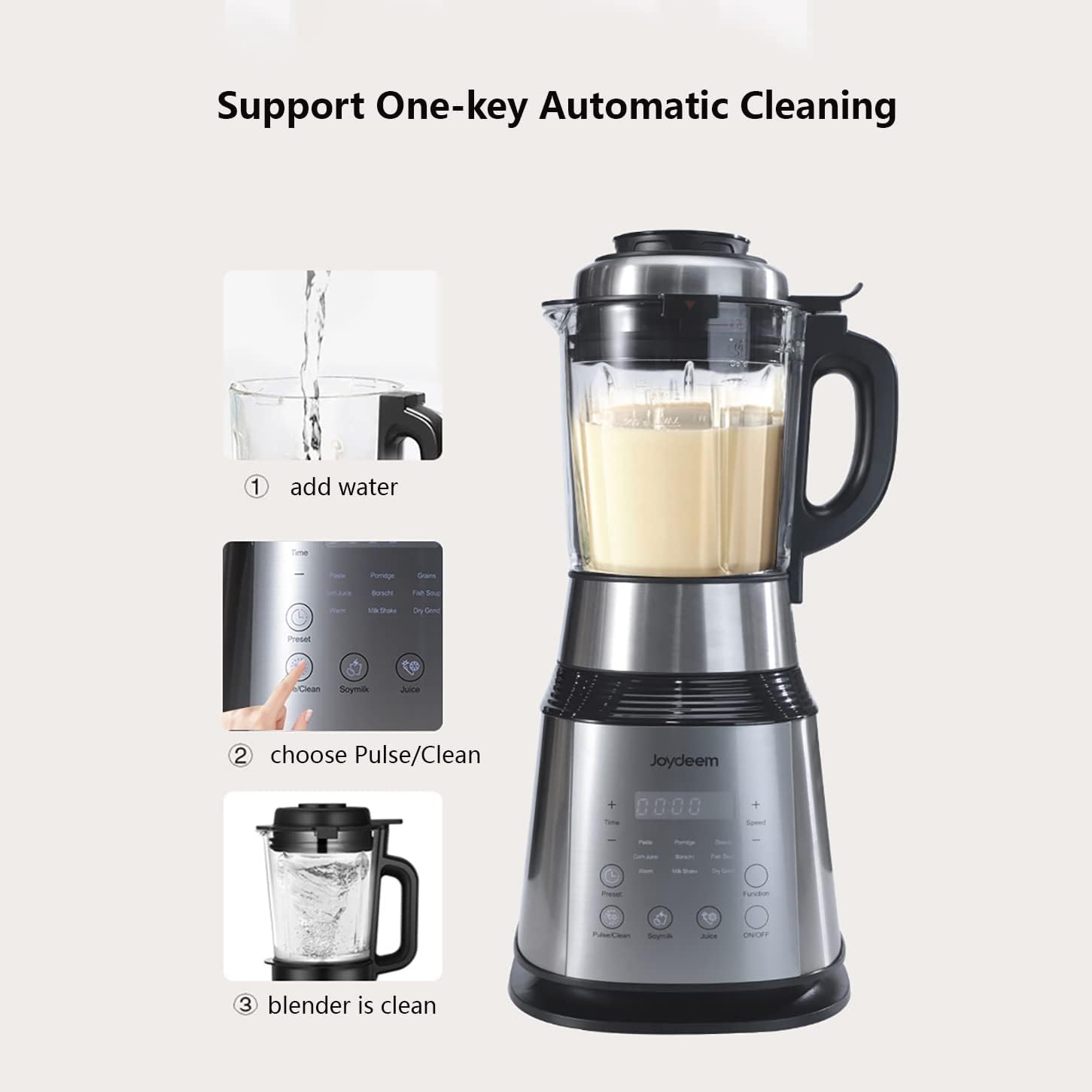
Image: Overview of the Joydeem Countertop Blender VK-1802 and its accessories. The image shows the main blender body, the base with control panel, the lid, a stirring bar, a vacuum pump, the instruction manual, a cleaning brush, and a measuring cup, each numbered for identification.
- Blender Body: The main pitcher where ingredients are blended.
- Base: Contains the motor, control panel, and power connection.
- Lid: Secures the blender body during operation.
- Stirring Bar: Used to push ingredients towards the blades during blending.
- Vacuum Pump: An external device used to remove air from the blender body before blending for enhanced nutrition retention.
- Manual: This instruction guide.
- Brush: For cleaning the blender.
- Measuring Cup: For precise ingredient measurement.
3. Setup
Follow these steps to set up your Joydeem Countertop Blender VK-1802 for first use.
- Unpack: Carefully remove all components from the packaging.
- Clean: Wash the blender body, lid, stirring bar, and measuring cup with warm, soapy water. Rinse thoroughly and dry. Wipe the motor base with a damp cloth.
- Assemble: Place the blender body onto the motor base, ensuring it is securely seated. The blender will only start when the lid and cup are perfectly placed on the base.
- Power Connection: Plug the power cord into a standard 120V AC outlet.
4. Operating Instructions
The Joydeem Countertop Blender VK-1802 offers various functions for diverse blending needs.

Image: The control panel of the Joydeem Countertop Blender VK-1802, displaying touch controls for various functions such as 'Paste', 'Porridge', 'Grains', 'Corn Juice', 'Borscht', 'Fish Soup', 'Warm', 'Milk Shake', 'Dry Grind', 'Preset', 'Pulse/Clean', 'Soymilk', 'Juice', and the 'ON/OFF' button. A digital display shows time and speed settings.
4.1 General Blending
- Add ingredients to the blender body. Do not exceed the maximum fill line.
- Secure the lid firmly.
- Select the desired function from the touch control panel (e.g., Milk Shake, Juice).
- Press the ON/OFF button to start blending.
- Use the stirring bar if needed to push ingredients towards the blades.
- Press ON/OFF again to stop.
4.2 Vacuum Blending (Juicer Function)
The VK-1802 includes a vacuum pump to remove air, which can help retain nutrients in juices.
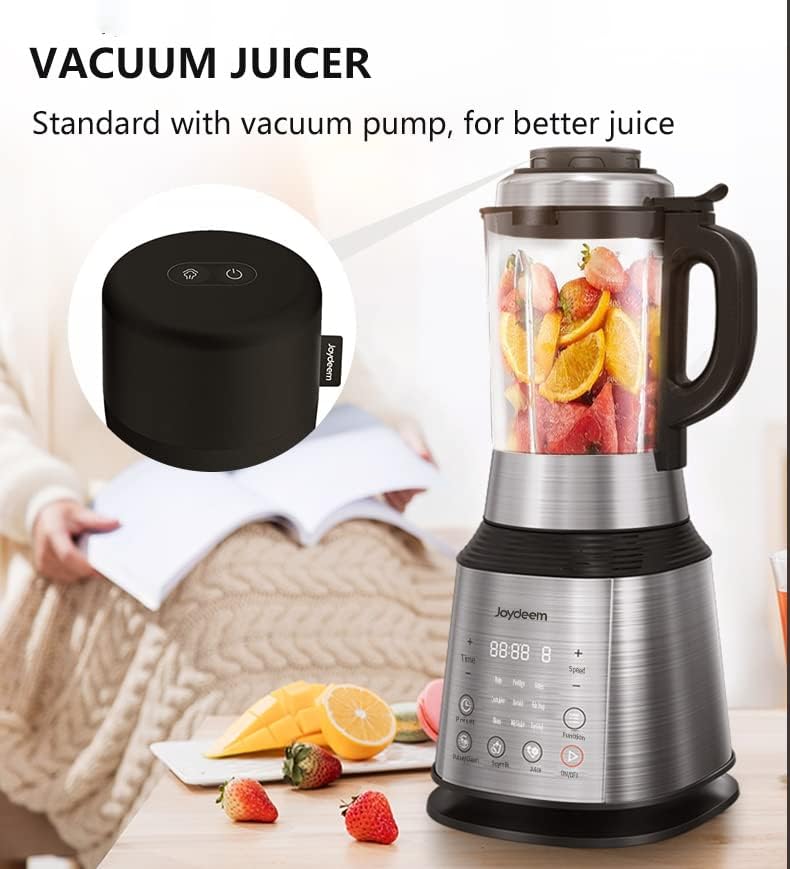
Image: The Joydeem Countertop Blender VK-1802 set up for vacuum juicing. The blender pitcher is filled with fresh fruit, and the separate vacuum pump is positioned nearby, indicating its use in the juicing process.
- Add ingredients for juicing to the blender body.
- Secure the lid.
- Place the vacuum pump onto the designated port on the lid and activate it to remove air.
- Once vacuuming is complete, select the 'Juice' function on the control panel and press ON/OFF.
- The vacuum cup can also be used to extend the storage time of fruits and vegetables.
4.3 Heating Functions (Soy Milk, Soup, Porridge)
This blender can heat ingredients while blending, ideal for hot beverages and meals.
- Add ingredients for soy milk, soup, or porridge. Ensure the liquid level is within the recommended range for hot blending (max 1400ml / 47.35oz).
- Select the appropriate preset function (e.g., 'Soymilk', 'Soup', 'Porridge').
- The blender will automatically heat and blend the ingredients.
- The 'Warm' function supports keeping contents at 55℃ (131℉).
4.4 Preset and Keep Warm
- The 'Preset' function allows you to set a delayed start time up to 12 hours.
- The 'Warm' function maintains the temperature of your blended hot drinks or soups at 55℃ (131℉).
4.5 Dry Grinding (Optional Accessory)
The glass cup is not suitable for dry grinding. An additional grinding cup must be purchased separately for grinding coffee beans or spices.

Image: A visual guide to the automatic cleaning function of the Joydeem Countertop Blender VK-1802. It illustrates three steps: 1) adding water to the pitcher, 2) selecting the 'Pulse/Clean' option on the control panel, and 3) the blender being clean after the cycle.
5. Maintenance and Cleaning
Proper maintenance ensures the longevity and performance of your blender.
5.1 Automatic Cleaning
- After use, add a small amount of water and a drop of dish soap to the blender body.
- Secure the lid.
- Select the 'Pulse/Clean' function on the control panel.
- Run the cycle until clean, then rinse thoroughly.
5.2 Manual Cleaning
- Blender Body and Lid: Wash with warm, soapy water using the provided brush. Be cautious around the blades. Rinse and dry.
- Motor Base: Wipe with a damp cloth. Do not immerse in water.
- Vacuum Pump: Wipe with a damp cloth. Do not immerse.
6. Troubleshooting
If you encounter issues with your blender, refer to the following common problems and solutions.
| Problem | Possible Cause | Solution |
|---|---|---|
| Blender does not start | Not plugged in; Lid or cup not properly seated; Overheating. | Check power connection; Ensure lid and cup are securely in place; Allow motor to cool down if it automatically powered off due to overheating. |
| Ingredients not blending smoothly | Too little liquid; Too many ingredients; Ingredients are too large. | Add more liquid; Reduce ingredient quantity; Cut ingredients into smaller pieces; Use the stirring bar. |
| Vacuum pump not working or losing suction | Seal not wet; Batteries low (if applicable); Pump malfunction. | Ensure the seal on the lid is slightly wet before attaching the pump; Replace batteries in the vacuum pump; Contact customer support if the issue persists. |
| Burning smell from motor | Overloading; Prolonged use. | Reduce load; Allow motor to cool down. If the smell persists or is accompanied by smoke, unplug immediately and contact customer service. |
7. Specifications
Detailed technical specifications for the Joydeem Countertop Blender VK-1802.

Image: A table detailing the product parameters for the Joydeem Countertop Blender VK-1802. It lists the model number, operation type (touch screen), voltage (120V), heating power (800W), blend power (1000W), dimensions (216*222*488mm / 8.5*8.76*19.21in), weight (5.1kg / 11.24lb), RPM (25000), and capacities for cold cup (1750ml / 59.18oz) and hot cup (1400ml / 47.35oz), noting that grind cup capacity is 100-500ml and needs separate purchase.
| Feature | Detail |
|---|---|
| Model | VK-1802 |
| Operation | Touch Screen |
| Voltage | 120 Volts |
| Heating Power | 800W |
| Blend Power | 1000W |
| Product Dimensions | 9"D x 8"W x 19"H (216 x 222 x 488 mm) |
| Item Weight | 18.11 pounds (5.1 kg) |
| RPM (Number of Speeds) | 25000 |
| Cold Blending Capacity | 1.75 Liters (59.18 oz) |
| Hot Blending Capacity | 1.4 Liters (47.35 oz) |
| Material Type Free | BPA Free |
| Included Components | Vacuum Pump, Stirring rod |
8. Warranty and Support
The Joydeem Countertop Blender VK-1802 comes with a one-year warranty from the date of purchase.
- Warranty Coverage: This warranty covers defects in materials and workmanship under normal household use.
- Exclusions: The warranty does not cover damage resulting from misuse, abuse, accident, alteration, or commercial use.
- Customer Support: For warranty claims, technical assistance, or to inquire about replacement parts (such as the optional grinding cup), please contact Joydeem customer service. Refer to the contact information provided with your purchase documentation.