1. Introduction and Product Overview
The COSTWAY Portable Evaporative Air Cooler is designed to provide a comfortable indoor environment by combining the functions of an air cooler, a fan, and a humidifier. This unit utilizes evaporative cooling technology, making it an efficient solution for personal cooling in various indoor spaces such as bedrooms, offices, and dormitories. It features a user-friendly control panel, a remote control for convenience, and multiple operating modes and speed settings to customize your cooling experience.
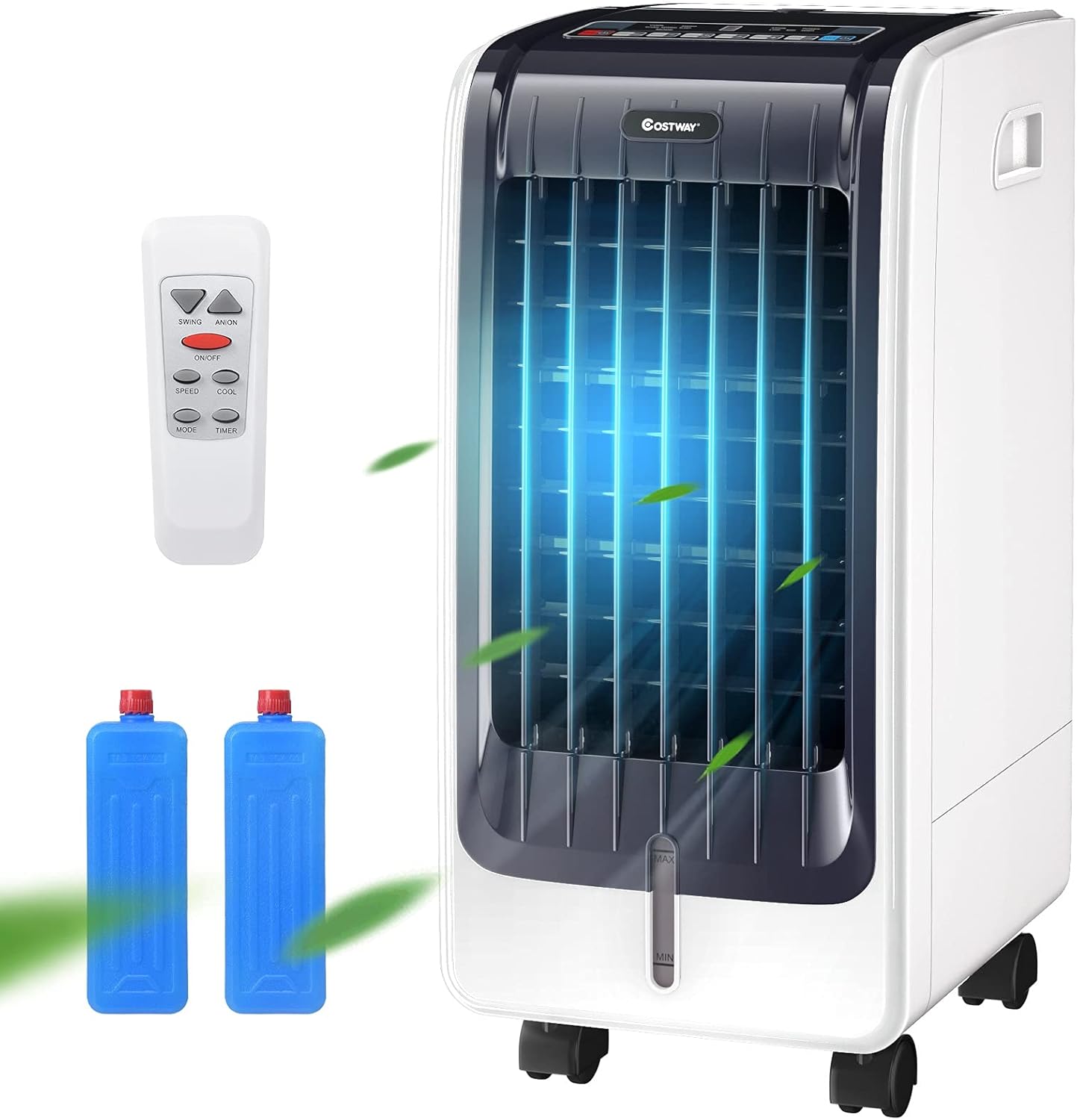
Figure 1.1: COSTWAY Portable Evaporative Air Cooler with included remote control and ice packs.
2. Important Safety Instructions
Please read all safety instructions carefully before operating the appliance. Failure to follow these instructions may result in electric shock, fire, or serious injury.
- Always use the appliance on a stable, level surface to prevent tipping.
- Do not immerse the appliance, power cord, or plug in water or other liquids.
- Ensure the power supply voltage matches the rating label on the appliance.
- Unplug the appliance from the power outlet when not in use, before cleaning, or before moving.
- Do not operate the appliance with a damaged cord or plug, or if it has malfunctioned or been damaged in any manner.
- Keep children and pets away from the appliance during operation.
- Do not block air inlets or outlets. Maintain adequate clearance around the unit for proper airflow.
- Only use clean water in the water tank. Do not add any chemicals or additives other than those recommended by the manufacturer.
- Do not overfill the water tank. Ensure the water level is between the MIN and MAX indicators.
- Avoid placing the unit near heat sources or in direct sunlight.
3. Package Contents
Verify that all components are present and in good condition upon unpacking:
- 1 x COSTWAY Portable Evaporative Air Cooler
- 1 x Remote Control
- 2 x Ice Packs
- 1 x User Manual (this document)
4. Setup
4.1 Unpacking and Placement
- Carefully remove the air cooler and all accessories from the packaging.
- Place the unit on a firm, level surface in the desired location. Ensure there is adequate space around the unit for proper air circulation (at least 20 cm from walls or furniture).
- The unit is equipped with casters for easy movement. Lock the casters once the unit is in its final position.
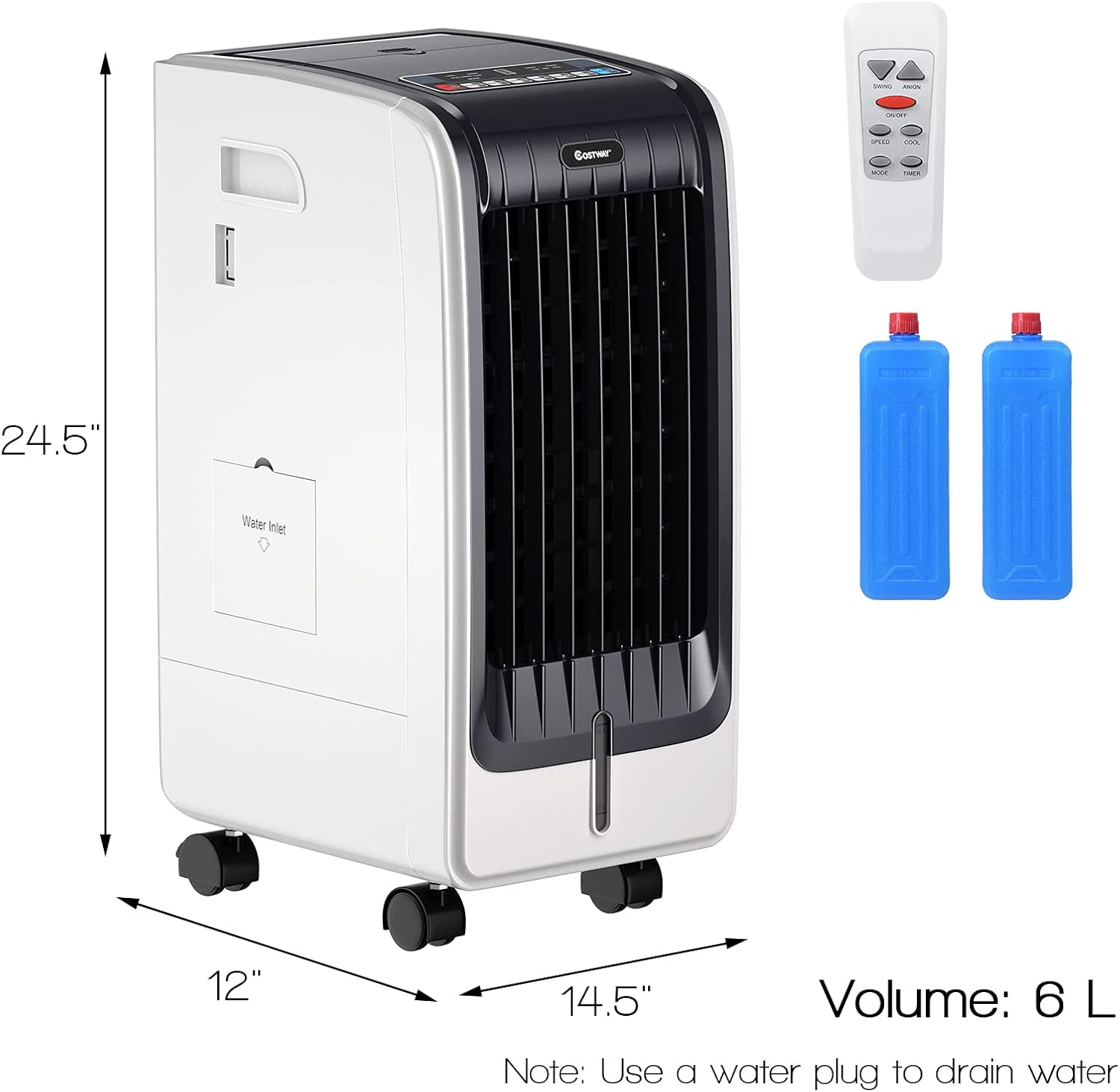
Figure 4.1: Product dimensions for proper placement.
4.2 Filling the Water Tank and Using Ice Packs
- Locate the water inlet on the side of the unit.
- Open the water inlet cover.
- Fill the water tank with clean, cool water. Do not exceed the 'MAX' water level indicator. The reservoir capacity is 6 liters.
- For enhanced cooling, place the provided ice packs in a freezer until completely frozen.
- Once frozen, place the ice packs into the water tank. This will help lower the water temperature and provide cooler air.
- Close the water inlet cover securely.
4.3 Power Connection
Plug the power cord into a standard 110V AC electrical outlet. Ensure the outlet is properly grounded.
5. Operating Instructions
The air cooler can be operated using the control panel on top of the unit or the included remote control.
5.1 Control Panel and Remote Control Overview
The control panel features intuitive buttons for Power, Mode, Speed, Timer, and Cool functions. The remote control duplicates these functions for convenient operation from a distance.
5.2 Power On/Off
- Press the ON/OFF button to turn the unit on or off. The LED display will illuminate when the unit is on.
5.3 Mode Selection
Press the MODE button to cycle through the available modes:
- Normal Mode: Provides a consistent airflow at the selected speed.
- Natural Mode: Simulates a natural breeze by varying the fan speed.
- Sleep Mode: Operates at a lower, quieter speed, gradually decreasing fan speed over time for undisturbed sleep.
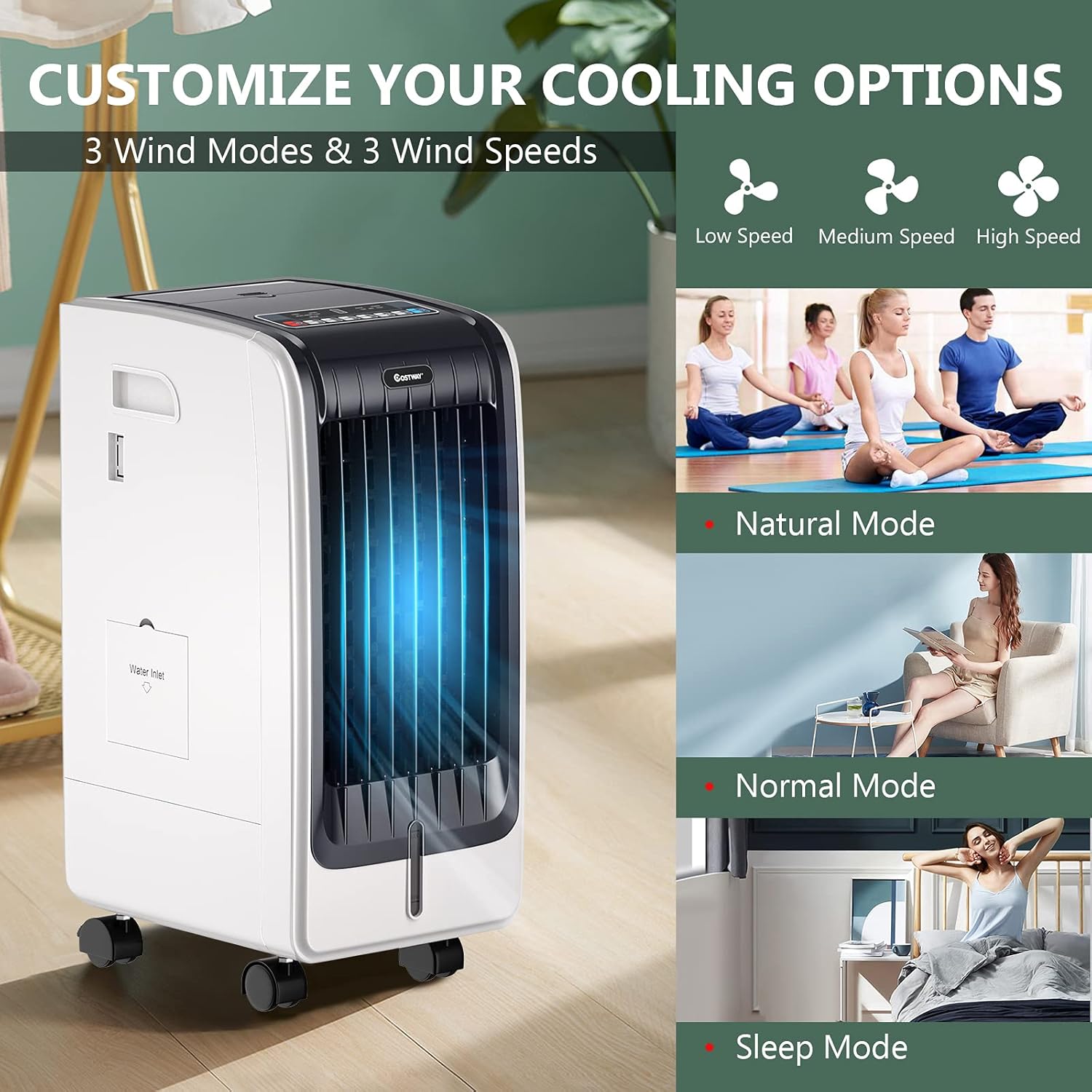
Figure 5.1: Illustration of the three wind modes and three wind speeds.
5.4 Speed Adjustment
Press the SPEED button to adjust the fan speed:
- Low Speed
- Medium Speed
- High Speed
5.5 Cooling Function (Evaporative Cooling)
Press the COOL button to activate the evaporative cooling function. This will engage the water pump to circulate water over the cooling pad, providing humidified and cooler air. Press again to deactivate.
5.6 Timer Function
Press the TIMER button to set the operating time. Each press will increase the timer setting by 1 hour, up to a maximum of 8 hours. The unit will automatically turn off once the set time has elapsed.
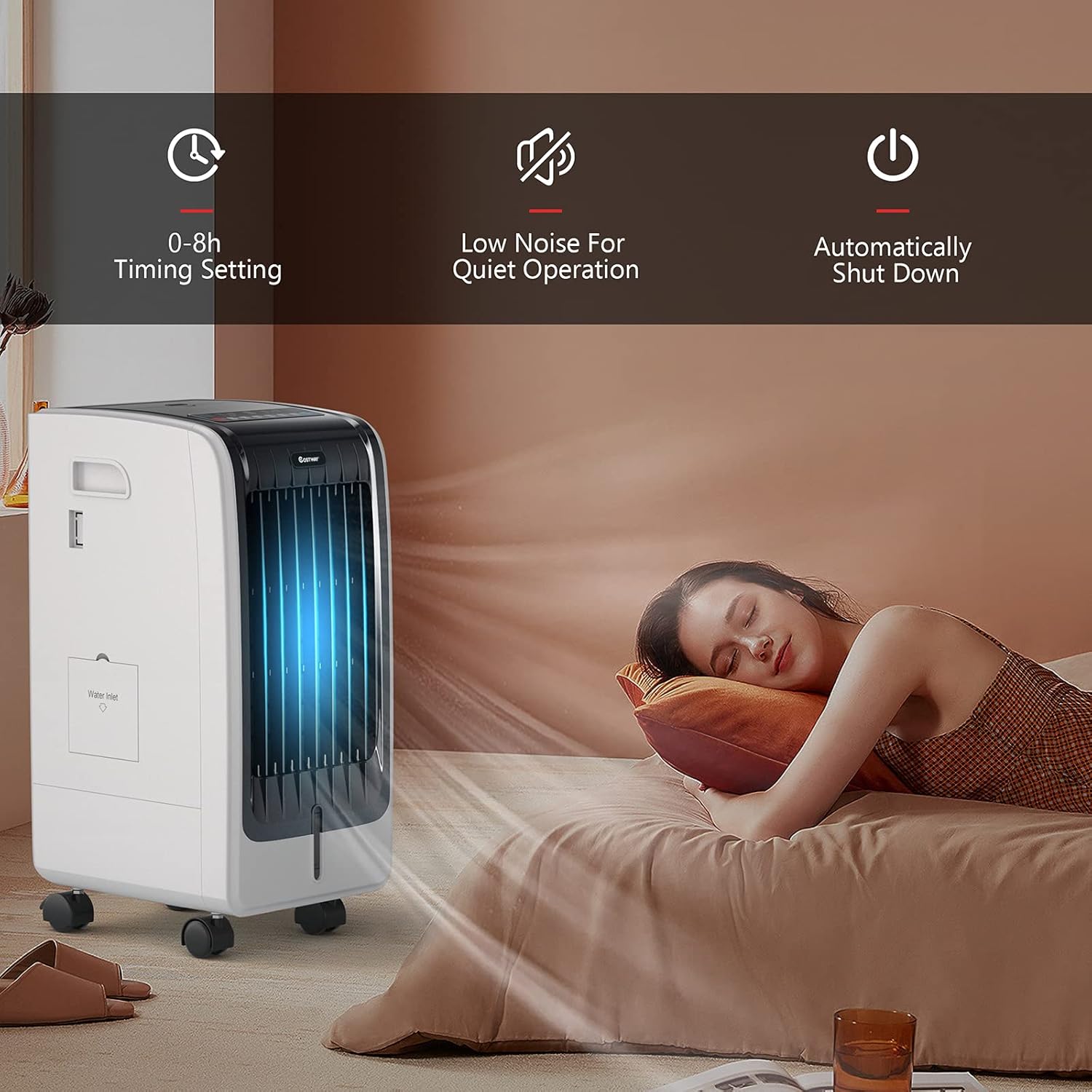
Figure 5.2: Features including timer, low noise, and automatic shut-down.
5.7 Air Direction Adjustment
- The outer blades (vertical louvers) can be adjusted manually up and down to direct airflow vertically.
- The inner blades (horizontal louvers) swing left and right automatically to provide wide-angle air supply. This oscillation function helps distribute cool air more evenly across the room.

Figure 5.3: Airflow direction adjustments for wide-angle air supply.
6. Maintenance
Regular maintenance ensures optimal performance and extends the lifespan of your air cooler.
6.1 Cleaning the Water Tank
It is recommended to clean the water tank regularly, especially if the unit is used frequently or if water has been stagnant for a period. While the tank is not fully removable, it can be cleaned by rinsing and draining.
- Unplug the unit from the power outlet.
- Drain any remaining water from the tank using the drain plug located at the bottom of the unit.
- Rinse the tank with clean water. For thorough cleaning, a mild detergent can be used, followed by thorough rinsing to remove all soap residue.
- Allow the tank to air dry completely before refilling or storing the unit.
6.2 Cleaning the Air Filter and Cooling Pad
The air filter and cooling pad are crucial for effective filtration and cooling. Clean them periodically to prevent dust buildup and maintain air quality.

Figure 6.1: Diagram of the air filter and plant fiber ice curtain for effective filtration.
- Unplug the unit from the power outlet.
- Locate the air filter panel at the rear of the unit.
- Carefully remove the air filter.
- Rinse the air filter under running water to remove dust and debris. For stubborn dirt, use a soft brush.
- The cooling pad (plant fiber ice curtain) can also be gently rinsed. Do not use harsh chemicals or abrasive materials.
- Allow both the air filter and cooling pad to dry completely before reinserting them into the unit.
6.3 Exterior Cleaning
Wipe the exterior of the unit with a soft, damp cloth. Do not use abrasive cleaners or solvents that could damage the surface.
6.4 Storage
If the unit will not be used for an extended period, drain all water from the tank, clean the filter and cooling pad, and ensure all components are dry. Store the unit in a cool, dry place, away from direct sunlight and extreme temperatures.
7. Troubleshooting
If you encounter issues with your air cooler, refer to the following table for common problems and solutions.
| Problem | Possible Cause | Solution |
|---|---|---|
| Unit does not turn on | No power supply Power cord not properly connected | Check if the unit is plugged into a working outlet. Ensure the power cord is securely connected. |
| No cool air / Air is not cold enough | Water tank is empty Cooling function not activated Ice packs not used or not frozen Air filter or cooling pad is dirty | Fill the water tank. Press the COOL button to activate the cooling function. Ensure ice packs are frozen and placed in the water tank. Clean the air filter and cooling pad. |
| Weak airflow | Air inlets/outlets blocked Fan speed set too low Air filter is dirty | Ensure nothing is obstructing the air vents. Increase the fan speed. Clean the air filter. |
| Unusual noise | Unit not on a level surface Water pump issues (if gurgling) Foreign object inside | Place the unit on a flat, stable surface. Check water level; ensure pump is submerged. If noise persists, contact support. Unplug and inspect for any foreign objects. |
| Water leakage from bottom | Water tank overfilled Unit tilted or moved abruptly with water Drain plug not secured | Do not fill water above the MAX line. Avoid tilting or moving the unit when the water tank is full. Ensure the drain plug is tightly closed. |
| Unpleasant odor | Stagnant water or dirty cooling pad | Drain and clean the water tank thoroughly. Clean or replace the cooling pad if necessary. Use fresh water. |
8. Specifications
| Feature | Detail |
|---|---|
| Brand | COSTWAY |
| Model Name | 23430-CYEP |
| Mounting Type | Freestanding |
| Color | White |
| Air Flow Capacity | 246.6 Cubic Feet Per Minute |
| Controls Type | Remote, Control Panel |
| Reservoir Capacity | 6 Liters |
| Product Dimensions | 13"D x 10"W x 24.5"H |
| Voltage | 110 Volts |
| Special Features | Sensible panel with remote control, 3 modes (Normal, Natural, Sleep), 3-level adjustable wind speed, 8-hour timing function, 2 ice boxes, side handle and casters for portability. |
| Included Components | Fan, Remote Control |
| Recommended Use | Residential |
9. Warranty and Support
For warranty information, technical support, or any inquiries regarding your COSTWAY Portable Evaporative Air Cooler, please contact COSTWAY customer service directly. Refer to the product packaging or the official COSTWAY website for contact details.


