
Introduction
This manual provides detailed instructions for the safe and efficient use of your Tekstap 30W 2000lm USB Rechargeable LED Work Light, Model FBACOBWL01. Please read this manual thoroughly before operating the device and retain it for future reference.
The Tekstap LED Work Light is a versatile and portable lighting solution designed for various applications, including work sites, garages, workshops, camping, hiking, and fishing. It features a 30W COB LED, delivering up to 2000 lumens of bright illumination, and offers multiple power options and lighting modes.
1. Setup
1.1 Unpacking
Carefully remove all components from the packaging. Ensure the following items are present:
- Tekstap 30W LED Work Light
- 2 x Rechargeable Lithium-ion Batteries
- USB Charging Cable
- User Manual (this document)
1.2 Battery Installation
The Tekstap LED Work Light operates with two rechargeable lithium-ion batteries (included) or four AA batteries (not included).
- Locate the battery compartment cover on the back of the work light.
- Open the cover.
- Insert the two included lithium-ion batteries into their respective slots, ensuring correct polarity (+/-). Alternatively, insert four AA batteries, observing polarity.
- Close the battery compartment cover securely.

Figure 1: Battery compartment showing slots for 2 rechargeable lithium-ion batteries and 4 AA batteries, along with USB charging input and output ports.
1.3 Initial Charging
Before first use, fully charge the rechargeable batteries. The device supports bidirectional charging.
- Connect the supplied USB charging cable to the Micro USB charging input port on the work light.
- Connect the other end of the USB cable to a compatible USB power source (e.g., wall adapter, computer USB port).
- The charging indicator light will show the charging status. Allow sufficient time for a full charge (approximately 5 hours).

Figure 2: Rear view of the work light, indicating the Micro USB charging input and USB charging output ports.
2. Operating Instructions
2.1 Power On/Off and Mode Selection
The work light features three lighting modes: High Brightness, Low Brightness, and Flashing (Strobe).
- To turn on the light, press the power switch located on the back of the unit.
- Each subsequent press of the power switch will cycle through the lighting modes: High Brightness → Low Brightness → Flashing → Off.
- To turn off the light, cycle through all modes until the light switches off, or press and hold the power button for a few seconds (if applicable, otherwise just cycle).
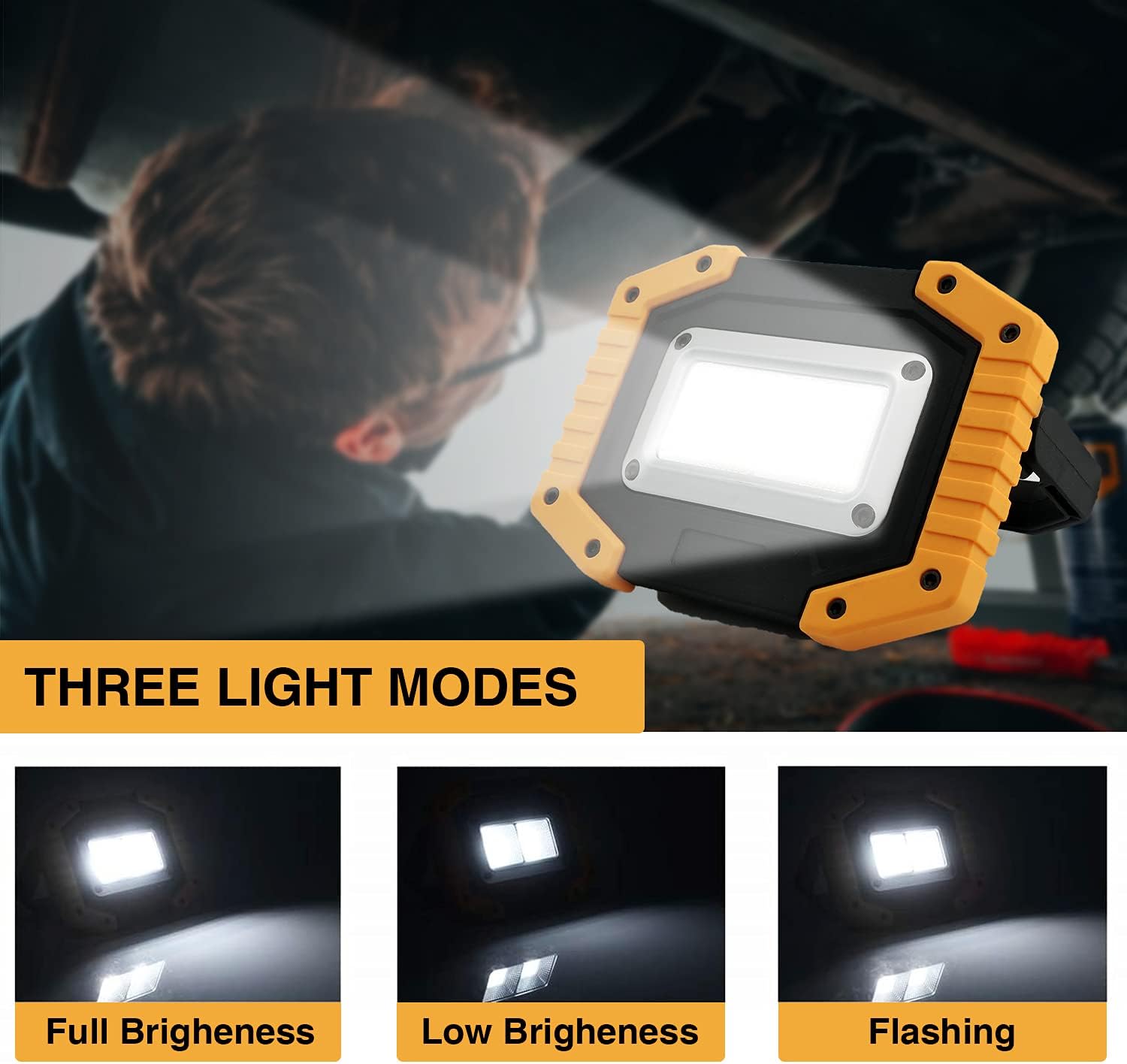
Figure 3: Visual representation of the three available light modes.
2.2 Adjustable Stand
The integrated stand allows for 180-degree adjustment, enabling you to position the light at various angles for optimal illumination.
- Grasp the stand firmly.
- Gently rotate the stand to your desired angle. The stand will hold its position once released.

Figure 4: The adjustable stand allows for flexible positioning of the light.
2.3 Emergency Power Bank Function
The work light can serve as an emergency power source to charge other devices.
- Connect your mobile phone, laptop, or other USB-powered device to the USB charging output port on the work light using a compatible USB cable.
- The work light will begin charging your device.

Figure 5: Using the work light to charge a mobile phone.
3. Maintenance
3.1 Cleaning
To clean the work light, wipe it with a soft, damp cloth. Do not use abrasive cleaners or solvents, as these may damage the surface.
3.2 Battery Care
For optimal battery life:
- Fully charge the batteries before long-term storage.
- Recharge the batteries at least once every three months if not in regular use.
- Avoid fully discharging the batteries frequently.
- If using AA batteries, remove them if the light will not be used for an extended period to prevent leakage.
3.3 Storage
Store the work light in a cool, dry place away from direct sunlight and extreme temperatures.
4. Troubleshooting
| Problem | Possible Cause | Solution |
|---|---|---|
| Light does not turn on. | Battery is depleted or not installed correctly. | Charge the batteries fully. Ensure batteries are inserted with correct polarity. |
| Short battery life. | Batteries not fully charged or old/worn out. | Ensure batteries are fully charged. Consider replacing old batteries. |
| Device not charging from USB output. | Work light battery is low or cable is faulty. | Ensure the work light has sufficient charge. Try a different USB cable. |
| Light flickers or dims unexpectedly. | Low battery power. | Recharge the work light's batteries. |
5. Specifications
| Feature | Detail |
|---|---|
| Model Number | FBACOBWL01 |
| Power | 30 Watts |
| Luminous Flux | 2000 Lumens |
| Light Source Type | COB LED |
| Lighting Modes | High Brightness, Low Brightness, Flashing |
| Battery Type | 2 x 3.7V Lithium-ion (included) or 4 x AA (not included) |
| Lithium-ion Battery Capacity | 4400 mAh (total for 2 batteries) |
| Discharge Time (Lithium-ion) | 5-6 hours (High Brightness), 9-10 hours (Low Brightness) |
| Charging Input | Micro USB (5V, 1A) |
| Charging Output | USB (for emergency power bank function) |
| Material | ABS + PC + Aluminum |
| Dimensions (L x W x H) | 17.3 x 9.6 x 10.9 cm (6.8 x 3.8 x 4.3 inches) |
| Weight | 380 grams (0.84 lbs) |
| Waterproof Rating | IP65 |
| Adjustable Stand | 180-degree rotation |

Figure 6: Key specifications and dimensions of the work light.

Figure 7: The IP65 waterproof rating ensures durability in various weather conditions.
6. Warranty and Support
6.1 Warranty Information
Your Tekstap 30W 2000lm USB Rechargeable LED Work Light is covered by a 1-year warranty from the date of purchase. This warranty covers manufacturing defects and material flaws under normal use. It does not cover damage caused by misuse, accidents, unauthorized modifications, or normal wear and tear.
Additionally, Tekstap offers a 60-day money-back guarantee. If you are not satisfied with your purchase for any reason within 60 days, you may return it for a full refund.
6.2 Customer Support
For any questions, technical assistance, or warranty claims, please contact Tekstap customer support through the retailer's platform or visit the official Tekstap website for contact information.
Please have your model number (FBACOBWL01) and proof of purchase ready when contacting support.