
TOPDON TORNADO4000
TOPDON TORNADO4000 User Manual
Model: TORNADO4000
1. Introduction and Overview
The TOPDON TORNADO4000 is a 4-Amp fully-automatic smart battery charger and maintainer designed for 6V and 12V lead-acid and lithium-ion batteries. It features a sophisticated 10-step charging process and 8 distinct charging modes to ensure optimal battery health and longevity. This manual provides detailed instructions for safe and effective use of your TORNADO4000.

Figure 1: TOPDON TORNADO4000 Battery Charger with included accessories.
2. Safety Information
Always prioritize safety when operating electrical equipment. Read and understand all safety warnings before use.
- Ensure proper ventilation during charging to prevent gas accumulation.
- Avoid open flames or sparks near the battery.
- Wear appropriate personal protective equipment, including eye protection.
- Do not attempt to charge frozen or damaged batteries.
- The TORNADO4000 incorporates multiple safety features including protection against reverse polarity, sparks, overcharging, overcurrent, open circuits, short circuits, and overheating.

Figure 2: Intelligent Temperature Protection ensures safe operation in various climates.
3. Product Features
The TOPDON TORNADO4000 is engineered with advanced features for comprehensive battery care:
- 10-Step Charging Process: This advanced charging algorithm optimizes battery performance and extends lifespan. The steps include:
- Battery Analysis & Diagnosis
- Battery Desulphation
- Soft Start
- Battery Initialization
- Battery Bulk Charge
- Absorption Mode
- Battery Recondition
- Battery Optimization
- Battery Float Charge
- Battery Restart Charge
- Intelligent Temperature Protection: Adapts charging based on ambient temperature, preventing under-charging in cold and over-charging in hot conditions.
- TORNADO CONNECT Interchangeable Connector: Provides flexibility with both alligator clamps for quick connections and eyelet terminal connectors for permanent battery attachment.
- Wide Battery Compatibility: Supports 6V and 12V lead-acid batteries (Wet, Gel, MF, EFB, AGM) and 12V Li-Ion batteries.
- Advanced Protections: Includes safeguards against reverse polarity, sparks, overcharging, overcurrent, short circuits, and overheating.
- Memory Function: Returns to the last selected charging mode upon restart.
- Diagnostics: Intuitive visual diagnostics for detecting low voltage or damaged batteries.
- Optimization: Stabilizes internal battery chemistry for increased performance and longevity.
- Recovery: Applies a high-voltage pulse charge when low voltage or lost capacity is detected.

Figure 3: Detailed 10-Step Charging Process for optimal battery health.

Figure 4: Interchangeable connectors for versatile use.
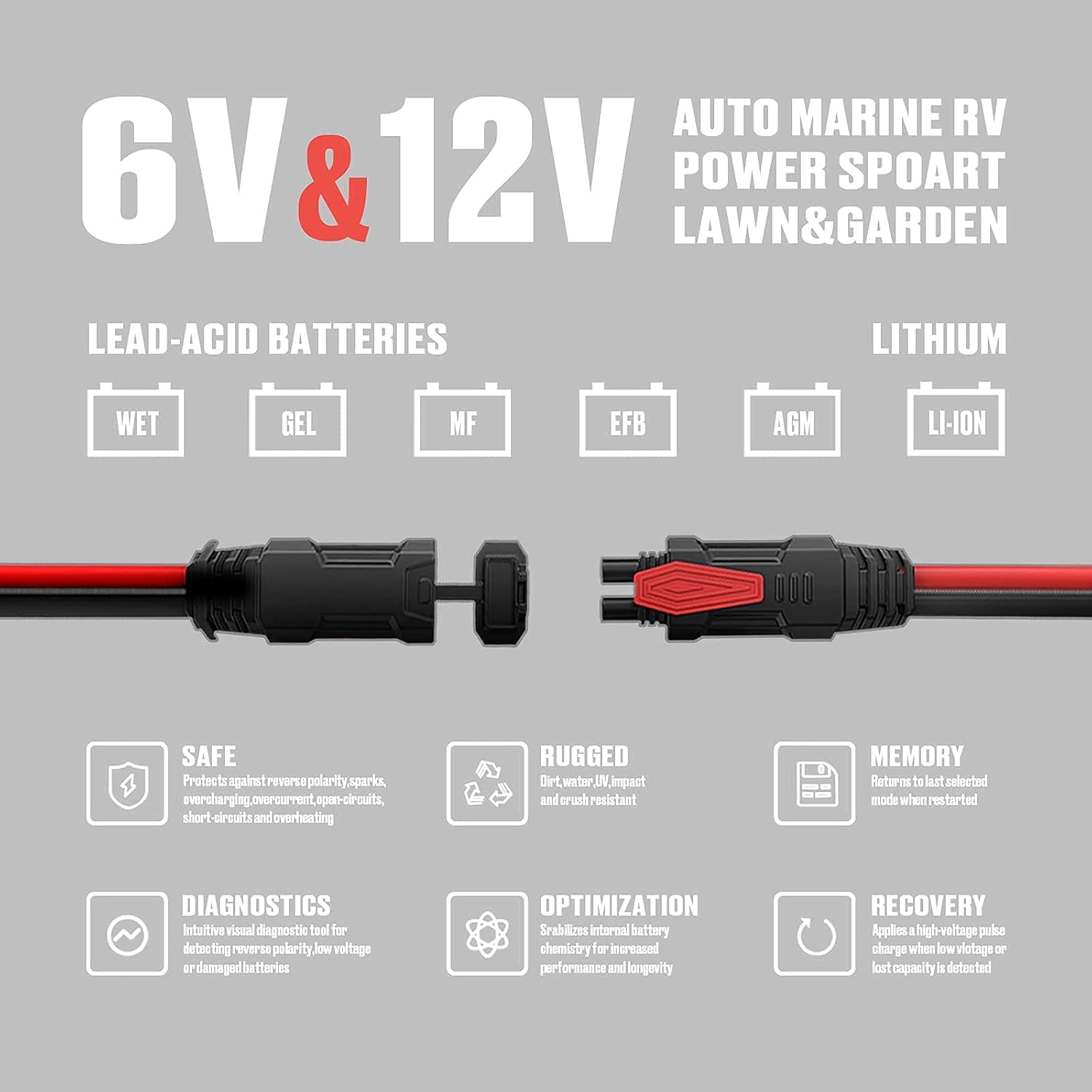
Figure 5: Overview of supported battery types and safety features.
4. Setup
Before connecting the charger, ensure the area is well-ventilated and free from flammable materials.
- Choose Connector: Select either the alligator clamps for temporary connection or the eyelet terminal connector for a more permanent setup.
- Connect to Battery: Attach the red (+) clamp/eyelet to the positive battery terminal and the black (-) clamp/eyelet to the negative battery terminal. Ensure a secure connection.
- Connect to Power: Plug the TORNADO4000 into a suitable AC power outlet (120 Volts). The charger will power on and begin its diagnostic process.

Figure 6: What's in the box: TORNADO4000 unit, user manual, alligator clamps, and eyelet terminal connector.
5. Operating Instructions
The TORNADO4000 automatically detects the battery type and condition, but you can manually select modes.
- Mode Selection: Press the 'MODE' button to cycle through the available charging modes (e.g., 12V Normal, 12V Small, 6V Normal, 12V Lithium, 12V Repair). A long press on the 'MODE' button typically confirms the selection or initiates a specific function like the 12V Repair mode.
- Charge Status Indicators: The charger features LED indicators to show the charging progress (25%, 50%, 75%, 100%). A blue power light indicates the device is on.
- Automatic Operation: Once a mode is selected, the charger will automatically proceed through its 10-step charging process, adapting to the battery's needs. It will switch to maintenance mode once fully charged.
6. Maintenance
Proper maintenance ensures the longevity and performance of your TORNADO4000.
- Cleaning: Disconnect the charger from power and the battery before cleaning. Use a soft, dry cloth to wipe the casing. Do not use abrasive cleaners or solvents.
- Storage: Store the charger in a cool, dry place when not in use. Keep cables neatly coiled to prevent damage.
- Cable Inspection: Periodically inspect the charging cables and connectors for any signs of wear, cuts, or damage. Replace if necessary.
7. Troubleshooting
If you encounter issues with your TORNADO4000, refer to the following common solutions:
| Problem | Possible Cause | Solution |
|---|---|---|
| Charger does not power on. | No AC power, faulty outlet, or damaged unit. | Check power outlet, ensure charger is securely plugged in. If issue persists, contact support. |
| Charging indicator lights not progressing. | Poor battery connection, incorrect mode selected, or severely discharged/damaged battery. | Verify connections to battery terminals. Ensure correct mode for battery type. For deeply discharged batteries, allow more time or consider the 12V Repair mode. Note that severely damaged batteries may not be recoverable. |
| Charger gets warm during operation. | Normal operation during charging. | This is normal. The intelligent temperature protection manages heat. Ensure adequate ventilation around the charger. |
| Repair mode does not fully restore battery. | Battery may be beyond repair or has significant internal damage. | The repair mode attempts to recondition batteries, but it cannot fix all types of battery damage. If the battery does not hold a charge after repair mode, it may need replacement. |
8. Specifications
| Specification | Value |
|---|---|
| Brand | TOPDON |
| Model | TORNADO4000 |
| Output Voltage | 6V / 12V |
| Input Voltage | 120 Volts |
| Current Rating | 4 Amps |
| Item Weight | 2.81 pounds |
| Package Dimensions | 11.38 x 5.67 x 5.28 inches |
| ASIN | B097DNDMJS |
| UPC | 645569087651 |
9. Warranty and Support
TOPDON is committed to providing high-quality products and excellent customer service. For detailed warranty information, please refer to the official user guide or contact TOPDON support.
- Official User Guide: For a comprehensive guide, you can download the PDF version here.
- Customer Support: TOPDON is known for responsive customer service. If you encounter any issues or have questions, please visit the official TOPDON Store on Amazon for support options: TOPDON Store.
Related documentsTORNADO4000


Ask a question about this manual
Ask about setup, troubleshooting, compatibility, parts, safety, or missing instructions. Manuals+ will review the question and use this page’s manual context to help answer it.