
1. Introduction
The SAMSUNG Galaxy Z Fold 3 5G is an innovative smartphone designed to offer a versatile experience, combining the functionality of a phone and a tablet. Its unique foldable display allows for an expansive viewing area when unfolded, providing an immersive experience for work, entertainment, and gaming. This manual will guide you through its features, setup, operation, and maintenance to ensure optimal performance.
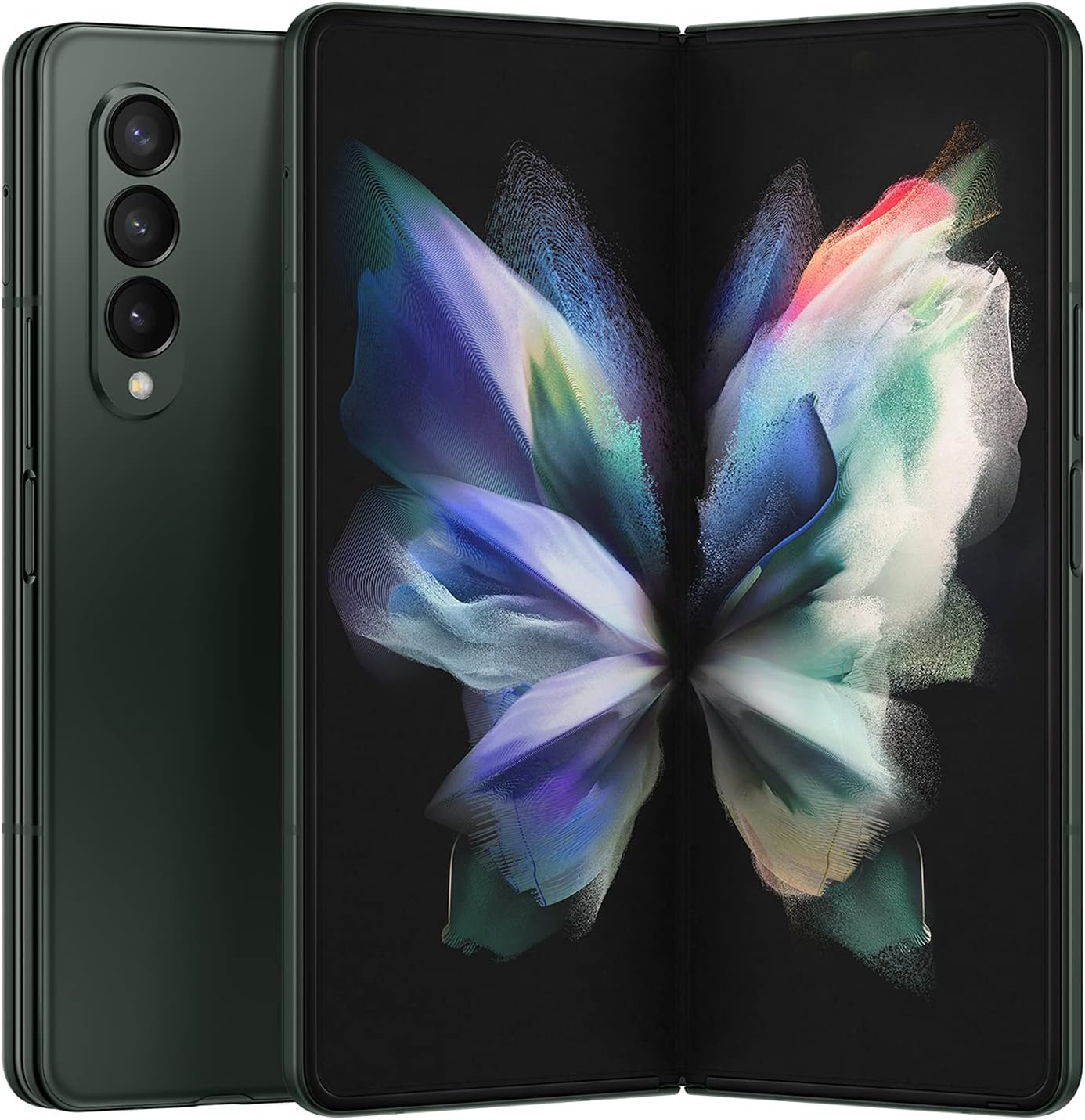
Figure 1.1: The SAMSUNG Galaxy Z Fold 3 5G in its unfolded and folded states, showcasing its unique design.
2. Key Features
- Expansive Screen: Foldable 7.6-inch AMOLED display provides a large, immersive viewing experience.
- Edge-to-Edge Camera: Under-display camera delivers a seamless, uninterrupted view.
- Fast Processor: 120Hz refresh rate and 5G connectivity enable smooth performance.
- Multi-Window Functionality: Use three multi-windows to work smarter, not harder.
- Hyper-Fast Charging: 25W fast charging provides quick recharge when needed.
- Slim and Portable: Lightweight design and compact form factor fit in your pocket.
- Water Resistant: IPX8 rating allows use even in wet conditions.
3. Setup
3.1 Initial Device Setup
- Power On: Press and hold the Power/Side key located on the right side of the device until the Samsung logo appears.
- Language Selection: Follow the on-screen prompts to select your preferred language.
- Network Connection: Connect to a Wi-Fi network to proceed with the setup process.
- Data Transfer: You can transfer data from your old device using Samsung Smart Switch or Google's data transfer tools.
- Account Setup: Sign in with your Google account and/or Samsung account to access services and backup options.
- Security: Set up your preferred security method (PIN, pattern, password, fingerprint, or face recognition). The fingerprint sensor is integrated into the Power/Side key.
3.2 SIM Card Installation
The Galaxy Z Fold 3 supports both physical Nano-SIM cards and eSIM. To install a physical SIM card:
- Locate the SIM tray on the top edge of the device.
- Insert the ejection pin (included in the box) into the small hole on the SIM tray to open it.
- Place your Nano-SIM card onto the tray with the gold contacts facing down.
- Gently push the tray back into the slot until it clicks into place.
For eSIM activation, please refer to your carrier's instructions or the device's settings under 'Connections' > 'SIM manager'.
4. Operating Instructions
4.1 Display Features
The Galaxy Z Fold 3 features two dynamic AMOLED 2X displays: a 6.2-inch Cover Screen and a 7.6-inch Main Screen. Both displays support a 120Hz adaptive refresh rate for smooth scrolling and responsiveness.

Figure 4.1: Display dimensions and specifications for the Cover and Main Screens.
The 7.6-inch Main Screen features an innovative Under Display Camera (UDC), providing an uninterrupted viewing experience. While the UDC is designed to be less visible, a slight pixelation might be noticeable in certain lighting conditions, which is normal for this technology.
4.2 Multitasking with Multi-Active Window
Leverage the large Main Screen for enhanced productivity using Multi-Active Window. You can open up to three apps simultaneously, resizing them as needed.
- To activate: Drag an app from the Edge Panel or Recents screen and drop it onto the desired area of the screen.
- Adjusting window size: Drag the divider between the app windows to resize them.
- Saving app pairs: Create and save frequently used app pairs for quick access from the Edge Panel.

Figure 4.2: Demonstrating Multi-Active Window for efficient multitasking.
4.3 Flex Mode
Flex Mode allows you to partially fold the device, enabling specific apps to split their interface across the two halves of the screen. For example, in the Camera app, the viewfinder will be on the top half, and controls on the bottom. In video playback, the video plays on the top half, while controls or comments appear on the bottom.
4.4 S Pen Compatibility
The Galaxy Z Fold 3 supports S Pen functionality on its Main Screen. Use either the S Pen Fold Edition or S Pen Pro (sold separately) for precise input, note-taking, and drawing. The S Pen is designed with a retractable tip to prevent damage to the foldable display.
4.5 Audio Features
The device is equipped with stereo speakers located at the top and bottom of the frame, providing rich and immersive audio. It supports Dolby Atmos for an enhanced sound experience, ideal for media consumption and gaming.
5. Camera Usage
The Galaxy Z Fold 3 features a versatile triple-camera system on the rear, along with two front-facing cameras.
5.1 Rear Cameras
- Main Camera (12MP, f/1.8, Dual Pixel AF, OIS): For high-quality photos in various lighting conditions.
- Telephoto Camera (12MP, 2x optical zoom, f/2.4, PDAF, OIS): Ideal for zoomed-in shots without losing detail.
- Ultrawide Camera (12MP, f/2.2): Perfect for capturing expansive landscapes or group photos.
5.2 Front-Facing Cameras
- Cover Screen Selfie Camera (10MP): Located on the Cover Screen for quick selfies and video calls when the device is folded.
- Under Display Camera (4MP): Integrated into the Main Screen for an uninterrupted full-screen experience during video calls or specific apps.
5.3 Video Recording
The device supports 4K video recording at up to 60 frames per second (fps) with the main camera, offering excellent detail and dynamic range. Electronic Image Stabilization (EIS) is available across all cameras, complementing the Optical Image Stabilization (OIS) on the main and telephoto lenses for smooth footage.
6. Performance & Battery
6.1 Processor and Performance
The Galaxy Z Fold 3 is powered by the Qualcomm Snapdragon 888 5G Mobile Platform, paired with 12GB of RAM. This ensures smooth performance for demanding applications, high-end gaming, and seamless multitasking. While designed for top-tier performance, extended heavy usage may lead to thermal throttling to maintain device stability.
6.2 Battery Life and Charging
The device is equipped with a 4400 mAh dual battery. Battery life varies based on usage patterns, network conditions, and settings. It supports 25W wired fast charging, 11W wireless charging, and 4.5W reverse wireless charging. The charger is sold separately.
7. Maintenance & Care
7.1 Water Resistance
The Galaxy Z Fold 3 has an IPX8 water resistance rating, meaning it can withstand submersion in up to 1.5 meters of fresh water for up to 30 minutes. It is not dust resistant. Always ensure the device is dry before charging or using ports.

Figure 7.1: The Galaxy Z Fold 3 5G demonstrating its water resistance capabilities.
7.2 Durability
The device features an Armor Aluminum frame and Gorilla Glass Victus on the Cover Screen and rear panel for enhanced durability. While robust, the foldable display requires careful handling. Avoid applying excessive pressure to the screen or placing sharp objects near the hinge area.
8. Troubleshooting
If you encounter issues with your Galaxy Z Fold 3, try the following basic troubleshooting steps:
- Restart Device: A simple restart can often resolve minor software glitches.
- Software Update: Ensure your device's software is up to date. Go to 'Settings' > 'Software update' > 'Download and install'.
- Clear Cache: If an app is misbehaving, try clearing its cache. Go to 'Settings' > 'Apps', select the app, then 'Storage' > 'Clear cache'.
- Factory Reset: As a last resort, if issues persist, you may need to perform a factory reset. Back up all your data before proceeding. Go to 'Settings' > 'General management' > 'Reset' > 'Factory data reset'.
9. Technical Specifications
| Feature | Specification |
|---|---|
| Model Name | Z Fold 3 5G |
| Item Model Number | SM-F926UZGAXAA |
| Operating System | Android |
| RAM | 12 GB |
| Memory Storage Capacity | 256 GB |
| Standing Screen Display Size | 7.6 Inches (Main) / 6.2 Inches (Cover) |
| Resolution | 2208 x 1768 (Main) / 2268 x 832 (Cover) |
| Refresh Rate | 120 Hz (Adaptive) |
| CPU Speed | 2.8 GHz |
| Battery Capacity | 4400 Milliamp Hours |
| Item Weight | 9.6 ounces |
| Product Dimensions | 8.58 x 6.89 x 1.14 inches |
| Water Resistance | IPX8 |
10. What's in the Box
Upon unboxing your SAMSUNG Galaxy Z Fold 3 5G, you should find the following items:
- 1. Galaxy Z Fold3 5G Device
- 2. Data Cable (USB-C to USB-C)
- 3. Ejection Pin
Please note that the Galaxy Z Fold3 5G does not include a travel adapter (power brick).
11. Warranty & Support
Your SAMSUNG Galaxy Z Fold 3 5G comes with a standard manufacturer's warranty. For detailed information regarding warranty terms, conditions, and how to claim support, please refer to the official user manual PDF available on the Samsung website or contact Samsung customer service.
For additional support, visit the Samsung Store on Amazon or download the full User Manual (PDF) from here.
