
1. Introduction
The EVTSCAN PM8908C is a non-contact voltage detector pen designed for safe and efficient electrical testing. It features multi-sensor technology, an LED indicator, and a wide voltage sensitivity range of AC 12V-1000V, making it suitable for various household and industrial applications. This manual provides essential information for the safe and proper use of your device.
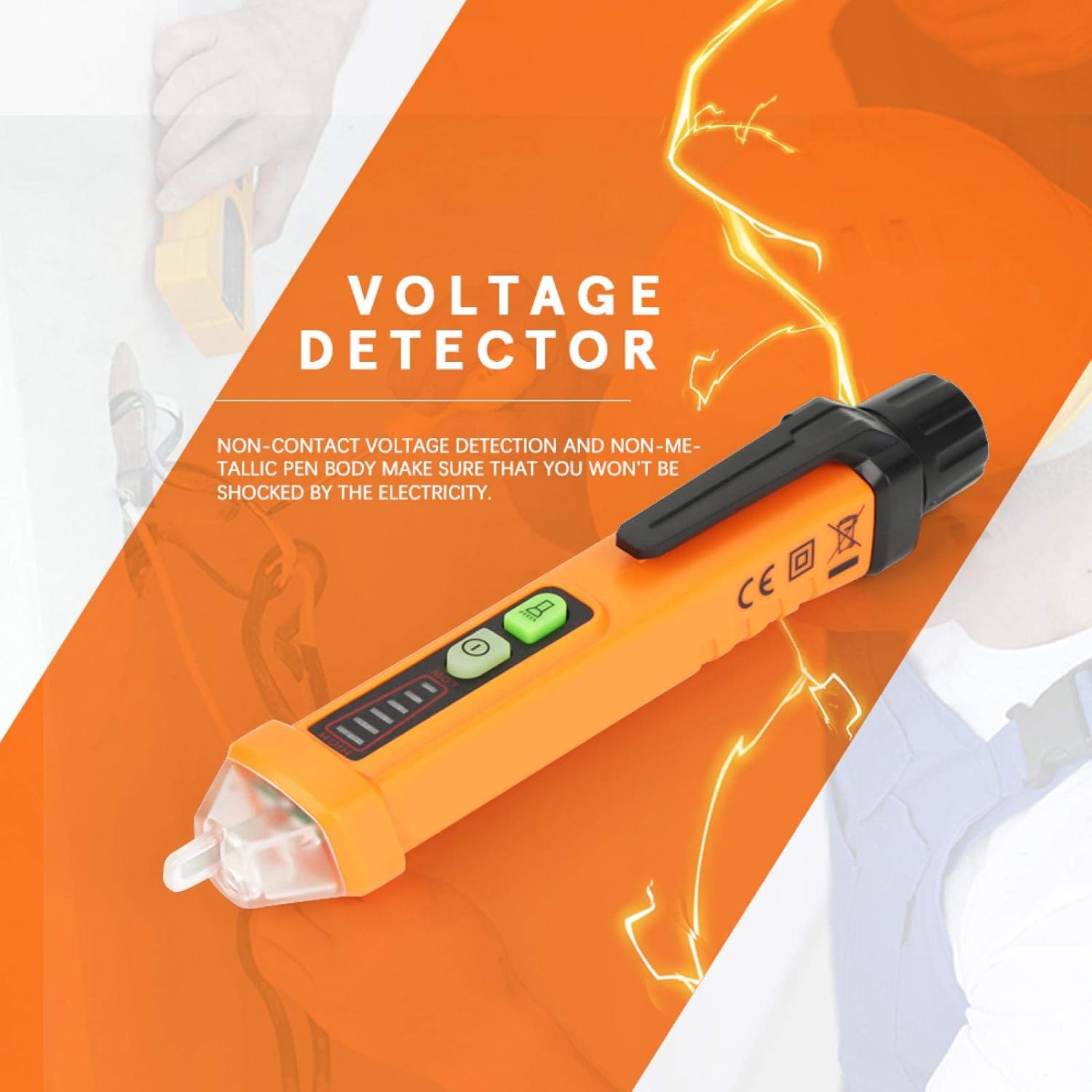
Image 1: General view of the EVTSCAN PM8908C Non-Contact Voltage Tester Pen.
2. Safety Information
- Always adhere to local safety regulations and standards when working with electricity.
- The device is designed for non-contact voltage detection. Do not attempt to make direct contact with live circuits.
- The voltage detection pen complies with EU safety standards EN61010-1-2-030 1000V CAT III.
- Ensure the device is in good working condition before each use. Do not use if damaged.
- Do not rely solely on this device for determining if a circuit is de-energized. Always verify with a known working voltage source.
- Keep out of reach of children.
3. Product Features
- Non-contact voltage detection for enhanced safety.
- Non-metallic pen body to prevent electrical shock.
- Compliance with EU safety standards (EN61010-1-2-030 1000V CAT III) and environmental certifications (ROHS/REACH).
- Automatic selection of 3 sensitivity levels (High, Medium, Low) for accurate detection.
- Voltage sensitivity range: AC 12V-1000V.
- Frequency range: 50-500Hz.
- Sound and light alarm mode for clear indications.
- Integrated flashlight for use in dimly lit areas.
- Durable engineering plastic construction, wear-resistant and insulated.
- Intelligent chips for auto sensitivity, auto shutdown, NCV null and live line testing.
- Low battery indication.
- Auto power off function to conserve battery life.
4. Package Contents
The package includes the following items:
- 1 x EVTSCAN PM8908C Voltage Tester Pen
- 1 x User Manual (this document)
Note: 2pcs 1.5V AA Batteries are NOT included and must be purchased separately.
5. Setup
5.1 Battery Installation
- Unscrew the battery cap at the rear of the voltage tester pen.
- Insert two (2) 1.5V AA batteries, ensuring correct polarity (+/-).
- Securely screw the battery cap back into place.
- The device will indicate low battery when replacement is needed.

Image 2: Close-up view of the non-contact tip and the battery compartment for installation.
6. Operating Instructions
6.1 Power On/Off
- Press the power button (usually marked with a circle and a vertical line) to turn the device on.
- Press and hold the power button to turn the device off. The device also features an auto power-off function after a period of inactivity.
6.2 Non-Contact Voltage (NCV) Detection
- Hold the pen with the tip near the object to be tested (e.g., wire, outlet).
- The device will automatically select the appropriate sensitivity (High, Medium, Low) to detect the electromagnetic field.
- A sound alarm and flashing LED indicator will activate when AC voltage is detected. The intensity of the alarm and the number of illuminated LED segments indicate the strength of the detected voltage.
6.3 Live/Null Wire Identification
- When testing an AC circuit, the device can distinguish between live and null (neutral) wires.
- Place the tip near each wire. A stronger indication (faster beeping, brighter LED, more segments lit) typically signifies the live wire. A weaker or no indication suggests the null wire.
6.4 Flashlight Function
- Press the flashlight button (if separate, or a quick press of the power button on some models) to turn the built-in white LED flashlight on or off. This is useful for working in dark environments.

Image 3: The LED flashlight function in use, illuminating a power strip for better visibility.
6.5 Low Battery Indication
- When the battery power is low, the device will provide a visual or audible alert. Replace the batteries promptly to ensure accurate readings.
7. Maintenance
- Cleaning: Wipe the device with a dry, soft cloth. Do not use abrasive cleaners or solvents.
- Battery Replacement: Replace batteries when the low battery indicator appears. Always use new 1.5V AA batteries. Remove batteries if the device will not be used for an extended period to prevent leakage.
- Storage: Store the device in a cool, dry place, away from direct sunlight and extreme temperatures.
8. Troubleshooting
- Device does not power on:
- Check if batteries are installed correctly.
- Replace with new 1.5V AA batteries.
- Ensure the power button is pressed firmly.
- No voltage detection or inconsistent readings:
- Ensure the device tip is close enough to the object being tested.
- Check battery level and replace if low.
- Verify the device is functioning by testing a known live circuit.
- Flashlight not working:
- Check battery level.
- Ensure the flashlight button is pressed correctly.
9. Specifications
| Feature | Specification |
|---|---|
| Model | PM8908C |
| Voltage Sensitivity | AC 12V-1000V |
| Frequency | 50-500Hz |
| NCV Sensitivity | Automatically selecting 3 kinds (High, Medium, Low) |
| Alarm Mode | Sound & Light |
| Flash Light Color | White |
| Auto Power Off | Yes |
| Low Battery Indication | Yes |
| Live/Null Wire Identification | Yes |
| Operating Temperature | 0-50 ℃ (32-122 ℉) |
| Storage Temperature | -20-60 ℃ (-4-140 ℉) |
| Humidity | <85% RH |
| Power Source | 2pcs 1.5V AA Batteries (NOT included) |
| Dimensions | 16 x 2 x 2 cm (6.30 x 0.79 x 0.79 in) |
| Weight | Approx. 64g (0.05 kg) |
| Safety Standards | EN61010-1-2-030 1000V CAT III |
| Environmental Certs | ROHS/REACH |

Image 4: Illustration of the dimensions of the EVTSCAN PM8908C voltage tester pen.
10. Warranty and Support
For warranty information or technical support, please refer to the product packaging or contact the seller/manufacturer directly. Keep your purchase receipt for warranty claims.