Introduction
Thank you for purchasing the OneDer V12 Bluetooth Speaker. This manual provides essential information for the safe and efficient use of your new device. Please read it thoroughly before operation and retain it for future reference.
Safety Information
- Do not expose the speaker to extreme temperatures, humidity, or direct sunlight.
- Avoid dropping or subjecting the speaker to strong impacts.
- Do not disassemble or attempt to repair the speaker yourself. This will void the warranty.
- Keep the speaker away from water and other liquids.
- Use only the specified charging cable.
- Dispose of batteries according to local regulations.
Package Contents
Please check the package for the following items:
- OneDer V12 Bluetooth Speaker
- USB Charging Cable
- User Manual (this document)
Product Overview
Familiarize yourself with the components of your OneDer V12 Bluetooth Speaker.
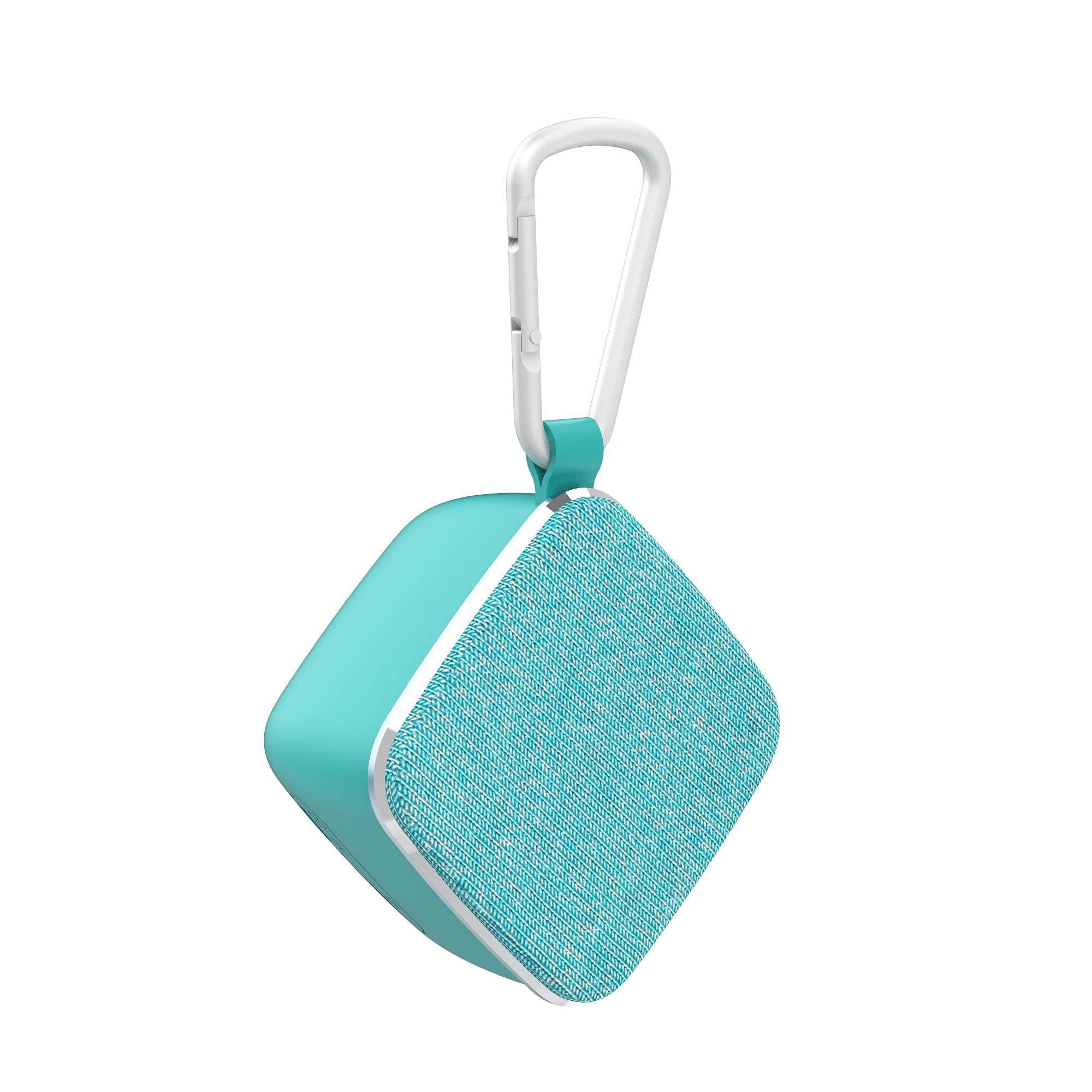
Figure 1: Side view of the OneDer V12 Bluetooth Speaker, showing the compact blue design and the "OneDer" logo.

Figure 2: Rear view of the OneDer V12 Bluetooth Speaker, highlighting the charging port and the TF card slot.

Figure 3: Top view of the OneDer V12 Bluetooth Speaker, showing the control buttons for power, mode, volume, and track navigation.
Controls and Ports:
- Power Button: Press and hold to turn on/off.
- Mode Button (M): Short press to switch between Bluetooth and TF card modes.
- Volume Up / Next Track Button (+): Short press for next track, long press for volume up.
- Volume Down / Previous Track Button (-): Short press for previous track, long press for volume down.
- Play/Pause / Call Button: Short press to play/pause music, answer/end calls. Long press to reject calls.
- TF Card Slot: Insert a TF (MicroSD) card for local music playback.
- Charging Port: Connect the USB charging cable here.
- Microphone: For hands-free calling.
Setup
1. Charging the Speaker
- Connect the small end of the USB charging cable to the charging port on the speaker.
- Connect the larger end of the USB charging cable to a USB power adapter (not included) or a computer's USB port.
- The charging indicator light will illuminate (color may vary) to show that the speaker is charging.
- Once fully charged, the indicator light will turn off or change color. Disconnect the charging cable.
Note: Fully charge the speaker before first use for optimal battery life.
2. Powering On/Off
- To Power On: Press and hold the Power button for approximately 3 seconds. You will hear an audible prompt.
- To Power Off: Press and hold the Power button for approximately 3 seconds. You will hear an audible prompt.
3. Bluetooth Pairing
- Ensure the speaker is powered on and in Bluetooth mode. If not, short press the Mode (M) button to switch to Bluetooth mode. The indicator light will flash, indicating it's ready for pairing.
- Enable Bluetooth on your mobile device (smartphone, tablet, computer).
- Search for available Bluetooth devices.
- Select "V12" from the list of devices.
- Once paired, the speaker will emit an audible confirmation, and the indicator light will stop flashing and remain solid.
- The speaker will automatically connect to the last paired device when powered on, if the device's Bluetooth is active and within range.
4. TF Card Usage
- With the speaker powered on, gently insert a TF (MicroSD) card into the TF card slot with the contacts facing down until it clicks into place.
- The speaker will automatically switch to TF card mode and begin playing music from the card. If it does not switch automatically, short press the Mode (M) button.
- To remove the TF card, gently push it in until it clicks, then release, and it will eject.
Operating
Music Playback (Bluetooth / TF Card)
- Play/Pause: Short press the Play/Pause button.
- Next Track: Short press the Volume Up (+) button.
- Previous Track: Short press the Volume Down (-) button.
- Volume Up: Long press the Volume Up (+) button.
- Volume Down: Long press the Volume Down (-) button.
Hands-Free Calling
When connected to your phone via Bluetooth:
- Answer Call: Short press the Play/Pause button when an incoming call rings.
- End Call: Short press the Play/Pause button during a call.
- Reject Call: Long press the Play/Pause button when an incoming call rings.
Maintenance
- Cleaning: Use a soft, dry cloth to clean the speaker. Do not use abrasive cleaners or solvents.
- Storage: When not in use for extended periods, store the speaker in a cool, dry place, away from direct sunlight and extreme temperatures.
- Battery Care: To prolong battery life, charge the speaker at least once every three months if not used regularly.
Troubleshooting
| Problem | Possible Solution |
|---|---|
| Speaker does not turn on. | Ensure the speaker is charged. Connect it to a power source using the USB cable. |
| Cannot pair with Bluetooth device. |
|
| No sound or low volume. |
|
| TF card not playing. |
|
Specifications
| Feature | Detail |
|---|---|
| Model Number | V12 |
| Brand | OneDer |
| Connectivity Technology | Wireless (Bluetooth) |
| Audio Output Mode | Stereo |
| Mounting Type | Tabletop Mount |
| Speaker Type | Bluetooth Speakers |
| Compatible Devices | Multiple |
| Color | Blue |
| Item Weight | 65 grams |
| Output Power | Less than 5W |
| Special Features | TF Card Support, Built-in Microphone, Hands-free Function |
Warranty and Support
This product comes with a standard manufacturer's warranty. Please refer to the warranty card included in your package for specific terms and conditions. For technical support or customer service, please contact your retailer or visit the official OneDer website.
Note: Warranty details are subject to the region of purchase and local consumer laws.


