
Introduction
Thank you for choosing the hOmeLabs Countertop Nugget Ice Maker. This manual provides essential information for the safe and efficient operation, maintenance, and troubleshooting of your new appliance. Please read it thoroughly before first use and keep it for future reference.

The hOmeLabs Countertop Nugget Ice Maker, shown with an included ice scoop and various beverages containing nugget ice.
Important Safeguards
- Read all instructions before using the appliance.
- Do not operate any appliance with a damaged cord or plug, or after the appliance malfunctions or has been damaged in any manner.
- Ensure the power supply matches the specifications listed on the appliance.
- Do not immerse the power cord, plug, or any part of the appliance in water or other liquids.
- Keep the appliance away from heat sources and direct sunlight.
- Use only potable water for ice production.
- Unplug the appliance before cleaning or when not in use for extended periods.
Product Features
- Convenient, Ice-Cold Drinks: Easily turn your favorite beverages freezing cold in seconds.
- Hassle-Free, Self-Replenishing: Compact shape ideal for storing or countertop use.
- Intuitive Technology: Touch screen design for simple operation, producing 9 nugget ice cubes straight away.
- Transparent, Illuminated Window: Allows you to monitor ice levels easily.
- High Production Capacity: Produces up to 44 lb of nugget-shaped ice daily.
- Easy Refills: Features a removable 2.2 L water tank for seamless filling.
Package Contents
- hOmeLabs Countertop Nugget Ice Maker
- Ice Scoop
- Removable Drip Tray
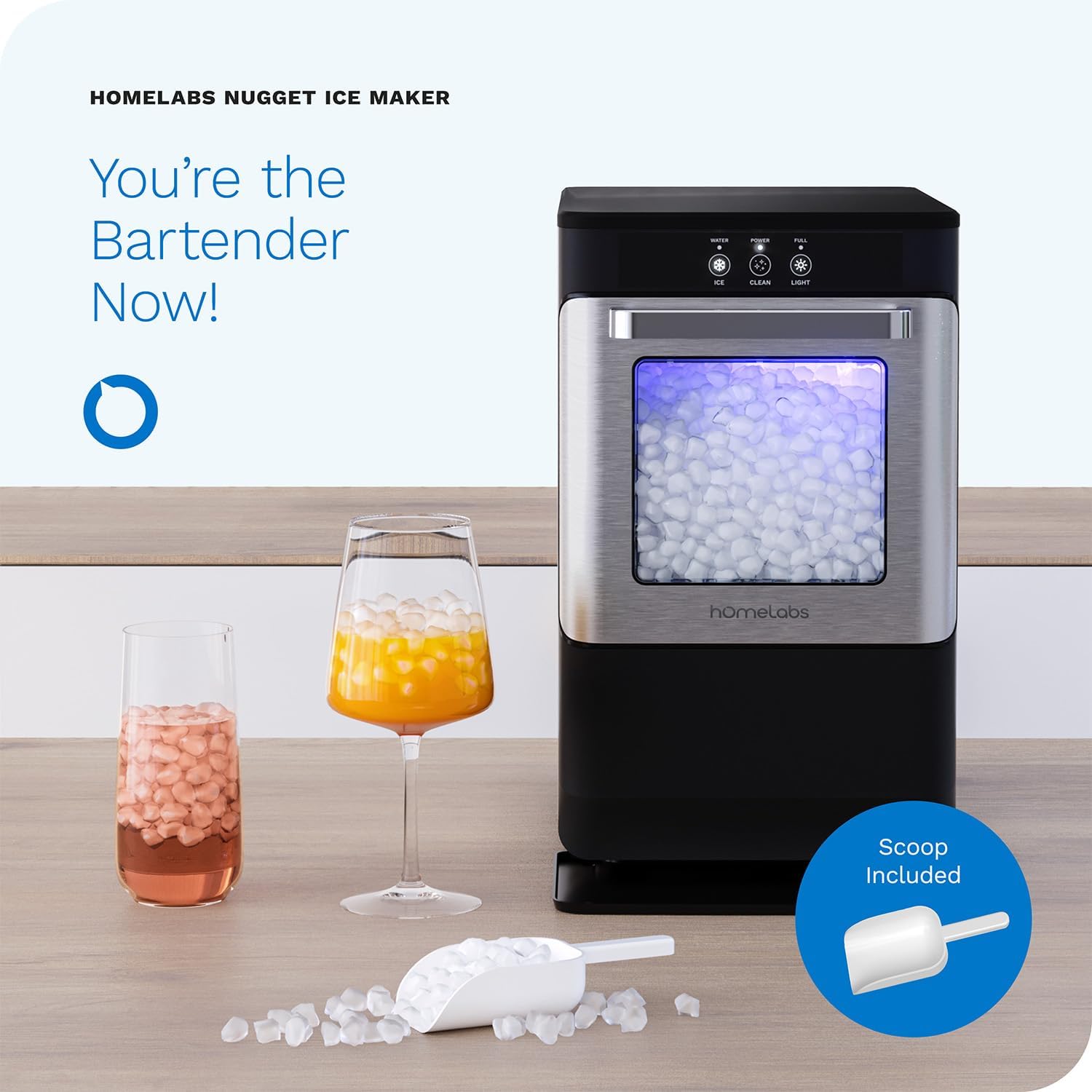
The hOmeLabs Nugget Ice Maker positioned on a kitchen countertop, highlighting its compact design and the included ice scoop.
Setup
1. Unpacking and Placement
Carefully remove the ice maker from its packaging. Place the unit on a stable, level surface away from direct sunlight and heat sources. Ensure there is adequate ventilation around the unit, especially at the back and sides. The dimensions of the unit are approximately 19.3"D x 11.9"W x 17.7"H.

A detailed diagram illustrating the dimensions (19.3"D x 11.9"W x 17.7"H), maximum ice capacity (3.3 lb), total unit weight (34.3 lb), water tank capacity (0.58 Gal / 2.2 L), and power cord length (6 ft) of the ice maker.
2. Initial Cleaning
Before first use, clean the ice maker thoroughly. Refer to the 'Maintenance' section for detailed cleaning instructions. It is recommended to run a cleaning cycle before making ice for consumption.
3. Water Filling
Locate the water tank. Remove the ice bucket to access the water reservoir. Fill the 2.2 L (0.58 Gallon) tank with potable water up to the 'MAX' line. Do not overfill. Replace the ice bucket securely.

An image showing the process of filling the ice maker with potable water, emphasizing the importance of using clean water for ice production.
Operating Instructions
Control Panel Overview

A close-up view of the intuitive LED touch control panel, showing indicators for Water Shortage, Power, and Ice Full, along with buttons for Ice, Clean, and Light.
- WATER Indicator: Illuminates when the water reservoir is low and needs refilling.
- POWER Indicator: Shows the unit is powered on and operating.
- FULL Indicator: Illuminates when the ice bin is full.
- ICE Button: Press to start or stop the ice making cycle.
- CLEAN Button: Press to initiate the self-cleaning cycle.
- LIGHT Button: Press to turn the internal blue LED light on or off.
Making Ice
- Ensure the unit is plugged into a grounded electrical outlet.
- Fill the water reservoir with potable water as described in the 'Setup' section.
- Press the 'ICE' button to begin the ice making process. The 'POWER' indicator will illuminate.
- The ice maker will automatically produce nugget ice. The first batch may take slightly longer.
- When the ice bin is full, the 'FULL' indicator will light up, and the unit will pause ice production.
- Remove ice as needed using the provided scoop. The unit will resume ice production once ice levels drop.
Maintenance
Regular Cleaning
Regular cleaning is crucial for maintaining the performance and hygiene of your ice maker. It is recommended to clean the unit weekly or before first use.

The ice maker demonstrating its effortless cleaning mode, which can be activated with a single button press. It also highlights the easy-to-clean removable drip tray.
- Unplug the ice maker from the power outlet.
- Remove the ice bucket and drip tray. Wash them with warm, soapy water, rinse thoroughly, and dry.
- To activate the self-cleaning cycle, ensure the water reservoir is filled, then press the 'CLEAN' button. The cycle typically runs for 20 minutes.
- After the cleaning cycle, drain any remaining water from the unit.
- Wipe the interior and exterior surfaces with a soft cloth and mild detergent. Rinse with clean water and dry thoroughly.
Draining
To drain the unit, locate the drain plug at the bottom or back of the ice maker. Place a basin underneath and remove the plug to allow water to drain completely. Once drained, replace the plug securely.
Storage
If storing the ice maker for an extended period, ensure it is completely drained and dry. Store it in a cool, dry place, away from direct sunlight and extreme temperatures.
Troubleshooting
| Problem | Possible Cause | Solution |
|---|---|---|
| Ice maker not producing ice. | No water in reservoir; unit not plugged in; ambient temperature too high. | Fill water reservoir; ensure unit is plugged in; move to a cooler location. |
| 'WATER' indicator is on. | Water level is low. | Add water to the reservoir. |
| 'FULL' indicator is on. | Ice bin is full. | Remove ice from the bin. |
| Ice tastes strange or has odor. | Unit needs cleaning; stale water. | Perform a thorough cleaning cycle; use fresh, potable water. |
Specifications
| Specification | Value |
|---|---|
| Brand | hOmeLabs |
| Model Name | countertop ice maker,nugget ice maker |
| Product Dimensions | 19.3"D x 11.9"W x 17.7"H |
| Capacity | 44 Pounds (daily production) |
| Voltage | 115 Volts |
| Refrigerant | R134a |
| Material | Stainless Steel |
| Item Weight | 37.1 pounds |
| Installation Type | Countertop |
| Color | grey, black |
Warranty and Support
For warranty information and customer support, please refer to the official hOmeLabs user manual provided with your product or visit the hOmeLabs website. You can also find additional support and contact information through the brand's official store page on Amazon.
Official User Manual (PDF): Download Here
hOmeLabs Store: Visit Store