Introduction
Welcome to the user manual for your De'Longhi PrimaDonna Soul ECAM610.74.MB Espresso and Coffee Maker. This advanced machine is designed to deliver a premium coffee experience with ease. Featuring a 4.3-inch full-color touchscreen and seamless connectivity with the Coffee Link app, it allows for personalized preparation of up to 21 different beverages. The integrated automatic LatteCrema system ensures creamy, dense, and long-lasting milk foam at an ideal temperature for your cappuccinos and lattes. With 1450 watts of power, your favorite coffee drinks are prepared quickly and efficiently. Please read this manual carefully to ensure safe and optimal use of your appliance.
Safety Instructions
To prevent injury or damage to the appliance, always observe the following safety precautions:
- Electrical Safety: Ensure the voltage rating on the appliance matches your local power supply. Do not use if the power cord or plug is damaged. Unplug the machine before cleaning or if it will be unused for an extended period.
- Water and Heat: Do not immerse the appliance, power cord, or plug in water or other liquids. Avoid touching hot surfaces, such as the coffee spout or steam wand, during and immediately after operation. Use handles or knobs.
- Children: Keep the appliance out of reach of children. This appliance is not intended for use by persons with reduced physical, sensory, or mental capabilities, or lack of experience and knowledge, unless they have been given supervision or instruction concerning use of the appliance by a person responsible for their safety.
- Placement: Place the machine on a stable, level surface away from heat sources and water splashes. Ensure adequate ventilation around the appliance.
- Maintenance: Only perform maintenance as described in this manual. For repairs, contact authorized service personnel.
Package Contents
Verify that all components are present in the packaging:
- De'Longhi PrimaDonna Soul ECAM610.74.MB Espresso and Coffee Maker
- LatteCrema Milk Carafe
- Water Tank
- Drip Tray and Grounds Container
- Coffee Scoop
- Cleaning Brush
- Descaling Solution (sample)
- Water Filter
- User Manual (this document)
Product Overview
Familiarize yourself with the main components of your coffee machine:
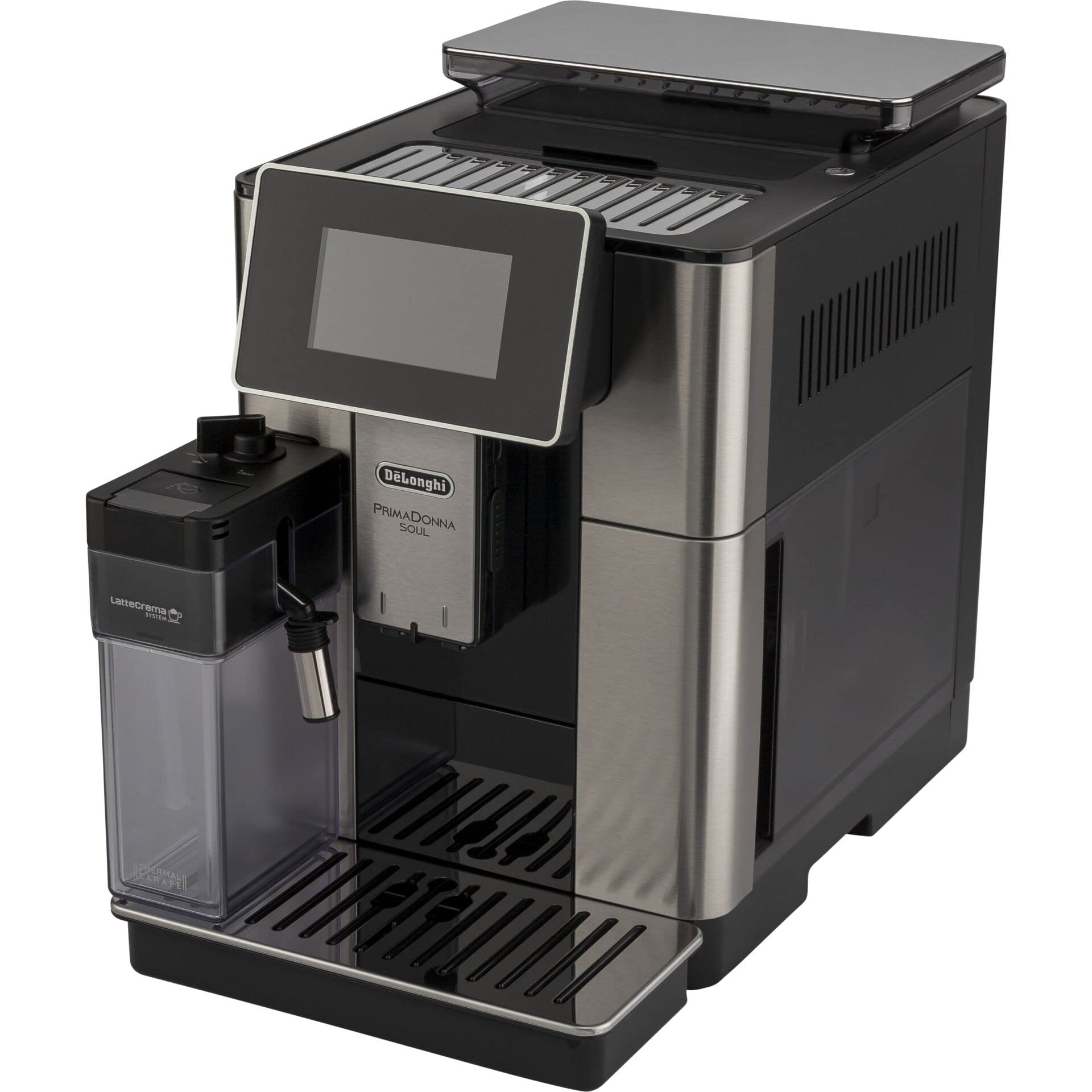
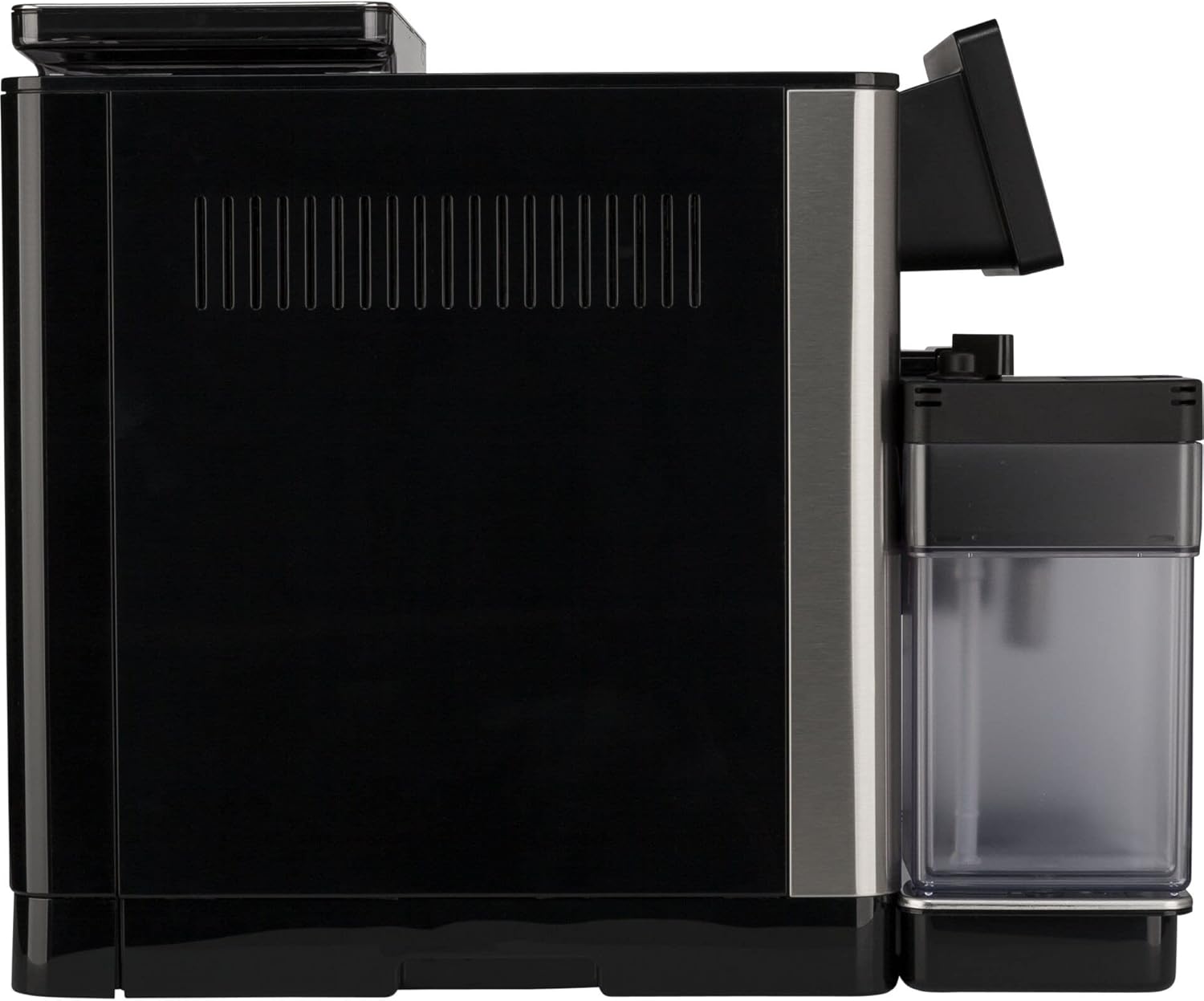
- Touchscreen Display: Intuitive 4.3-inch full-color interface for beverage selection and machine settings.
- Coffee Spout: Adjustable height to accommodate various cup sizes.
- LatteCrema System: Automatic milk frothing system for perfect milk-based beverages.
- Water Tank: Removable for easy refilling.
- Bean Hopper: Located at the top for whole coffee beans.
- Drip Tray & Grounds Container: Collects excess liquid and used coffee grounds, easily removable for cleaning.
Setup
Follow these steps for the initial setup of your coffee maker:
- Unpacking: Carefully remove the machine and all accessories from the packaging. Remove any protective films or packaging materials.
- Placement: Place the machine on a stable, flat surface near a power outlet. Ensure there is enough space around the machine for ventilation and access to components.
- Initial Cleaning: Wash the water tank, milk carafe, and drip tray with warm water and mild detergent. Rinse thoroughly and dry.
- Install Water Filter: If included, install the water filter into the water tank as per the filter's instructions.
- Fill Water Tank: Fill the water tank with fresh, cold tap water up to the MAX level. Insert it back into the machine.
- Add Coffee Beans: Open the bean hopper lid and pour fresh coffee beans into the hopper. Do not use ground coffee in the bean hopper.
- Power On: Plug the machine into a grounded power outlet. Press the ON/OFF button to turn on the machine. The display will guide you through the initial setup process, including language selection and water hardness settings.
- First Use Cycle: The machine will perform an automatic rinsing cycle. Place a container under the coffee spouts. Follow the on-screen instructions.
Operating
Your PrimaDonna Soul offers a variety of options for preparing your favorite coffee drinks:
- Turning On/Off: Press the ON/OFF button. The machine will perform an automatic rinse cycle when turning on and off.
- Selecting a Beverage: From the home screen, tap on your desired beverage icon (e.g., Espresso, Coffee, Cappuccino, Latte Macchiato). The machine offers up to 21 customizable beverages.
- Customizing Beverages: Before brewing, you can often adjust settings like coffee strength, volume, and temperature directly on the touchscreen. For milk-based drinks, you can also adjust milk foam consistency.
- Using the LatteCrema System: Fill the milk carafe with fresh cold milk. Attach it to the machine. Select a milk-based beverage. The machine will automatically froth and dispense milk, then brew coffee.
- Coffee Link App: Download the De'Longhi Coffee Link app to your smartphone or tablet. Connect the machine via Wi-Fi to access additional customization options, recipes, and remote control features.
- Adjusting Grind Setting: The grind setting can be adjusted using the dial inside the bean hopper. Only adjust the grinder when it is operating. Turn clockwise for a finer grind (stronger coffee) or counter-clockwise for a coarser grind (lighter coffee).
Maintenance
Regular cleaning and maintenance are crucial for the longevity and performance of your machine:
- Daily Cleaning:
- Drip Tray and Grounds Container: Empty and rinse daily.
- Milk Carafe: After each use, perform the automatic cleaning cycle for the milk carafe. Disassemble and wash all components of the carafe regularly.
- Weekly/Monthly Cleaning:
- Brew Unit: Remove the brew unit (refer to the machine's internal instructions for removal) and rinse it under running water. Allow it to air dry before reinserting.
- Coffee Spouts: Clean the coffee spouts with a damp cloth.
- Descaling: The machine will prompt you when descaling is required. Follow the on-screen instructions and use a suitable De'Longhi descaling solution. This programmable feature helps maintain optimal performance.
- Water Filter Replacement: Replace the water filter approximately every 2 months, or as indicated by the machine.
Troubleshooting
If you encounter issues, refer to the table below for common problems and solutions:
| Problem | Possible Cause | Solution |
|---|---|---|
| No coffee dispensed | Water tank empty; coffee beans empty; brew unit clogged. | Fill water tank; add coffee beans; clean brew unit. |
| Weak coffee | Grind setting too coarse; insufficient coffee dose. | Adjust grind to finer setting; increase coffee strength on display. |
| Milk not frothing correctly | Milk carafe dirty; milk type unsuitable; milk too warm. | Clean milk carafe thoroughly; use fresh, cold milk (dairy or plant-based suitable for frothing). |
| Machine displays 'Descaling required' | Accumulation of limescale. | Perform the descaling cycle as prompted by the machine. |
| Error message on display | Specific internal issue. | Refer to the specific error code in the full manual or contact customer support. |
Specifications
| Feature | Detail |
|---|---|
| Brand | De'Longhi |
| Model Number | ECAM610.74 |
| Product Type | Espresso Machine |
| Color | Black and Silver |
| Power | 1450 Watts |
| Operating Mode | Fully Automatic |
| Human Interface Input | Touchscreen |
| Special Features | Programmable |
| Material | Stainless Steel |
| Coffee Bean Capacity | 500 grams |
| Item Weight | 1000 grams (1 kg) |
| Filter Type | Reusable |
| Specific Uses | Cappuccino, Latte, Mocha |
| Dishwasher Safe | No |
| GTIN (UPC/EAN) | 08004399334878 |
Warranty and Support
Your De'Longhi PrimaDonna Soul ECAM610.74.MB Espresso and Coffee Maker comes with a manufacturer's warranty. Please refer to the warranty card included in your product packaging for specific terms and conditions, including the warranty period and coverage details.
For technical assistance, troubleshooting beyond this manual, or to inquire about warranty service, please contact De'Longhi customer support. Contact information can typically be found on the De'Longhi official website or on your product's warranty documentation.
Online Resources: For additional support, FAQs, and video tutorials, visit the official De'Longhi website.


