
Introduction
This manual provides instructions for the Kymate PMLN7109A Single-Unit Rapid Charger. This device is designed to efficiently charge compatible portable radios, ensuring they are ready for use. Its compact form factor allows for convenient placement in various environments.
The Kymate PMLN7109A charger is compatible with the following Motorola radio models: SL300, TLK100, SL300e, SL3500e, SL1M, SL1600, SL2600, and PMLN7094.
Safety Information
CAUTION: RISK OF ELECTRIC SHOCK. DRY LOCATION USE ONLY.
ATTENTION: RISQUE DE CHOC ÉLECTRIQUE. EMPLACEMENT SEC SEULEMENT.
To prevent personal injury or damage to the product, observe the following safety precautions:
- Charge only the battery types specified in the radio's user guide. Charging other battery types may cause them to burst, resulting in injury or damage.
- Turn the radio off before inserting it into the charger.
- Ensure the charging indicator light is active to confirm proper charging. Refer to the bottom label of the charger for detailed charging status information.
- Do not disassemble the charger. Unauthorized modifications can lead to electric shock or fire.
- Keep the charger away from water or other liquids.
- Use only the power supply provided with the charger.

Package Contents
Verify that all items are present in your package:
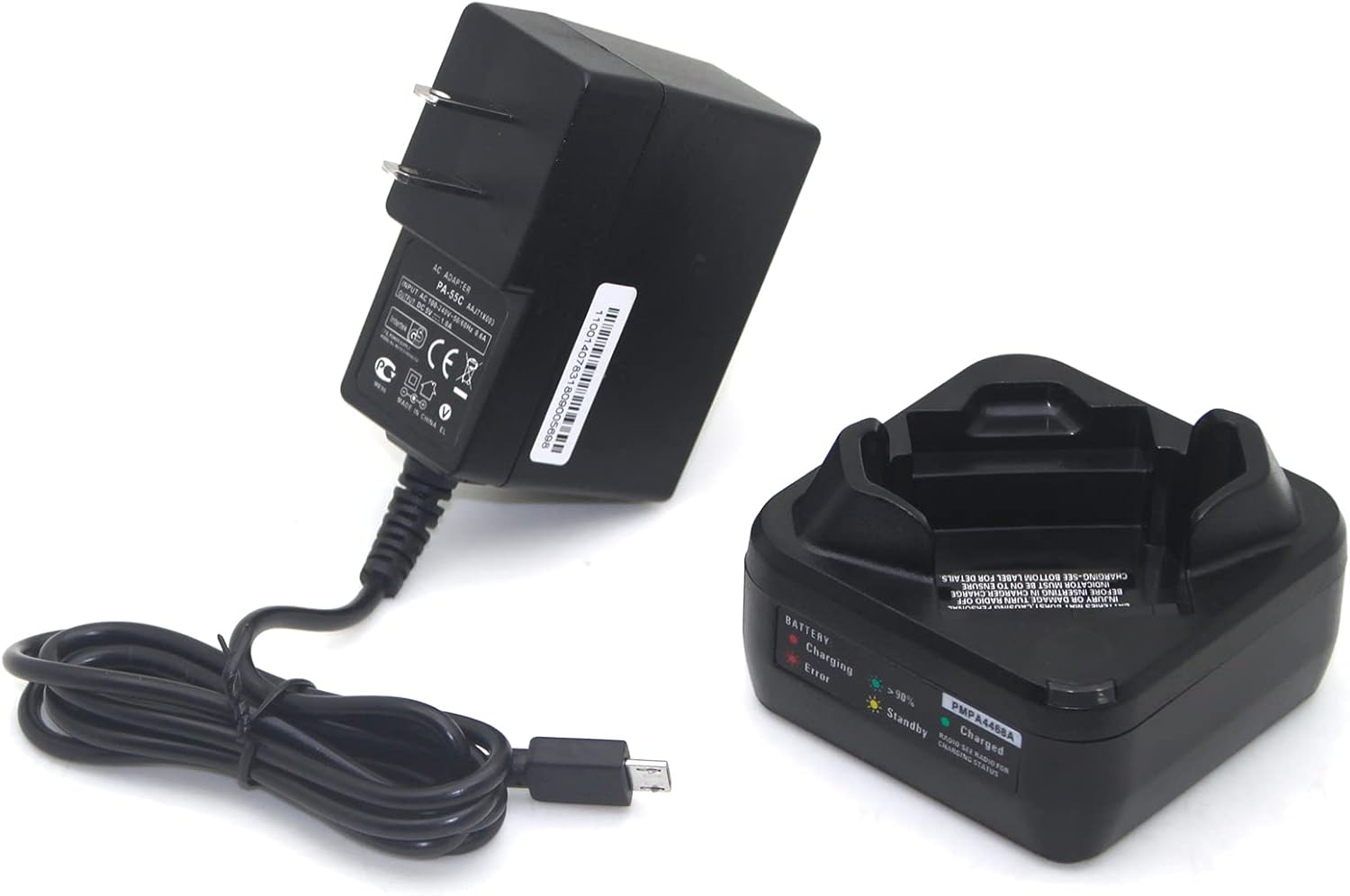
- Kymate PMLN7109A Single-Unit Rapid Charger Base
- AC Power Adapter (US Plug)
Setup
- Connect the micro-USB end of the AC power adapter cable to the input port on the back of the charger base.
- Plug the AC power adapter into a standard 100-240V wall outlet.
- The charger's LED indicator should briefly illuminate, indicating it has power and is in standby mode.


Operating Instructions
- Ensure the radio is powered off before placing it into the charger.
- Carefully insert the compatible portable radio into the charging slot on the charger base. Ensure it is seated correctly and makes proper contact with the charging terminals.
- Observe the LED indicator on the charger. It will change color to indicate the charging status.
- Once the radio's battery is fully charged, the LED indicator will change to green.
- Remove the radio from the charger when charging is complete.
The charger is designed to charge either the radio with its battery attached or the battery alone, if it can be placed flat in the charging dock.

LED Indicator Status
The charger features an LED indicator to display the current charging status:
- Red Light: Indicates the battery is currently charging.
- Green Light: Indicates the battery is fully charged.
- Yellow/Amber Light (Standby): Indicates the charger is powered on and ready to charge, or the battery is fully charged and the charger is maintaining it.
- Flashing Red Light (Error): Indicates a charging error. This could be due to an incompatible battery, a damaged battery, or improper placement.

Maintenance
To ensure optimal performance and longevity of your charger:
- Keep the charger clean and dry. Use a soft, dry cloth to wipe down the exterior.
- Avoid exposing the charger to extreme temperatures, direct sunlight, or high humidity.
- Do not use harsh chemicals or abrasive cleaning agents, as these can damage the charger's surface or internal components.
- Regularly inspect the power adapter cable for any signs of damage. If damaged, discontinue use and replace with an approved adapter.
Troubleshooting
| Problem | Possible Cause | Solution |
|---|---|---|
| Charger LED does not light up. | No power supply, loose connection, or faulty outlet. | Ensure the AC adapter is securely connected to both the charger and a working wall outlet. Try a different outlet. |
| Radio is not charging (Red LED not active). | Radio not properly seated, incompatible battery, or radio not turned off. | Re-seat the radio firmly in the charging slot. Ensure the radio is turned off. Verify battery compatibility. |
| Flashing Red LED (Error). | Battery fault, incompatible battery, or extreme battery temperature. | Remove and re-insert the radio/battery. If the error persists, the battery may be faulty or incompatible. Allow battery to reach room temperature if it was too hot or cold. |
| Slow charging. | Using a non-standard power adapter or high battery drain during charging. | Ensure you are using the provided AC power adapter. Confirm the radio is completely off during charging. |
Specifications
- Model Number: PMLN7109A
- Input Voltage: 100-240V AC
- Output Voltage: 5V DC
- Output Current: 1A
- Output Power: 5W
- Dimensions: 6.93 x 3.66 x 2.24 inches
- Item Weight: 5.6 ounces
- Certifications: FCC, UL Listed
- Compatible Radio Models: Motorola SL300, TLK100, SL300e, SL3500e, SL1M, SL1600, SL2600, PMLN7094
Warranty and Support
Kymate is committed to customer satisfaction. While specific warranty details are not provided in this manual, we encourage users to contact our customer service for any concerns or support needs regarding the PMLN7109A charger.
For assistance, please refer to the contact information provided with your purchase or visit the official Kymate website.