
Introduction
The Daewoo DIBT2626 is a compact and versatile wireless portable Bluetooth speaker designed for audio playback and hands-free communication. It features Bluetooth 5.0 connectivity, FM radio, an SD card slot for MP3 playback, a USB port, and an AUX input. The speaker is equipped with a 1200 mAh lithium-ion battery, providing up to 4 hours of playback on a 2-hour charge. Its robust design includes a metal speaker grille and protective rubber edges.
Safety Information
To ensure safe operation and prolong the life of your device, please observe the following:
- Do not expose the speaker to extreme temperatures, direct sunlight, or high humidity.
- Avoid dropping or subjecting the speaker to strong impacts.
- Do not attempt to disassemble or modify the speaker. This will void the warranty and may cause damage.
- Keep the speaker away from water and other liquids.
- Use only the provided USB charging cable or a certified equivalent.
- Clean the speaker with a soft, dry cloth. Do not use abrasive cleaners or solvents.
Package Contents
- Daewoo DIBT2626 Wireless Portable Bluetooth Speaker
- USB Charging Cable
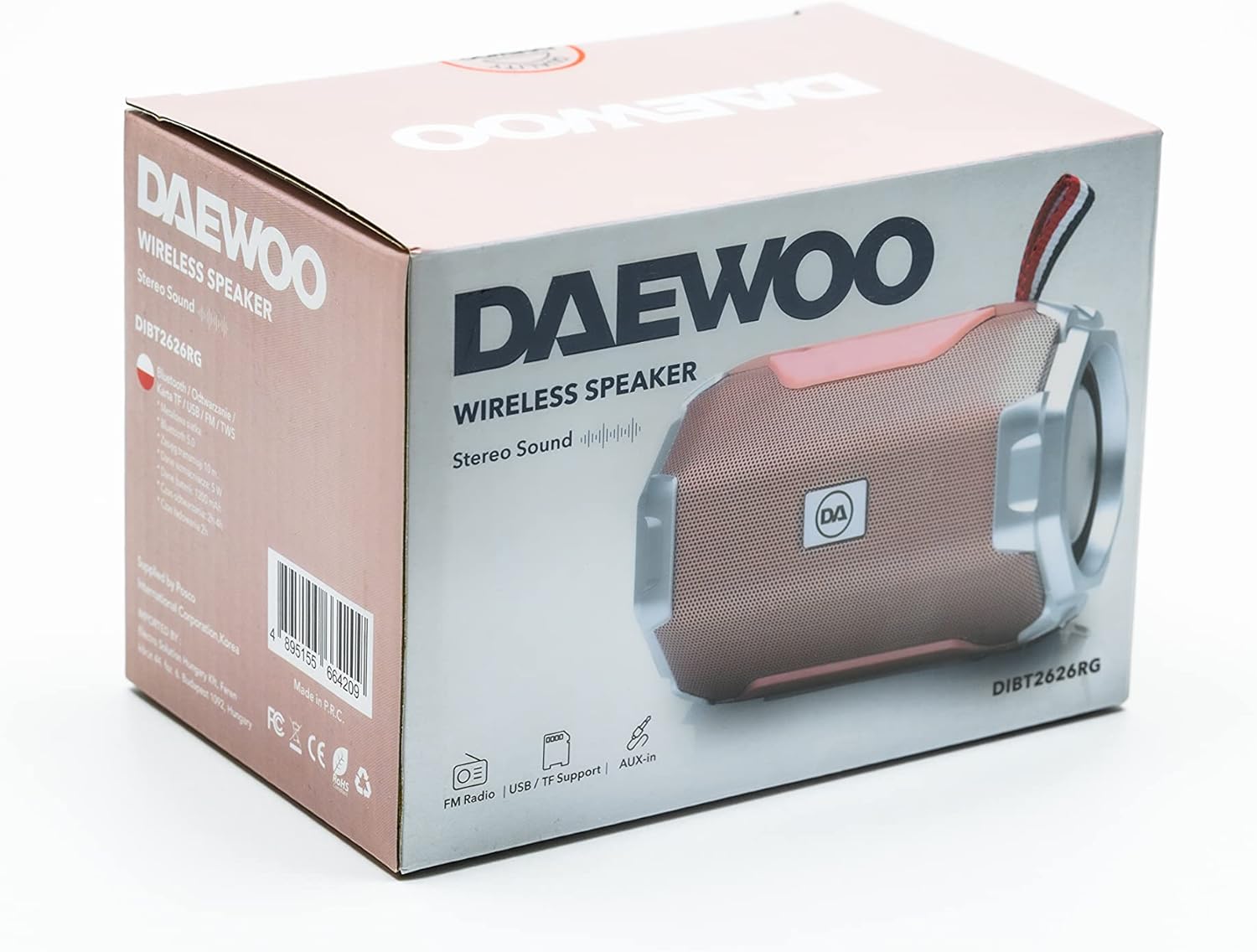
Image: The retail packaging box for the Daewoo DIBT2626 speaker, showing the product image and branding.
Product Overview
Familiarize yourself with the speaker's controls and ports.
Control Panel
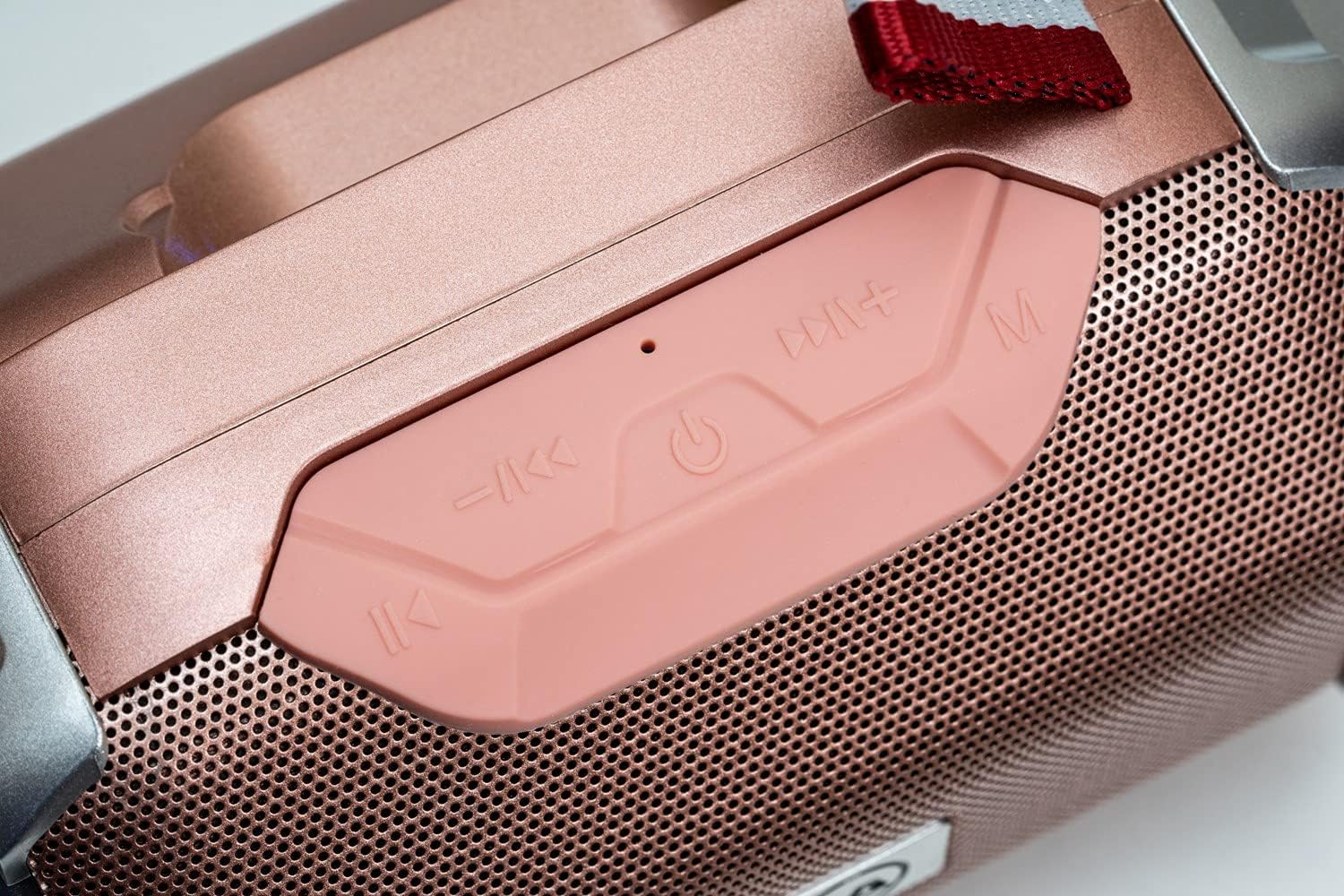
Image: A close-up view of the speaker's control panel, featuring four buttons and an LED indicator.
- Previous Track / Volume Down: Short press for previous track, long press to decrease volume.
- Power / Play / Pause: Long press to power on/off. Short press to play/pause music. In call mode, short press to answer/end call.
- Next Track / Volume Up: Short press for next track, long press to increase volume.
- Mode (M): Short press to switch between Bluetooth, FM Radio, SD Card, USB, and AUX modes.
- LED Indicator: Indicates power status, charging, and Bluetooth pairing.
Connectivity Ports

Image: A detailed view of the speaker's rear panel, showing the AUX, USB, TF (SD card), and DC 5V charging ports.
- AUX Port: For connecting external audio devices via a 3.5mm audio cable.
- USB Port: For playing music from a USB flash drive.
- TF Card Slot (SD Card): For playing MP3 files from a microSD card.
- DC 5V Port: Micro USB port for charging the speaker.

Image: The Daewoo DIBT2626 speaker in rose gold, showcasing its front grille, control panel, and fabric hook.
Setup
1. Charging the Speaker
- Connect the provided USB charging cable to the DC 5V port on the speaker.
- Connect the other end of the USB cable to a USB power adapter (not included) or a computer's USB port.
- The LED indicator will illuminate during charging. A full charge takes approximately 2 hours.
- Once fully charged, the LED indicator may change color or turn off, depending on the model. Disconnect the charging cable.
A fully charged speaker provides up to 4 hours of playback time.
2. Powering On/Off
- To Power On: Long press the Power / Play / Pause button until you hear an audible prompt or the LED indicator lights up.
- To Power Off: Long press the Power / Play / Pause button again until you hear an audible prompt or the LED indicator turns off.
Operating Modes
1. Bluetooth Mode
- Ensure the speaker is powered on. It will automatically enter Bluetooth pairing mode, indicated by a flashing LED.
- On your mobile device (smartphone, tablet, laptop), enable Bluetooth and search for available devices.
- Select "DIBT2626" from the list of devices.
- Once paired, the LED indicator will stop flashing, and you will hear a confirmation sound.
- You can now play audio from your device through the speaker. Use the speaker's control buttons or your device to adjust volume, play/pause, and skip tracks.
2. FM Radio Mode
- Power on the speaker.
- Press the Mode (M) button repeatedly until you enter FM Radio mode.
- To auto-scan and save available stations, short press the Power / Play / Pause button. The speaker will scan and store stations automatically.
- Use the Previous Track / Volume Down and Next Track / Volume Up buttons to navigate between saved stations.
3. SD Card / USB Mode
- Insert a microSD card (TF card) with MP3 files into the TF Card slot or a USB flash drive into the USB port.
- Power on the speaker. It should automatically detect the storage device and switch to SD Card or USB mode, beginning playback. If not, press the Mode (M) button to select the correct mode.
- Use the speaker's control buttons to play/pause, skip tracks, and adjust volume.
4. AUX Mode
- Connect one end of a 3.5mm audio cable (not included) to the AUX port on the speaker.
- Connect the other end of the audio cable to the audio output jack of your external device.
- Power on the speaker. It should automatically switch to AUX mode. If not, press the Mode (M) button to select AUX mode.
- Control playback and volume from your external device.
5. Hands-Free Calling
- When connected via Bluetooth to your smartphone, the speaker can be used for hands-free calls.
- When an incoming call is received, short press the Power / Play / Pause button to answer the call.
- To end a call, short press the Power / Play / Pause button again.
Maintenance
- Keep the speaker clean by wiping it with a soft, dry cloth.
- Avoid using harsh chemicals, cleaning solvents, or strong detergents.
- Store the speaker in a cool, dry place when not in use for extended periods.
- Charge the battery periodically if the speaker is stored for a long time to maintain battery health.
Troubleshooting
| Problem | Possible Cause | Solution |
|---|---|---|
| Speaker does not power on. | Battery is depleted. | Charge the speaker for at least 2 hours. |
| No sound. | Volume is too low or muted. Incorrect mode selected. | Increase volume on both the speaker and the connected device. Press the Mode (M) button to ensure the correct input mode is selected. |
| Cannot pair via Bluetooth. | Speaker is not in pairing mode. Bluetooth is off on device. Device is too far. | Ensure speaker is powered on and LED is flashing. Enable Bluetooth on your device. Move device closer to the speaker (within 10 meters). |
| FM radio reception is poor. | Weak signal. | Move the speaker to a location with better reception. |
Specifications
| Model Number | DIBT2626 |
| Brand | Daewoo Electronics |
| Dimensions | 14 x 9 x 9 cm |
| Weight | 350 g |
| Speaker Output Power | 5 W |
| Battery Type | 1200 mAh Lithium-ion |
| Charging Time | Approximately 2 hours |
| Playback Time | Up to 4 hours |
| Bluetooth Version | 5.0 |
| Connectivity Options | Bluetooth, USB, TF (SD Card), AUX (3.5mm) |
| Compatible Devices | Smartphones, Tablets, Laptops |
| Special Features | FM Radio, Hands-free Calling |
Warranty and Support
For warranty information and technical support, please refer to the documentation provided with your purchase or visit the official Daewoo Electronics website. Keep your proof of purchase for any warranty claims.
