1. Product Overview
The RUIZHI XH-W3001 is a digital temperature controller designed for precise temperature regulation in various environments. It features an ABS flame-retardant shell for enhanced durability and safety. The device offers a wide temperature control range, making it suitable for diverse applications requiring accurate temperature monitoring and control. It is equipped with a waterproof probe for reliable performance in liquid or humid conditions.

2. Key Features
- Durable Construction: Made from high-quality ABS flame-retardant material for high mechanical strength and long service life.
- Wide Temperature Range: Controls temperatures from -50°C to 110°C.
- High Precision: Temperature control accuracy of 0.1°C.
- Power Specifications: Operates on 24V DC input with a maximum output power of 240W (10A).
- User-Friendly Display: Clear LED screen for easy reading of temperature values.
- Waterproof Probe: Includes a 1-meter NTC10K stainless steel waterproof probe, resistant to rust.
- Dual Operating Modes: Supports both heating (start temperature lower than stop temperature) and cooling (start temperature higher than stop temperature) modes.
- Easy Installation: Features fixed screw holes for straightforward mounting and integration.
3. Specifications
| Parameter | Value |
|---|---|
| Main Material | ABS |
| Input Voltage | 24 V DC |
| Max Output Current | 10 A |
| Temperature Measurement Range | -50 °C to 110 °C |
| Temperature Regulation Accuracy | 0.1 °C |
| Load Power | 240 W |
| Measurement Input | NTC10K 1m Waterproof Probe |
| Installation Hole Distance | 7.3 cm |
| Hole Diameter | 4 mm |
| Package Dimensions | 13.8 x 11.9 x 4 cm |
| Weight | 50 grams |
| Controller Type | Push-button |
| Special Features | Digital display, waterproof probe |
| Color | White |
| Connectivity Technology | Wired |
| Power Source | External DC Power Supply |

4. Setup and Wiring
Proper wiring is crucial for the safe and correct operation of the XH-W3001 temperature controller. Please follow the diagram below carefully.

Wiring Instructions:
- Power Input: Connect your 24V DC power supply to the designated input terminals. Ensure correct polarity (+ and -).
- Load Output: Connect the device you wish to control (e.g., heater, fan) to the output terminals. The controller provides a direct output.
- Temperature Probe: Insert the NTC10K waterproof probe into the probe input port. The probe is used to detect the current temperature.
Important Note:
- The XH-W3001 provides a direct output. To prevent potential short circuits or ignition, do not power on the device if the output terminal is not connected to a load.
- Ensure all connections are secure and insulated to prevent electrical hazards.
5. Operating Instructions
The XH-W3001 controller allows you to set both a start temperature and a stop temperature to manage your heating or cooling applications.

5.1. Setting the Start Temperature
- Press the Up button once. The display will show the current start temperature.
- Press and hold the Up button for approximately 3 seconds. The start temperature number on the display will begin to flash.
- Use the Up and Down buttons to adjust the value to your desired start temperature.
- The setting will automatically save after a few seconds of inactivity, or you can press both Up and Down buttons simultaneously to confirm.
5.2. Setting the Stop Temperature
- Press the Down button once. The display will show the current stop temperature.
- Press and hold the Down button for approximately 3 seconds. The stop temperature number on the display will begin to flash.
- Use the Up and Down buttons to adjust the value to your desired stop temperature.
- The setting will automatically save after a few seconds of inactivity, or you can press both Up and Down buttons simultaneously to confirm.
5.3. Operating Modes
- Heating Mode: To operate in heating mode, set the start temperature to be lower than the stop temperature. The controller will activate the load when the temperature drops below the start temperature and deactivate it when it reaches the stop temperature.
- Cooling Mode: To operate in cooling mode, set the start temperature to be higher than the stop temperature. The controller will activate the load when the temperature rises above the start temperature and deactivate it when it drops to the stop temperature.
6. Maintenance
To ensure the longevity and optimal performance of your RUIZHI XH-W3001 temperature controller, follow these maintenance guidelines:
- Cleaning: Keep the device clean and free from dust and debris. Use a soft, dry cloth for cleaning. Do not use abrasive cleaners or solvents.
- Environmental Conditions: Avoid exposing the controller to extreme temperatures, high humidity, or corrosive environments beyond its specified operating range.
- Connection Checks: Periodically inspect all electrical connections to ensure they are secure and free from corrosion or damage.
- Probe Inspection: Regularly check the waterproof temperature probe for any signs of physical damage, kinks in the cable, or corrosion. Replace if necessary to maintain accuracy.
7. Troubleshooting
If you encounter issues with your XH-W3001 controller, refer to the following troubleshooting tips:
- Display Not Working:
- Check the power supply connections. Ensure the 24V DC input is correctly connected and providing power.
- Verify the power source is functional.
- Incorrect Temperature Readings:
- Ensure the temperature probe is correctly inserted and securely connected to the controller.
- Check the probe for any physical damage or corrosion.
- Make sure the probe is properly positioned in the environment or medium where temperature is to be measured.
- Controller Not Activating Load:
- Verify the load (e.g., heater, fan) is correctly wired to the output terminals and is functional.
- Check that the load's power consumption does not exceed the controller's maximum output of 240W (10A).
- Review your set start and stop temperatures to ensure they are configured correctly for the desired heating or cooling mode.
- Confirm the current temperature is within the range that should trigger the load according to your settings.
- Device Overheating:
- Ensure there is adequate ventilation around the controller.
- Verify that the connected load is within the specified power limits.
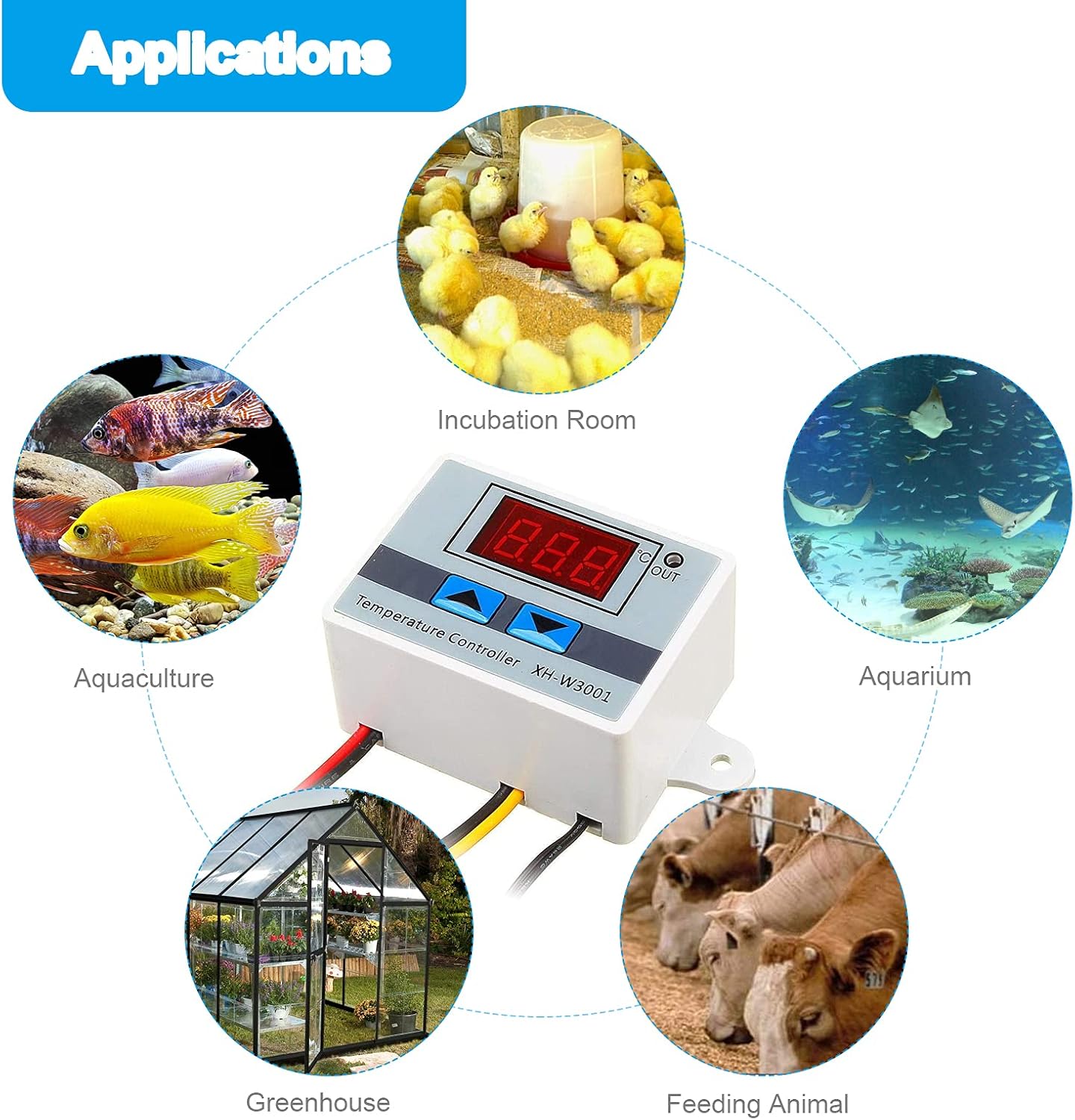
8. Applications
The RUIZHI XH-W3001 Digital Temperature Controller is versatile and can be used in a wide range of applications requiring precise temperature control:

- Incubation areas (e.g., egg incubators)
- HVAC systems
- Dehumidifiers
- Testing and laboratory equipment
- Appliance control boxes
- Air conditioning systems
- Temperature protection systems
- Cooling systems for weather station cabinets
- Aquaculture and aquarium temperature regulation
- Greenhouse climate control
- Animal feeding and breeding systems
9. Warranty Information
This product is covered by a standard manufacturer's warranty. For specific details regarding warranty terms, duration, and claims process, please refer to the documentation provided at the time of purchase or contact your retailer. Keep your proof of purchase for warranty validation.
10. Customer Support
Should you require technical assistance, have questions about product functionality, or need support, please contact your point of purchase or the manufacturer directly. When contacting support, please provide the following information:
- Product Model: XH-W3001
- Date of Purchase
- Description of the issue


