1. Introduction
This manual provides detailed instructions for the installation, operation, and maintenance of the RUIZHI XH-W3001 Digital Temperature Controller. Please read this manual thoroughly before using the device to ensure correct operation and to prevent damage.
2. Safety Information
- Power Supply: Ensure the power supply matches the device's specifications (DC 12V). Connecting to an incorrect voltage (e.g., 230V AC) will cause severe damage and may pose a fire hazard.
- Wiring: All wiring should be performed by a qualified individual. Ensure all connections are secure and insulated to prevent short circuits.
- Load Capacity: Do not exceed the maximum output power of 120W (10A at 12V). Overloading can damage the controller and connected equipment.
- No Load Operation: Do not power on the device if the output terminal is not connected to a load. This can prevent potential issues with the internal contacts.
- Environment: Avoid installing the controller in areas with excessive moisture, dust, or corrosive gases, unless specifically designed for such conditions. The probe is waterproof, but the main unit is not.
- Disassembly: Do not attempt to disassemble or modify the controller. Unauthorized modifications void the warranty and can lead to malfunction or safety risks.
3. Product Overview
The RUIZHI XH-W3001 is a digital temperature controller designed for precise temperature management in various applications. It features a clear LED display, intuitive control buttons, and a waterproof temperature probe.

Figure 1: Front view of the RUIZHI XH-W3001 Digital Temperature Controller, showing the LED display and control buttons.

Figure 2: Detailed view highlighting the precise digital LED display, fine adjustment buttons, and the weatherproof NTC10K probe.
4. Specifications
| Feature | Specification |
|---|---|
| Model | XH-W3001 |
| Input Voltage | DC 12V |
| Output Power | Max 120W (10A) |
| Temperature Control Range | -50°C to 110°C |
| Control Accuracy | 0.1°C |
| Measurement Input | NTC10K Waterproof Probe (1 meter) |
| Output Type | Direct Output |
| Material | High-quality ABS |
| Dimensions (approx.) | 59mm x 44mm x 31mm (L x W x H) |
| Operating Modes | Heating (Start Temp < Stop Temp), Cooling (Start Temp > Stop Temp) |
5. Setup and Wiring
Proper wiring is critical for the safe and effective operation of the XH-W3001. Refer to the wiring diagram below and ensure all connections are correct before applying power.

Figure 3: Wiring diagram for the XH-W3001. Connect the DC 12V power supply to the red (+) and black (-) input wires. Connect your load (e.g., heating element, fan) to the yellow and black output wires. The detection probe connects to the designated input.
Wiring Instructions:
- Power Input: Connect your DC 12V power source to the red (positive) and black (negative) input wires of the controller. Ensure correct polarity.
- Load Output: Connect your heating or cooling device (the load) to the yellow and black output wires. The XH-W3001 provides a direct output, meaning the power supplied to the load is the same as the input power.
- Temperature Probe: Insert the NTC10K waterproof probe into the environment where temperature measurement is required. The probe is made of stainless steel and can be immersed in liquids.
- Mounting: The controller features fixed screw holes for easy installation and secure mounting.
Important Note: The W3001 has a direct output. Do not power on the device if the output terminal is not connected to a load, to prevent potential issues with the two-stage contact of the wires and ignition.
6. Operating Instructions
The XH-W3001 is designed for straightforward operation using its two control buttons (Up and Down).

Figure 4: Visual guide for setting the startup and desired temperatures using the Up and Down buttons.
Setting the Startup Temperature (P0):
- Press the Up button once to display the current startup temperature.
- Press and hold the Up button for approximately 3 seconds until the startup temperature display flashes.
- Use the Up and Down buttons to adjust the desired startup temperature.
- Press any button or wait for a few seconds for the setting to be saved automatically.
Setting the Stop Temperature (P1):
- Press the Down button once to display the current stop temperature.
- Press and hold the Down button for approximately 3 seconds until the stop temperature display flashes.
- Use the Up and Down buttons to adjust the desired stop temperature.
- Press any button or wait for a few seconds for the setting to be saved automatically.
Operating Modes (Heating/Cooling):
- Heating Mode: Set the Startup Temperature lower than the Stop Temperature. The device will activate the output when the temperature drops below the startup temperature and deactivate when it reaches the stop temperature.
- Cooling Mode: Set the Startup Temperature higher than the Stop Temperature. The device will activate the output when the temperature rises above the startup temperature and deactivate when it drops to the stop temperature.
Temperature Calibration (P2):
If the displayed temperature deviates from an accurate reference thermometer, you can calibrate the sensor:
- Place the XH-W3001 probe alongside a known accurate thermometer in the same environment.
- Simultaneously press and hold both the Up and Down buttons for approximately 3 seconds to enter the parameter settings. The display will show 'P0'.
- Press the Up or Down button repeatedly until 'P2' is displayed.
- Press the Up button once to view the current calibration value.
- Press and hold the Up button for approximately 3 seconds until the 'P2' value flashes.
- Use the Up and Down buttons to adjust the calibration value. For example, if the controller reads 10°C and the reference thermometer reads 8°C, set the calibration to -2°C.
- Press any button or wait for a few seconds for the setting to be saved automatically.
The controller retains programmed parameters even after a power outage.
7. Maintenance
- Cleaning: Wipe the controller's surface with a soft, dry cloth. Do not use abrasive cleaners or solvents. Ensure no liquids enter the main unit.
- Probe Care: The stainless steel probe is waterproof and resistant to rust. Periodically check the probe and its cable for any signs of damage or wear. Clean any buildup on the probe that might affect accurate readings.
- Connections: Regularly inspect all wiring connections to ensure they remain tight and secure. Loose connections can lead to intermittent operation or safety hazards.
- Calibration: If precise temperature control is critical, periodically verify the temperature reading against a calibrated reference thermometer and recalibrate if necessary (refer to Section 6).
8. Troubleshooting
| Problem | Possible Cause | Solution |
|---|---|---|
| Controller does not power on / No display | No power supply; Incorrect wiring; Faulty power source. | Check DC 12V power connections and ensure correct polarity. Verify power source functionality. Inspect wiring for breaks or loose connections. |
| Output does not switch (load not activating/deactivating) | Incorrect temperature settings (Startup/Stop); Faulty load; Wiring issue; Exceeded load capacity. | Verify Startup and Stop temperature settings are appropriate for Heating/Cooling mode. Check load device functionality. Inspect output wiring. Ensure load does not exceed 120W (10A). |
| Inaccurate temperature reading | Probe issue; Calibration needed; Probe not correctly placed. | Check if the probe is securely connected and undamaged. Perform temperature calibration (Section 6). Ensure the probe is fully immersed or positioned correctly in the measurement area. |
| Device damaged upon first use (e.g., smoke, fuse blown) | Incorrect voltage applied (e.g., 230V AC instead of 12V DC); Short circuit in wiring; Exceeded load capacity. | Immediately disconnect power. This indicates a severe wiring error or incorrect power supply. Review all wiring and power source specifications carefully. This type of damage is typically not covered under warranty due to improper installation. |
| Settings are lost after power cycle | This should not occur. The XH-W3001 is designed to retain settings. | If settings are consistently lost, the unit may be faulty. Contact support. |
9. Applications
The RUIZHI XH-W3001 Digital Temperature Controller is versatile and suitable for a wide range of temperature control applications, including:
- Incubation rooms
- Aquaculture and aquariums
- Greenhouses
- HVAC systems
- Dehumidifiers
- Test and inspection equipment
- Equipment boxes
- Refrigeration systems
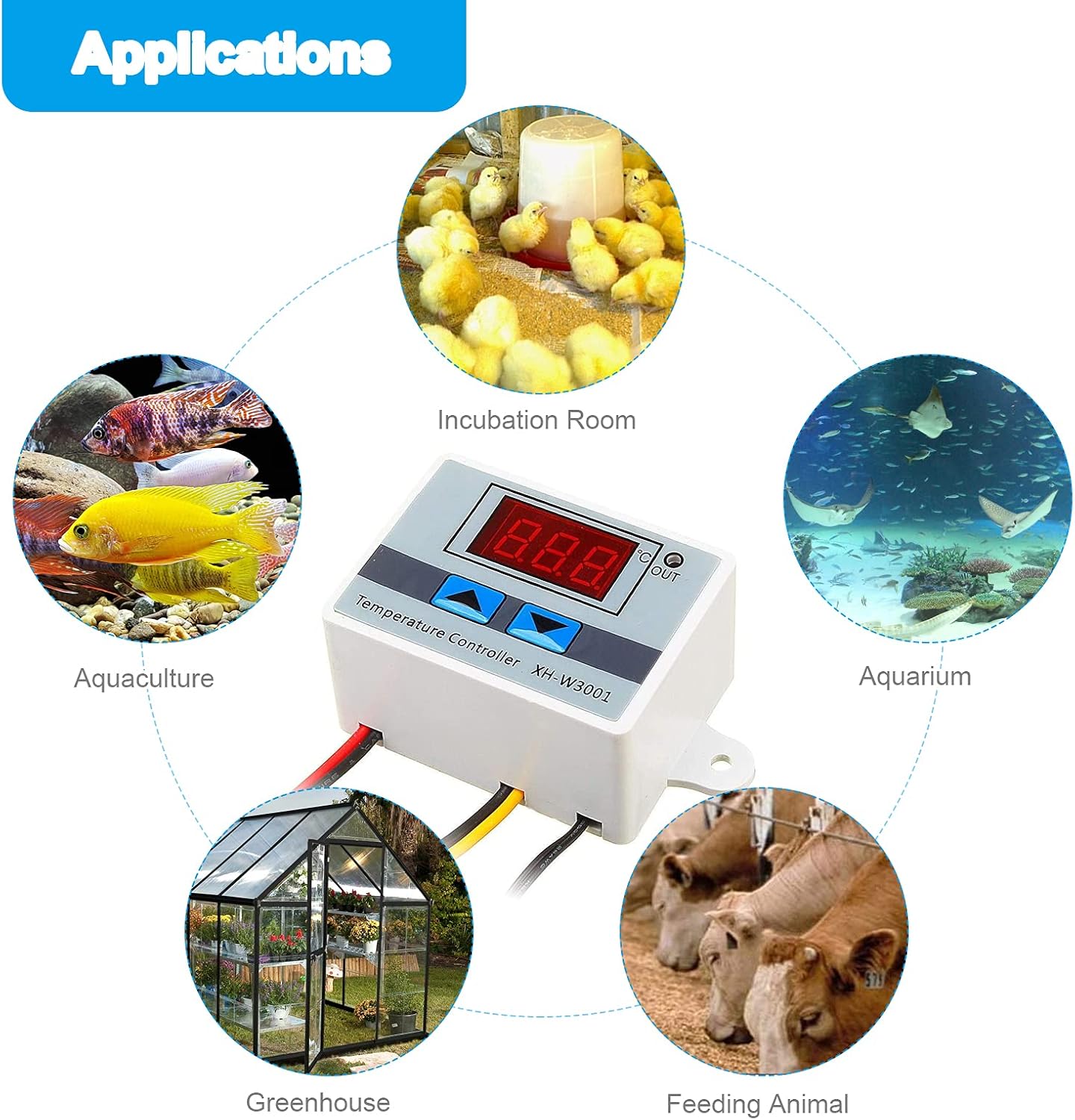
Figure 5: Examples of common applications for the XH-W3001 controller.

Figure 6: The controller integrated into a control cabinet cooling system.
10. Warranty and Support
Specific warranty details may vary depending on your region and point of purchase. Please refer to the warranty information provided at the time of purchase or contact your seller for details.
For technical support or inquiries, please contact the RUIZHI customer service or the retailer from whom you purchased the product. Ensure you have your product model number (XH-W3001) and purchase details available when seeking support.


