Introduction
This manual provides essential information for the safe and efficient operation, maintenance, and troubleshooting of your DuroMax XP4500iH Dual Fuel Portable Digital Inverter Generator. Please read this manual thoroughly before operating the generator.
The DuroMax XP4500iH is a clean, quiet, and powerful portable digital inverter generator capable of generating 4,500 peak watts. It features a digital control center for monitoring power output, fuel level, and running hours. Its dual-fuel technology allows operation on both gasoline and propane, offering flexibility in fuel choice.

Figure 1: DuroMax XP4500iH Dual Fuel Portable Digital Inverter Generator, showcasing its compact design and control panel.
Key Features:
- Power Output: 4,500 peak watts and 3,600 running watts, suitable for emergency home power, jobsite use, or RV camping.
- Dual Fuel Technology: Operates on gasoline or propane for versatile fuel options.
- Inverter Technology: Delivers clean, stable power safe for sensitive electronics.
- Remote Start: Conveniently start the generator with a remote control.
- Battery Tender: Ensures the generator's battery remains charged and ready.
- Low Oil Shutoff: Automatic shutdown feature to protect the engine from low oil levels.
- Digital Control Center: LCD display for monitoring hours run, voltage output, and load level.
- Parallel Capability: Allows connection of two XP4500iH units to double power output (parallel kit sold separately).
- Emissions Compliance: EPA and CARB approved for environmental responsibility.
Safety Information
Always prioritize safety when operating the generator. Failure to follow safety instructions can result in serious injury or death.
- Carbon Monoxide Hazard: Never operate the generator indoors or in partially enclosed areas. Generators produce carbon monoxide, an odorless, colorless, and deadly gas. Use a battery-powered carbon monoxide alarm.
- Fire Hazard: Fuel is highly flammable. Do not refuel while the engine is running or hot. Store fuel in approved containers away from ignition sources.
- Electrical Shock Hazard: Do not operate the generator in wet conditions. Ensure all connections are secure and properly grounded.
- Hot Surfaces: The generator's engine and muffler become very hot during operation and remain hot for some time after shutdown. Avoid contact.
- Proper Ventilation: Always operate the generator in a well-ventilated outdoor area.
Setup and Initial Preparation
Before first use, ensure the generator is properly prepared.
1. Unpacking and Assembly:
Carefully remove the generator from its packaging. Inspect for any shipping damage. Attach wheels and handles if not pre-assembled, following the instructions in the included quick start guide.
2. Adding Engine Oil:
The generator is shipped without engine oil. It is crucial to add the correct type and amount of oil before starting. Refer to the specifications section for oil type and capacity.
- Place the generator on a level surface.
- Locate the oil fill cap/dipstick.
- Using a funnel, slowly add the recommended engine oil until it reaches the upper mark on the dipstick. Do not overfill.
- Securely replace the oil fill cap.

Figure 2: Preparing the generator with fuel. Ensure oil is added before fuel.
3. Connecting the Battery:
Connect the battery terminals, ensuring correct polarity. Use the included battery tender to charge the battery fully before the first start and to maintain charge during storage.
4. Fueling the Generator:
The XP4500iH operates on either gasoline or propane.
- Gasoline: Use fresh, unleaded gasoline with an octane rating of 87 or higher. Fill the fuel tank carefully, avoiding spills. Do not fill past the fuel filter.
- Propane: Connect a standard 20lb (or larger) propane tank to the generator's propane inlet using the provided hose and regulator. Ensure all connections are tight.

Figure 3: The DuroMax XP4500iH connected to a propane tank, ready for use in a portable setting.
Operating Instructions
Follow these steps for safe and effective operation.
1. Control Panel Overview:
Familiarize yourself with the control panel components:

Figure 4: The fully loaded control panel of the XP4500iH, showing outlets, digital display, and start controls.
- Engine Start/Stop Button: For push-button starting and stopping.
- Digital Control Center: LCD display showing voltage, frequency, hours run, and load level.
- Outlets: Includes 120V 30A RV outlet, 120V 20A standard outlets, USB-A, and USB-C ports.
- Main Breaker: Protects the generator from overload.
- Low Idle Switch: Optimizes fuel efficiency and reduces noise at lower loads.
- CO Alert Sensor: Safety feature that detects carbon monoxide levels.
- Parallel Ports: For connecting two XP4500iH units.
2. Starting the Generator:
Ensure the generator is on a level surface outdoors, away from windows and doors.
- Ensure the main breaker is in the "OFF" position.
- Select your desired fuel source (gasoline or propane).
- Press and hold the "ENGINE START" button, or use the remote start feature.
- Once the engine starts, allow it to warm up for a few moments.
- Flip the main breaker to the "ON" position to supply power to the outlets.
3. Connecting Electrical Devices:
Plug in your devices to the appropriate outlets. Do not overload the generator. Monitor the load level on the digital control center.

Figure 5: Connecting an electrical load to the generator, demonstrating its versatility for various applications.
4. Parallel Operation:
To double your power output, you can connect two XP4500iH generators using a DuroMax parallel kit (sold separately). Follow the instructions provided with the parallel kit for safe connection.
Maintenance
Regular maintenance ensures optimal performance and extends the life of your generator.
Maintenance Schedule:
| Item | Frequency | Action |
|---|---|---|
| Engine Oil | Every 25 hours or annually | Check level before each use. Change oil. |
| Air Filter | Every 50 hours or annually | Clean or replace. |
| Spark Plug | Every 100 hours or annually | Inspect and clean. Replace if necessary. |
| Fuel Filter | Annually or as needed | Inspect and replace. |
| Battery | Monthly or as needed | Check charge with battery tender. Clean terminals. |
Storage:
For long-term storage, prepare the generator as follows:
- Drain the gasoline from the fuel tank and carburetor. Run the engine until it stops from lack of fuel.
- If using propane, disconnect the propane tank. Propane can be stored indefinitely in its tank.
- Change the engine oil.
- Remove the spark plug and add a small amount of engine oil into the cylinder. Pull the recoil cord a few times to distribute the oil, then reinstall the spark plug.
- Store the generator in a clean, dry area, covered to protect from dust and moisture. Keep the battery connected to the battery tender.
Troubleshooting
This section provides solutions to common issues. For problems not listed, contact customer support.
| Problem | Possible Cause | Solution |
|---|---|---|
| Engine will not start | No fuel or incorrect fuel type | Ensure sufficient fresh gasoline or propane. Check fuel valve. |
| Engine will not start | Low engine oil | Add engine oil to the proper level. |
| Engine will not start | Dead or weak battery | Charge the battery using the battery tender. Check battery terminals for corrosion. |
| Engine will not start | Spark plug issue | Inspect spark plug; clean or replace if fouled or damaged. |
| No power output | Main breaker tripped | Reset the main breaker. Reduce load if overloaded. |
| No power output | CO Alert activated | Move generator to a well-ventilated area. Allow to cool before restarting. |
| Generator runs rough | Stale fuel or clogged fuel filter | Drain old fuel, add fresh fuel. Replace fuel filter if necessary. |
Specifications
Detailed technical specifications for the DuroMax XP4500iH generator.
| Attribute | Value |
|---|---|
| Model Name | DuroMax XP4500iH |
| Wattage (Gasoline) | 4500 Peak Watts / 3600 Running Watts |
| Wattage (Propane) | 4275 Peak Watts / 3420 Running Watts |
| Fuel Type | Gasoline / Propane |
| Engine Type | 4 Stroke |
| Engine Displacement | 223 Cubic Centimeters |
| Voltage | 120 Volts (AC) |
| Current Rating | 37.5 Amps |
| Gasoline Tank Volume | 4.7 Gallons |
| Total Power Outlets | 4 (1x 120V 30A RV, 2x 120V 20A Standard, 1x USB-A, 1x USB-C) |
| Item Weight | 130 Pounds |
| Product Dimensions (L x W x H) | 19"L x 24"W x 22"H |
| Special Feature | Portable, Inverter Technology, Remote Start, Dual Fuel |

Figure 6: Physical dimensions of the DuroMax XP4500iH generator.
Warranty and Support
DuroMax stands behind its products with comprehensive warranty and customer support.
Warranty Information:
The DuroMax XP4500iH typically comes with a 3-year limited warranty. Please refer to the official warranty document included with your product for specific terms and conditions, including coverage details and limitations.
Customer Support:
For technical assistance, parts, or warranty claims, please contact DuroMax customer support. A USA-based service team is available to assist you.
- Official Website: Visit the DuroMax Store for product information and support resources.
- User Manual (PDF): A digital version of the user manual can be found here.
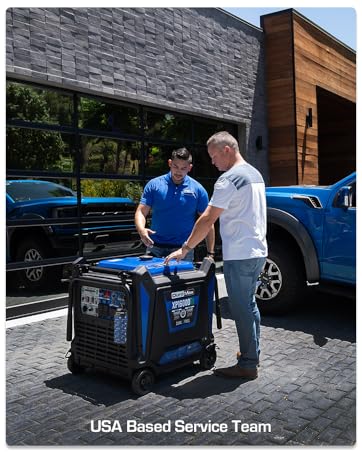
Figure 7: DuroMax offers support from a USA-based service team.


