
1. Introduction
Thank you for choosing the Jennov 5MP Dome Type Wireless Security Camera. This camera is designed to provide high-resolution surveillance for both indoor and outdoor environments, offering advanced features such as 5-megapixel video, infrared night vision, audio recording, and motion detection. This manual will guide you through the installation, operation, and maintenance of your new security camera.
2. Product Features
- 5-Megapixel High Resolution: Captures clear and detailed images, providing superior clarity compared to standard 2MP cameras.
- Infrared Night Vision: Equipped with 18 infrared LEDs, ensuring clear visibility even in complete darkness up to 20 meters.
- Audio Recording: Features a built-in microphone with 3D noise reduction, allowing for simultaneous video and audio recording. This provides valuable evidence in case of incidents.
- Motion Detection & Alerts: Intelligent motion detection triggers instant app notifications and email alerts when suspicious activity is detected within the camera's field of view.
- Outdoor Durability (IP66 Waterproof): Designed with a robust metal housing and IP66 waterproof rating, making it resistant to rain, wind, dust, and harsh weather conditions for long-term outdoor use.
- Wireless Connectivity: Connects via Wi-Fi for flexible placement and remote monitoring via smartphone.
- Expansion Camera: This camera is an add-on unit compatible with Jennov J-series NVR systems (5MP resolution or higher). Please verify compatibility with your existing NVR before purchase.

Image: Comparison of 5MP and 2MP camera resolution, highlighting the superior detail of 5MP.
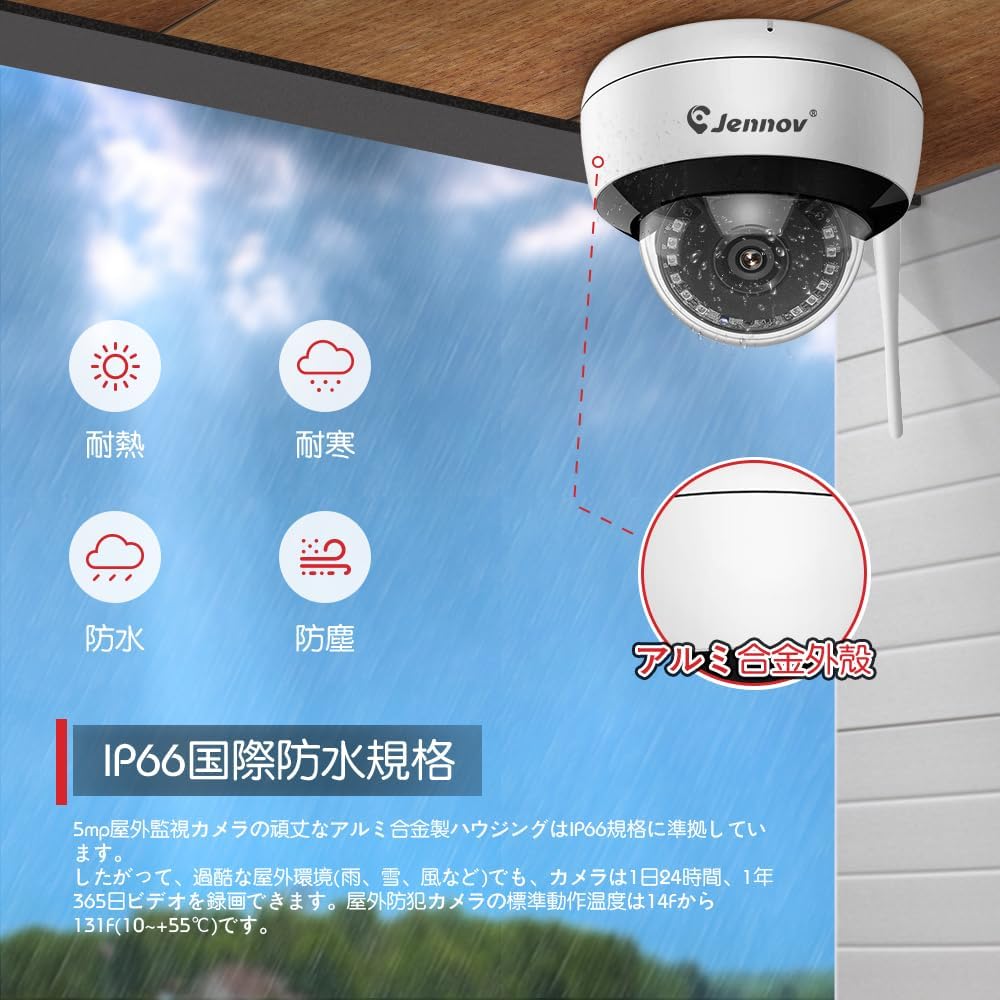
Image: Jennov dome camera showcasing its IP66 international waterproof standard and robust aluminum alloy casing, resistant to heat, cold, water, and dust.

Image: A family interacting with the camera's audio recording and remote monitoring features via a smartphone, demonstrating clear sound capture and playback.
3. Setup and Installation
Follow these steps to set up and install your Jennov 5MP Dome Type Wireless Security Camera:
- Unboxing: Carefully remove all components from the packaging. Ensure all parts are present according to the packing list.
- Power Connection: Connect the camera to a power source using the provided power adapter.
- NVR Pairing (for J-Series NVRs): Refer to your Jennov J-series NVR manual for specific instructions on adding a new wireless camera. Generally, this involves accessing the NVR's camera management interface and initiating a pairing process.
- Physical Installation:
- Choose a suitable location for installation, considering the desired viewing angle and Wi-Fi signal strength.
- Mount the camera base securely to a wall or ceiling using the provided screws.
- Adjust the camera's angle manually to cover the desired surveillance area. Note: This is a fixed-point camera and does not support PTZ (Pan/Tilt/Zoom) functions.
- App Configuration: Download the Jennov security app on your smartphone. Follow the in-app instructions to add your camera for remote viewing and control.
Video: Setup process for a 5MP dome camera, demonstrating how to connect and configure the camera with an NVR system.
Video: Detailed installation method for the camera, showing how to mount the base and secure it with screws.

Image: Illustration of the camera functioning as an expansion unit within a Jennov wireless recorder system, demonstrating its compatibility and ease of integration.
4. Operation
Once installed and configured, you can operate your Jennov security camera using the dedicated smartphone application or through your NVR system.
4.1 Remote Monitoring
Access live video feeds and recorded footage from anywhere using the Jennov app on your smartphone. Ensure your camera and NVR are connected to the internet.
4.2 Motion Detection Alerts
The camera's motion detection feature will send instant notifications to your smartphone when movement is detected. You can customize sensitivity settings within the app to minimize false alarms.
4.3 Night Vision Modes
The camera automatically switches to infrared night vision in low-light conditions. This ensures continuous surveillance 24 hours a day.
Video: Demonstrates various features of the Jennov outdoor security camera, including night vision and motion detection capabilities.
Video: Overview of the security camera's functions, including remote access and alert systems.
5. Maintenance
To ensure optimal performance and longevity of your Jennov security camera, consider the following maintenance tips:
- Regular Cleaning: Periodically clean the camera lens with a soft, damp cloth to remove dust and dirt that may obstruct the view.
- Firmware Updates: Check for and install any available firmware updates through the Jennov app or NVR system to ensure your camera has the latest features and security enhancements.
- Cable Inspection: Regularly inspect power and network cables for any signs of wear or damage, especially for outdoor installations.
- Environmental Protection: While the camera is IP66 rated, avoid direct exposure to extreme conditions if possible, such as prolonged submersion or direct high-pressure water jets.

Image: Examples of suitable installation locations for the camera, including eaves, schools, farms, and entrances, highlighting its versatility.
6. Troubleshooting
If you encounter issues with your Jennov security camera, please refer to the following common solutions:
- No Power: Ensure the power adapter is securely connected to both the camera and a working power outlet.
- No Video Feed:
- Check Wi-Fi connection: Ensure the camera is within range of your Wi-Fi router and connected.
- Restart camera and NVR: Power cycle both the camera and your NVR system.
- Re-pair camera: If the issue persists, try re-pairing the camera with your NVR or re-configuring it in the app.
- Poor Image Quality:
- Clean the lens: Dust or smudges on the lens can affect image clarity.
- Check network strength: A weak Wi-Fi signal can lead to lower resolution streaming.
- Motion Detection Not Working:
- Adjust sensitivity: Increase motion detection sensitivity in the app settings.
- Check detection zones: Ensure the desired areas are included in the motion detection zones.
For more complex issues, please contact Jennov customer support.
7. Specifications
| Feature | Specification |
|---|---|
| Brand | Jennov |
| Model | J-Series Dome Camera |
| Resolution | 5 Megapixels (1920P) |
| Connectivity | Wireless (Wi-Fi) |
| Recommended Use | Indoor, Outdoor |
| Waterproof Rating | IP66 |
| Night Vision Range | 20 meters |
| Audio | Built-in Microphone (Audio Recording) |
| Motion Detection | Yes (Motion Only Warning Type) |
| Compatible Devices | Smartphone |
| Color | Black, White |
| Power Source | No batteries required (external power adapter) |
8. Warranty and Support
Jennov offers a 30-day return policy for this security camera if you are not satisfied. Our professional technical team is available to assist you with any questions, concerns, or malfunctions you may encounter during consideration or use.
Please feel free to contact us for support.
- Website: www.jennov.com
- Email: supportjp@jennov.com
- Phone: 050-5050-9046

Image: Jennov customer support details, including phone, website, and email, along with a 12-month warranty seal.