
Introduction
This manual provides essential information for the proper setup, operation, and care of your Paladone Xbox Headset Stand Light. This officially licensed product is designed to store your gaming headset and illuminate your gaming space with the iconic Xbox logo.
What's in the Box
- Xbox Headset Stand Light
- Micro USB to USB Cable
Note: A USB power adapter is not included.
Setup
- Unpack the Device: Carefully remove the Xbox Headset Stand Light and its components from the packaging.
- Connect Power: Insert the Micro USB end of the provided cable into the port on the back of the stand. Connect the standard USB end to a compatible USB power source (e.g., computer, game console, or USB wall adapter - not included).
- Positioning: Place the stand on a stable, flat surface in your desired location.
- Headset Placement: Rest your gaming headset on the designated holder at the top of the stand.

Image: Side view of the Xbox Headset Stand Light, illustrating the USB cable connection point at the rear of the device.
Operating Instructions
The Xbox Headset Stand Light features two distinct lighting modes, controlled by a switch located on the back of the unit.
- Always On Mode: Slide the switch to the position labeled "1" (or the corresponding 'on' position). In this mode, the Xbox logo light will remain continuously illuminated as long as the device is powered.
- Headset Detection Mode: Slide the switch to the position labeled "2" (or the corresponding 'headset' position). In this mode, the light will automatically illuminate when a headset is placed on the stand and turn off when the headset is removed.

Image: Close-up of the rear panel of the Xbox Headset Stand Light, highlighting the power switch for selecting light modes and the Micro USB input port.

Image: The Xbox Headset Stand Light with a gaming headset resting on it, demonstrating the illuminated Xbox logo in a typical gaming setup environment.

Video: An official product video demonstrating the Paladone Xbox Headset Stand Light in operation, showcasing its two lighting modes and how a headset interacts with the stand.

Video: A product overview video showcasing the Paladone Xbox Headset Stand Light, highlighting its design and functionality.
Maintenance
To ensure the longevity and optimal appearance of your Xbox Headset Stand Light, follow these simple maintenance guidelines:
- Cleaning: Gently wipe the surface of the stand with a soft, dry cloth. Avoid using abrasive cleaners, solvents, or harsh chemicals, as these may damage the finish or electronic components.
- Storage: When not in use for extended periods, store the stand in a cool, dry place away from direct sunlight and extreme temperatures.
- Cable Care: Ensure the USB cable is not kinked, pinched, or subjected to excessive strain.
Troubleshooting
If you encounter any issues with your Xbox Headset Stand Light, please refer to the following common troubleshooting steps:
- Light Not Turning On:
- Ensure the USB cable is securely connected to both the stand and a functioning power source.
- Verify that the power source (e.g., USB port, wall adapter) is active and providing power.
- Check the light mode switch on the back of the stand. If in "Headset Detection Mode," ensure a headset is properly placed on the stand.
- Intermittent Lighting:
- Check for loose cable connections.
- Ensure the headset is seated correctly if using "Headset Detection Mode."
If these steps do not resolve the issue, please contact Paladone customer support for further assistance.
Specifications
| Brand | Paladone |
| Model Number | PP8955XB |
| Product Dimensions | 4.72 x 7.68 x 9.45 inches (12 x 19.5 x 24 cm) |
| Item Weight | 10.2 ounces (289.17 grams) |
| Power Source | USB Powered (Micro USB Input 5V DC 500mA) |
| Compatible Devices | Headphones |
| Features | Illuminated Xbox logo, 2 Light Modes (Always On, Headset Detection) |
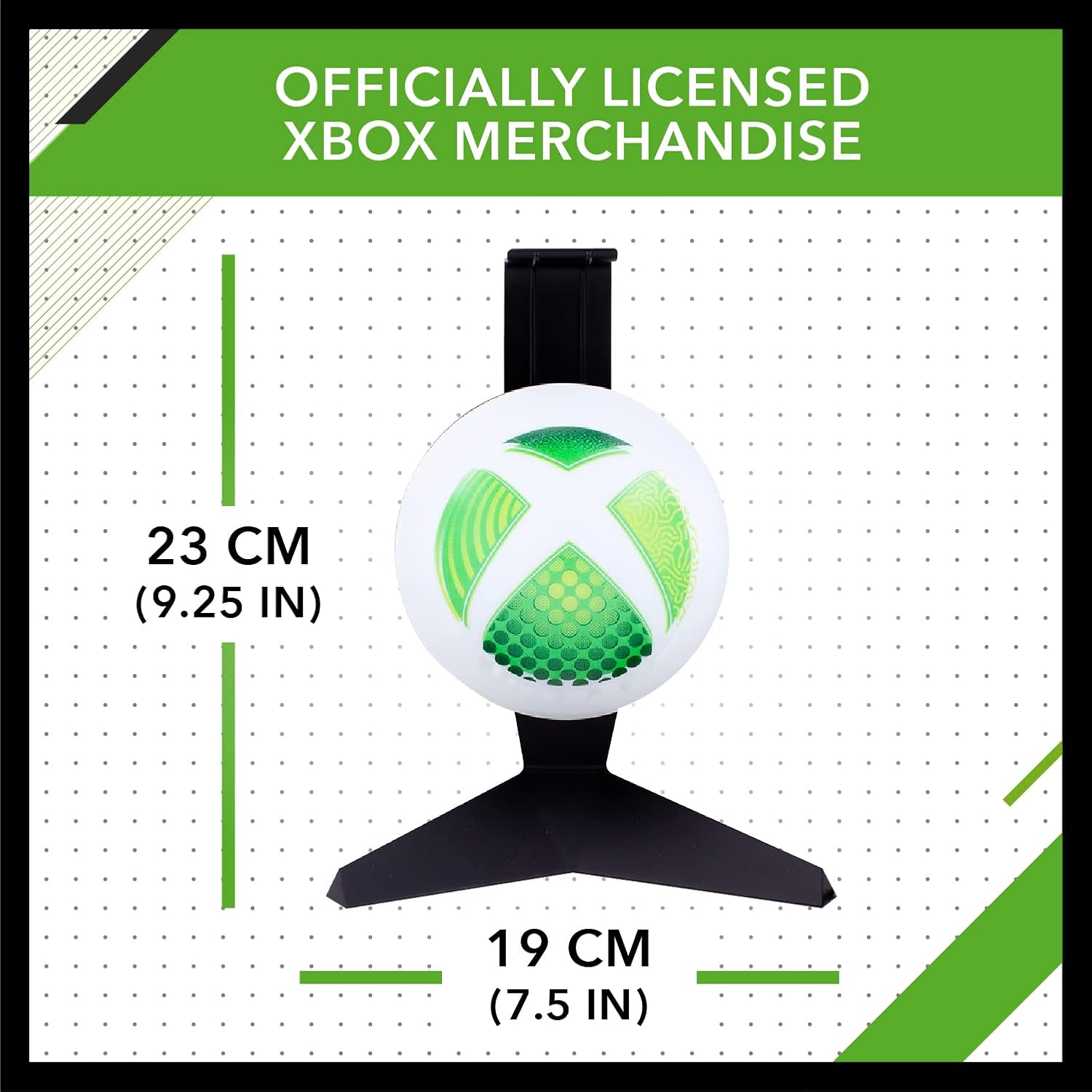
Image: Diagram showing the dimensions of the Xbox Headset Stand Light, indicating a height of 23 cm (9.25 inches) and a width of 19 cm (7.5 inches).
Safety Information
- Keep out of reach of small children.
- Do not expose to water or excessive moisture.
- Do not attempt to disassemble or modify the device.
- Use only with the provided USB cable or a compatible replacement.
- Avoid placing in direct sunlight or near heat sources.
Warranty and Support
Specific warranty details and customer support contact information are typically provided with the product packaging or on the manufacturer's official website. Please refer to those resources for the most accurate and up-to-date information.
For general inquiries, you may visit the Paladone Store on Amazon.