
Introduction
This manual provides comprehensive instructions for the setup, operation, and maintenance of your Godox RC-A5 Remote Control. The RC-A5 is designed to wirelessly control various Godox LED lights, offering convenient adjustment of light parameters from a distance. Please read this manual thoroughly before using the product to ensure proper function and longevity.
Setup
1. Battery Installation
The Godox RC-A5 Remote Control requires two AAA batteries for operation. Batteries are not included with the device.
- Locate the battery compartment cover on the back of the remote control.
- Slide the cover downwards to open the compartment.
- Insert two AAA batteries, ensuring correct polarity (+ and - terminals match the markings inside the compartment).
- Replace the battery compartment cover by sliding it upwards until it clicks securely into place.

Figure 1: Battery compartment for two AAA batteries.
2. Initial Connection and Pairing
The RC-A5 uses 433MHz wireless transmission to communicate with compatible Godox lighting units. Ensure your lighting unit is powered on and set to a compatible wireless mode (refer to your light's specific manual for details).
- Press the power button on the RC-A5 to turn it on. The display will illuminate.
- Use the "CH/GRP" button to select the desired channel and group on the remote. These must match the channel and group settings on your Godox light for successful communication.
- Once the channel and group are matched, the remote should establish a connection with the light, allowing for wireless control.

Figure 2: Wireless adjustment function with a compatible Godox light.
Operating Instructions
1. Power On/Off
Press the Power button ( ) to turn the remote control on or off. The LCD display will show current settings when powered on.
2. Channel and Group Selection
The RC-A5 supports 16 channels and 6 groups (A, B, C, D, E, F).
- Press the CH/GRP button to cycle between Channel and Group selection modes.
- When in Channel selection mode, use the '+' and '-' buttons to adjust the channel number (1-16).
- When in Group selection mode, use the '+' and '-' buttons to select the desired group (A-F).
- Ensure the selected channel and group on the remote match those on your Godox light for proper control.
3. Adjusting Light Parameters
After selecting the correct channel and group, you can adjust the light's output.
- Press the SET button to toggle between different adjustable parameters (e.g., brightness/power, color temperature if supported by the connected light).
- Use the '+' and '-' buttons to increase or decrease the value of the selected parameter.

Figure 3: RC-A5 Remote Control display and buttons.
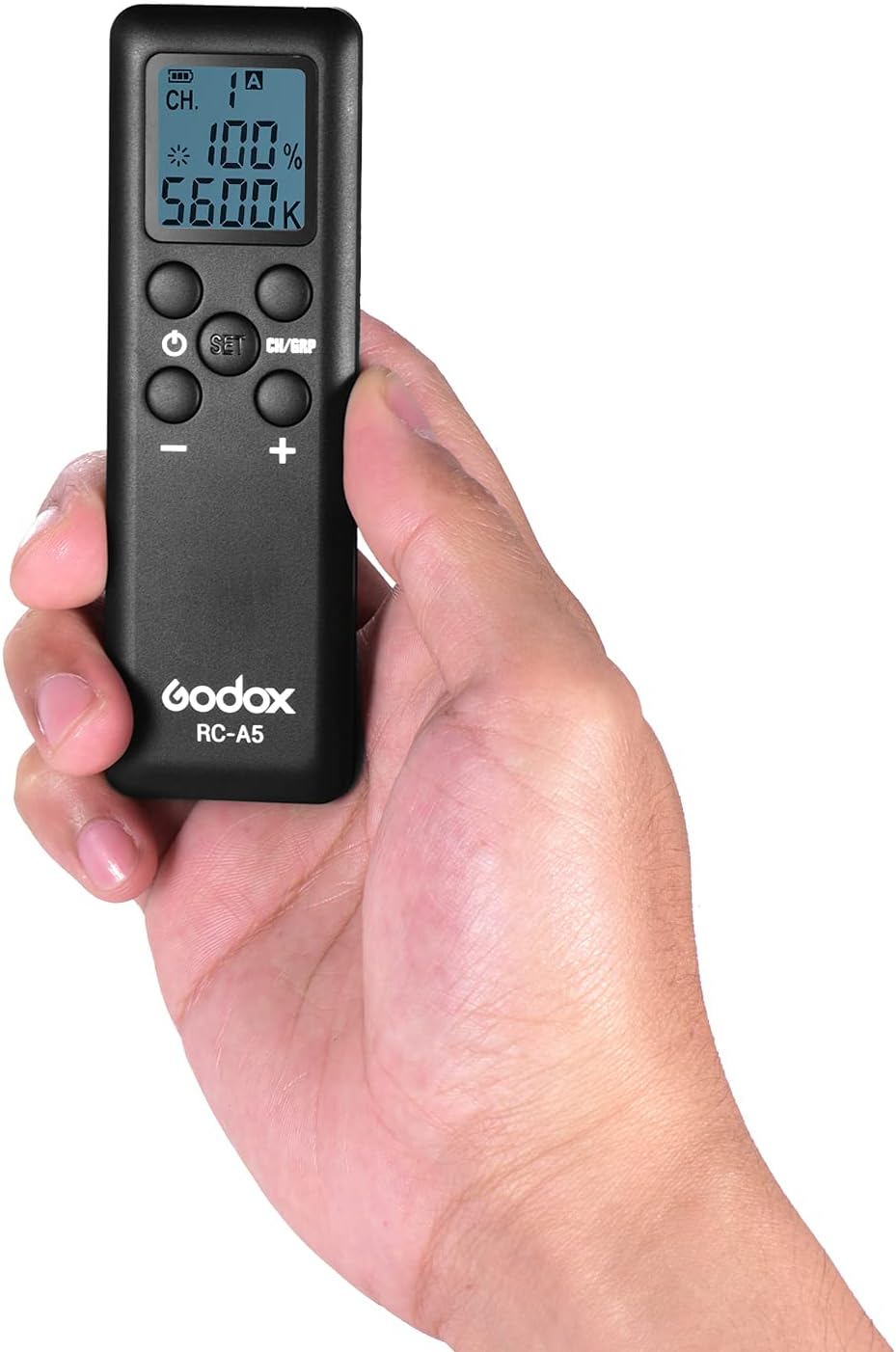
Figure 4: RC-A5 Remote Control held in hand.
4. Compatible Godox Lighting Equipment
The RC-A5 Remote Control is compatible with a wide range of Godox LED lights, including but not limited to:
- Godox SL-60W, SL-100W, SLB60W
- Godox LED308W/Y/C, LED308IIW/Y/C
- Godox LED500W/Y/C, LED500LW/Y/C, LED500LRW/Y/C
- Godox LEDP260C, LC500
- Godox FL150S, FL150R, FL100, FL60

Figure 5: RC-A5 compatibility with various Godox lights.
Maintenance
1. Cleaning
To maintain the remote control's appearance and functionality, clean it regularly.
- Ensure the remote is powered off before cleaning.
- Use a soft, dry cloth to wipe the exterior.
- For stubborn dirt, slightly dampen the cloth with water or a mild, non-abrasive cleaning solution. Avoid excessive moisture.
- Do not use strong solvents, alcohol, or abrasive cleaners, as these can damage the surface or internal components.
2. Battery Replacement
Replace batteries when the low battery indicator appears on the display or when the remote's response becomes sluggish. Refer to the "Battery Installation" section under Setup for detailed steps.
3. Storage
When not in use for extended periods, it is recommended to remove the batteries to prevent leakage and potential damage to the remote control. Store the remote in a cool, dry place, away from direct sunlight and extreme temperatures.
Troubleshooting
| Problem | Possible Cause | Solution |
|---|---|---|
| Remote control does not power on. | Dead or incorrectly installed batteries. | Replace batteries with new AAA batteries, ensuring correct polarity. |
| Remote control does not operate the light. |
|
|
| Power setting on remote and light are out of sync. | Light's power was adjusted manually on the unit after remote control was used. | Adjust the power setting using the remote control. The remote will re-synchronize with the light's current setting once an adjustment is made via the remote. |
| Display is dim or unresponsive. | Low battery power. | Replace batteries. |
Specifications
| Brand | GODOX |
| Model | RC-A5 |
| Item Model Number | UEG9778777295328GA |
| Wireless Frequency | 433MHz |
| Channels | 16 |
| Groups | 6 (A, B, C, D, E, F) |
| Working Distance | Up to 20 meters |
| Power Source | 2 x AAA batteries (not included) |
| Product Dimensions | 12 x 3.8 x 1.4 cm (4.7 x 1.4 x 0.5 inches) |
| Item Weight | 35g (1.2 oz) |
| Material | Plastic & Glass |
| Compatible Devices | Godox SL-60W, SL-100W, SLB60W, LED308W/Y/C, LED308IIW/Y/C, LED500W/Y/C, LED500LW/Y/C, LED500LRW/Y/C, LEDP260C, LC500, FL150S, FL150R, FL100, FL60 |

Figure 6: RC-A5 Remote Control dimensions.

Figure 7: Front and back views of the RC-A5 Remote Control.