
1. Introduction
This manual provides instructions for the safe and efficient use of your HiBay LED Track Lighting Fixtures, Model HB-WGE12-NB04A. This 4-light ceiling spot light features a modern design with rotatable and adjustable heads, an E12 bulb base, and is suitable for various indoor applications.
2. Safety Information
- Always turn off the power supply at the circuit breaker before installation, maintenance, or bulb replacement.
- Ensure the voltage supply matches the fixture's requirements (120V).
- Use only E12 base bulbs with a maximum wattage of 35 watts per light. Exceeding this wattage may cause overheating and damage.
- Do not install in wet locations. This fixture is designed for indoor use only.
- If you are unsure about electrical wiring, consult a qualified electrician.
- Keep the fixture away from flammable materials.
3. Package Contents
- HiBay 4-Light Track Lighting Fixture (Model HB-WGE12-NB04A)
- Mounting Hardware
- Instruction Manual
- Note: Bulbs are NOT included.
4. Specifications
| Brand | HiBay |
| Model Number | HB-WGE12-NB04A |
| Color | 4-Light without Bulbs (Silver/Chrome finish) |
| Material | Glass, Metal |
| Voltage | 120 Volts |
| Bulb Base | E12 |
| Max Wattage per Bulb | 35 watts |
| Number of Light Sources | 4 |
| Item Dimensions (L x W x H) | 17.5"L x 5.7"W x 5.4"H |
| Indoor/Outdoor Usage | Indoor |
5. Setup and Installation
The HiBay track lighting fixture is designed for easy installation and connects directly to a 120V power supply, requiring no transformer. Follow the included quick installation instructions for proper mounting.

Figure 1: Product dimensions and mounting points. Ensure adequate space for installation.
Video 1: Official product video showcasing the HiBay LED Track Lighting Fixtures in different home and office environments, highlighting their adjustable nature and modern design.
6. Operating Instructions
6.1 Adjusting Spotlights
The 4-way track lighting features rotatable and adjustable spotlight heads. Each head can be rotated 350 degrees horizontally (left and right) and adjusted 90 degrees vertically (up and down). This allows you to direct light precisely where needed.

Figure 2: Demonstrating the 350-degree horizontal rotation of the spotlight heads.
6.2 Bulb Installation and Replacement
This fixture uses standard E12 bulb sockets. To install or replace bulbs:
- Ensure the power is OFF at the circuit breaker.
- Carefully unscrew the glass shade to access the bulb socket.
- Screw in an E12 base bulb (maximum 35 watts). Compatible bulb types include LED, halogen, dimmable, filament, or smart bulbs.
- Replace the glass shade by screwing it back into place.
- Restore power to the fixture.

Figure 3: Steps for easy bulb replacement.
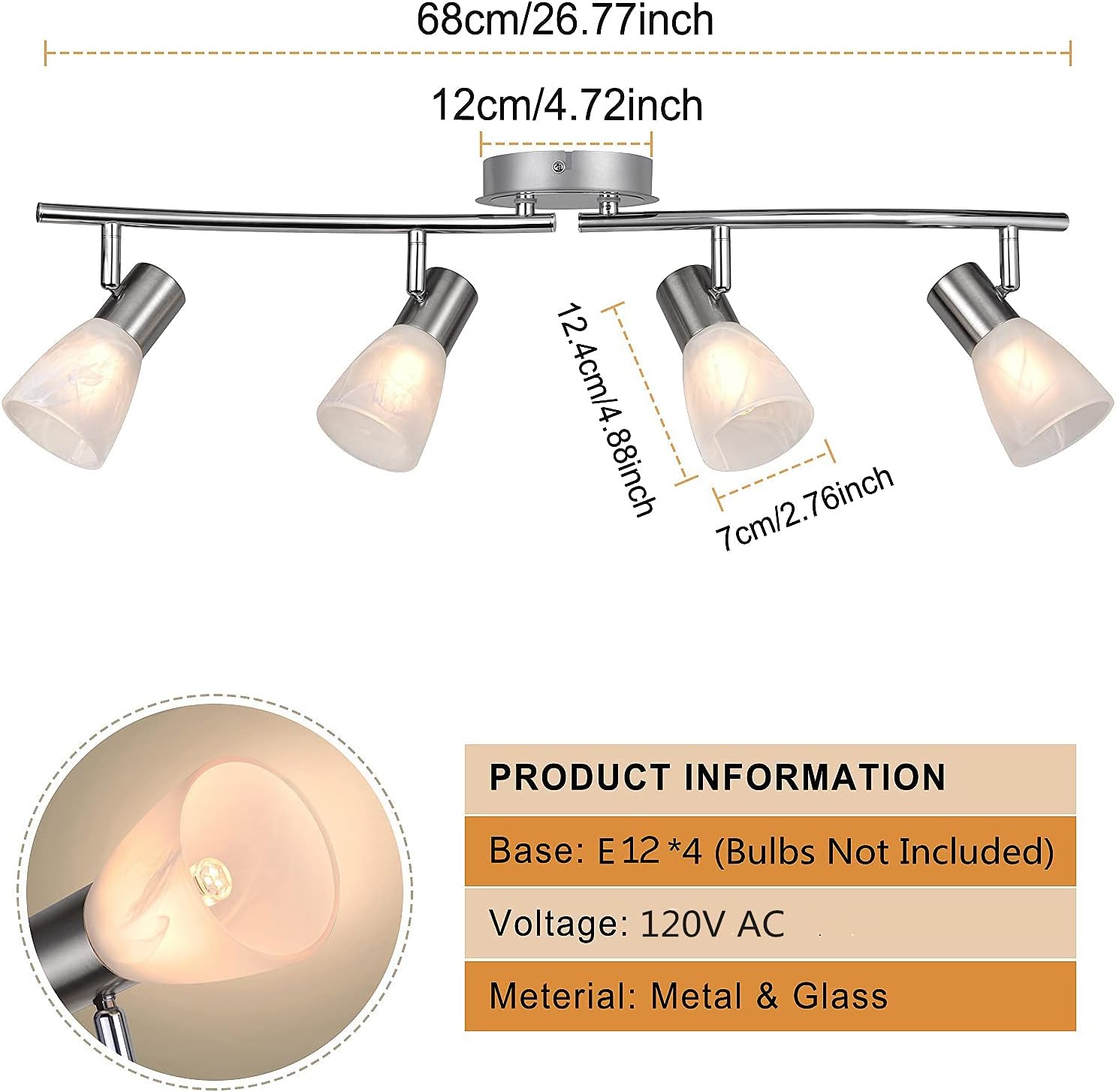
Figure 4: Close-up of the E12 lamp socket and milky white glass shade.
7. Maintenance
- Cleaning: Ensure the power is off before cleaning. Wipe the fixture with a soft, dry cloth. Do not use abrasive cleaners or solvents, as they may damage the finish.
- Bulb Replacement: Refer to Section 6.2 for bulb replacement instructions. Always use bulbs that meet the specified wattage and base type.
- Inspection: Periodically inspect the fixture for any signs of damage or loose connections. If any issues are found, discontinue use and consult a qualified technician.
8. Troubleshooting
- Light does not turn on:
- Check if the power switch is on.
- Verify the circuit breaker has not tripped.
- Ensure bulbs are correctly installed and not burnt out.
- Check for loose wiring connections (consult an electrician if necessary).
- Lights flicker:
- Ensure bulbs are fully screwed into their sockets.
- Verify bulbs are compatible with any dimmer switches if installed.
- Check for loose wiring connections.
- One light head not working:
- Replace the bulb in the affected head.
- Ensure the bulb is properly seated.
9. Warranty and Support
This HiBay product comes with a 1-year warranty from the date of purchase. For warranty claims, technical support, or replacement parts (such as shades for defects during shipment), please contact HiBay customer service through the retailer where the product was purchased or visit the official HiBay store online.
Contact Information: Refer to your purchase documentation or the HiBay brand store for the most current support details.