1. Product Overview
This manual provides instructions for the assembly, use, and maintenance of your HOMCOM 67 Inch Home Office Computer Desk with Display Bookshelf. This desk features a spacious work surface, integrated display shelving, and a dedicated CPU stand, designed with an industrial aesthetic. It is constructed from durable steel and walnut wood material.
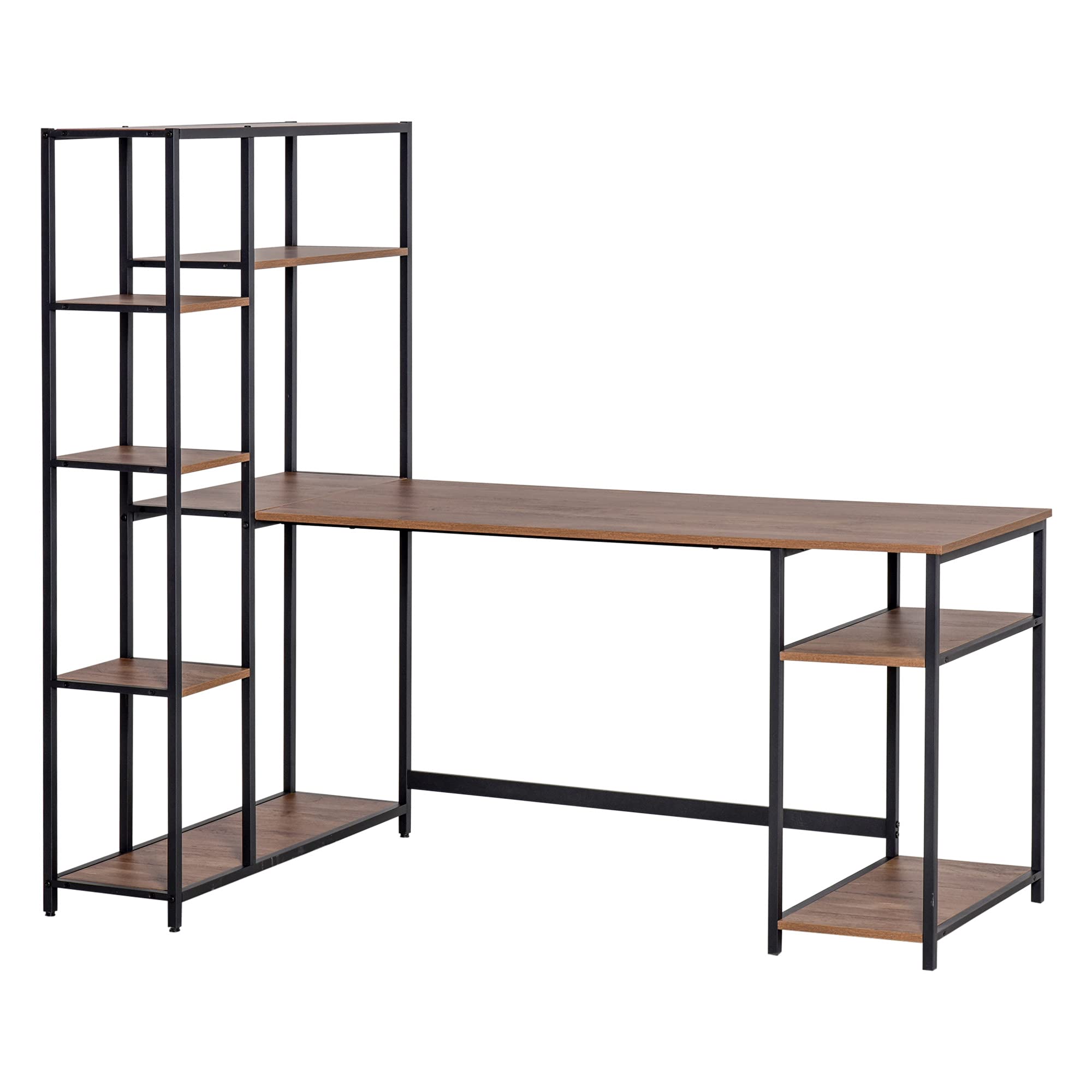
Image 1.1: Overview of the HOMCOM Computer Desk with Display Bookshelf.
2. Safety Guidelines
- Read all instructions carefully before assembly and use.
- Ensure all parts and hardware are present before beginning assembly. Refer to the package contents section.
- Assemble the unit on a soft, clean surface to prevent scratches.
- It is recommended that two adults assemble this product for safety and ease.
- Do not overtighten screws during assembly to avoid damaging the material.
- Place the desk on a level surface to prevent wobbling.
- Do not exceed the maximum weight recommendation of 176 pounds (80 kg) for the desk surface.
- Keep small parts away from children during assembly.
3. Package Contents
Before starting assembly, please check that all components listed below are included in your package. If any parts are missing or damaged, please contact customer support.
- Desk Panels (Main desktop, shelf panels)
- Steel Frame Components (Legs, crossbars, shelf supports)
- Assembly Hardware (Screws, bolts, nuts, Allen wrench)
- Instruction Manual
4. Assembly Instructions
Follow the step-by-step diagrams provided in your package. Ensure correct orientation of all parts before securing them. Do not fully tighten all screws until the entire unit is assembled to allow for minor adjustments.

Image 4.1: Product dimensions for planning your space.

Image 4.2: Detail of the integrated display shelves and CPU stand.

Image 4.3: Detail of a desk corner connection, illustrating assembly points.

Image 4.4: Detail of a desk leg, highlighting the sturdy steel frame.
Assembly Video Reference
Video 4.1: An official video demonstrating the features and assembly of the HOMCOM Industrial Home Office Writing Desk with Shelves. This video provides a visual guide to the product's design and functionality.
Video 4.2: An official video showcasing the HOMCOM Industrial Home Office Writing Desk. This video offers additional perspectives on the desk's design and potential uses.
5. Usage Guidelines
- Use the main desktop for your computer, monitor, keyboard, and mouse.
- Utilize the display shelves for books, office supplies, decorative items, or small plants.
- The lower shelf is designed to accommodate a CPU tower, keeping it off the floor and easily accessible.
- Distribute weight evenly across the desk and shelves to maintain stability.
- Avoid placing hot items directly on the desk surface without protection.
6. Care and Maintenance
- Clean the desk surfaces with a soft, damp cloth. Avoid abrasive cleaners or harsh chemicals that may damage the finish.
- Wipe up spills immediately to prevent staining or water damage.
- Periodically check all screws and connections to ensure they remain tight. Retighten if necessary.
- Keep the desk away from direct sunlight and extreme temperature changes to prevent warping or fading.
7. Troubleshooting
- Wobbly Desk: Ensure all screws are securely tightened. Check that the desk is placed on a level surface. Adjust leg levelers if present.
- Missing Parts: Refer to the 'Package Contents' section and contact HOMCOM customer support with your product model number and a list of missing parts.
- Difficulty Assembling: Review the assembly diagrams carefully. Ensure parts are oriented correctly. Do not force components together.
8. Product Specifications
| Feature | Specification |
|---|---|
| Brand | HOMCOM |
| Model Number | B096VC83PQ |
| Product Dimensions (D x W x H) | 35.5"D x 67"W x 58.5"H |
| Color | Black/Walnut |
| Top Material Type | Walnut Wood (MDF board) |
| Base Material | Alloy Steel |
| Number of Shelves | 9 (including display and CPU shelves) |
| Maximum Weight Recommendation | 176 Pounds (80 kg) |
| Assembly Required | Yes |
9. Warranty and Support
For warranty information, product support, or to report missing/damaged parts, please contact HOMCOM customer service directly. Refer to your purchase documentation for specific contact details or visit the official HOMCOM website.


