
1. Introduction and Overview
The Monster Adventurer Max Boombox Bluetooth Speaker is designed to deliver powerful, high-quality audio for both indoor and outdoor environments. Featuring robust construction with IPX7 waterproofing, it is built to withstand various conditions, making it ideal for parties, beach trips, and other adventures. With dual subwoofers and tweeters, it provides 100W stereo sound and rich bass, ensuring an immersive listening experience. Its long-lasting battery offers extended playtime, and advanced Bluetooth 5.0 technology ensures stable and seamless connectivity.
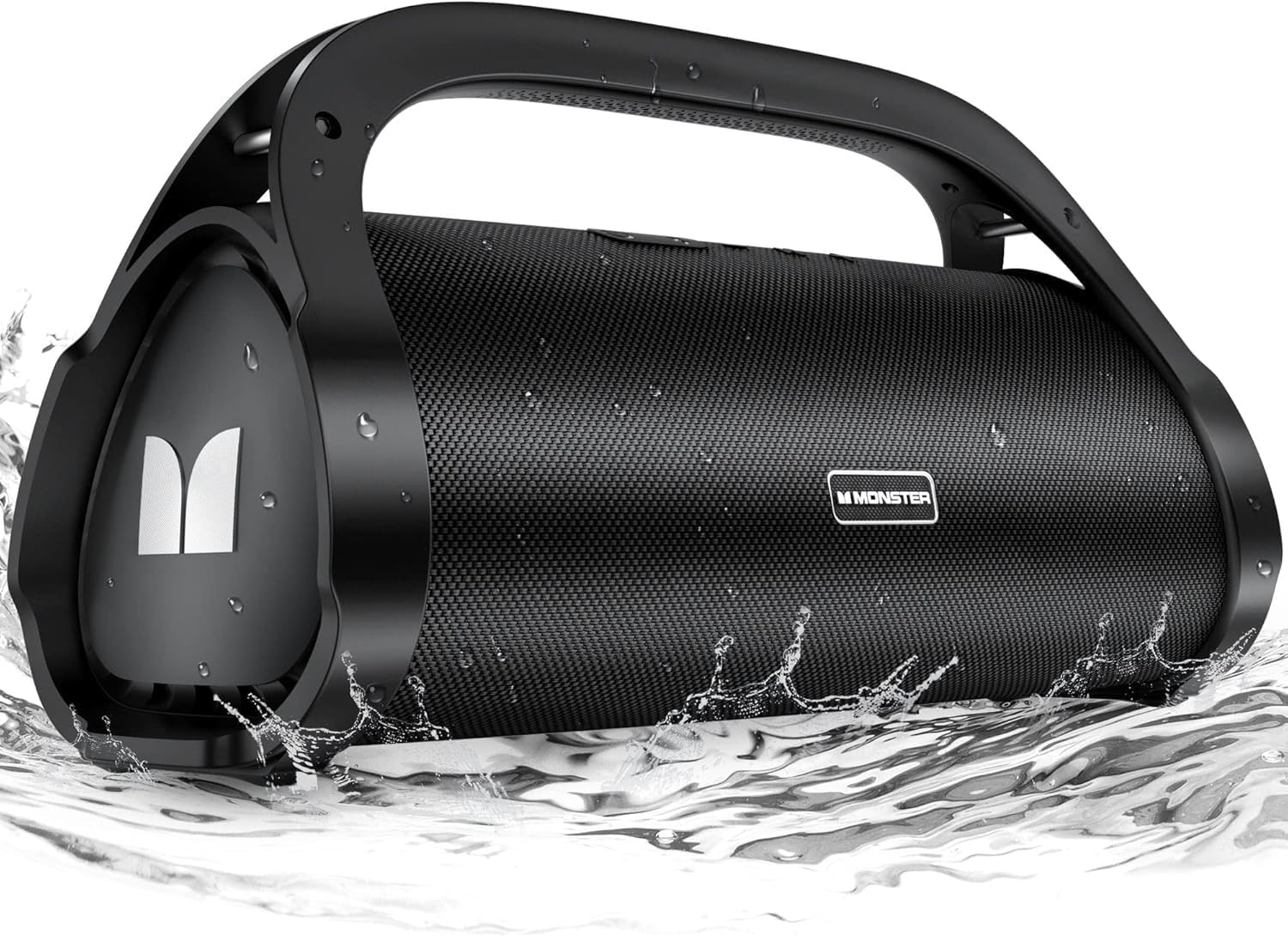
Figure 1.1: Monster Adventurer Max Boombox Bluetooth Speaker in a waterproof setting.
2. What's in the Box
Please check the package contents to ensure all items are present:
- 1 x Monster Adventurer Max Speaker
- 1 x Type-C Charging Cable
- 1 x AUX-in Cable
- 1 x Instruction Manual (this document)
- 1 x Detachable Shoulder Strap

Figure 2.1: Included components of the Monster Adventurer Max package.
3. Product Features
The Monster Adventurer Max is engineered with several key features to enhance your audio experience:
- Incredible Stereo Sound & Deep Bass: Equipped with 2 subwoofers and 2 tweeters, the speaker delivers 100W (120W peak) of powerful, undistorted audio with rich, delicate bass, providing a concert-like experience.
- Extended Playtime: A high-capacity 20,000mAh rechargeable battery provides up to 24 hours of continuous playtime at 50% volume. Charging takes approximately 3 hours.
- IPX7 Waterproof: Designed to be fully waterproof and shockproof, making it suitable for use near water, in the rain, or during outdoor activities without concern for water damage.
- Advanced Bluetooth 5.0: Ensures a fast, stable, and reliable wireless connection with a range of up to 100 feet.
- True Wireless Stereo (TWS) Mode: Allows you to connect two Monster Adventurer Max speakers simultaneously for an even more expansive and immersive stereo sound experience.
- Multiple Playback Options: Supports audio playback via Bluetooth, AUX-in, USB drive, and Micro SD card.
- Portable Design: Features a sturdy handle and includes a detachable shoulder strap for easy transport.

Figure 3.1: High-performance driver setup with tweeters and subwoofers.

Figure 3.2: IPX7 Waterproofing allows for submersion.

Figure 3.3: Up to 24 hours of playtime.
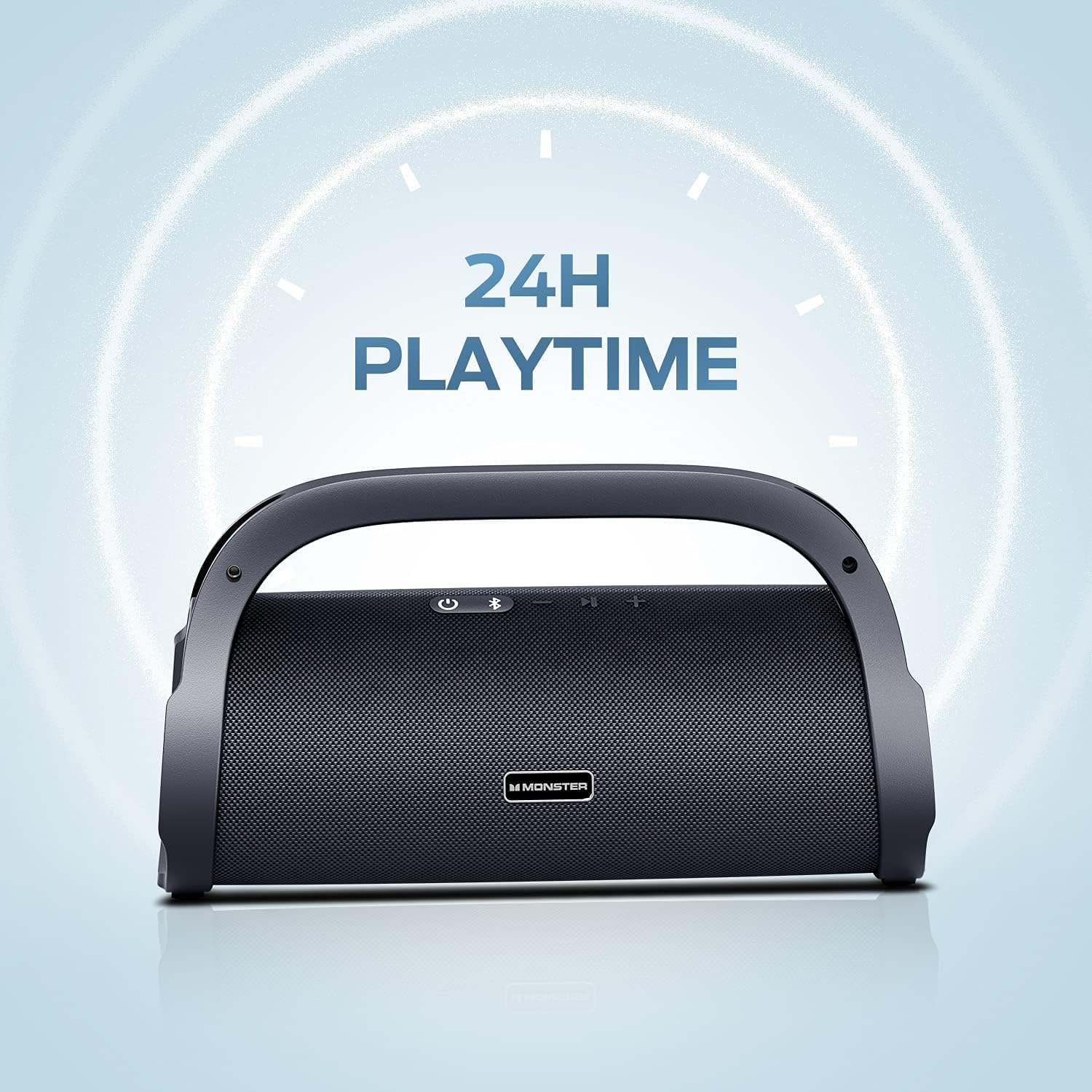
Figure 3.4: Detachable shoulder strap for easy portability.
4. Controls and Ports
Familiarize yourself with the speaker's controls and connection ports:
Top Panel Controls:
- Power On / Off Button: Press and hold to power the speaker on or off.
- Bluetooth Mode Button: Press to switch to Bluetooth pairing mode.
- Volume + / Next Track Button: Short press to increase volume, long press to skip to the next track.
- MFB (Multi-Function Button): Press to Play/Pause audio. Long press to switch between Indoor and Outdoor audio modes.
- Volume - / Previous Track Button: Short press to decrease volume, long press to go to the previous track.

Figure 4.1: Top Panel Controls.
Rear Panel Ports:
The rear panel features a sealed cover to protect the ports from water. Gently open the cover to access:
- USB-C Charging Port: For charging the speaker.
- Reset Button: A small pinhole button for resetting the device.
- AUX-in Port: For connecting external audio devices via the 3.5mm AUX cable.
- MIC-in Port: For connecting a microphone.
- USB-in Port: For playing audio from a USB flash drive.
- SD Card Slot: For playing audio from a Micro SD card.

Figure 4.2: Rear Panel Ports (under protective cover).
5. Setup
5.1 Charging the Speaker
Before first use, fully charge the speaker. Connect the provided Type-C charging cable to the USB-C charging port on the rear panel and plug the other end into a compatible USB power adapter (not included). The charging indicator light will show charging status and turn off when fully charged. A full charge takes approximately 3 hours.

Figure 5.1: Speaker connected for charging.
5.2 Bluetooth Pairing
- Power on the speaker by pressing and holding the Power button. The Bluetooth indicator light will flash, indicating it's in pairing mode.
- On your mobile device, enable Bluetooth and search for available devices.
- Select "Monster Adventurer Max" from the list.
- Once connected, the Bluetooth indicator light will turn solid blue, and you will hear an audible confirmation.
5.3 True Wireless Stereo (TWS) Pairing
To pair two Monster Adventurer Max speakers for TWS stereo sound:
- Ensure both speakers are powered on and not connected to any Bluetooth device.
- On one speaker (this will be the primary speaker), press and hold the Bluetooth button for 3 seconds until you hear a prompt.
- The two speakers will automatically search for and connect to each other. Once connected, you will hear a confirmation sound.
- Now, connect your mobile device to the primary speaker via Bluetooth as described in Section 5.2. Audio will play through both speakers in stereo.
6. Operating Instructions
6.1 Basic Playback
- Play/Pause: Press the MFB button.
- Volume Up: Short press the Volume + button.
- Volume Down: Short press the Volume - button.
- Next Track: Long press the Volume + button.
- Previous Track: Long press the Volume - button.
6.2 Switching Audio Modes (Indoor/Outdoor)
The speaker features an Indoor/Outdoor audio mode switch to optimize sound for different environments. Long press the MFB button to toggle between these modes. The speaker will provide an audible confirmation of the selected mode.
6.3 Using AUX-in, USB, and SD Card
- AUX-in: Connect an external audio device using the provided 3.5mm AUX cable to the AUX-in port. The speaker will automatically switch to AUX mode.
- USB Playback: Insert a USB flash drive containing audio files into the USB-in port. The speaker will automatically detect and begin playing audio.
- SD Card Playback: Insert a Micro SD card containing audio files into the SD Card slot. The speaker will automatically detect and begin playing audio.
7. Maintenance
Proper care will ensure the longevity and performance of your Monster Adventurer Max speaker:
- Cleaning: Use a soft, damp cloth to clean the speaker's surface. Avoid using harsh chemicals or abrasive cleaners.
- Waterproof Care: Always ensure the rear port cover is securely closed when using the speaker near water or in wet conditions. After exposure to water, wipe the speaker dry before opening the port cover or charging.
- Storage: Store the speaker in a cool, dry place away from direct sunlight and extreme temperatures.
- Battery Care: To preserve battery life, charge the speaker regularly, even if not in frequent use. Avoid fully depleting the battery for extended periods.
8. Troubleshooting
If you encounter issues with your speaker, refer to the following common problems and solutions:
| Problem | Possible Cause | Solution |
|---|---|---|
| Speaker does not power on. | Battery is depleted. | Charge the speaker fully. |
| No sound. | Volume is too low or muted. | Increase the volume on both the speaker and your connected device. |
| Bluetooth connection fails. | Speaker is not in pairing mode or too far from device. | Ensure speaker is in pairing mode (flashing blue light). Move device closer to speaker. Forget device on your phone and re-pair. |
| Sound distortion. | Volume too high or audio source quality is poor. | Decrease volume. Try a different audio source or file. |
| TWS pairing fails. | Speakers are already connected to another device. | Disconnect both speakers from any Bluetooth devices before attempting TWS pairing. |
| Speaker not charging. | Cable or adapter issue; port cover not sealed. | Try a different Type-C cable and power adapter. Ensure the charging port is clean and dry. |
8.1 Resetting the Speaker
If the speaker becomes unresponsive or experiences persistent issues, you can perform a factory reset. Locate the small pinhole reset button on the rear panel (under the protective cover). Use a thin object (like a paperclip) to gently press and hold the reset button for a few seconds until the speaker powers off or resets. This will clear all pairing information and restore default settings.
9. Specifications
| Feature | Specification |
|---|---|
| Brand | Monster |
| Model Name | 2MNSK1694B9L2 |
| Speaker Type | Outdoor |
| Connectivity Technology | Bluetooth, USB, TF Card |
| Wireless Communication Technology | Bluetooth 5.0 |
| Bluetooth Range | 100 Feet |
| Speaker Maximum Output Power | 100 Watts |
| Audio Output Mode | Stereo (2.1 Surround Sound Channel Configuration) |
| Subwoofer Diameter | 6 Inches |
| Speaker Size (Tweeter) | 1.5 Inches |
| Water Resistance Level | IPX7 Waterproof |
| Battery Life | 24 Hours |
| Battery Capacity | 20,000 mAh |
| Charging Time | 3 Hours |
| Power Source | Battery Powered |
| Product Dimensions (D x W x H) | 13.54" x 7.52" x 5.63" |
| Item Weight | 9.06 pounds (4.12 Kilograms) |
| Included Components | Speaker, Type-C Cable, AUX-in Cable, Instruction Manual |
10. Warranty and Support
The Monster Adventurer Max Boombox Bluetooth Speaker comes with a Limited Warranty. For detailed warranty information, including terms and conditions, please refer to the warranty card included in your product packaging or visit the official Monster website. For technical support, troubleshooting assistance beyond this manual, or warranty claims, please contact Monster customer service through their official support channels.
