
1. Introduction
This manual provides detailed instructions for the installation, operation, and maintenance of your XTRONS Android 14 Car Radio. Please read this manual thoroughly before using the product to ensure proper functionality and safety. This head unit is designed to enhance your in-car entertainment and navigation experience with advanced features and connectivity.
2. Vehicle Compatibility
The XTRONS Android 14 Car Radio (Model IA7239B) is specifically designed for the following BMW models and years:
- BMW E39 M5 (1999-2003)
- BMW E39 (1995-2003)
This plug-and-play radio kit is engineered to retain most of your vehicle's original functions, including steering wheel controls, AC information display, and door status indicators.

Image: Comparison of BMW E39/M5 dashboard before and after installing the XTRONS head unit, showing the integrated appearance.
3. Package Contents
Please verify that all items listed below are included in your package:
- 1 × ISO Wiring Harness
- 1 × RCA Cable
- 1 × 4G Antenna
- 1 × Camera Cable
- 1 × CANbus Box
- 2 × USB Cable
- 1 × GPS Antenna
- 2 × Installation Holder
- 1 × Radio Antenna Cable
- 1 × CANbus Cable
- 1 × User Manual
- 1 × SIM Card Slot Cable
- 6 × Screw
- 1 × Microphone
- 1 × Radio Cable Adapter

Image: A visual representation of all components and accessories included in the product package.
4. Setup and Installation
Professional installation is recommended for this product. Ensure the vehicle's battery is disconnected before beginning installation.
4.1 Important Notes on Compatibility and Wiring
- HVAC Box: If your BMW E39 has an HVAC Box behind the factory radio, you may need to relocate it.
- Radio Antenna Port: Verify if your car's radio antenna port matches the provided picture. If it is inside the box, you may need an adapter cable.
- Original Radio Location: If your car's original radio is 4:3 or 7-inch with one plug, and you have the navigation drive located in the rear of your car, you will need to order an extension cable (not included) for compatibility.
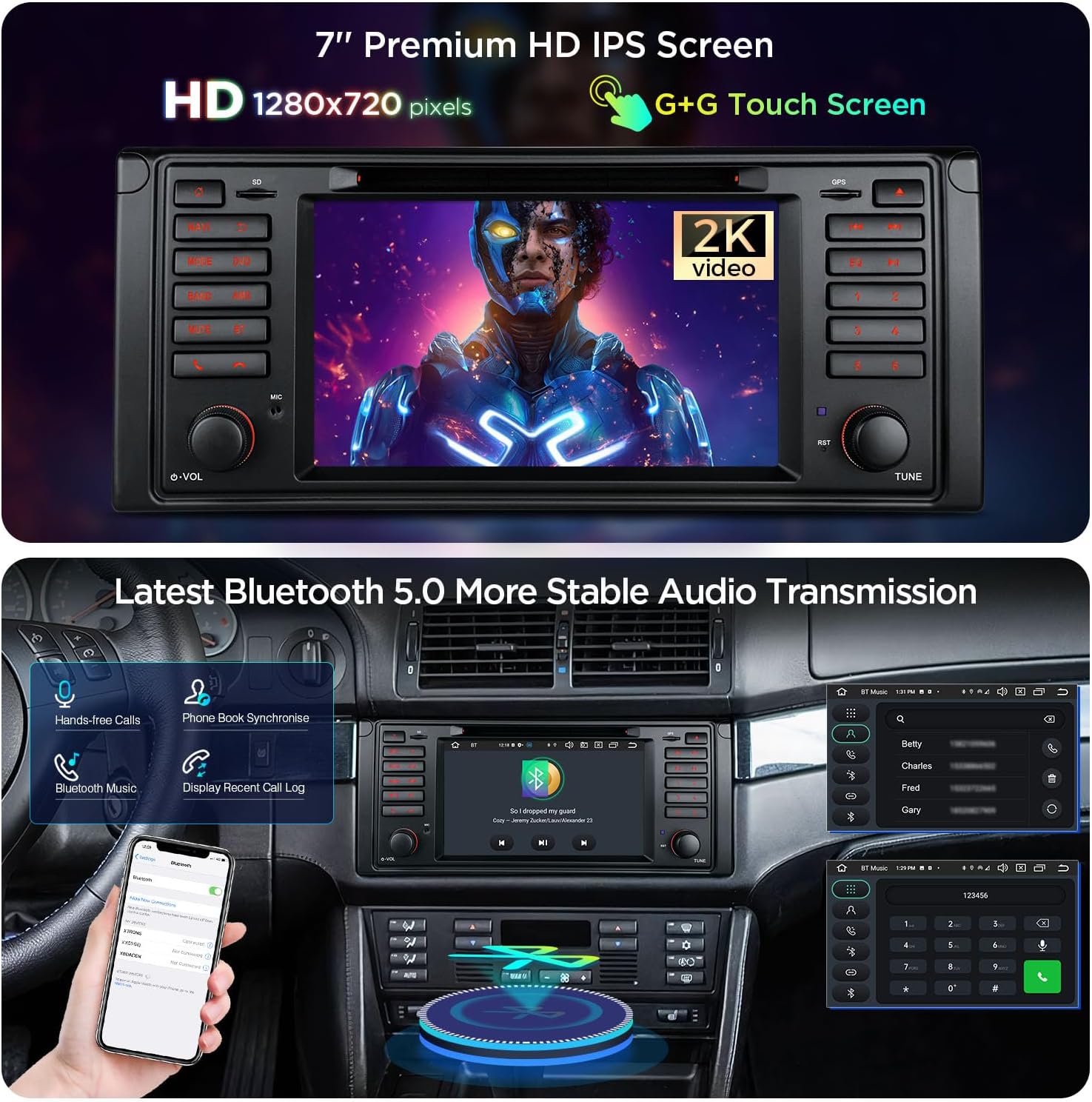
Image: Visual guide illustrating specific compatibility considerations for BMW E39 installations, including HVAC box and radio antenna port details.
4.2 Wiring Diagram
Refer to the detailed wiring diagram below for correct connections of all cables and components.

Image: Comprehensive wiring diagram indicating connection points for the 4G antenna, GPS antenna, radio antenna port, SIM card slot, microphone port, video inputs, audio outputs, USB ports, CANbus box, and various control cables.
5. Operating Instructions
5.1 Display and User Interface
The unit features a 7-inch IPS panel with a 1024x600 high-definition resolution, offering a 178° viewing angle for optimal visibility. It supports 2K video playback thanks to its advanced video decoder chipset. The exclusive XTRONS UI provides optimized menus and intuitive icons for a distraction-free driving experience.

Image: The 7-inch premium HD IPS screen of the XTRONS car radio, highlighting its 1280x720 pixel resolution and G+G touch screen technology, capable of displaying 2K video.
5.2 Connectivity
- Bluetooth 5.0: For stable audio transmission, hands-free calls, phone book synchronization, and display of recent call logs.
- Wireless Car Auto Play (Wireless CarPlay): Seamlessly integrate your iPhone for navigation, music, messages, and more.
- Wired Android Auto: Connect your Android phone via USB for access to Google Maps, Spotify, and other compatible apps.
- Global 4G LTE: Insert a Micro-SIM card for mobile broadband connection anywhere, with download speeds up to 300Mbps. Supports 99% of carriers worldwide.
- Dual Band Wi-Fi: Supports both 2.4GHz and 5GHz bands for faster speed and flexibility, reducing connection issues and interference.
- USB Connectivity: Multiple USB ports are available for media playback and device charging.
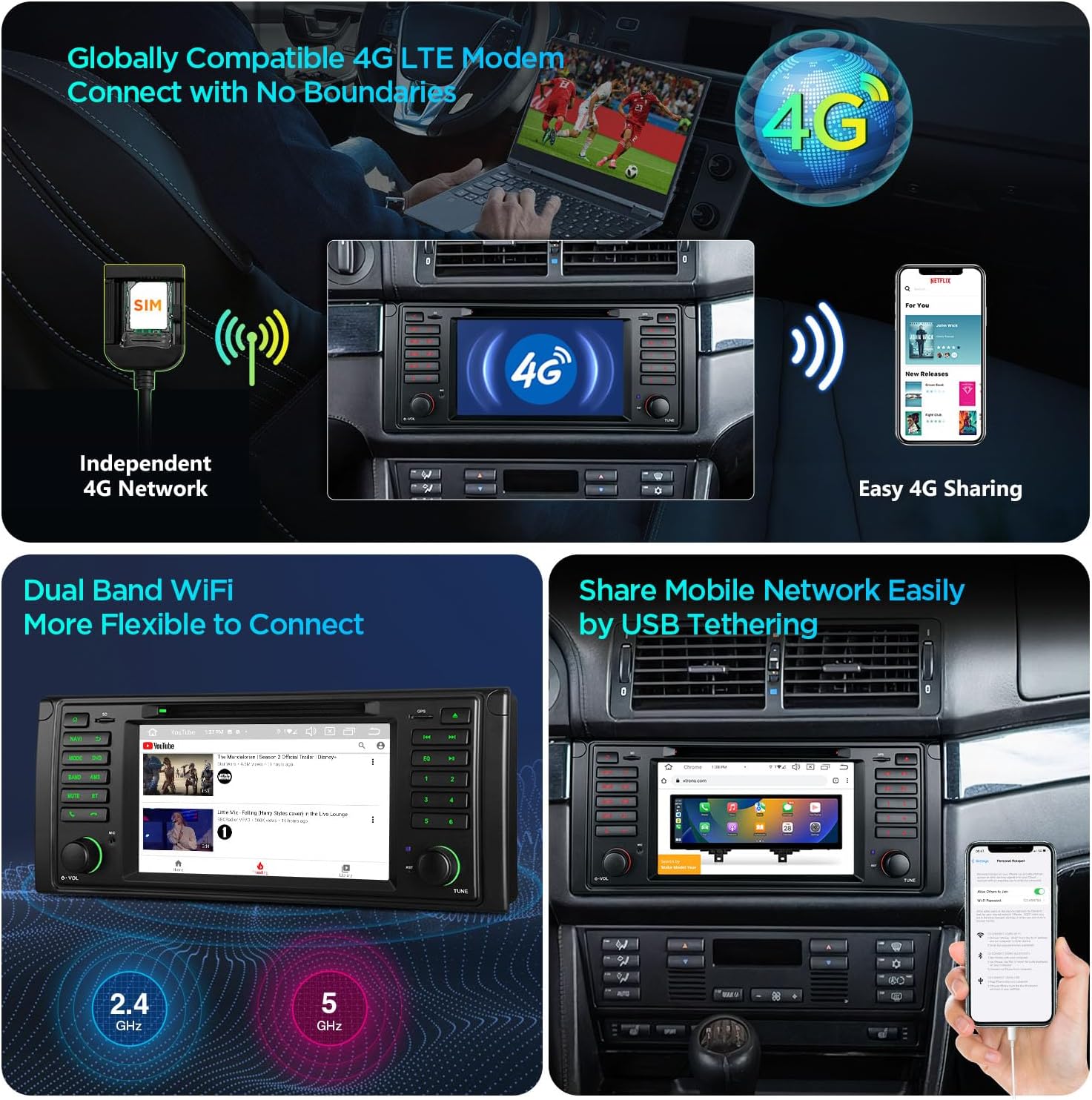
Image: Demonstrates the various smartphone connection options including Wireless CarPlay (Bluetooth), Android Auto (Wireless & Cable via Bluetooth/USB), and Screen Mirroring (WiFi).

Image: Illustrates the global 4G LTE modem for independent network access and easy sharing, alongside the dual-band WiFi capability (2.4GHz and 5GHz) for flexible and stable connections.
5.3 GPS Navigation
The unit supports various navigation software compatible with Android OS, including Google Maps, Sygic, and Waze, providing accurate and reliable guidance.
5.4 Audio Features
Equipped with a built-in AKM DSP (Digital Signal Processor), the car radio transforms your driving experience into a symphony, offering enhanced audio quality and customization options.

Image: The XTRONS car radio's interface displaying an equalizer, indicating the presence of a built-in AKM DSP for superior sound processing.
5.5 Off-Road Inclinometer Function
Built-in high-precision gyroscope sensors enable the inclinometer function, accurately displaying the current ride height, roll, and pitch angle of the vehicle. This feature enhances driving safety, especially in challenging off-road conditions.
6. Maintenance
To ensure the longevity and optimal performance of your XTRONS car radio, follow these maintenance guidelines:
- Cleaning: Use a soft, dry cloth to clean the screen and exterior. Avoid abrasive cleaners or solvents that could damage the surface.
- Software Updates: Periodically check for software updates from XTRONS to ensure you have the latest features and bug fixes. Updates can improve performance and compatibility.
- Environmental Conditions: Avoid exposing the unit to extreme temperatures, direct sunlight for prolonged periods, or excessive moisture.
7. Troubleshooting
If you encounter issues with your XTRONS car radio, refer to the following common troubleshooting steps:
| Problem | Possible Cause | Solution |
|---|---|---|
| No power/Unit does not turn on | Incorrect wiring, blown fuse, vehicle battery issue. | Check all power connections and fuses. Ensure vehicle battery is charged. Consult wiring diagram. |
| No sound | Incorrect speaker wiring, volume too low, mute activated. | Verify speaker connections. Increase volume. Check if mute function is active. |
| GPS signal loss or inaccuracy | GPS antenna not properly installed or obstructed. | Ensure GPS antenna is installed in a clear location with an unobstructed view of the sky. Check antenna connection. |
| Bluetooth connectivity issues | Device not in pairing mode, interference, incorrect pairing process. | Ensure Bluetooth is enabled on both devices and in pairing mode. Delete previous pairings and try again. Reduce interference sources. |
| 4G/Wi-Fi connection problems | SIM card not inserted correctly, no data plan, weak signal, incorrect Wi-Fi password. | Check SIM card insertion. Confirm active data plan with your mobile carrier. Ensure strong signal. Re-enter Wi-Fi password. Note: Some mobile carriers limit or charge extra for tethering. Please check with your carrier. |
| Touch screen unresponsive | Software glitch, physical damage. | Restart the unit. If the problem persists, contact customer support. |
For issues not covered here, or if troubleshooting steps do not resolve the problem, please contact XTRONS customer support.
8. Specifications
| Feature | Specification |
|---|---|
| Model Number | IA7239B |
| Display Size | 7 Inches |
| Display Resolution | 1024x600 |
| Operating System | Android 14 |
| Processor | Octa Core |
| RAM | 4GB |
| ROM Storage | 64GB |
| Connectivity Technology | USB, Wi-Fi, Bluetooth, 4G LTE |
| Bluetooth Version | 5.0 |
| Display Type | LCD (IPS Panel) |
| Color | Black |
| Manufacturer | XTRONS/ShenZhen KaJunDa Technology Co.Ltd |
| First Available Date | June 7, 2021 |
Image: Technical drawing showing the dimensions of the XTRONS car radio unit, including width, height, and depth measurements.
9. Warranty and Support
For information regarding product warranty, please refer to the warranty card included with your purchase or contact your retailer directly. XTRONS is committed to providing high-quality products and customer satisfaction.
9.1 Customer Support
If you require further assistance, technical support, or have questions about your XTRONS product, please visit the official XTRONS website or contact their customer service department through the contact information provided on their website or your purchase documentation.
9.2 Optional Accessories
Enhance your XTRONS car radio experience with compatible accessories (sold separately):
- OBD Function: For vehicle diagnostics.
- TPMS Function: For tire pressure monitoring.
- Front / Reversing Camera: For improved visibility and parking assistance.
- External DVR: For recording driving footage.


