
WEELMOTION B096QVV14W
Contents
WEELMOTION Red Flame Hoverboard User Manual
Model: B096QVV14W
Brand: WEELMOTION
Introduction
Welcome to the WEELMOTION Red Flame Hoverboard experience. This self-balancing scooter is designed for enjoyable and safe personal transportation, featuring vibrant LED lights, a built-in music speaker, and UL2272 certification for safety. This manual provides essential information for the proper setup, operation, maintenance, and troubleshooting of your hoverboard.

Image: The WEELMOTION Red Flame Hoverboard, showcasing its vibrant design, shining wheels, and integrated music speaker functionality.
Safety Information
Your safety is paramount. Please read and understand all safety warnings and instructions before operating the hoverboard. Failure to follow these instructions may result in injury or damage to the product.
- UL2272 Certified: This hoverboard has undergone rigorous testing and is UL2272 certified, ensuring compliance with electrical safety standards.
- Weight Limits: Supported weight ranges from a minimum of 40 lbs to a maximum of 220 lbs (18 kg to 100 kg). Do not exceed the maximum weight limit.
- Overheat Protection: The hoverboard is equipped with built-in overheat protection to prevent damage from excessive temperatures.
- Short Circuit Protection: Integrated protection against electrical short circuits.
- Fire Protection Shell: Designed with a fire-resistant casing for enhanced safety.
- Over-speed Alert: An alert system notifies the rider if the maximum speed is exceeded.
- Always wear appropriate safety gear, including a helmet, knee pads, and elbow pads.
- Do not ride on public roads, uneven surfaces, or in wet conditions.
- Supervise children during operation.

Image: Visual representation of the hoverboard's safety features, including UL 2272 certification, overheat protection, and fire protection shell.
Setup
Charging the Hoverboard
Before first use, fully charge your hoverboard. Use only the charger provided with the package. Using a non-compatible charger can damage the battery and void the warranty.
- Ensure the hoverboard is powered off.
- Locate the charging port on the hoverboard.
- Connect the charger to the hoverboard's charging port.
- Plug the charger into a standard electrical outlet.
- The indicator light on the charger will change (e.g., from red to green) when charging is complete. Charging typically takes several hours.
- Once fully charged, disconnect the charger from the hoverboard and then from the power outlet.
Initial Calibration
For optimal performance, it is recommended to calibrate the hoverboard before its first ride and periodically thereafter.
- Place the hoverboard on a flat, level surface.
- Ensure the hoverboard is powered off.
- Press and hold the power button for approximately 5-10 seconds until the lights flash.
- Release the power button. The hoverboard is now calibrated.
Operating Instructions
Riding the Hoverboard
The WEELMOTION hoverboard features a built-in gyroscope stabilization system and self-balancing technology for ease of use.
- Power On: Press the power button to turn on the hoverboard. The indicator lights will illuminate.
- Mounting: Place one foot firmly on a footpad. Once the hoverboard stabilizes, quickly step on with your other foot. Maintain a relaxed posture.
- Moving Forward/Backward: Lean slightly forward to move forward, and slightly backward to move backward. The pressure sensors under your feet control the speed.
- Turning: To turn left, press down slightly with your right foot. To turn right, press down slightly with your left foot.
- Stopping: To stop, return to an upright position. The hoverboard will slow down and come to a halt.
- Dismounting: Step off the hoverboard one foot at a time, preferably backward.

Image: A rider demonstrating the self-balancing capabilities and ease of control of the WEELMOTION hoverboard.
Using the Music Speaker
Your hoverboard includes a built-in wireless speaker for playing music during your ride.
- Ensure the hoverboard is powered on.
- Activate Bluetooth on your mobile device.
- Search for available Bluetooth devices and select "WEELMOTION" or a similar name.
- Once paired, you can play music from your device through the hoverboard's speaker.

Image: The hoverboard with graphical elements representing music notes, highlighting its integrated wireless speaker feature.
Maintenance
Battery Care and Charging
- Always use the original charger provided by WEELMOTION.
- Do not overcharge the battery. Disconnect the charger once the charging indicator shows full.
- If storing the hoverboard for an extended period, charge the battery to approximately 50% every 2-3 months to maintain battery health.
- Avoid exposing the battery to extreme temperatures.
Cleaning and Storage
- Clean the hoverboard with a damp cloth. Do not use excessive water or harsh cleaning agents.
- Store the hoverboard in a cool, dry place, away from direct sunlight and moisture.
- When not in use, store the hoverboard in its complimentary hoverboard bag to protect it from dust and scratches.

Image: The WEELMOTION hoverboard packaged with its complimentary carrying bag, illustrating ease of storage and transport.
Troubleshooting
| Problem | Possible Cause | Solution |
|---|---|---|
| Hoverboard not turning on. | Low battery; Power button not pressed correctly. | Charge the hoverboard fully; Ensure the power button is pressed firmly. |
| Hoverboard not balancing. | Needs calibration; Uneven surface. | Perform a calibration (see Setup section); Move to a flat, level surface. |
| Short battery life. | Battery not fully charged; Old battery; Usage conditions (e.g., uphill riding, heavy load). | Ensure full charge; Contact customer support if battery degradation is suspected; Battery life varies with usage. |
| Bluetooth not connecting. | Bluetooth not enabled on device; Hoverboard not in pairing mode; Interference. | Ensure Bluetooth is on; Restart both devices; Move closer to the hoverboard. |
| Charger light not changing. | Charger or battery issue; Non-compatible charger. | Ensure you are using the original charger; Contact customer support. |
Specifications
- Model Number: B096QVV14W
- Product Dimensions: 59.8 x 18.5 x 18 cm
- Item Weight: 6.5 kg (14.3 lbs)
- Motor Power: Dual 200W brushless motors (Total 400W)
- Maximum Speed: Up to 8 km/hr (5 mph)
- Battery: 1 Lithium Ion battery (included), 72Wh
- Range per Charge: Up to 8 km (actual range may vary)
- Max Climbing Angle: 12°
- Supported Weight: Min 40 lbs - Max 220 lbs (18 kg - 100 kg)
- Wheel Size: 6.5 inches
- Material: Plastic or composite
- Included Components: Hoverboard, Charger, Complimentary Hoverboard Bag
- Certifications: UL2272 Certified

Image: An exploded view diagram illustrating the dual motor system and internal structure of the WEELMOTION hoverboard.
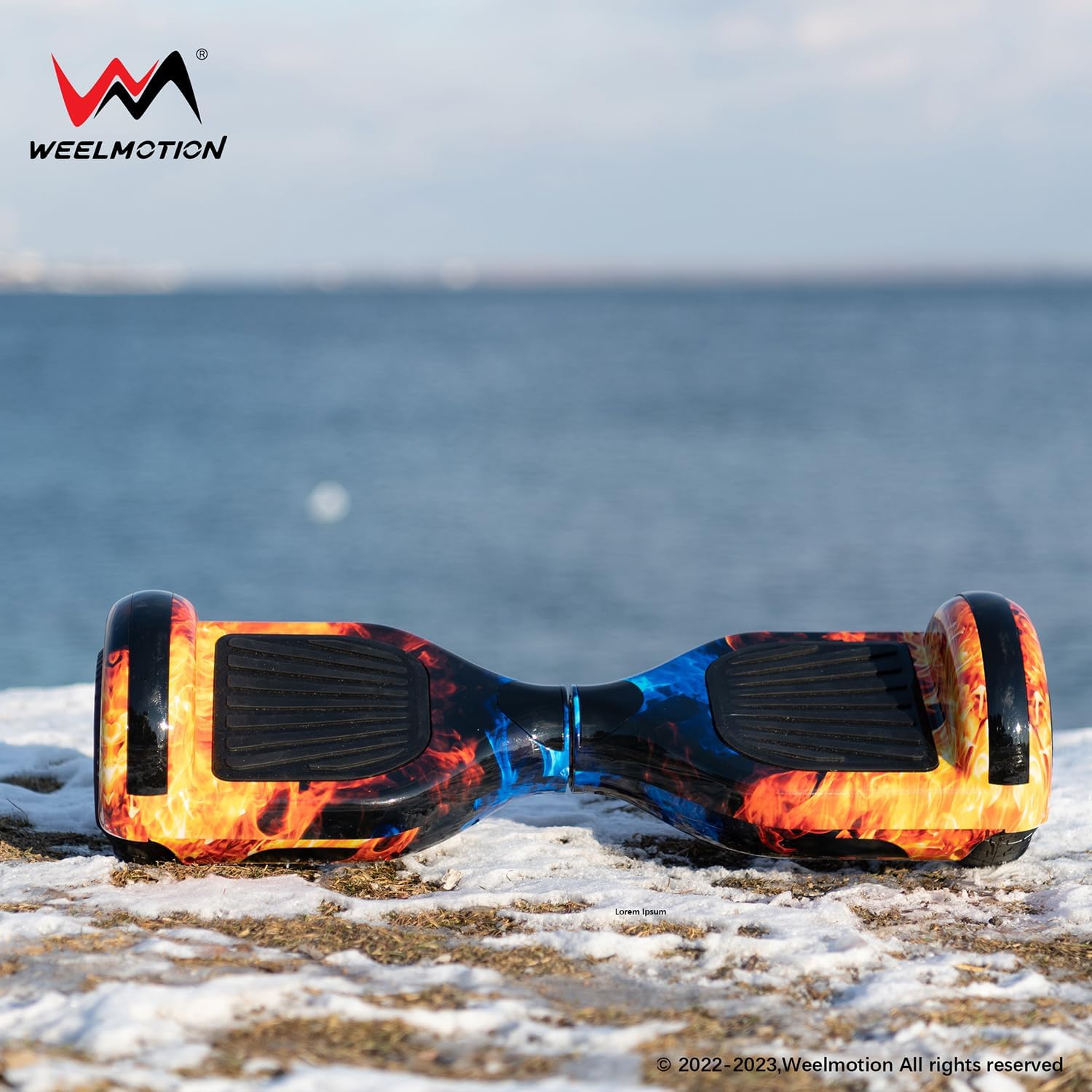
Image: The hoverboard alongside icons representing its long-lasting battery and UL 2272 certification.
Warranty and Support
WEELMOTION is committed to providing high-quality products and excellent customer service. Based on customer feedback, WEELMOTION offers responsive support and stands behind its products.
- For warranty claims or technical support, please contact WEELMOTION customer service through their official website or the retailer where the product was purchased.
- Keep your proof of purchase for warranty purposes.
- The return policy for this product is 45 days for refund/replacement.
For further assistance, please visit the WEELMOTION Store on Amazon.
Ask a question about this manual
Ask about setup, troubleshooting, compatibility, parts, safety, or missing instructions. Manuals+ will review the question and use this page’s manual context to help answer it.