1. Introduction
Welcome to the user manual for your WEELMOTION 8" Off-Road Hoverboard. This document provides comprehensive instructions for the safe and effective use, maintenance, and troubleshooting of your new self-balancing scooter. Please read this manual thoroughly before operating the device to ensure your safety and prolong the product's lifespan.
The WEELMOTION 8" Off-Road Hoverboard is designed for personal transportation and recreation, featuring robust 8-inch solid tires, dual 300W motors, LED lights, and an integrated wireless speaker for an enhanced riding experience.

Figure 1: WEELMOTION 8" Off-Road Hoverboard.
2. Safety Information
Your safety is paramount. This hoverboard is UL 2272 certified, ensuring it meets high electrical safety standards. Adhere to the following guidelines:
- UL 2272 Certification: This product has undergone rigorous testing for electrical and fire safety.
- Weight Limits: Supported weight ranges from a minimum of 40 lbs (18 kg) to a maximum of 220 lbs (100 kg). Do not exceed the maximum weight capacity.
- Charger Usage: Only use the charger provided with your hoverboard. Using an incompatible charger can damage the battery and void the warranty.
- Safety Features: The hoverboard includes Overheat Protection, Over Charge Protection, Short Circuit Protection, Fire Protection Shell, and an Over-speed alert system.
- Protective Gear: Always wear appropriate safety gear, including a helmet, knee pads, and elbow pads, when operating the hoverboard.
- Operating Environment: Ride on smooth, dry surfaces. Avoid wet conditions, steep inclines (max climbing angle 15°), and uneven terrain.
- No Fall Technology: The built-in no-fall technology assists beginners, but caution is always advised.
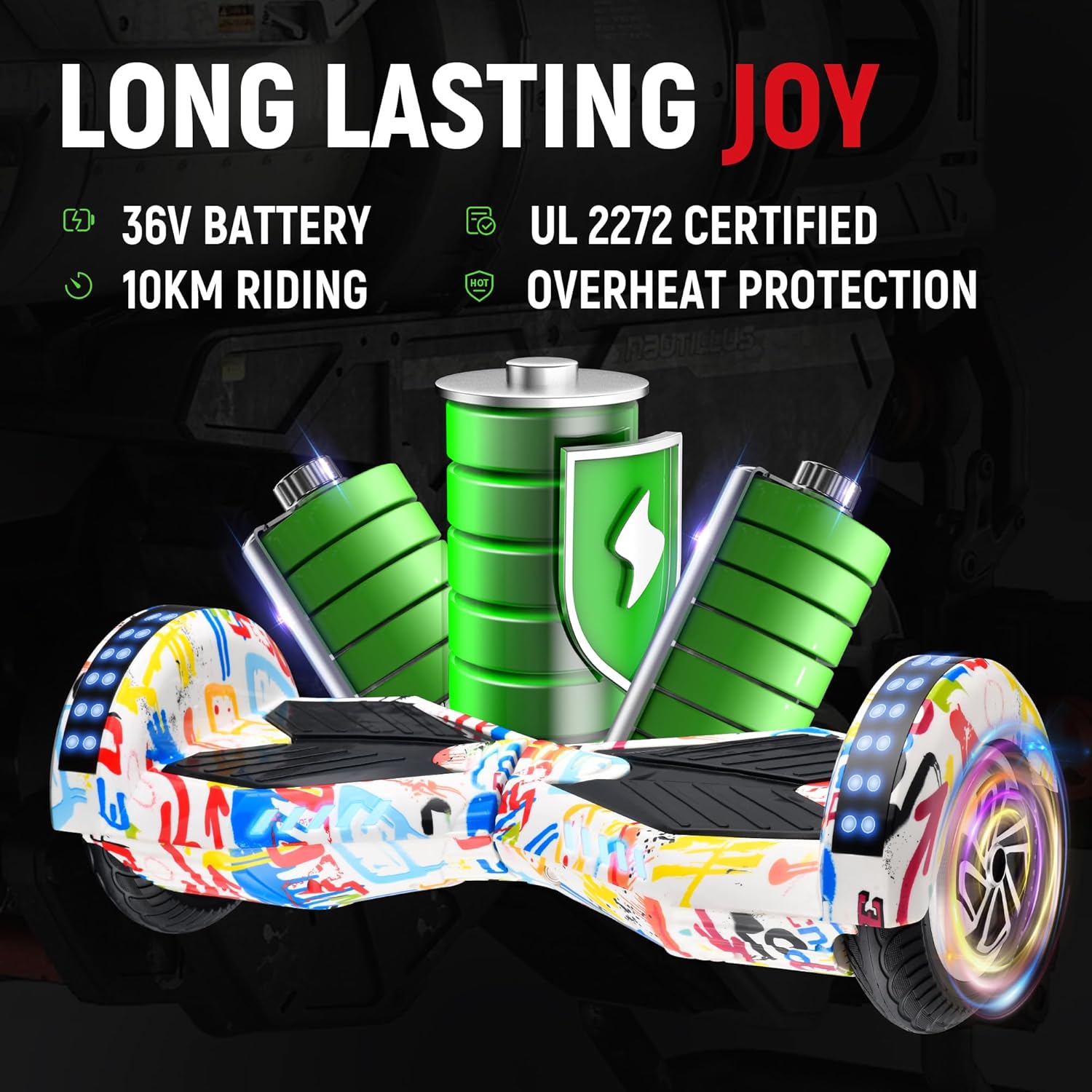
Figure 2: Safety and Battery Features.
3. Package Contents
Upon opening your WEELMOTION Hoverboard package, please verify that all the following items are included:
- WEELMOTION 8" Off-Road Hoverboard
- Charging Adapter
- Hoverboard Carrying Bag
- User Manual (this document)
4. Setup
Before your first ride, ensure the hoverboard is fully charged.
- Initial Charge: Connect the charging adapter to the hoverboard's charging port and then plug it into a standard wall outlet. The indicator light on the charger will typically turn red during charging and green when fully charged. Allow approximately 2-3 hours for a full charge.
- Power On: Press the power button located on the hoverboard to turn it on. The indicator lights will illuminate.
- Calibration (if needed): If the hoverboard does not seem balanced, place it on a flat surface, ensure it is off, then press and hold the power button for about 5-10 seconds until the lights flash. Release the button, then power off and on again.
5. Operating Instructions
Familiarize yourself with the controls and features for a smooth ride.
5.1 Riding the Hoverboard
- Mounting: Place one foot on a footpad, then quickly step up with the other foot. Use a wall or assistance for balance initially.
- Movement: Lean slightly forward to move forward, lean backward to slow down or move in reverse. To turn, apply more pressure to the footpad on the side opposite to the desired turn direction.
- Self-Balancing: The built-in gyroscope stabilization system assists with balance, making it easier for beginners.
- Speed: The hoverboard can reach speeds up to 8 km/h. An over-speed alert will sound if you exceed safe limits.
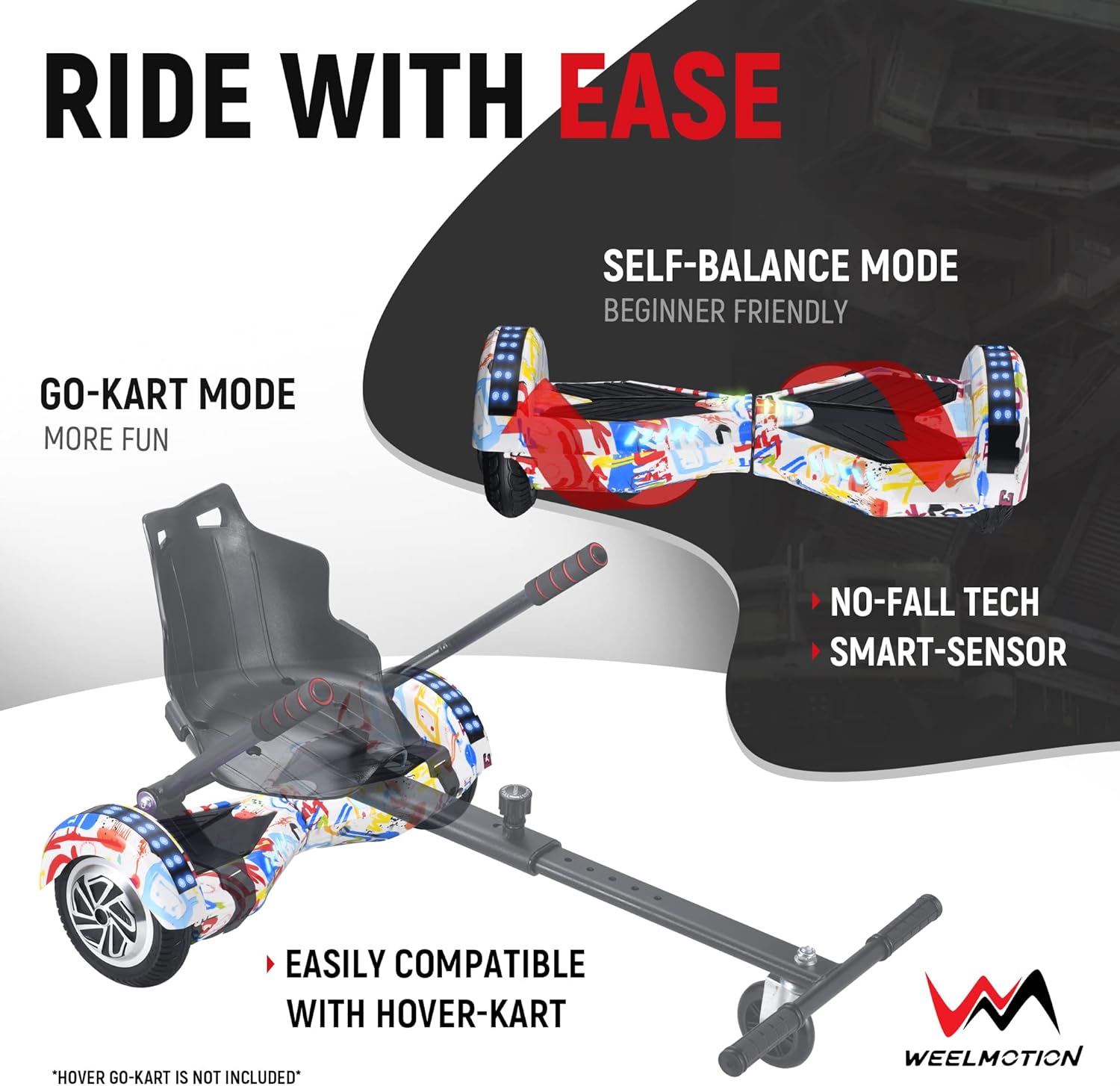
Figure 3: Riding Modes and Features.
5.2 LED Lights and Wireless Speaker
- Dynamic LED Strip Lights: The hoverboard features dynamic LED strip lights that change color during operation, enhancing visibility and aesthetics.
- Front LED Lights: Front-facing LED lights illuminate the path ahead, useful for riding in low-light conditions.
- Wireless Speaker: A built-in wireless speaker allows you to connect your portable devices (e.g., smartphone) via Bluetooth to play music while riding. Refer to your device's Bluetooth pairing instructions to connect to the hoverboard.

Figure 4: LED Lights and Wireless Speaker.
6. Maintenance
Regular maintenance ensures the longevity and optimal performance of your hoverboard.
- Cleaning: Use a soft, damp cloth to wipe down the exterior of the hoverboard. Do not use harsh chemicals or abrasive materials. Avoid getting water into electronic components.
- Battery Care:
- Charge the battery fully before first use and after each ride.
- If storing the hoverboard for an extended period, charge the battery to about 50% and recharge every 2-3 months to prevent deep discharge.
- Store in a cool, dry place away from direct sunlight and extreme temperatures.
- Tire Inspection: Periodically check the 8-inch solid tires for any signs of wear or damage. While solid, debris can still affect performance.
- General Inspection: Regularly check all screws and connections to ensure they are secure.

Figure 5: Portability and Handling.
7. Troubleshooting
If you encounter issues with your WEELMOTION Hoverboard, refer to the following common problems and solutions:
| Problem | Possible Cause | Solution |
|---|---|---|
| Hoverboard does not turn on. | Low battery; Power button not pressed correctly. | Charge the hoverboard fully. Ensure the power button is pressed firmly. |
| Hoverboard turns off randomly during use. | Low battery; Overload (exceeding weight limit); Internal fault. | Ensure battery is fully charged. Verify rider weight is within limits. If problem persists, contact support. |
| Battery does not hold charge for long. | Improper charging; Battery degradation; Non-compatible charger used. | Ensure only the provided charger is used. Follow battery care instructions. Battery life naturally degrades over time. |
| Hoverboard is not balancing correctly. | Needs calibration; Uneven surface. | Perform calibration as described in Section 4. Ensure you are on a flat, level surface. |
| Lights or speaker not working. | Bluetooth not connected; Component malfunction. | Ensure Bluetooth is paired correctly. If issue persists, contact support. |
If you experience an issue not listed here or if the suggested solutions do not resolve the problem, please contact WEELMOTION customer support.
8. Specifications
Detailed technical specifications for the WEELMOTION 8" Off-Road Hoverboard:
- Model Number: WM05
- Product Dimensions: 64.5 x 27 x 25 cm
- Item Weight: 8.78 kg
- Motors: Dual 300W Brushless Motors
- Maximum Speed: Up to 8 km/h
- Maximum Climbing Angle: 15°
- Supported Weight: Minimum 40 lbs (18 kg) - Maximum 220 lbs (100 kg)
- Wheel Size: 8 Inches (Solid Tires)
- Battery Type: Lithium-Ion (1 included)
- Battery Capacity: 72Wh (as per A+ content, note: feature bullets state 8kms per charge, which is consistent with 72Wh for a hoverboard)
- Brake Type: Regenerative braking
- Frame Material: Aluminum
- Color: White (as per current product variant)
- Age Range: Adult (suitable for users meeting weight and skill requirements)
- Certifications: UL 2272 Certified

Figure 6: Motor and Performance Specifications.
9. Warranty and Support
WEELMOTION is committed to providing quality products and customer satisfaction. For any inquiries, technical support, or warranty claims, please contact our support team.
- Brand: WEELMOTION
- Support Email: support@weelmotion.co
- Warranty Information: Please refer to the warranty terms provided at the time of purchase or contact customer support for details regarding warranty coverage and duration. Keep your proof of purchase for any warranty claims.


