
Introduction
The RCBS Chargemaster Supreme is an advanced electronic powder scale and dispenser designed for precision reloading. It combines accurate powder measurement with efficient dispensing, featuring Bluetooth connectivity and a proprietary Powder Learn Process to optimize performance for various powder types. This manual provides essential information for the safe and effective use of your device.
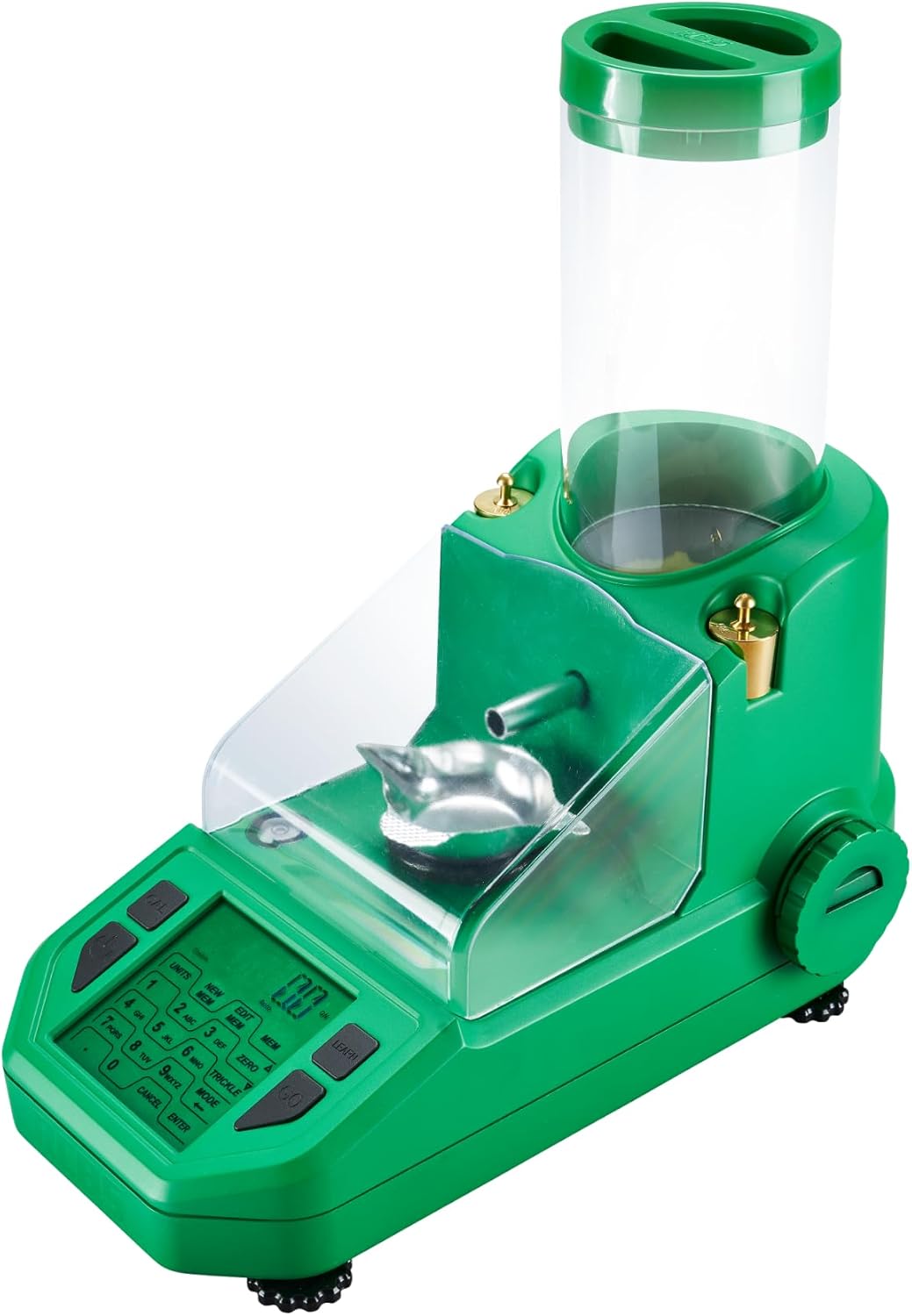
Image: The RCBS Chargemaster Supreme powder scale and dispenser, showcasing its design and components.
Safety Information
Always read and understand all instructions before operating this device. Improper use can lead to serious injury or damage. Observe all standard reloading safety practices.
- Ensure the device is placed on a stable, level surface away from vibrations.
- Use only in a well-ventilated area.
- Keep powder away from open flames, heat sources, and static electricity.
- Do not modify the device.
- Keep out of reach of children and unauthorized personnel.
Package Contents
Verify that all items are present in the package:
- RCBS Chargemaster Supreme Powder Dispenser
- Powder Tray
- Calibration Check Weights (2 included)
- Power Adapter
- Instruction Manual (this document)
Key Features
- 0.1-Grain Accuracy: Provides precise powder charges for consistent reloading.
- Bluetooth Connectivity: Allows remote operation and customization via the RCBS app.
- Powder Learn Process: Optimizes dispensing performance for various powder types.
- Fast Dispensing: Delivers charges quickly, up to two grains per second.
- Large Capacity: 2000-grain powder hopper.
- LCD Touchscreen Display: User-friendly interface for easy operation.
- Built-in Bubble Level: Ensures proper leveling for accurate measurements.
- Adjustable Feet: For stable placement on uneven surfaces.

Image: Key features of the RCBS Chargemaster Supreme, including accuracy and app integration.
Setup
- Unpacking: Carefully remove all components from the packaging. Retain packaging for future storage or transport.
- Placement: Place the Chargemaster Supreme on a sturdy, level workbench, free from drafts and vibrations. Use the built-in bubble level and adjustable feet to ensure the unit is perfectly level.
- Power Connection: Connect the power adapter to the unit and plug it into a suitable electrical outlet.
- Initial Power On: Press the ON/OFF button to power on the device. Allow the unit to warm up for at least 15-20 minutes for optimal accuracy.
- Calibration:
After warm-up, perform a calibration using the provided check weights. Follow the on-screen instructions for the calibration process. This ensures the scale provides accurate readings.

Image: RCBS Chargemaster Supreme highlighting key components like the powder hopper, calibration weights, and LCD touchscreen.
- Powder Hopper: Ensure the powder hopper is clean and dry before adding powder. Securely attach the powder tray to the dispensing spout.
Operating Instructions
Basic Dispensing
- Enter Desired Charge: Use the LCD touchscreen keypad to enter the desired powder charge weight in grains.
- Initiate Dispense: Press the "Dispense" or "GO" button. The unit will begin dispensing powder into the tray.
- Verify Charge: Once dispensing is complete, the display will show the final charge weight. Verify it matches your target.
- Empty Tray: Carefully remove the powder tray and transfer the powder to your cartridge case. Return the empty tray to the unit.
Powder Learn Process
The proprietary "Powder Learn Process" optimizes the dispenser's performance for specific powder types, ensuring consistent accuracy.
- Access Learn Mode: Navigate to the "Learn" function on the touchscreen.
- Follow Prompts: The unit will prompt you to dispense a few charges of your chosen powder. This allows the system to analyze the powder's flow characteristics.
- Optimization: After the learning process, the dispenser will adjust its internal settings for optimal speed and accuracy with that specific powder.
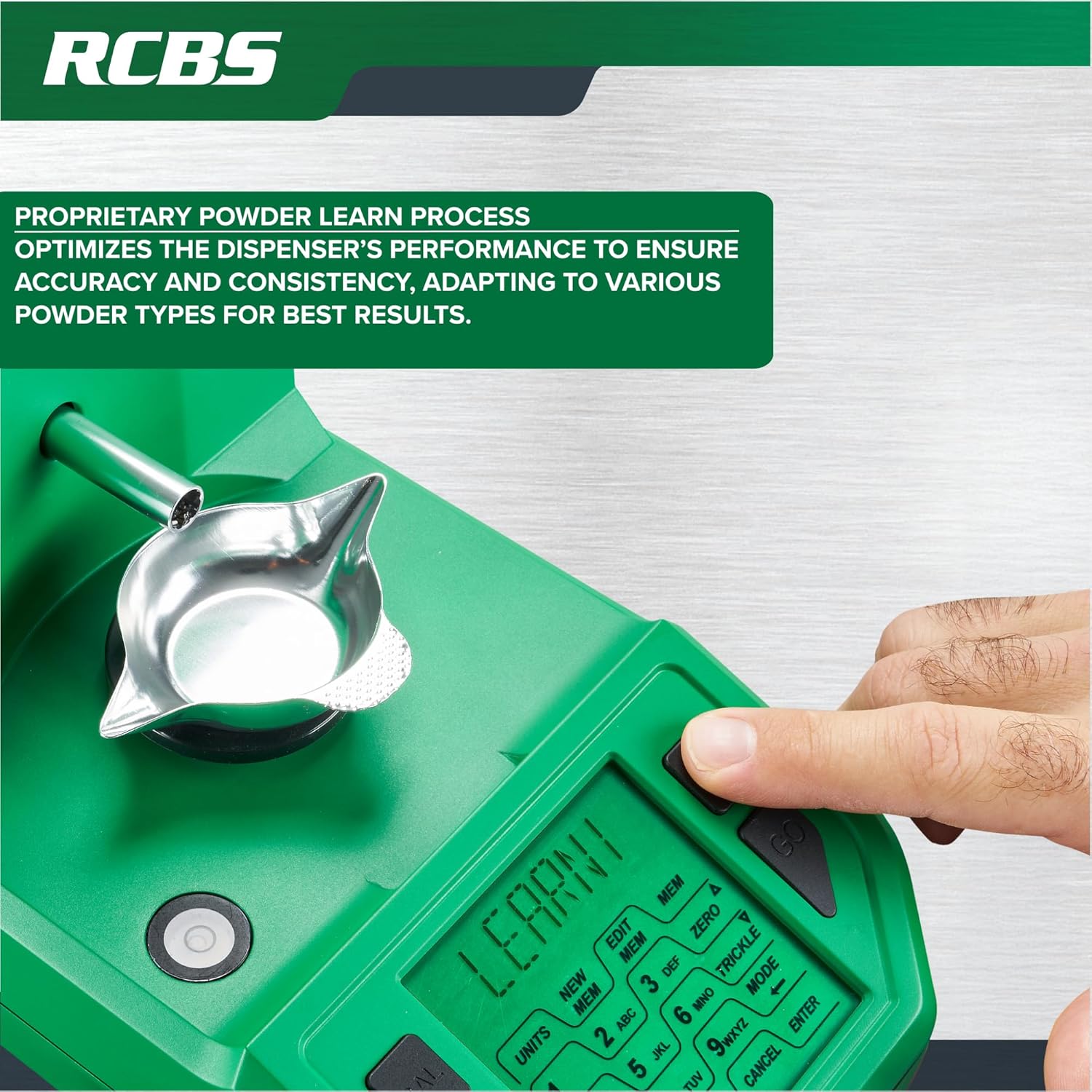
Image: The RCBS Chargemaster Supreme's touchscreen showing the "Learn" function in action.
Bluetooth Connectivity and RCBS App
The Chargemaster Supreme can connect to the RCBS app via Bluetooth for enhanced control and recipe management.
- Download App: Download the official RCBS app from your device's app store.
- Pair Device: Follow the app's instructions to pair your Chargemaster Supreme via Bluetooth.
- Remote Control: Once paired, you can remotely monitor powder readings, initiate dispensing, and control powder charges directly from your smartphone.
- Recipe Storage: The app allows you to save and manage your load recipes, streamlining your reloading process.

Image: RCBS Chargemaster Supreme demonstrating Bluetooth connectivity with the RCBS mobile application.
Maintenance
- Cleaning: Regularly clean the powder hopper and dispensing mechanism to prevent powder residue buildup. Use a soft brush or compressed air. Ensure the unit is unplugged before cleaning.
- Powder Drain: Utilize the quick drain feature to easily empty the powder hopper when changing powders or for storage.
- Storage: When not in use, store the Chargemaster Supreme in a clean, dry environment, away from extreme temperatures and humidity.
- Calibration: Recalibrate the scale periodically, especially if moving the unit or after extended periods of non-use, to maintain accuracy.
Troubleshooting
| Problem | Possible Cause | Solution |
|---|---|---|
| Inaccurate powder charges |
|
|
| Unit does not power on |
|
|
| Bluetooth connection issues |
|
|
| "Powder Learn Process" not optimizing |
|
|
Specifications
- Model Number: 98943
- Accuracy: +/- 0.1 grain
- Dispense Range: 0 to 400 grains
- Powder Capacity: 2000 grains
- Connectivity: Bluetooth
- Display: LCD Touchscreen
- Dimensions: 35.56 x 20.32 x 45.72 cm (14 x 8 x 18 inches)
- Weight: 1.78 kg (3.92 lbs)
- Material: Mixed Fiber (Housing)
- Color: Green
Warranty and Support
For warranty information, technical support, or service inquiries, please contact RCBS customer service directly. Refer to the official RCBS website or product packaging for the most current contact details and warranty terms.
RCBS Official Website: www.rcbs.com


