Introduction
The VIRONE WAYO AC Battery Free Radio Clock is a wireless doorbell system designed for convenience and reliability. It features a battery-free transmitter and a plug-in receiver, offering easy installation and robust performance. This manual provides essential information for the proper setup, operation, and maintenance of your VIRONE WAYO system.

Image: The VIRONE WAYO wireless doorbell system, showing the plug-in receiver (left) and the battery-free push-button transmitter (right).
Key Features:
- Battery-Free Transmitter: The outdoor push-button operates without batteries, powered by an electromechanical converter.
- Wireless Range: Up to 80 meters (262 feet) in open areas, ensuring reliable signal transmission throughout your home.
- Waterproof Design: The transmitter boasts an IPX7 protection rating, making it highly resistant to water immersion.
- Multiple Ringtones: Choose from 25 polyphonic ringtones to personalize your doorbell sound.
- Adjustable Volume: Three-scene volume control with a sound level range of 30-110 dB.
- Optical and Acoustic Signaling: The receiver provides both sound and visual alerts.
- Learning System: Easy automatic registration for pairing additional transmitters or receivers.
- Easy Installation: No complex wiring required, simply plug in the receiver and mount the transmitter.
Safety Information
Please read all safety instructions carefully before installing and operating the device. Keep this manual for future reference.
- Ensure the receiver is plugged into a standard 230V~50Hz electrical outlet.
- Do not expose the receiver to water or excessive humidity. It is designed for indoor use only.
- Do not attempt to open or repair the device yourself. Refer all servicing to qualified personnel.
- Keep the device away from direct heat sources, strong magnetic fields, and corrosive substances.
- The transmitter is waterproof (IPX7) but should not be intentionally submerged for extended periods or subjected to high-pressure water jets.
- This product is not a toy. Keep out of reach of children.
Package Contents
Verify that all components are present in the package:
- 1 x VIRONE WAYO Receiver Unit (Plug-in)
- 1 x VIRONE WAYO Transmitter Unit (Push-button)
- Mounting hardware (screws, adhesive tape)
- User Manual (this document)
Setup
1. Transmitter Installation
The transmitter is designed for outdoor use and does not require batteries. It can be mounted using screws or the provided adhesive tape.
- Choose a Location: Select a suitable location near your door or gate, ensuring it is easily accessible for visitors. While the transmitter is waterproof, positioning it under a small overhang can offer additional protection from extreme weather.
- Mounting with Adhesive Tape:
- Clean the mounting surface thoroughly to ensure it is dry and free of dust or grease.
- Peel off the protective film from one side of the adhesive tape and apply it firmly to the back of the transmitter.
- Peel off the remaining protective film and press the transmitter firmly onto the desired surface for at least 30 seconds.
- Mounting with Screws:
- Open the transmitter casing (if applicable, refer to diagram in physical manual for specific model).
- Mark the drilling points on the wall using the transmitter's mounting holes as a template.
- Drill holes and insert wall plugs if necessary.
- Secure the transmitter to the wall using the provided screws.
- Close the transmitter casing securely.

Image: The VIRONE WAYO transmitter mounted on an outdoor wall, demonstrating its waterproof capability in light rain.

Image: A person's hand pressing the button on the VIRONE WAYO transmitter, indicating ease of use.
2. Receiver Setup
The receiver is a plug-in unit and requires no batteries.
- Plug In: Insert the receiver into any standard 230V~50Hz electrical outlet indoors.
- Placement: Choose a central location within your home to ensure optimal signal reception from the transmitter. Avoid placing it near large metal objects or other electronic devices that might interfere with the wireless signal.
- Initial Pairing: The transmitter and receiver are typically pre-paired at the factory. If they do not connect automatically, refer to the "Pairing Additional Units" section under Operating Instructions.

Image: The VIRONE WAYO receiver unit plugged into a wall socket inside a home, positioned near the entrance for optimal sound distribution.
Operating Instructions
Changing Ringtones
The receiver offers 25 polyphonic ringtones. To change the ringtone:
- Locate the music note button on the receiver.
- Press the music note button repeatedly to cycle through the available ringtones. The receiver will play a preview of each ringtone.
- Stop pressing when you hear your desired ringtone. The system will automatically save your selection.

Image: A hand pressing one of the control buttons on the VIRONE WAYO receiver, demonstrating how to interact with the unit.
Adjusting Volume
The receiver has three volume levels (30-110 dB). To adjust the volume:
- Locate the volume control button on the receiver (often depicted with speaker icons).
- Press the volume button to cycle through the available volume levels.
- Select the volume level that best suits your environment.
Silent Mode (Optical Signaling Only)
To activate silent mode, where only the optical signal (light) is active and no sound is produced:
- Locate the mute button or cycle through volume levels until the lowest/mute setting is reached.
- In silent mode, the receiver will flash its indicator light when the transmitter is pressed, without emitting any sound.
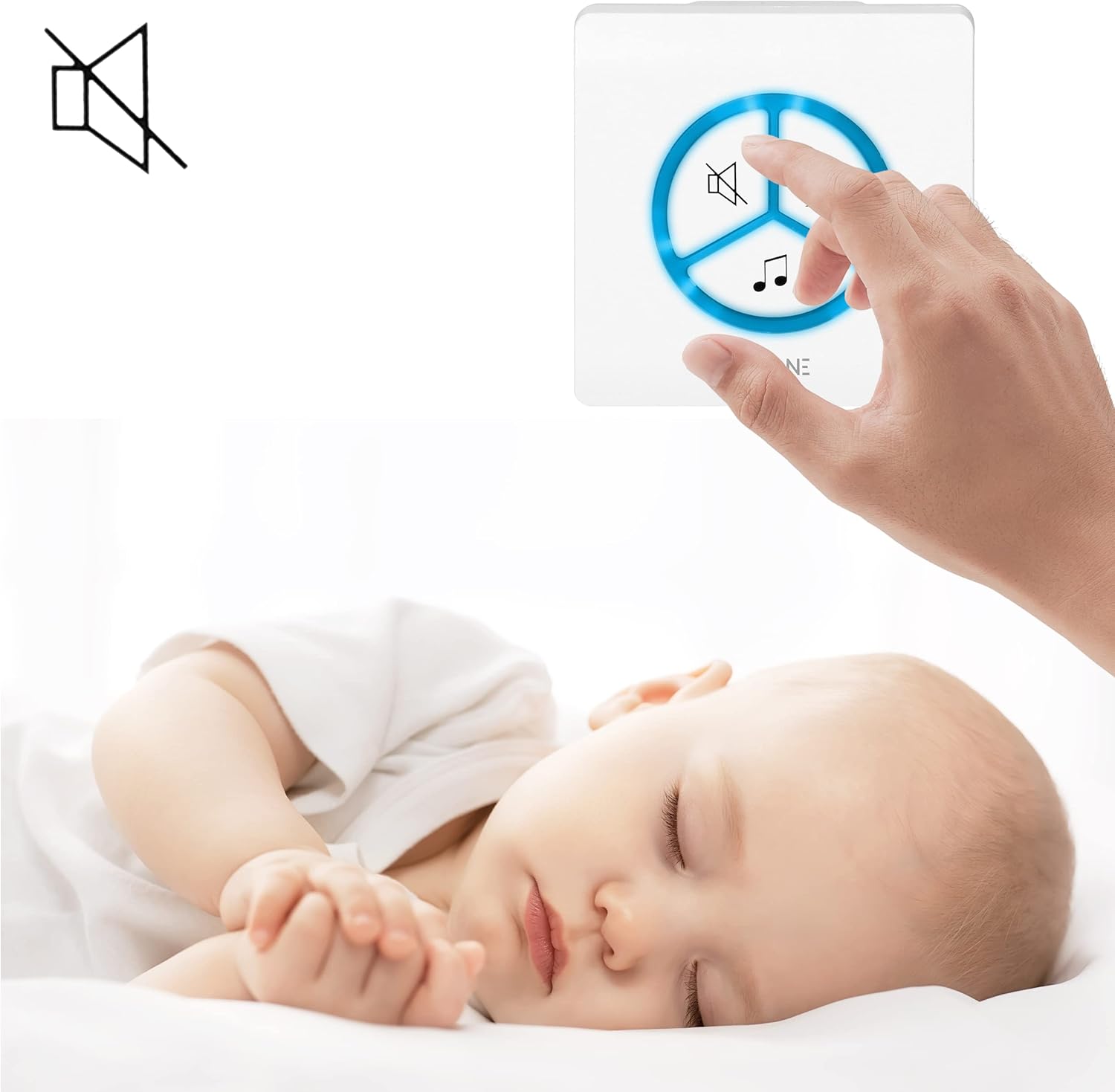
Image: A hand adjusting the VIRONE WAYO receiver while a baby sleeps peacefully in the background, illustrating the use of silent mode.

Image: A hand adjusting the VIRONE WAYO receiver while a puppy sleeps, demonstrating the silent mode feature for quiet environments.
Pairing Additional Units (Learning System)
The VIRONE WAYO system features a learning system for easy expansion. To pair a new transmitter or receiver:
- Enter Pairing Mode on Receiver: Press and hold the volume button on the receiver for approximately 5 seconds until you hear a short "ding" sound or see a specific indicator light flash rapidly. This indicates the receiver is in pairing mode.
- Activate Transmitter: Within 10 seconds of the receiver entering pairing mode, press the button on the transmitter you wish to pair.
- Confirmation: The receiver will ring with the currently selected melody, confirming successful pairing. If pairing fails, repeat the steps.

Image: The VIRONE WAYO receiver and transmitter units shown side-by-side with animated signal waves, illustrating their wireless communication.
Maintenance
To ensure the longevity and optimal performance of your VIRONE WAYO system, follow these simple maintenance guidelines:
- Cleaning: Wipe the surfaces of both the transmitter and receiver with a soft, dry cloth. For stubborn dirt, a slightly damp cloth can be used, but ensure no moisture enters the units. Do not use abrasive cleaners, solvents, or strong chemicals.
- Transmitter Placement: Periodically check the transmitter's mounting to ensure it is still securely attached.
- Environmental Conditions: While the transmitter is waterproof, avoid prolonged exposure to extreme temperatures or direct sunlight, which can degrade materials over time.
- No User Serviceable Parts: Do not attempt to disassemble either unit. There are no user-serviceable parts inside.
Troubleshooting
If you encounter issues with your VIRONE WAYO system, refer to the table below for common problems and solutions:
| Problem | Possible Cause | Solution |
|---|---|---|
| Receiver does not ring when transmitter is pressed. |
|
|
| Ringtone is too quiet or too loud. | Volume setting is incorrect. | Adjust the volume using the volume control button on the receiver. |
| Receiver rings unexpectedly. | Interference from other wireless devices operating on similar frequencies. | Try re-pairing the units to reset the wireless code. If problem persists, consider moving the receiver to a different outlet. |
| Transmitter button feels stuck or unresponsive. | Debris or dirt around the button; mechanical issue. | Clean around the button. If it remains unresponsive, contact customer support. |
Specifications
| Feature | Detail |
|---|---|
| Brand | Virone |
| Model | WAYO (Virone-[unknown]) |
| Transmitter Power Supply | Battery-Free (Electromechanical) |
| Transmitter Protection Rating | IPX7 (Waterproof) |
| Receiver Power Supply | 230V~, 50Hz (AC Network) |
| Wireless Frequency | 433 MHz |
| Outdoor Range | Up to 100 meters (328 feet) |
| Number of Ringtones | 25 (Polyphonic) |
| Volume Levels | 3-scene control |
| Sound Level | 30-110 dB |
| Signaling Type | Optical and Acoustic |
| Receiver Dimensions (W/H/D) | 82 x 82 x 70 mm (approx. 3.2 x 3.2 x 2.8 inches) |
| Transmitter Dimensions (W/H/D) | 83 x 83 x 16 mm (approx. 3.3 x 3.3 x 0.6 inches) |
| Color | White |
| Extendability | Yes, can be extended with additional transmitters. |

Image: Side profile view of the VIRONE WAYO receiver (right) and transmitter (left), highlighting their compact design.
Warranty and Support
For warranty information and technical support, please refer to the documentation provided with your purchase or contact Virone customer service directly. Keep your proof of purchase for warranty claims.
For further assistance, please visit the official Virone website or contact their customer support channels.