
1. Introduction
This manual provides detailed instructions for the assembly, operation, and maintenance of your Sysracks 37U Server Rack Cabinet. Please read this manual thoroughly before installation and use to ensure proper functionality and safety.
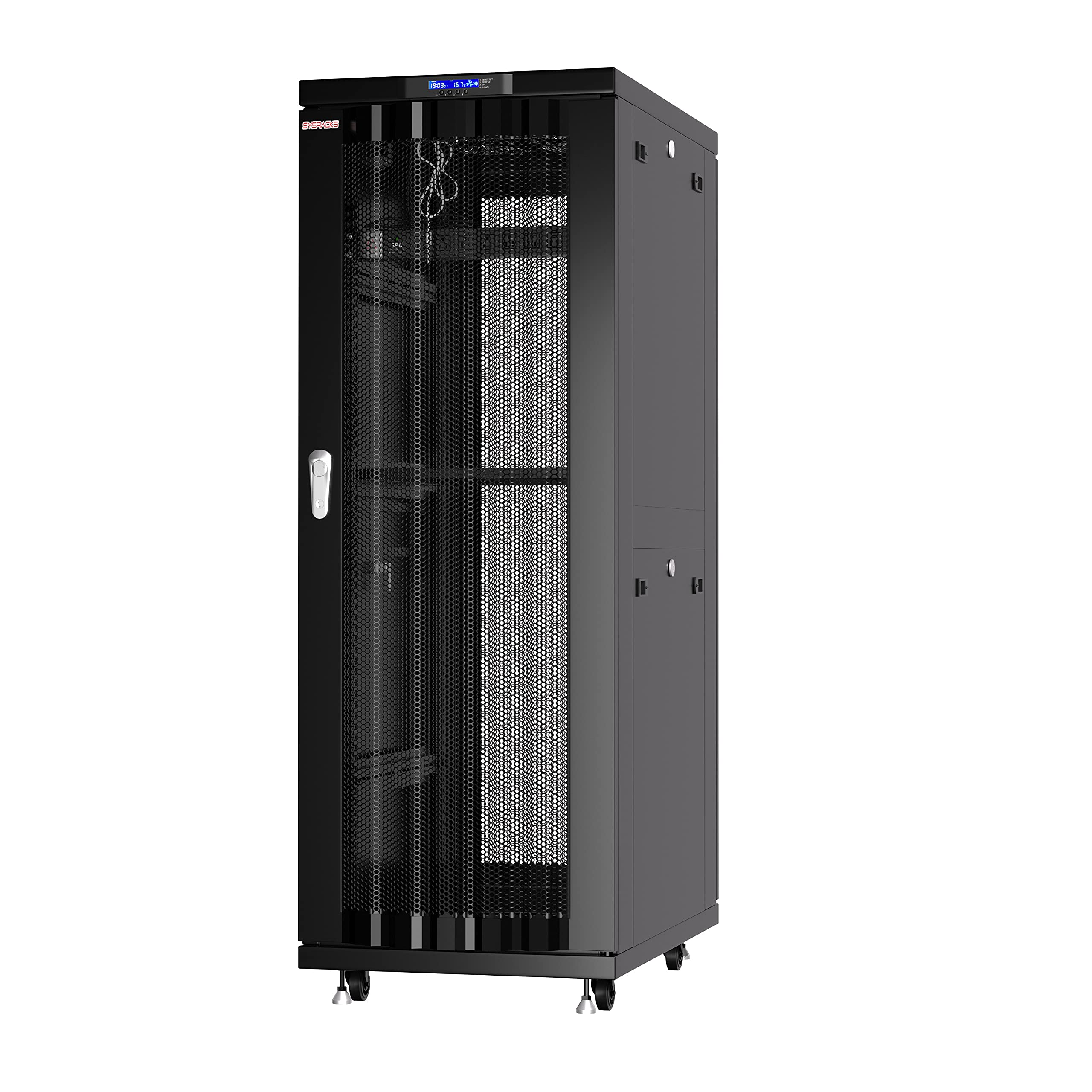
Figure 1: Sysracks 37U Server Rack Cabinet, front view.
2. What's Included
Your Sysracks 37U Server Rack Cabinet package includes the following components and accessories:
- 37U AV Rack Mount Cabinet
- Thermostat with Thermosensor LCD Screen
- 4 Cooling Fans
- 2 Dust-tight Cable Entries
- 8-outlet Powerbar (PDU)
- Casters with Stoppers
- Heavy Duty Shelf
- Mounting Cage Bolt/Nut Hardware
- Fully Locking Cabinet with Vented Doors and Side Panels (4 Keys included)

Figure 2: All components included in the Sysracks 37U Server Rack Cabinet package.
3. Setup & Assembly
The Sysracks 37U Server Rack Cabinet is designed for straightforward assembly. A video guide and PDF instructions are provided to assist with the process. It is recommended to have a helper for certain assembly steps, especially for taller cabinets.
3.1 Assembly Overview
The cabinet features a welded frame design and quality U-mark mounting rail hardware for ease of installation. Ensure all parts listed in Section 2 are present before beginning assembly.
3.2 Assembly Video Guide
Watch the official Sysracks assembly video for a visual walkthrough of the installation process:
Video 1: Assembly guide for Sysracks SRF Series Server Rack Cabinets (32U, 37U, 42U MESH).
Additional assembly guidance for similar Sysracks models:
Video 2: Assembly guide for Sysracks SRF Series Server Rack Cabinets (18U, 22U, 27U GRAY).
Video 3: Assembly guide for Wallmount / Free standing Network Server Cabinets.
3.3 Mounting Rails and Shelves
Adjustable depth vertical mounting rails are included to accommodate various server, AV, security, and telecom equipment up to 20 inches deep. The heavy-duty shelf can be installed at your desired height.

Figure 3: Interior view showing adjustable mounting rails and organized cabling.
4. Operating Instructions
The Sysracks 37U Server Rack Cabinet is designed for optimal performance and security of your equipment.
4.1 Cooling System
The cabinet features a smart cooling system with 4 fans, an LCD screen, and a thermosensor to maintain stable operating temperatures. The cooling system activates automatically when needed.
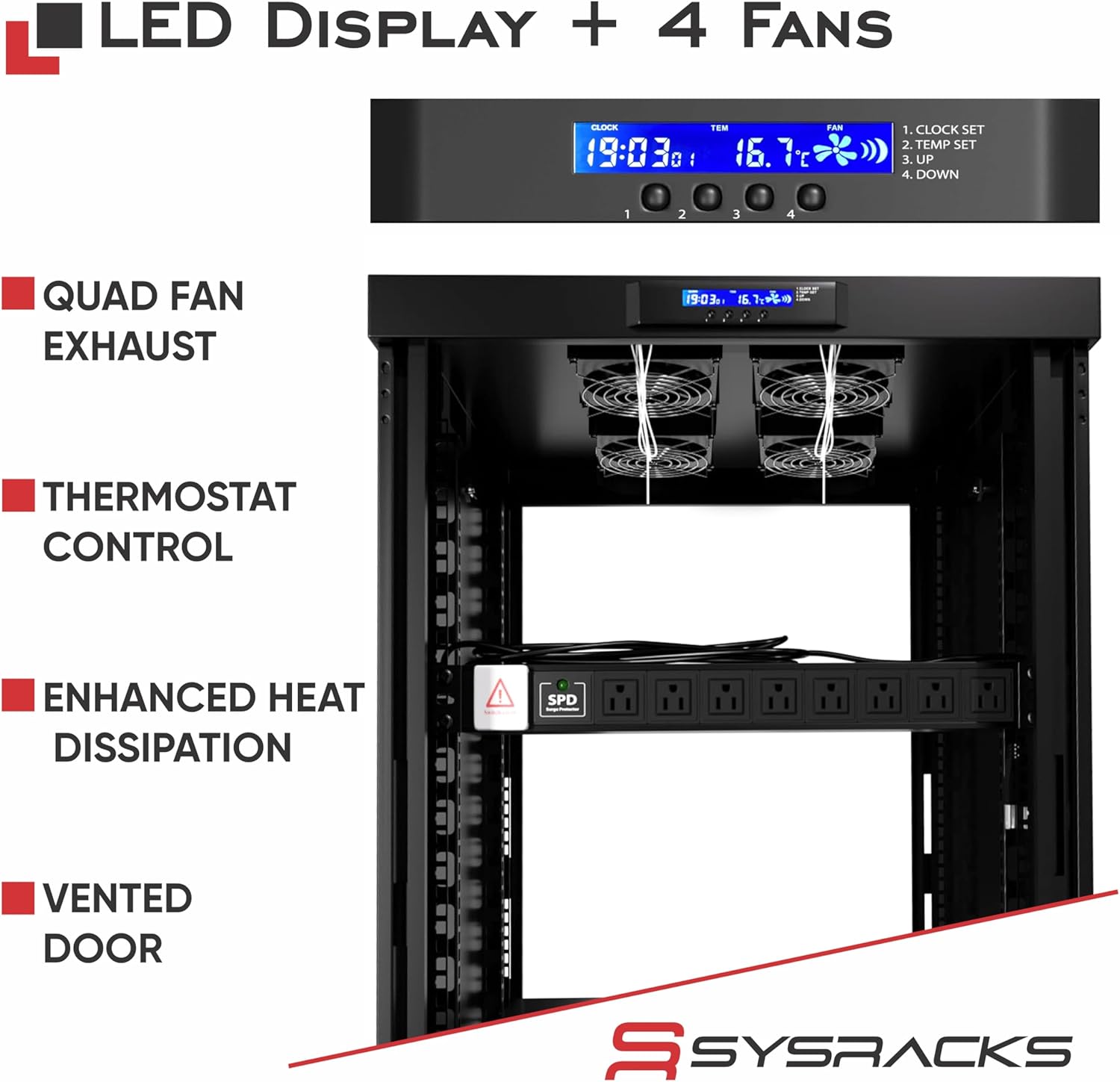
Figure 4: Top view of the LCD display and four cooling fans.

Figure 5: Airflow diagram illustrating cooling within the server rack.
4.2 Security Features
The cabinet is fully lockable with latch handle lock doors and removable side panels, ensuring the security of your installed equipment.

Figure 6: Lockable side panel and anti-tamper lock mechanism.
5. Maintenance
Regular maintenance ensures the longevity and optimal performance of your server rack cabinet.
5.1 Cleaning
Periodically clean the exterior surfaces with a soft, damp cloth. Avoid abrasive cleaners. For the interior, use a soft brush or vacuum to remove dust accumulation, especially around the fans and cable entry points.
5.2 Cable Management
The cabinet includes dust-tight cable entries to simplify cabling and wiring supply while minimizing dust ingress. Regularly inspect cables for wear and tear and ensure they are properly routed to maintain airflow and prevent damage.

Figure 7: Brush-sealed access for cable management.
5.3 Fan Inspection
Check the cooling fans periodically for proper operation and ensure they are free from obstructions. Clean any dust buildup on the fan blades to maintain efficient cooling.
6. Troubleshooting
This section addresses common issues you might encounter with your server rack cabinet.
6.1 Cooling System Malfunction
- Issue: Fans are not operating or are making unusual noises.
- Solution: Check power connections to the fans and the PDU. Ensure the thermostat settings are correct and the thermosensor is properly positioned. Inspect fan blades for obstructions or damage. If a fan is faulty, contact support for replacement.
6.2 Door/Panel Issues
- Issue: Doors or side panels do not close or lock properly.
- Solution: Inspect hinges and locking mechanisms for alignment or damage. Ensure no cables or equipment are obstructing the door's path. Lubricate hinges if necessary.
6.3 Stability Concerns
- Issue: Cabinet feels unstable or wobbly.
- Solution: Ensure all casters are locked and leg levelers are properly adjusted to provide a stable base. Verify that the cabinet is on a flat, level surface.
7. Specifications
| Feature | Detail |
|---|---|
| Product Dimensions (D x W x H) | 39" x 24" x 74" (99.06 cm x 60.96 cm x 187.96 cm) |
| Item Weight | 250 pounds (113.4 kg) |
| Size | 37U |
| Material | Alloy Steel |
| Color | Black |
| Load Capacity | Up to 1600 lbs (726 kg) |
| Standard | 19" EIA-310 compliant |

Figure 8: Key dimensions and capacity of the Sysracks 37U Server Rack Cabinet.
8. Warranty Information
Sysracks provides a 2-year guarantee on all rack cabinet enclosures and accessories. This warranty covers manufacturing defects and ensures the quality of your product. For specific terms and conditions, please refer to your purchase documentation or contact customer support.
9. Support
For any questions, technical assistance, or warranty claims, please contact Sysracks customer service. Quick customer service support is available to assist you.
You can also visit the official Sysracks store for more information and resources: Sysracks Store