
1. Introduction
This manual provides detailed instructions for the SYNOKE SY9468 Men's Digital Silicone Sports Watch. This watch features a durable silicone strap, a clear digital display, and a range of functions including a backlight, shock resistance, alarm, and stopwatch. Please read this manual carefully to ensure proper use and maintenance of your watch.
2. Product Overview
Familiarize yourself with the main components and buttons of your SYNOKE SY9468 watch.
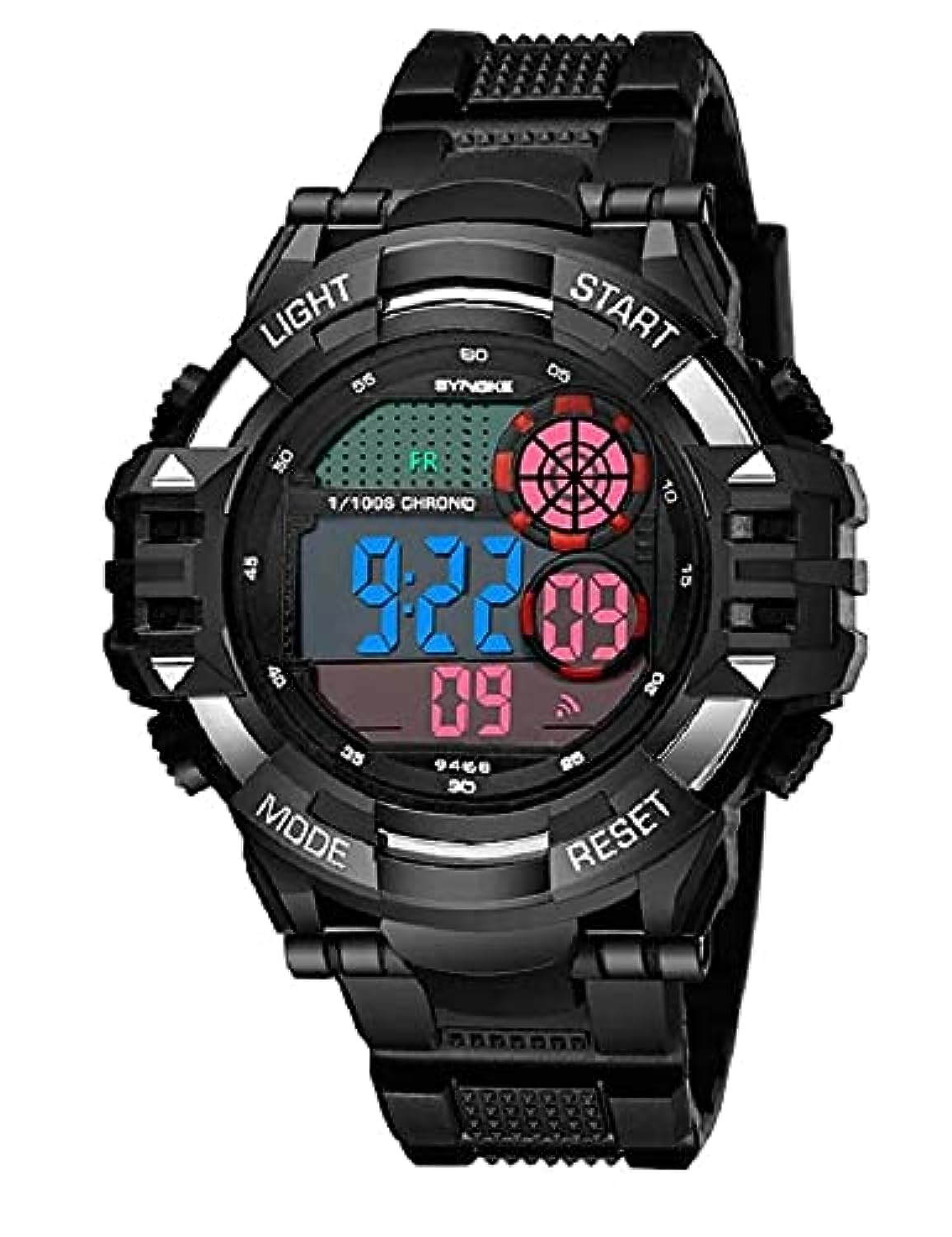
Image 1: Front view of the SYNOKE SY9468 Digital Sports Watch. The watch features a black silicone strap and a round black case with a digital display. Visible buttons are labeled 'LIGHT' (top left), 'START' (top right), 'MODE' (bottom left), and 'RESET' (bottom right). The display shows '9:22' and '09' with '1/100S CHRONO' and 'SYNOKE' branding.
- LIGHT Button (Top Left): Activates the backlight for visibility in low light conditions.
- START Button (Top Right): Used to start/stop functions like the stopwatch or to adjust settings.
- MODE Button (Bottom Left): Cycles through different modes (Time, Stopwatch, Alarm).
- RESET Button (Bottom Right): Used to reset functions or confirm settings.
3. Setup and Basic Operation
3.1 Setting Time and Date
- From the normal time display, press the MODE button three times to enter time setting mode. The seconds digits will flash.
- Press the RESET button to zero out the seconds.
- Press the START button to move to the hour setting. The hour digits will flash.
- Press the RESET button to adjust the hour. Pay attention to the 'A' (AM) or 'P' (PM) indicator for 12-hour format, or cycle through to 24-hour format.
- Press the START button to move to the minute setting. The minute digits will flash.
- Press the RESET button to adjust the minutes.
- Continue pressing START to cycle through month, date, and day of the week settings, adjusting each with the RESET button.
- Once all settings are complete, press the MODE button to return to the normal time display.
3.2 Using the Backlight
Press the LIGHT button (top left) to illuminate the display for a few seconds. This is useful in dark environments.
4. Operating Instructions
4.1 Stopwatch Function
- From the normal time display, press the MODE button once to enter stopwatch mode. The display will show '00:00:00'.
- Press the START button to begin timing.
- Press the START button again to pause timing.
- Press the RESET button to reset the stopwatch to '00:00:00'.
- To resume timing after pausing, press START.
- Press the MODE button to exit stopwatch mode and return to the normal time display.
4.2 Alarm Function
- From the normal time display, press the MODE button twice to enter alarm setting mode. The hour digits of the alarm time will flash.
- Press the RESET button to adjust the alarm hour.
- Press the START button to move to the minute setting. The minute digits will flash.
- Press the RESET button to adjust the alarm minutes.
- Press the MODE button to exit alarm setting mode.
- To turn the alarm ON/OFF, in alarm mode, press the START button. An alarm icon will appear/disappear to indicate its status.
5. Maintenance
5.1 Water Resistance
This watch is designed to be water-resistant for daily use, such as accidental splashes or rain exposure. It is not suitable for swimming, showering, or diving. Avoid pressing buttons underwater to prevent water ingress.
5.2 Cleaning
Wipe the watch case and strap with a soft, dry cloth. For stubborn dirt, a slightly damp cloth can be used, followed by immediate drying. Avoid using chemical cleaners, as they may damage the watch's finish or seals.
5.3 Battery Replacement
When the display becomes dim or the watch stops functioning, the battery may need replacement. It is recommended to have the battery replaced by a qualified watch technician to ensure the water resistance seal is properly maintained.
6. Troubleshooting
- Display is blank or dim: Check the battery. If the issue persists after battery replacement, contact support.
- Buttons not responding: Ensure the watch is not in a locked mode (if applicable, though this model does not feature one). Try resetting the watch by removing and reinserting the battery (professional assistance recommended).
- Time is inaccurate: Re-set the time following the instructions in Section 3.1. If the problem continues, the watch movement may require servicing.
- Water inside the watch: Immediately stop using the watch and seek professional repair to prevent further damage.
7. Specifications
| Feature | Detail |
|---|---|
| Brand Name | SYNOKE |
| Model Number | SY9468 |
| Item Type | Wristwatches |
| Display Type | Digital |
| Movement Type | Quartz |
| Power Source | Battery Powered |
| Case Shape | Round |
| Case Diameter | 40 mm |
| Band Material Type | Silicone |
| Band Color | Black |
| Clasp Type | Buckle (Tang Clasp) |
| Water Resistance | Rain resistant (not for swimming/showering) |
| Features | Backlight, Shock Resistant, LED Display, Alarm, Week Display, Luminous Hands |
| Department | Men |
| First Available Date | June 1, 2021 |
8. Warranty and Support
For warranty information or technical support, please refer to the documentation provided at the point of purchase or contact your retailer. Keep your purchase receipt as proof of purchase for any warranty claims.