
1. Introduction
Thank you for choosing the Music Sound DRIFT Wireless In-Ear Bluetooth Headphones. This manual provides essential information for the proper use, maintenance, and troubleshooting of your device. Please read it carefully before use.
1.1 Package Contents
Ensure all items are present in your package:
- Music Sound DRIFT Wireless In-Ear Headphones (Left and Right)
- Compact Charging Case
- USB-C Charging Cable
- User Guide
- Multiple sizes of ear tips
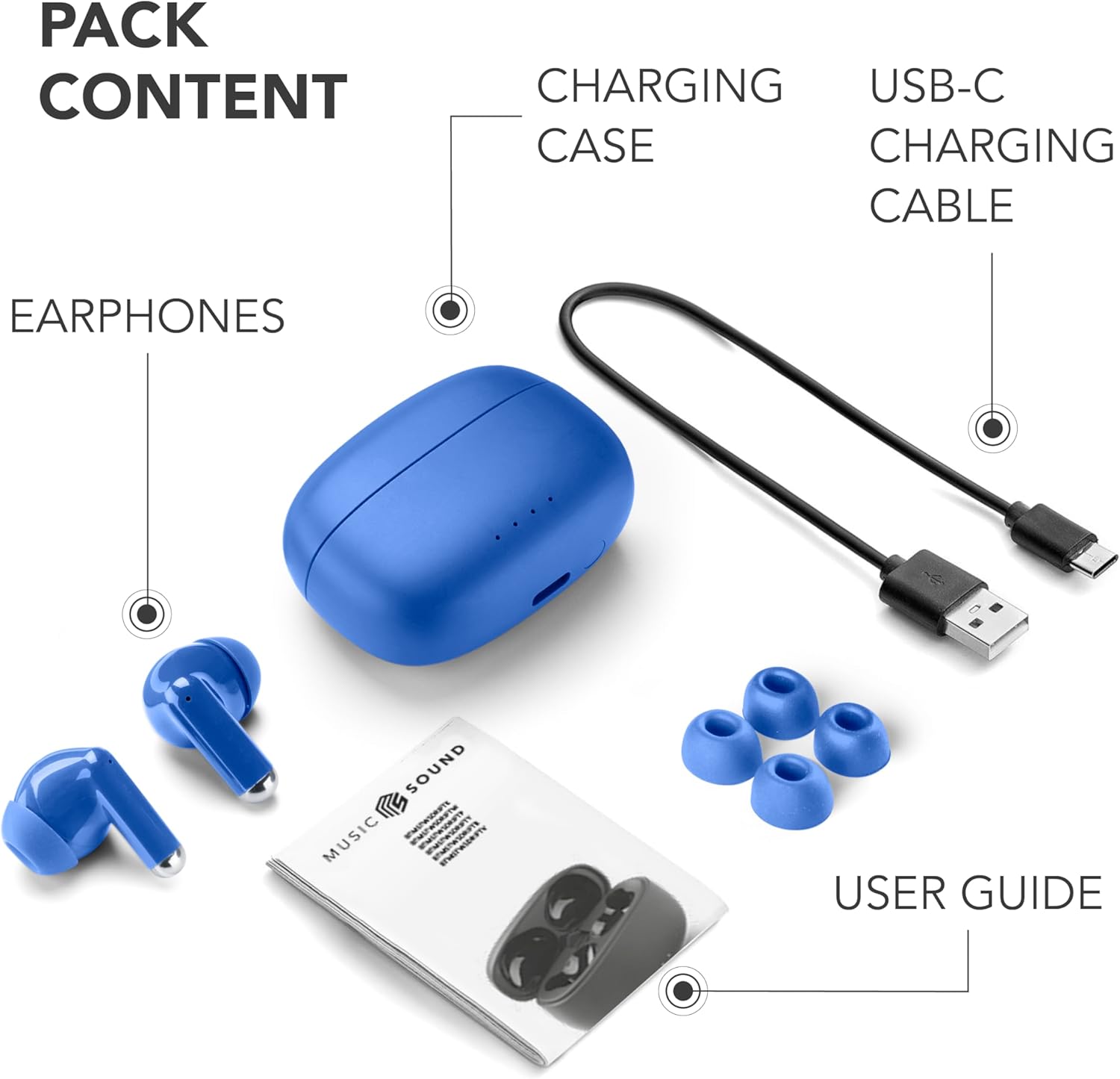
Figure 1.1: Package Contents. This image displays the complete contents of the Music Sound DRIFT headphone package, including the two blue in-ear headphones, the matching blue charging case, a black USB-C charging cable, a user guide booklet, and three pairs of blue silicone ear tips in various sizes.
2. Product Overview
2.1 Headphone Components and Touch Controls

Figure 2.1: Headphone Features. This image highlights the touch control area on the headphones, indicated by icons for call management, volume, and track control. It also points out the LED battery level indicator on the earbuds.
Each earbud is equipped with a touch-sensitive surface for easy control of music playback, calls, and voice assistant activation. An LED indicator provides status information.
2.2 Charging Case
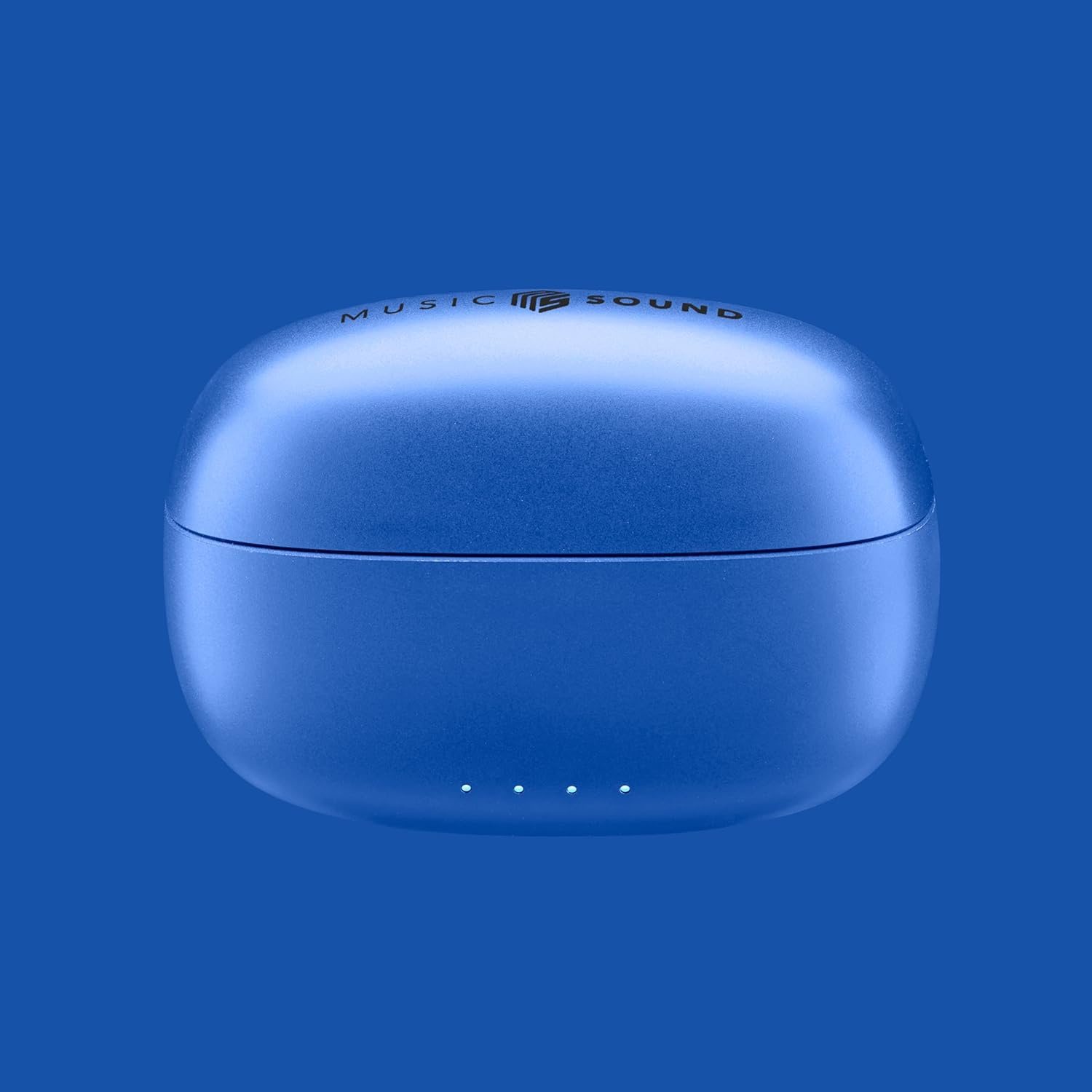
Figure 2.2: Charging Case. A view of the compact blue charging case for the Music Sound DRIFT headphones, featuring the 'Music Sound' logo on the lid.
The compact charging case protects your headphones and provides additional battery life, extending your listening time significantly. It features LED indicators to show its own battery status.
3. Setup
3.1 Initial Charging
Before first use, fully charge both the headphones and the charging case.
- Place the headphones into the charging case, ensuring they are correctly seated.
- Connect the USB-C charging cable to the charging port on the case and the other end to a USB power source (e.g., wall adapter, computer USB port).
- The LED indicators on the case will show charging status. Once fully charged, the indicators will typically turn solid or off.
- A full charge provides up to 5 hours of playback for the headphones, with the charging case extending total playtime to up to 22 hours.

Figure 3.1: Battery Life. This graphic shows that the headphones offer 5 hours of playtime on a single charge, and a total of 22 hours when combined with the charging case's capacity.
3.2 Pairing with Your Device
The DRIFT headphones feature automatic pairing for a seamless connection.
- Ensure the headphones are charged.
- Open the charging case. The headphones will automatically enter pairing mode (indicated by flashing LEDs).
- On your smartphone or Bluetooth-enabled device, go to Bluetooth settings and turn Bluetooth on.
- Search for available devices and select "Music Sound DRIFT" from the list.
- Once connected, the headphone LEDs will stop flashing, and you will hear a confirmation tone.
- After initial pairing, the headphones will automatically connect to the last paired device when removed from the case.
4. Operating Instructions
4.1 Power On/Off
- Power On: Open the charging case, or long-press the touch area on both earbuds for 3 seconds.
- Power Off: Place the headphones back into the charging case and close the lid, or long-press the touch area on both earbuds for 5 seconds.
4.2 Music Playback
- Play/Pause: Single tap on either earbud.
- Next Track: Double tap on the right earbud.
- Previous Track: Double tap on the left earbud.
- Volume Up: Triple tap on the right earbud.
- Volume Down: Triple tap on the left earbud.
4.3 Call Management
- Answer/End Call: Single tap on either earbud.
- Reject Call: Long-press on either earbud for 2 seconds.
4.4 Voice Assistant
- Activate Voice Assistant: Long-press on either earbud for 2 seconds (when not on a call).
5. Comfort and Fit
A proper fit is crucial for both sound quality and comfort. The DRIFT headphones are designed for a secure in-ear fit.

Figure 5.1: Comfortable Fit. This image shows a person comfortably wearing the Music Sound DRIFT in-ear headphones, highlighting their ergonomic design for a secure and pleasant fit during use.
- Choose the Right Ear Tips: Experiment with the included ear tip sizes to find the pair that creates a snug seal in your ear canal. This enhances bass response and noise isolation.
- Insert Correctly: Gently insert each earbud into your ear canal and twist slightly until it feels secure and comfortable.
- Check Stability: Shake your head gently to ensure the earbuds remain in place. Adjust as needed.
6. Maintenance
To ensure the longevity and optimal performance of your Music Sound DRIFT headphones, follow these maintenance guidelines:
- Cleaning: Regularly clean the earbuds and charging case with a soft, dry, lint-free cloth. Do not use harsh chemicals or abrasive materials. Gently remove any earwax or debris from the ear tips and speaker grilles using a small, soft brush or cotton swab.
- Storage: Always store the headphones in their charging case when not in use to protect them from dust, dirt, and physical damage. Keep the case closed.
- Battery Care: Avoid fully discharging the battery frequently. For long-term storage, charge the headphones and case to about 50% every few months. Avoid exposing the device to extreme temperatures.
- Water Resistance: The headphones are rated as waterproof. However, avoid prolonged submersion in water and ensure they are dry before placing them back in the charging case to prevent damage to the charging contacts.
7. Troubleshooting
If you encounter any issues with your headphones, refer to the table below for common problems and solutions.
| Problem | Solution |
|---|---|
| Headphones do not power on. | Ensure the headphones and charging case are fully charged. Place them in the case and close the lid, then open again. |
| Cannot pair with device. | Make sure Bluetooth is enabled on your device. Ensure headphones are in pairing mode (flashing LEDs). Forget the device from your phone's Bluetooth list and try pairing again. Move closer to your device. |
| No sound or low volume. | Check the volume level on both your device and the headphones. Ensure headphones are properly connected. Clean any debris from the speaker grilles. |
| One earbud has no sound. | Place both earbuds back into the charging case, close the lid, wait a few seconds, then take them out again. This often re-syncs them. Ensure both are charged. |
| Touch controls are unresponsive. | Ensure your fingers are clean and dry. Restart the headphones by placing them in the case and taking them out. |
8. Specifications
Below are the technical specifications for the Music Sound DRIFT Wireless In-Ear Bluetooth Headphones:
| Feature | Detail |
|---|---|
| Model Name | BTMSTWSDRIFTB |
| Brand | Music Sound |
| Connectivity Technology | Wireless (Bluetooth) |
| Wireless Communication Technology | Bluetooth 5 |
| Form Factor | In-Ear |
| Ear Placement | In-Ear |
| Control Method | Touch |
| Special Features | Touch-control, Automatic Pairing, Colored Case |
| Battery Life (Headphones) | Up to 5 hours (single charge) |
| Total Battery Life (with Case) | Up to 22 hours |
| Charging Time | Approximately 2 hours for full charge (case and headphones) |
| Material | Plastic |
| Water Resistance Level | Waterproof |
| Compatible Devices | Bluetooth-enabled devices |
| Noise Control | Sound Isolation |
| Included Components | Headphones, Charging Case, USB-C Cable |
| Item Weight | 140 g (Package) |
9. Warranty and Support
9.1 Warranty Information
Music Sound products are manufactured to the highest quality standards. This product is covered by a limited warranty against defects in materials and workmanship from the date of purchase. Please refer to the warranty card included in your package or the manufacturer's official website for detailed warranty terms and conditions.
9.2 Customer Support
If you have any questions, require technical assistance, or experience issues not covered in the troubleshooting section, please contact Music Sound customer support. Contact details can typically be found on the product packaging, the official Music Sound website, or through your retailer.
10. Product Demonstration Videos
Watch these official videos for visual demonstrations and further information on your Music Sound DRIFT headphones.
Video 10.1: Product Overview. This video provides a general overview of the Music Sound DRIFT headphones, showcasing their design and key features.
Video 10.2: Features and Usage. This video demonstrates various features and practical usage scenarios for the Music Sound DRIFT headphones.


