
1. Introduction
The UGREEN 2.5 inch Hard Drive Enclosure (Model 30848) is designed to connect your 2.5-inch SATA I/II/III SSD or HDD to a computer or other compatible devices via a USB 3.0 interface. This enclosure provides a convenient and efficient solution for data transfer, backup, and external storage, supporting drives up to 10TB capacity. Its tool-free design ensures easy installation and portability.
2. Features
-
High-Speed Data Transfer: Supports USB 3.0 with UASP (USB Attached SCSI Protocol) acceleration, enabling read and write speeds up to 70% faster than traditional USB 3.0. Data transfer rates can reach up to 5Gbps, allowing a 1GB file to transfer in seconds.

Image: Illustrates the 5Gbps SuperSpeed USB 3.0 capability, significantly faster than USB 2.0.
- Tool-Free Installation: Designed for quick and easy setup without the need for tools or drivers. Simply slide open the cover, insert your 2.5-inch HDD or SSD, and connect.
- Durable and Protective Design: Constructed from premium ABS plastic, providing robust protection for your hard drive against impacts and ensuring a longer product lifespan.
-
Intelligent Chipset: Equipped with an intelligent chipset (JMS578) that supports UASP, S.M.A.R.T, TRIM, and Auto Sleep functions for safer, more stable data transmission and extended drive life.

Image: Details the intelligent chip (JMS578) and its functions for enhanced performance and drive management.
-
Universal Compatibility: Provides an easy way to connect your 2.5-inch HDD/SSD to various devices including desktop computers, laptops, smart TVs, PlayStation 5, PlayStation 4, Xbox One, and more.

Image: Demonstrates the wide range of devices compatible with the enclosure, including gaming consoles and computers.
- Operating System Support: Compatible with Windows, macOS, and Linux operating systems, offering plug-and-play functionality.
-
High Capacity Support: Supports 2.5-inch SATA SSD/HDD drives up to 10TB.

Image: Shows the enclosure's capacity for large data storage, capable of holding numerous photos, songs, and movies.
-
Compact & Portable: With dimensions of 127.5mm x 81mm x 14.5mm, the enclosure is designed for easy portability, fitting comfortably in bags or pockets.

Image: Highlights the compact and portable design of the enclosure, making it easy to carry.
3. Setup and Installation
3.1. Hardware Installation (Tool-Free)
- Slide out the cover: Gently slide the top cover of the enclosure to open it.
- Install the Hard Disk: Carefully insert your 2.5-inch SATA HDD or SSD into the enclosure, ensuring it is properly seated in the SATA connector.
- Slide back the cover: Close the enclosure by sliding the cover back until it clicks into place.
- Connect to Computer: Connect the enclosure to your computer using the provided Micro-B to USB-A 3.0 cable. The enclosure is now ready for use.

Image: Visual guide demonstrating the four steps for tool-free hard drive installation.
3.2. Initial Disk Preparation (For New Drives)
If you are using a brand new hard drive, it may not be immediately recognized by your operating system until it is initialized and formatted. Follow these steps for Windows:
- Connect the hard drive enclosure to your computer.
- Search for "Disk Management" in the Windows search bar and open it.
- Locate your new hard drive (it will likely appear as "Unallocated Space").
- Right-click on the disk and select "Initialize Disk". Choose MBR or GPT partition style as appropriate (GPT is recommended for drives larger than 2TB).
- After initialization, right-click on the "Unallocated Space" and select "New Simple Volume". Follow the wizard to create a new partition and format it (e.g., NTFS for Windows).
- Once formatted, the drive will appear in "My Computer" or "This PC" and be ready for use.
4. Operation
Once the hard drive is installed and the enclosure is connected to a compatible device, it functions as an external storage device. You can drag and drop files, copy, paste, or use backup software to manage your data.
- Data Transfer: Simply connect the enclosure to a USB 3.0 port on your computer for optimal transfer speeds. The LED indicator on the enclosure will show activity during data transfer.
- Safe Removal: Always safely eject the hard drive from your operating system before disconnecting the enclosure to prevent data corruption.
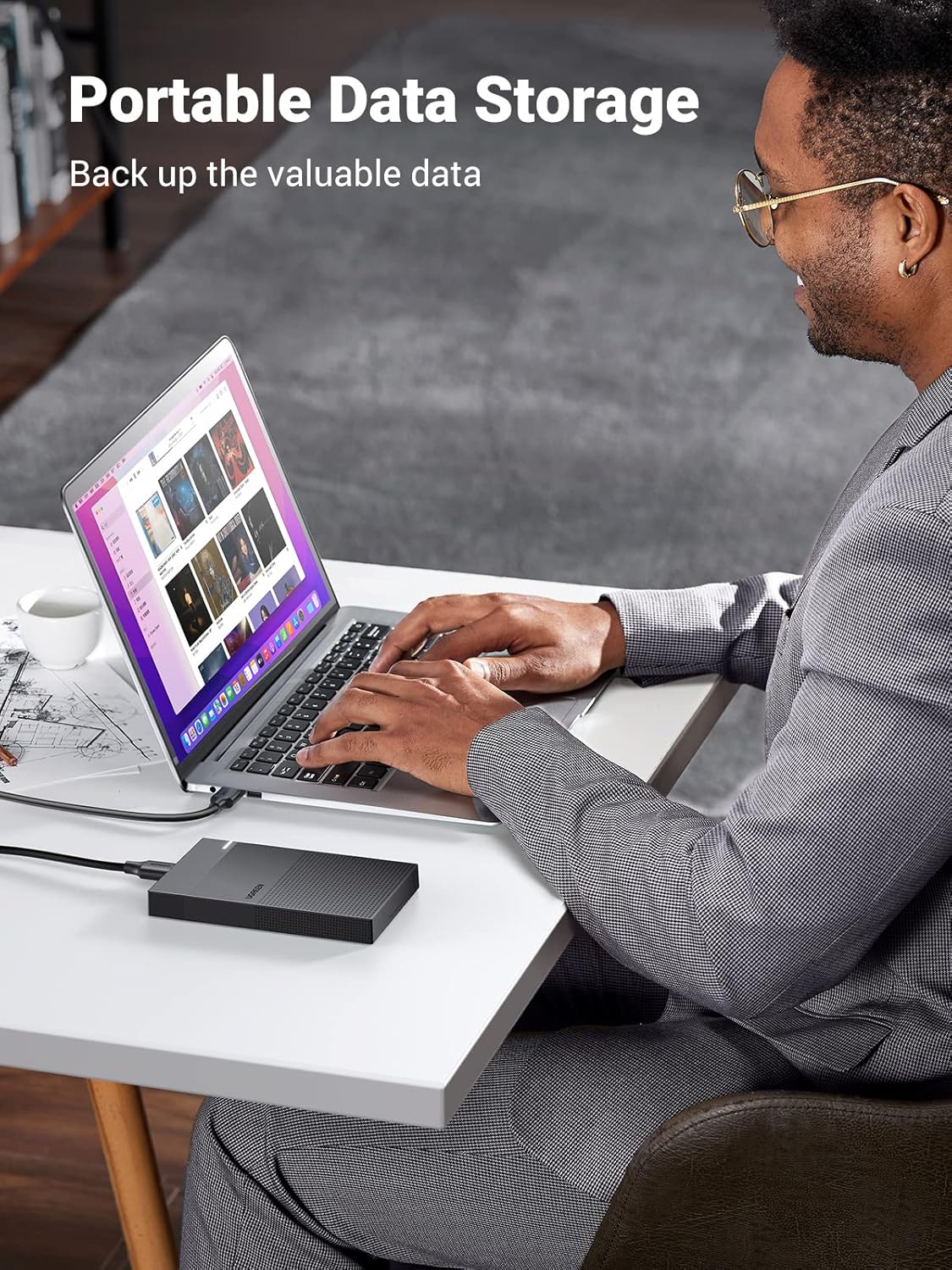
Image: A user demonstrating the enclosure's use for portable data storage with a laptop.
5. Maintenance
- Keep the enclosure clean and free from dust. Use a soft, dry cloth for cleaning.
- Avoid exposing the enclosure to extreme temperatures, direct sunlight, or high humidity.
- Handle the enclosure with care to prevent physical damage.
- Ensure proper ventilation when in use, especially during prolonged data transfers.
6. Troubleshooting
-
Drive Not Recognized:
- Ensure the hard drive is correctly installed inside the enclosure and the cover is fully closed.
- Try connecting the enclosure to a different USB port on your computer.
- If it's a new drive, ensure it has been initialized and formatted via Disk Management (refer to Section 3.2).
- Test the enclosure with a different 2.5-inch SATA drive if available.
-
Slow Transfer Speeds:
- Ensure the enclosure is connected to a USB 3.0 port on your computer. USB 2.0 ports will result in significantly slower speeds.
- Verify that your operating system and drivers are up to date.
- Check the health of your hard drive using disk utility software.
-
Enclosure Disconnects Randomly:
- Ensure the USB cable is securely connected to both the enclosure and the computer.
- Try a different USB cable or USB port.
- Avoid using unpowered USB hubs; connect directly to the computer's USB port.
7. Specifications
| Feature | Detail |
|---|---|
| Brand Name | UGREEN |
| Model Number | 30848 (CM471) |
| Hardware Interface | USB 3.0 (Micro-B) |
| Compatible Drives | 2.5 inch SATA I/II/III HDD & SSD |
| Max Memory Storage Capacity | 10 TB |
| Data Transfer Rate | Up to 5 Gbps |
| Operating Speed | 450 MBps (typical) |
| Compatible Devices | Desktop, Laptop, PS4, PS5, Xbox One, Smart TV |
| Hardware Platform | Universal |
| Materials | ABS Plastic, Metal |
| Color | Black |
| Item Weight | 132 grams |
| Country of Origin | China |
| Included Components | 1 x UGREEN CM471 SATA Micro USB External Hard Drive Enclosure, Black |


