Introduction
This manual provides essential information for the setup, operation, and care of your Little Live Pets Lil' Bird and House. This interactive electronic bird features record and playback capabilities, various bird sounds, and animated head movements. Please read these instructions thoroughly before use to ensure proper function and enjoyment.
What's in the Box
- 1 x Lil' Bird
- 1 x Birdhouse
- 1 x Instruction Manual
- Demonstration batteries (2 AAA batteries)
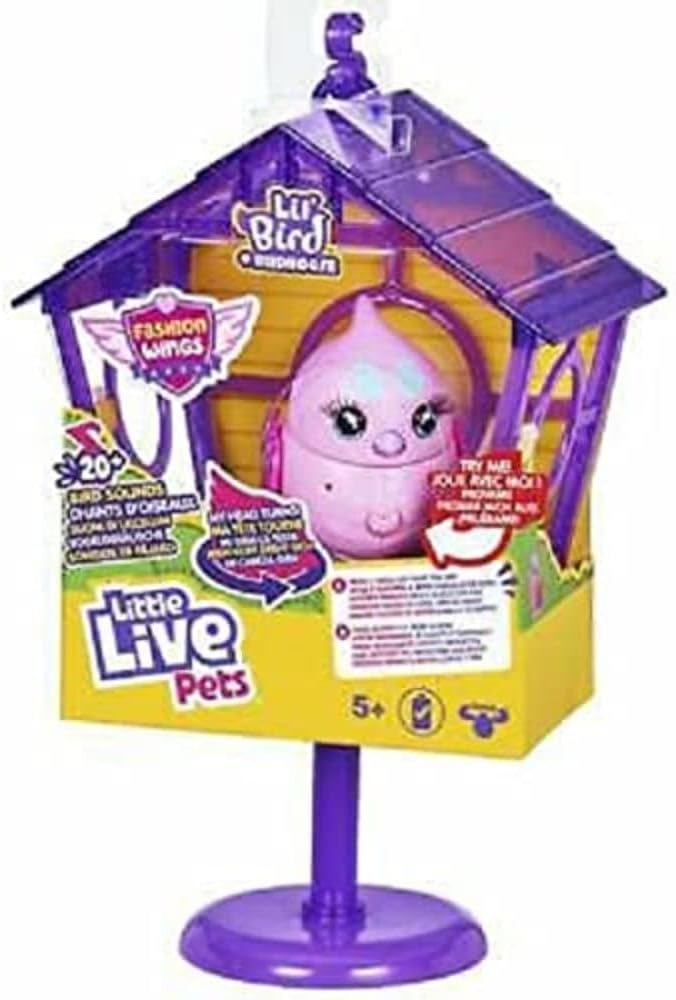
Image: The Little Live Pets Lil' Bird and House product as it appears in its retail packaging.
Safety Information
WARNING: CHOKING HAZARD - Small Parts. Not for children under 3 years.
Always supervise children during play. Ensure all parts are securely attached before use. Do not expose the electronic components to water or extreme temperatures.
Setup
- Unboxing: Carefully remove all components from the packaging. Retain packaging for future reference.
- Battery Installation: The Lil' Bird comes with demonstration batteries. To replace or install new batteries, locate the battery compartment on the underside of the bird. Use a small screwdriver to open the compartment, insert 2 AAA batteries (not included for replacement) ensuring correct polarity (+/-), and secure the cover.
- Birdhouse Assembly: The birdhouse components are designed to clip together. Ensure all parts are firmly connected to create a stable environment for your Lil' Bird. The birdhouse can be displayed on its removable stand or hung.

Image: A Lil' Bird outside its birdhouse, demonstrating the interactive nature of the toy.
Operating Instructions
Your Lil' Bird is designed for interactive play with several key features:
- Talkback Feature: To record your message, press and hold the Talk Button located on the bird's chest. Speak clearly into the bird (up to 10 seconds). Release the button when finished. Your Lil' Bird will repeat your message, moving its head and beak.
- Playback: To hear your recorded message again, quickly press the Talk Button. The bird will remember the last recorded phrase until a new one is recorded.
- Petting Interaction: Gently stroke your Lil' Bird's back. It will respond with tweets and turn its head. Continued petting will make the bird happier, leading to chirping, tweeting, and eventually whistling a tune.
- Sleeping Mode: If left undisturbed, your Lil' Bird may occasionally chirp, tweet, or sing to attract attention. After a few minutes of inactivity, it will enter sleep mode. To wake the bird, press the Talk Button on its chest.

Image: A close-up view of the Lil' Bird being held, highlighting its interactive features.

Image: A child interacting with the Lil' Bird while it is inside its birdhouse.
Official Product Videos
No official seller videos are available for embedding in this manual.
Maintenance
- Cleaning: Wipe the Lil' Bird and birdhouse with a dry, soft cloth. Do not use harsh chemicals or abrasive cleaners.
- Storage: Store the toy in a cool, dry place away from direct sunlight when not in use.
- Battery Care: Remove batteries if the toy will not be used for an extended period to prevent leakage.
Troubleshooting
- Bird not responding: Ensure batteries are correctly installed and not depleted. Replace with fresh AAA batteries if necessary.
- Recording issues: Make sure to press and hold the Talk Button firmly while speaking and release it completely after your message. Speak clearly and close to the bird.
- Birdhouse stability: If the birdhouse feels unstable, check that all connecting clips are fully engaged.
Specifications
| Product Dimensions | 5.91 x 3.94 x 10.63 inches |
| Item Weight | 8.1 ounces |
| Item Model Number | 26281 |
| Manufacturer Recommended Age | 5 - 10 years |
| Batteries | 2 AAA batteries required (included for demonstration) |
| Manufacturer | Moose |
Warranty and Support
For warranty information or customer support, please refer to the manufacturer's website or contact their customer service department directly. Keep your proof of purchase for any warranty claims.


