
WORKSITE WCGT224
WORKSITE 20V 10" Cordless String Trimmer & Edger
Model: WCGT224
Product Overview
The WORKSITE 20V 10-inch Cordless String Trimmer & Edger (Model WCGT224) is a versatile outdoor power tool designed for efficient grass trimming and precise lawn edging. This lightweight and easy-to-handle weed wacker features a powerful motor, a long-lasting 2.0Ah Li-ion battery, and a fast charger. Its innovative 2-in-1 design allows for quick conversion between trimming and edging modes, while the automatic line feed system ensures continuous operation without manual bumping. Adjustable height and handle angles provide enhanced comfort and control for various tasks.

Image: The WORKSITE Cordless Grass Trimmer, showing the main unit, two extra line spools, the 20V Li-ion battery, and the fast charger.
Package Contents
Please check the package contents upon unboxing to ensure all items are present:
- 1 x WORKSITE Cordless Grass Trimmer
- 1 x 20V Li-ion Battery (2.0Ah)
- 1 x Fast Charger
- 2 x Line String Trimmer Spool Replacements
- 1 x User Manual
Safety Information
Always read and understand all safety warnings, instructions, illustrations, and specifications provided with this power tool. Failure to follow all instructions listed below may result in electric shock, fire, and/or serious injury.
- Wear Eye Protection: Always wear appropriate eye protection (safety glasses or goggles) when operating the trimmer.
- Wear Protective Clothing: Wear long pants, sturdy footwear, and gloves to protect against debris.
- Keep Bystanders Away: Ensure children, pets, and other people are at a safe distance (at least 50 feet) from the operating area.
- Inspect Work Area: Before starting, clear the area of any objects that could be thrown by the line, such as rocks, glass, or wire.
- Avoid Wet Conditions: Do not operate the trimmer in wet grass or damp conditions to prevent electric shock.
- Secure Grip: Always maintain a firm grip on the tool with both hands during operation.
- Disconnect Battery: Always remove the battery pack before making any adjustments, changing accessories, or storing the tool.
- Proper Ventilation: Charge batteries in a well-ventilated area.
Setup
1. Assembly
- Attach the Auxiliary Handle: Slide the auxiliary handle onto the main shaft and secure it at a comfortable position using the locking mechanism.
- Install the Guard: Align the guard with the slots on the trimmer head and firmly push it into place until it clicks, ensuring it is securely attached.
- Adjust Shaft Length: Loosen the collar on the telescopic shaft and extend or retract the shaft to your desired operating height (between 36 and 47 inches). Tighten the collar to secure.

Image: Diagram illustrating the adjustable telescopic shaft, showing minimum 36 inches and maximum 47 inches height.
2. Battery Charging and Installation
- Charge the Battery: Connect the fast charger to a power outlet. Insert the 20V Li-ion battery into the charger. The indicator light on the charger will show the charging status. A full charge typically takes 1 hour.
- Install the Battery: Once fully charged, slide the battery pack into the battery slot on the trimmer handle until it clicks securely into place. Ensure it is fully seated.
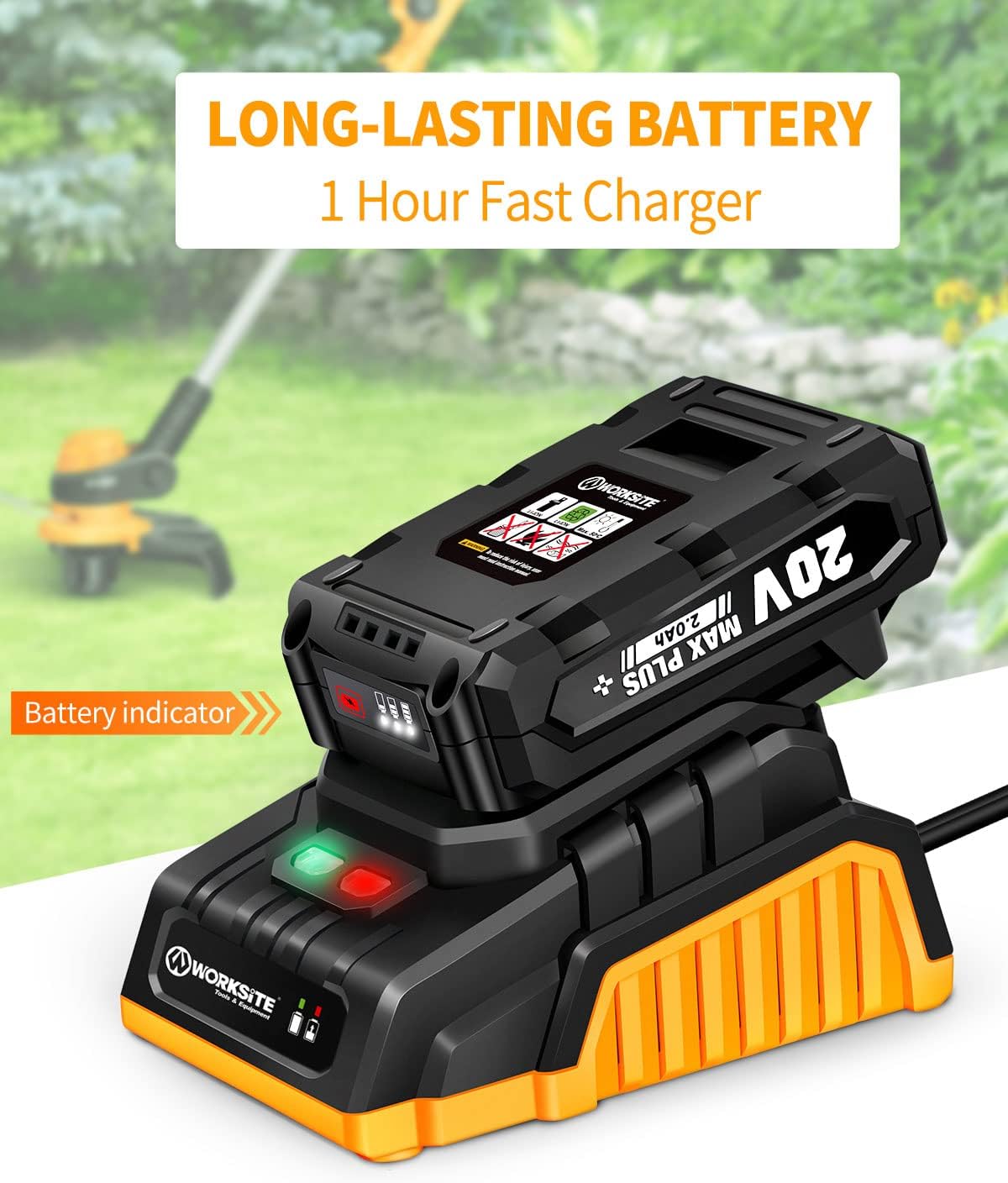
Image: A WORKSITE 20V Li-ion battery inserted into its fast charger, with indicator lights showing charging status.
Operating Instructions
1. Starting and Stopping
- To start the trimmer, press the lock-off safety switch and then squeeze the trigger.
- To stop the trimmer, release the trigger.

Image: A detailed diagram of the WORKSITE trimmer highlighting its key features: Lock-Off Safety Switch, Adjustable Handle & Height, Half Automatic Feed Spool, and Pivot Button with 7 different locking angles.
2. Trimming Function
- Hold the trimmer firmly with both hands, keeping the cutting head parallel to the ground.
- Swing the trimmer from side to side, cutting small amounts of grass with each pass.
- Maintain a consistent speed and avoid forcing the line into thick vegetation.

Image: The WORKSITE 2-in-1 Cordless String Trimmer demonstrating its use for both grass trimming and lawn edging.
3. Edging Function (2-in-1 Conversion)
- To convert to edger mode, press the pivot button near the trimmer head.
- Rotate the trimmer head 90 degrees until it locks into the edging position.
- Position the wheel along the edge of your lawn or pathway and guide the trimmer to create a clean edge.

Image: A visual guide demonstrating the rotatable handle, the 7 different angle adjustments for the trimmer head, and the rotatable head feature for easy conversion between trimming and edging.
4. Automatic Line Feed
- The trimmer features an automatic line feed system. The line will automatically extend as needed during operation without requiring you to bump the head.
- If the line does not feed, ensure the spool is correctly installed and not tangled.

Image: A person using the WORKSITE trimmer in a grassy area, with text indicating "AUTOMATIC FEED SPOOL" and "Easy and Smooth Line Feeding without Bumping."
Maintenance
1. Cleaning
- Always disconnect the battery before cleaning.
- Wipe down the tool with a damp cloth. Do not use harsh chemicals or abrasive cleaners.
- Remove any grass clippings or debris from the cutting head and guard.
2. Line Spool Replacement
- Disconnect the battery.
- Remove the spool cap and the empty spool.
- Insert a new WORKSITE line spool, ensuring the line is properly threaded through the eyelet.
- Replace the spool cap securely.
3. Battery Care and Storage
- Store the battery in a cool, dry place away from direct sunlight and extreme temperatures.
- For long-term storage, charge the battery to approximately 50% capacity.
- Do not store the battery connected to the tool.
Troubleshooting
| Problem | Possible Cause | Solution |
|---|---|---|
| Trimmer does not start | Battery not charged or not properly inserted; Safety switch not engaged. | Charge battery fully and ensure it is clicked into place. Press safety switch before trigger. |
| Line does not feed | Line tangled or empty spool; Debris in feed mechanism. | Replace spool if empty. Clear any debris from the cutting head. |
| Reduced cutting performance | Line too short or worn; Battery low. | Allow line to feed automatically or replace spool. Recharge battery. |
Specifications
| Feature | Detail |
|---|---|
| Brand | WORKSITE |
| Model | WCGT224 |
| Power Source | Battery Powered (20V Li-ion) |
| Cutting Width | 10 Inches |
| Speed | 10000 RPM |
| Item Weight | 6.2 Pounds (approx.) |
| Product Dimensions | 47"L x 5"W (max extended) |
| Battery Charge Time | 1 Hour (Fast Charger) |
| Functions | String Trimmer & Edger (2-in-1) |
| Line Feed System | Automatic |
Warranty and Support
For warranty information, technical support, or to purchase replacement parts, please refer to the contact information provided on the product packaging or visit the official WORKSITE website. Keep your purchase receipt as proof of purchase for warranty claims.
For further assistance, you may also contact WORKSITE customer service through their official channels.
Ask a question about this manual
Ask about setup, troubleshooting, compatibility, parts, safety, or missing instructions. Manuals+ will review the question and use this page’s manual context to help answer it.