
Newday DC1015A-5B/60
Newday 60" White Ceiling Fan User Manual
Model: DC1015A-5B/60 | Brand: Newday
1. Introduction
Thank you for choosing the Newday 60" White Ceiling Fan. This manual provides essential information for the safe installation, operation, and maintenance of your new ceiling fan. Please read this manual thoroughly before installation and keep it for future reference.
Safety Information
- Ensure power is disconnected at the circuit breaker before installation or servicing.
- All wiring must be in accordance with national and local electrical codes.
- The fan must be mounted with a minimum of 7 feet (2.1 meters) clearance from the floor to the blade trailing edge.
- Do not operate the fan if any part is damaged. Contact customer support immediately.
2. Product Overview
The Newday 60" White Ceiling Fan is designed for modern living spaces, offering efficient air circulation and integrated lighting. It features a quiet DC motor and a versatile remote control for ease of use.
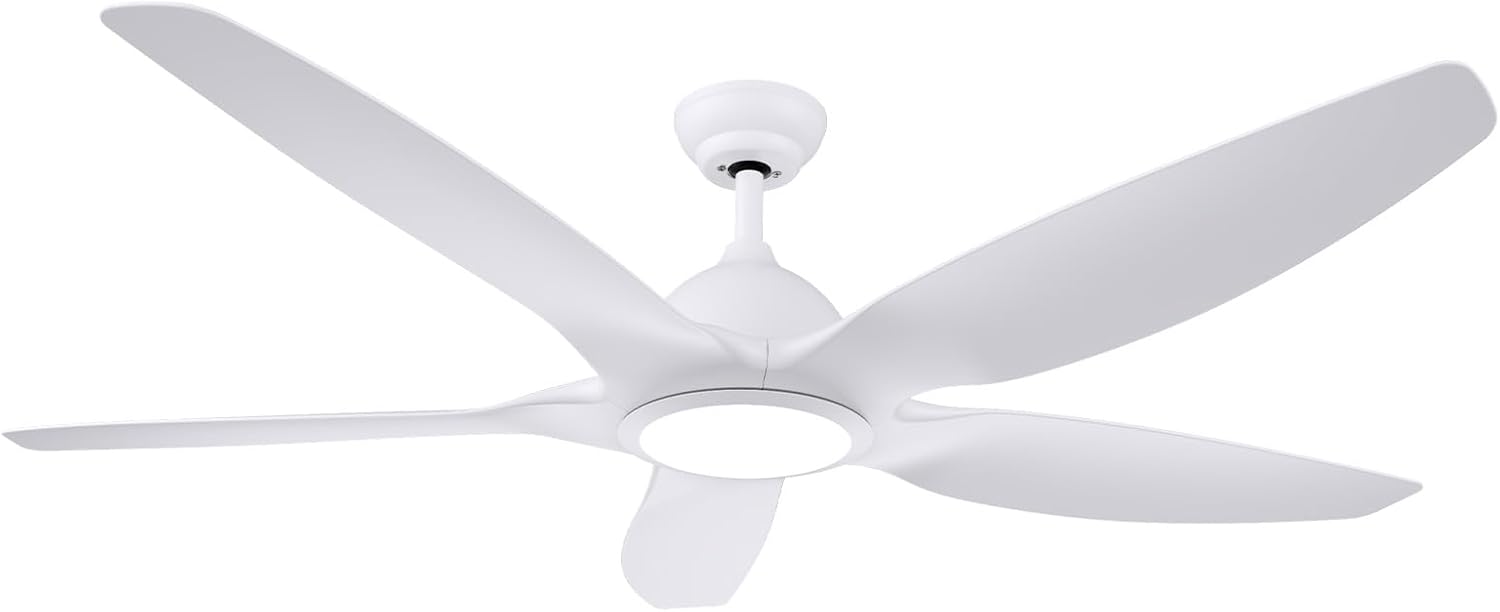
Figure 2.1: Newday 60" White Ceiling Fan. This image shows the complete fan unit with its five sleek white blades and integrated LED light kit.
Key Features:
- 60-inch Blade Span: Ideal for large indoor spaces like living rooms, bedrooms, kitchens, and covered patios.
- Quiet Reversible DC Motor: Operates silently, providing downdraft cooling in summer and updraft air circulation in winter. Energy-efficient design.
- Integrated Dimmable LED Light: 24W LED light with adjustable brightness (20%-100%) and three color temperatures (3000K warm, 4000K natural, 6500K cool).
- 6-Speed Remote Control: Offers precise control over fan speed, light settings, and a 1/3/6-hour timer. Includes a memory function for last settings.
- Durable Construction: Features corrosion-resistant blades in a matte white finish.

Figure 2.2: Multi-function Remote Control. This image displays the remote control unit, highlighting buttons for fan speed, light control, timer, and reverse function.
3. Setup and Installation
The Newday 60" ceiling fan is designed for easy installation, with most parts pre-assembled. Refer to the detailed installation instructions and video provided with your purchase for a smooth setup process.
Pre-Installation Checklist:
- Verify all components are present (Ceiling Fan, Light Kit, Remote, Downrods).
- Ensure the mounting location can support the fan's weight (approximately 19 pounds).
- Confirm electrical supply is 120 Volts.
- Prepare 2 AAA batteries for the remote control.
Mounting Options:
The fan supports both flat and inclined mounting options (up to 15° slope).

Figure 3.1: Product Dimensions and Installation Angles. This image illustrates the fan's dimensions (60 inches wide, 15.35 inches high with a 5-inch downrod) and shows diagrams for both flat and sloped ceiling installations.

Figure 3.2: Easy Installation. This image shows a person installing the ceiling fan, emphasizing the ease of setup and reduced need for professional assistance.
4. Operating Instructions
Your Newday ceiling fan is controlled by the included remote. Familiarize yourself with the remote's functions for optimal use.
Remote Control Functions:

Figure 4.1: Remote Control Layout. This diagram illustrates the buttons on the remote control, including Light On/Off, Fan Speeds (1-6), Fan On/Off, Day Light, Color Temperature adjustment (WW/NW/DW), Brightness adjustment (+/-), Forward/Reverse, and Timer (1H/3H/6H), and Sleep Mode.
- Fan On/Off: Press the power button to turn the fan on or off.
- Fan Speeds (1-6): Select desired airflow from gentle breeze (1) to powerful circulation (6).
- Light On/Off: Toggles the light on or off.
- Color Temperature Adjustment: Press 'WW' for Warm White (3000K), 'NW' for Natural White (4000K), and 'DW' for Daylight White (6500K).
- Brightness Adjustment: Use '+' to increase brightness and '-' to decrease brightness (20%-100%).
- Forward/Reverse Function: Toggles fan direction for summer (downdraft) or winter (updraft) modes.
- Timer: Set the fan to turn off automatically after 1, 3, or 6 hours.
- Sleep Mode: Activates a simulated natural wind mode, cycling through speeds 1, 2, and 3 every 20 seconds for comfortable sleep.
Memory Function:
The fan remembers your last light settings (brightness and color temperature). To ensure the memory function works correctly, turn off the light and wait for more than 10 seconds before turning it back on. If turned on within 10 seconds, the color temperature may switch.

Figure 4.2: Light Memory Function. This image demonstrates how the light's color temperature and brightness settings are saved after turning off the light for more than 10 seconds.
Seasonal Operation:

Figure 4.3: Summer & Winter Dual Use. This image visually explains the fan's reversible motor function, showing downdraft for cooling in summer and updraft for circulating warm air in winter.
5. Maintenance
Regular maintenance ensures the longevity and optimal performance of your Newday ceiling fan.
- Cleaning: To clean the fan, wipe with a soft, damp cloth. Do not use abrasive cleaners or solvents. Ensure power is off before cleaning.
- Blade Care: Periodically check the blades for dust accumulation. Clean them gently to maintain balance and airflow efficiency.
- Tightness Check: Annually check all screws and connections for tightness.
6. Troubleshooting
If you encounter issues with your fan, refer to the following common problems and solutions:
| Problem | Possible Cause | Solution |
|---|---|---|
| Fan does not start. | No power, loose wiring, remote battery dead. | Check circuit breaker. Ensure all connections are secure. Replace remote batteries. |
| Fan wobbles. | Loose blades, unbalanced blades, improper mounting. | Tighten blade screws. Use balancing kit (not included) if necessary. Re-check mounting bracket. |
| Light does not work. | Loose wiring, LED driver issue, remote battery dead. | Check light kit wiring. Replace remote batteries. Contact support if LED driver is suspected. |
| Remote not responding. | Dead batteries, remote not paired. | Replace batteries. Refer to pairing instructions in the full manual (if applicable). |
| Fan makes noise. | Loose screws, motor issue, obstruction. | Check and tighten all screws. Ensure nothing is obstructing the blades. If motor noise persists, contact support. |
For issues not listed here, or if solutions do not resolve the problem, please contact Newday customer support.
7. Specifications
- Brand: Newday
- Model Name: DC1015A-5B/60
- Color: White
- Size: 60 INCH
- Electric Fan Design: Ceiling Fan
- Power Source: DC
- Product Dimensions: 29"D x 10"W x 17"H (Note: These dimensions typically refer to packaging. The fan itself has a 60-inch blade span and approximately 15.35 inches height with downrod.)
- Room Type: Home Office, Kids Room, Kitchen, Bedroom, Living Room, Covered Patio, Dining Room, Library, Study Room
- Special Features: Dimmable, LED Light, Remote Controlled, Timer, Reversible motor
- Wattage: 24 watts (for light)
- Finish Type: Matte White
- Number of Blades: 5
- Blade Material: Plastic
- Speed: 6 speeds
- Voltage: 120 Volts
- Switch Type: Remote Control
- Item Weight: 19 Pounds
- Included Components: Ceiling Fan, Light Kit, Remote, Downrods
- Indoor/Outdoor Usage: Indoor
- Batteries: 2 AAA batteries required (for remote)
- Installation Type: Flush Mount (also supports sloped ceilings up to 15°)
- Max Air Volume: 8000 CFM
- Light Brightness: 2400 Lumens
- Noise Level: Under 35dB
8. Warranty and Support
Newday is committed to customer satisfaction. Your ceiling fan comes with a 24-month maintenance plan (warranty).
For any questions regarding installation, operation, or troubleshooting, please contact our 24-hour technical support team. We are dedicated to providing excellent after-sales service.
Contact information for support can typically be found on the product packaging or the official Newday website.
Ask a question about this manual
Ask about setup, troubleshooting, compatibility, parts, safety, or missing instructions. Manuals+ will review the question and use this page’s manual context to help answer it.