
hOmeLabs 1500 Sq. Ft Dehumidifier (ASIN: B095WHXJ9R)
hOmeLabs 1,500 Sq. Ft Dehumidifier User Manual
Brand: hOmeLabs | Model: 1500 Sq. Ft Dehumidifier (ASIN: B095WHXJ9R)
Introduction
This user manual provides comprehensive instructions for the safe and efficient operation, maintenance, and troubleshooting of your hOmeLabs 1,500 Sq. Ft Energy Star Dehumidifier. Please read this manual thoroughly before using the appliance and retain it for future reference.
Safety Information
To prevent injury to the user or others and property damage, the following instructions must be followed. Incorrect operation due to ignoring instructions may cause harm or damage.
- Always ensure the dehumidifier is placed on a level, stable surface to prevent tipping.
- Do not operate the unit with a damaged power cord or plug.
- Keep the air inlet and outlet clear of obstructions to ensure proper airflow.
- Do not insert fingers or foreign objects into the air vents.
- Unplug the dehumidifier before cleaning or performing any maintenance.
- This appliance is designed for residential use only.
- Do not use the dehumidifier in areas where flammable gases or liquids are stored.
Product Overview
Familiarize yourself with the main components and features of your hOmeLabs Dehumidifier.
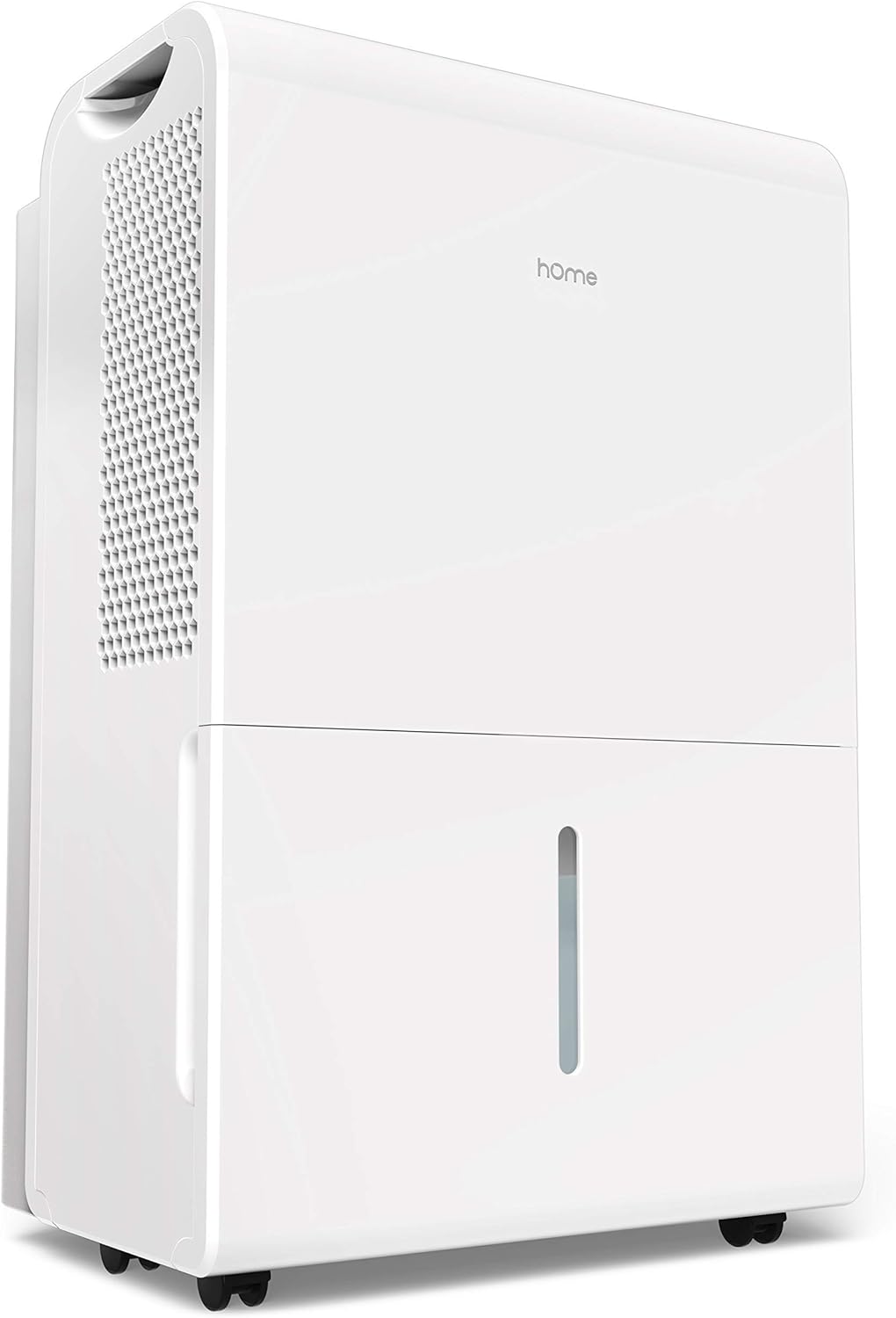
Figure 1: Front-right view of the hOmeLabs 1,500 Sq. Ft Dehumidifier, showcasing its compact design and water tank.

Figure 2: Top-down view of the control panel, highlighting the Comfort, Continuous, and Turbo operating modes. The display shows the current humidity level.

Figure 3: Side view illustrating the compact dimensions of the dehumidifier: approximately 19.7 inches in height, 15.2 inches in width, and 10 inches in depth.

Figure 4: Close-up view of the integrated wheels, designed for easy movement and positioning of the dehumidifier.

Figure 5: The removable water tank, shown partially extracted, allows for convenient manual emptying of collected moisture.

Figure 6: A clear view of the water level indicator on the front of the dehumidifier, allowing users to easily monitor the water tank's fill status.
Setup
Unpacking and Placement
- Carefully remove the dehumidifier from its packaging. Retain packaging materials for future storage or transport.
- Place the unit upright on a firm, level surface in the area where dehumidification is desired.
- Ensure there is at least 8 inches (20 cm) of space around all sides of the unit for proper air circulation. Do not block the air inlet or outlet.
- Avoid placing the unit near heat sources, direct sunlight, or in areas exposed to freezing temperatures.
Power Connection
- Plug the power cord into a grounded electrical outlet. Ensure the voltage and frequency match the specifications on the unit's rating label.
Operating Instructions
Control Panel Functions
The control panel allows you to manage the dehumidifier's settings and modes.
- Power Button: Press to turn the unit ON or OFF.
- Humidity Setting Buttons (Up/Down Arrows): Adjust the desired humidity level between 35% RH and 85% RH in 5% increments.
- Mode Button: Cycle through operating modes:
- Comfort Mode: Automatically sets a comfortable and healthy humidity level based on the ambient temperature.
- Continuous Mode: The unit will continuously dehumidify regardless of the set humidity level. This is the default setting when turned on. To adjust humidity, turn off Continuous mode.
- Turbo Mode: Increases fan speed to high for maximum moisture removal and odor reduction.
- Timer Button: Set a timer for automatic ON/OFF operation (e.g., 2 hours, 4 hours, etc.).
- Filter Button: Illuminates to indicate when the air filter needs cleaning. Press to reset after cleaning.
Continuous Drainage Setup
For continuous operation without manually emptying the water tank, you can set up continuous drainage.
- Locate the drainage outlet on the back or side of the unit (refer to product diagram if available).
- Attach a standard garden hose (not included) to the drainage outlet. Ensure a secure connection to prevent leaks.
- Direct the other end of the hose to a floor drain or a suitable container where water can be continuously discharged. Ensure the hose is sloped downwards to allow gravity drainage.
Maintenance
Regular maintenance ensures optimal performance and extends the lifespan of your dehumidifier.
Emptying the Water Tank
- When the water tank is full, the unit will automatically shut off and an indicator light will illuminate.
- Carefully pull out the water tank from the front of the unit.
- Empty the collected water into a sink or drain.
- Slide the empty tank back into the unit until it clicks into place. The unit will resume operation.
Cleaning the Air Filter
The air filter should be cleaned every two weeks or when the "Filter" indicator light illuminates.
- Turn off the dehumidifier and unplug it from the power outlet.
- Locate the air filter (usually on the back or side of the unit). Gently pull it out.
- Clean the filter with warm, soapy water. Rinse thoroughly and allow it to air dry completely before reinserting. Do not use a dishwasher.
- Once the filter is dry, slide it back into its slot.
- Plug in the unit and press the "Filter" button to reset the indicator.
Cleaning the Exterior
- Wipe the exterior of the unit with a soft, damp cloth. Do not use harsh chemicals or abrasive cleaners.
Troubleshooting
Before contacting customer support, please refer to the following table for common issues and their solutions.
| Problem | Possible Cause | Solution |
|---|---|---|
| Dehumidifier does not turn on. | No power; Power cord loose; Water tank full or not properly seated. | Check power outlet; Ensure power cord is securely plugged in; Empty and re-seat water tank. |
| Unit is running but not collecting water. | Humidity setting too high; Room temperature too low; Air filter clogged. | Lower desired humidity setting; Ensure room temperature is above 41°F (5°C); Clean air filter. |
| Unit is noisy. | Unit not on a level surface; Air filter clogged. | Place unit on a firm, level surface; Clean air filter. |
| Water leaks from the unit. | Water tank not properly seated; Continuous drainage hose loose or clogged. | Re-seat water tank; Check continuous drainage hose connection and ensure it's not blocked. |
Specifications
Key technical specifications for the hOmeLabs 1,500 Sq. Ft Dehumidifier.
| Feature | Detail |
|---|---|
| Brand | hOmeLabs |
| Floor Area Coverage | 1500 Square Feet |
| Color | White |
| Special Feature | Manual, Programmable |
| Recommended Use | Residential |
| Included Components | Dehumidifier, User Manual |
| Material | Plastic |
| Operation Mode | Continuous |
| Product Dimensions | 15.2 x 10.2 x 19.7 inches |
| ASIN | B095WHXJ9R |
| UPC | 656942065036 |
Warranty and Support
For warranty information or technical support, please refer to the warranty card included with your product or visit the official hOmeLabs website. You may also contact hOmeLabs customer service directly for assistance with product operation, parts, or service inquiries.
Note: This product is listed as "Renewed". Please refer to the specific warranty terms provided by the seller for renewed products, as they may differ from new product warranties.
Related documents1500 Sq. Ft Dehumidifier (ASIN: B095WHXJ9R)


Ask a question about this manual
Ask about setup, troubleshooting, compatibility, parts, safety, or missing instructions. Manuals+ will review the question and use this page’s manual context to help answer it.