1. Introduction
The UrbanX Bluetooth 5.0 Adapter C28 is a versatile 2-in-1 wireless audio device designed to enhance your audio experience. It functions as both a Bluetooth transmitter (Tx) and a Bluetooth receiver (Rx), allowing you to add Bluetooth capabilities to a wide range of audio equipment. This manual provides detailed instructions for setup, operation, and maintenance of your C28 adapter.
2. Product Overview and Features
The UrbanX C28 adapter integrates Bluetooth 5.0 technology for stable and efficient wireless audio transmission and reception. Its compact design and 3.5mm AUX connectivity make it suitable for various applications, including car audio systems, home stereos, speakers, wired headphones, TVs, and PCs.
Key Features:
- Bluetooth 5.0: Provides a stable connection with improved speed, range, and lower energy consumption.
- 2-in-1 Functionality: Operates as both a Transmitter (Tx) and a Receiver (Rx).
- 3.5mm AUX Connectivity: Compatible with devices featuring a standard 3.5mm audio jack.
- CVC 8.0 Noise Cancellation & DSP: Reduces background noise and echo for clear audio quality.
- Hands-free Calling: Built-in microphone for answering and rejecting calls in Receiver mode.
- Rechargeable Battery: Integrated 140mAh Li-ion battery provides approximately 4 hours of continuous operation.
- Plug & Play: Simple setup with one-button operation and clear status indicators.
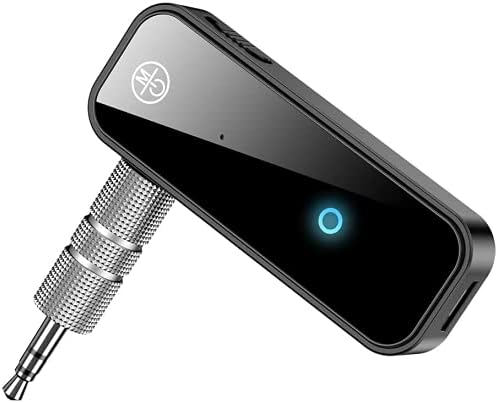
The UrbanX Bluetooth 5.0 Adapter C28, a compact device featuring a 3.5mm audio jack and an indicator light.

The UrbanX C28 adapter connected to a car's auxiliary input, enabling Bluetooth audio streaming.
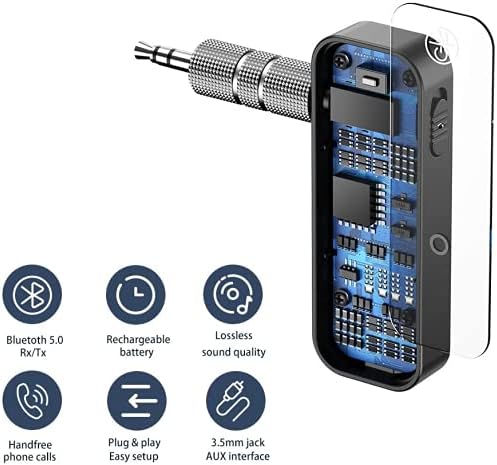
An exploded view of the UrbanX C28 adapter highlighting its internal circuitry and listing features like Bluetooth 5.0, rechargeable battery, lossless sound, hands-free calls, plug & play, and 3.5mm AUX interface.
3. Package Contents
Please check the package for the following items:
- 1x UrbanX Bluetooth Receiver Transmitter (C28)
- 1x Micro USB Charging Cable
- 1x 3.5mm Audio Head (AUX connector)
- 1x User Manual
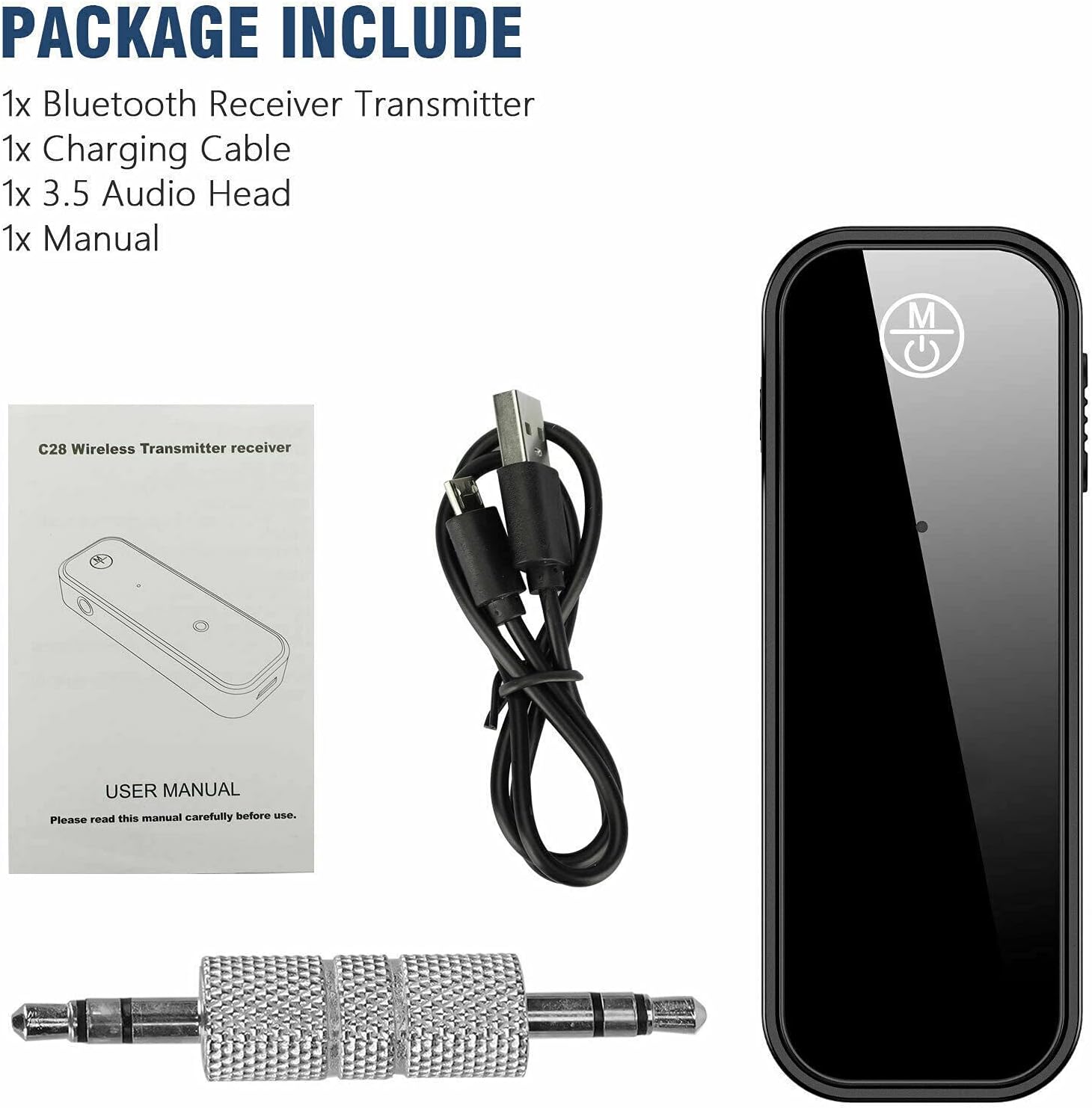
The package includes one UrbanX Bluetooth Receiver Transmitter (C28), one charging cable, one 3.5mm audio head, and one user manual.
4. Setup Instructions
4.1 Charging the Device
Before initial use, fully charge the UrbanX C28 adapter. Connect the provided Micro USB cable to the charging port on the adapter and the other end to a USB power source (e.g., computer USB port, USB wall adapter). The indicator light will show charging status and turn off when fully charged.
4.2 Transmitter (TX) Mode Setup
Use TX mode to transmit audio from a non-Bluetooth device (like a TV or PC) to Bluetooth headphones or speakers.
- Ensure the device is charged.
- Connect the C28 to the audio output jack (3.5mm AUX) of your audio equipment (e.g., TV, PC).
- Slide the switch button on the C28 to the TX position.
- Press and hold the multi-function button to turn on the device. The red light will flash quickly, indicating it is ready to pair.
- Turn on your Bluetooth headphones or speaker and set them to pairing mode. The C28 will automatically connect. Once connected, the wireless indicator will light up in red.

Step-by-step guide for initiating Transmitter (TX) mode, including charging, connecting to audio equipment, switching to TX, powering on, and pairing.

Illustration of the UrbanX C28 adapter used in Transmitter (Tx) mode to stream TV audio to Bluetooth headphones for private listening.
4.3 Receiver (RX) Mode Setup
Use RX mode to receive audio from a Bluetooth-enabled device (like a smartphone) and play it through a non-Bluetooth audio system (like a car stereo or wired speakers).
- Ensure the device is charged.
- Connect the C28 to the audio input jack (3.5mm AUX) of your audio equipment (e.g., car stereo, home speaker).
- Slide the switch button on the C28 to the RX position.
- Press and hold the multi-function button to turn on the device. The blue light will flash quickly, indicating it is ready to pair.
- On your phone or other Bluetooth device, search for available Bluetooth devices and select "C28" to pair. Once connected, the wireless indicator will light up in blue.
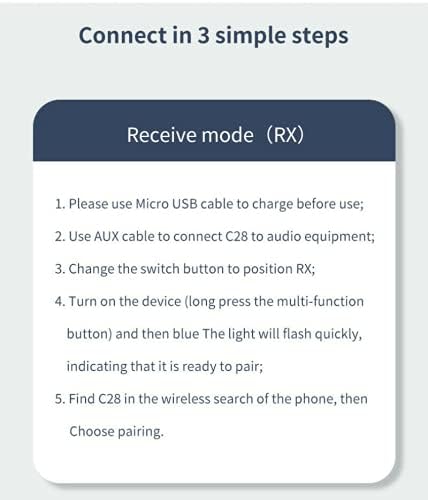
Step-by-step guide for initiating Receiver (RX) mode, including charging, connecting to audio equipment, switching to RX, powering on, and pairing with a phone.

A visual guide explaining the two operational modes: Tx mode for converting audio output from devices like PCs or TVs to Bluetooth, and Rx mode for enabling Bluetooth reception on older audio systems from a cellphone.
5. Operating Instructions
5.1 Power On/Off
- Power On: Press and hold the multi-function button until the indicator light flashes.
- Power Off: Press and hold the multi-function button until the indicator light turns off.
5.2 Music Playback (RX Mode)
Once paired with your smartphone or other Bluetooth audio source:
- Play music on your connected device. The audio will stream wirelessly to the C28 and then through the connected audio equipment.
- Use your connected device to control playback (play/pause, skip tracks, volume).
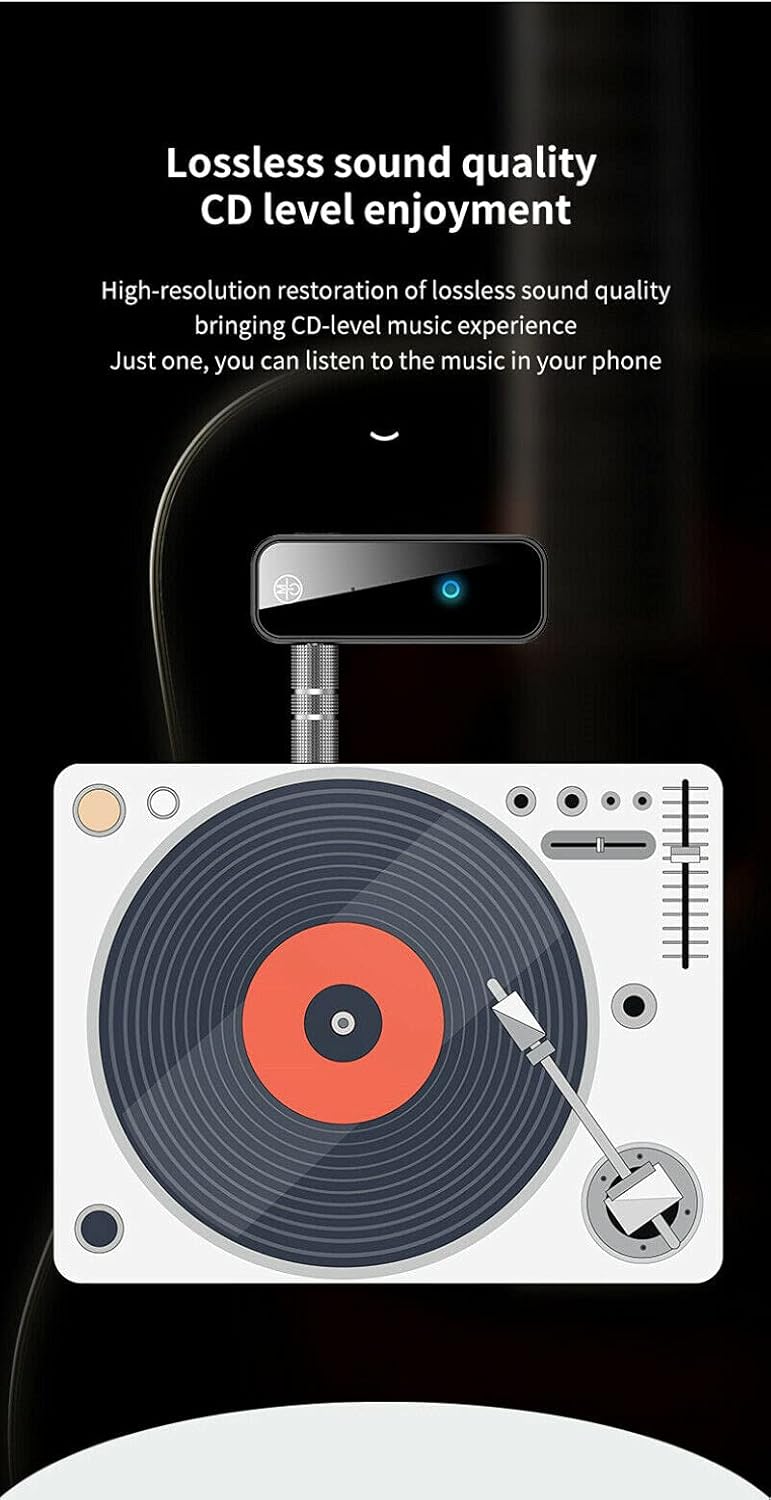
Image depicting the UrbanX C28 adapter connected to an audio source, illustrating its capability to deliver high-resolution, lossless sound quality.
5.3 Hands-free Calling (RX Mode)
When the C28 is in RX mode and paired with your smartphone:
- Answer Call: Press the multi-function button once when a call comes in.
- Reject Call: Press and hold the multi-function button for approximately 2 seconds.
- End Call: Press the multi-function button once during a call.
6. Troubleshooting
If you encounter issues with your UrbanX C28 adapter, please refer to the following common solutions:
- No Power: Ensure the device is fully charged. Connect it to a power source using the Micro USB cable.
- Cannot Pair:
- Ensure the C28 is in the correct mode (TX or RX) for your intended use.
- Make sure the C28 is in pairing mode (indicator light flashing).
- Ensure your target device (headphones, speaker, phone) is also in pairing mode.
- Move the C28 closer to the device you are trying to pair with.
- Clear previous Bluetooth connections on both devices and try pairing again.
- No Audio:
- Verify that the 3.5mm AUX cable is securely connected to both the C28 and your audio equipment.
- Check the volume levels on both the C28 (if applicable) and the connected audio equipment/source device.
- Ensure the C28 is successfully paired and connected to the correct device.
- Poor Audio Quality:
- Reduce the distance between the C28 and the paired Bluetooth device.
- Remove any obstacles that may be interfering with the Bluetooth signal.
- Ensure there are no other strong wireless signals nearby causing interference.
7. Specifications
| Model Number | C28 |
| Bluetooth Version | 5.0 |
| Connectivity Technology | Wireless (Bluetooth) |
| Audio Interface | 3.5mm AUX Jack |
| Power Source | Battery Powered (Rechargeable Li-ion 140mAh) |
| Operating Time | Approx. 4 hours |
| Special Features | 2-in-1 Transmitter/Receiver, Hands-free Calling, CVC 8.0 Noise Cancellation |
| Item Weight | 1 ounce |
| Package Dimensions | 2 x 2 x 1 inches |
| Material | Composite |
8. Safety Information
Please read and follow these safety guidelines to ensure proper use and longevity of your device:
- Do not expose the device to extreme temperatures, direct sunlight, or high humidity.
- Avoid dropping or subjecting the device to strong impacts.
- Do not disassemble, repair, or modify the device yourself. This may void the warranty and cause damage.
- Keep the device away from water and other liquids.
- Use only the provided charging cable or a certified equivalent.
- Dispose of the device and its battery responsibly according to local regulations.
9. Warranty and Support
The UrbanX C28 adapter comes with a standard manufacturer's warranty. For specific warranty details, please refer to the product packaging or contact UrbanX customer support.
If you require further assistance or have questions not covered in this manual, please contact UrbanX customer support through their official website or the retailer where you purchased the product.


