Introduction
This manual provides essential instructions for the safe and effective use of your PKPOWER 22V 455MA AC DC Adapter. Please read this guide thoroughly before use and retain it for future reference.
Important Safety Instructions
- Ensure the adapter is connected to a power outlet with the correct voltage (100-240V).
- Do not expose the adapter to water or excessive moisture.
- Avoid dropping or subjecting the adapter to severe impact.
- Disconnect the adapter from the power source during lightning storms or when unused for long periods.
- This adapter features Over Voltage Protection (OVP), Over Current Protection (OCP), and Short Circuit Protection (SCP) to ensure safe operation.
- Do not attempt to open or repair the adapter. Refer servicing to qualified personnel.
- Keep out of reach of children.

Product Overview and Components
Your PKPOWER AC DC Adapter package includes the following components:
- 1 x AC DC Adapter Unit
- 1 x Power Cord (for connecting to wall outlet)


Setup Instructions
- Connect the AC Power Cord: Insert the 2-pin end of the AC power cord into the input port of the PKPOWER AC DC adapter unit.
- Connect to Power Outlet: Plug the other end of the AC power cord into a standard wall power outlet (100-240V).
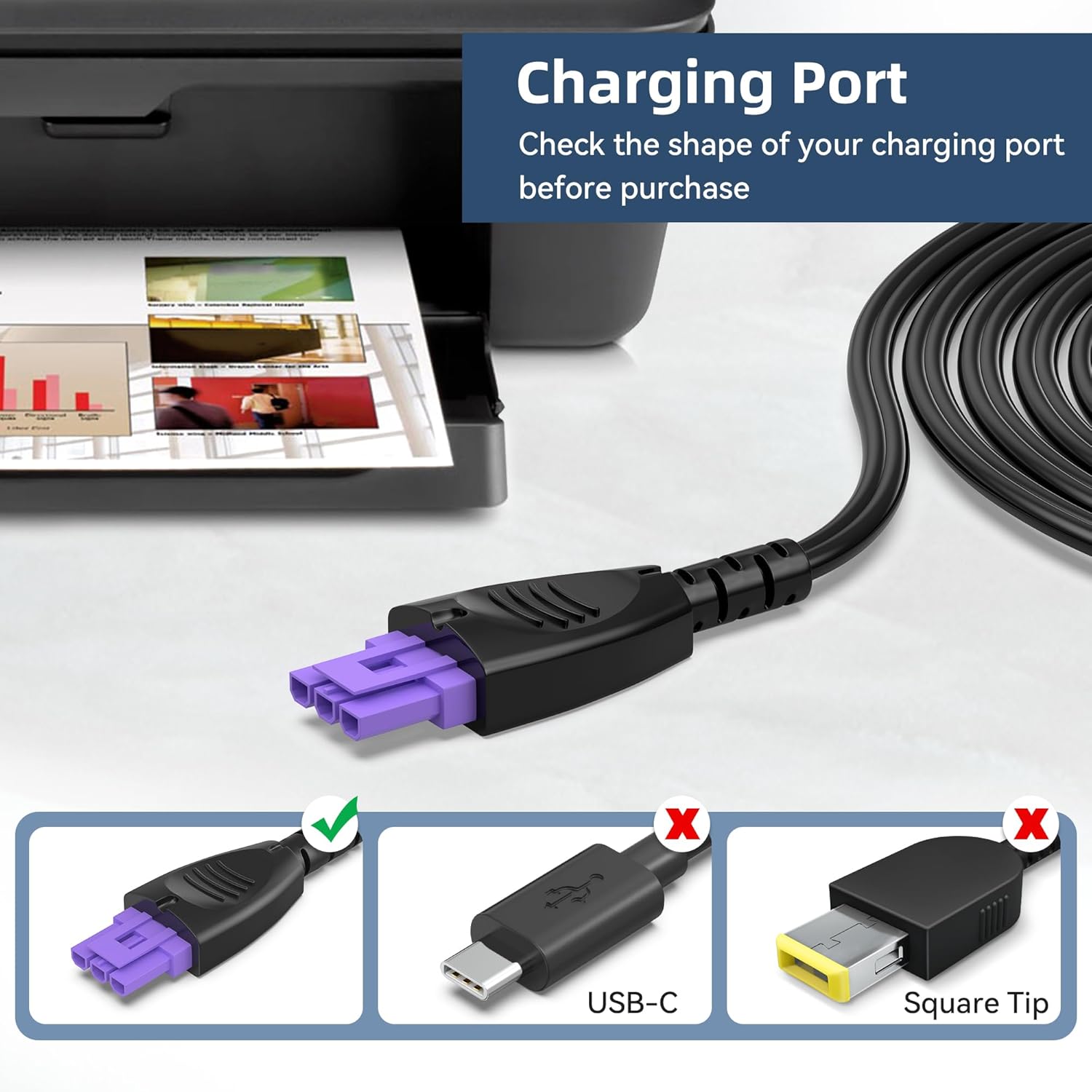
- Connect to Printer: Carefully insert the purple-tipped DC output connector of the adapter into the corresponding power input port on your compatible HP Deskjet Ink Advantage printer. Ensure a firm and secure connection.
- Verify Connection: Once connected, your printer should receive power.

Operation
Once the adapter is correctly connected to both the power outlet and your printer, the printer will receive power. Refer to your printer's specific user manual for instructions on powering on and operating the printer itself.
The adapter is designed for continuous use within its specified voltage and current limits.
Maintenance and Care
- Keep the adapter clean and free from dust. Use a soft, dry cloth for cleaning.
- Store the adapter in a cool, dry place when not in use.
- Avoid wrapping the cables too tightly, which can damage the internal wires.
- Regularly inspect the cables and connectors for any signs of damage. If damage is observed, discontinue use and replace the adapter.
Troubleshooting
No Power to Printer
- Check Connections: Ensure all cables are securely plugged into the wall outlet, the adapter unit, and the printer.
- Verify Outlet: Test the wall outlet with another device to confirm it is functioning.
- Inspect Cables: Look for any visible damage to the adapter's cables or connectors.
- Printer Compatibility: Confirm that your printer model is listed as compatible with this adapter.
Adapter Overheating
- Ensure the adapter is in a well-ventilated area and not covered.
- If overheating persists, disconnect immediately and contact customer support.
If issues persist after performing these checks, please contact PKPOWER customer service.
Product Specifications
| Feature | Specification |
|---|---|
| Input Voltage | 100-240V AC, 50-60Hz |
| Output Voltage | 22V DC |
| Output Current | 455mA |
| Wattage | 10.01 Watts |
| Connector Type | Barrel Connector (Purple Tip) |
| Safety Certifications | CE, FCC, RoHS |
| Special Features | Over Voltage Protection (OVP), Over Current Protection (OCP), Short Circuit Protection (SCP) |
| Item Weight | 3 ounces |

Compatible Devices
This PKPOWER 22V 455MA AC DC Adapter is compatible with the following HP Deskjet Ink Advantage All-in-One Printer models:
- HP Deskjet Ink Advantage 1515
- HP Deskjet Ink Advantage 1516
- HP Deskjet Ink Advantage 2545
- HP Deskjet Ink Advantage 2546
Please ensure your printer model is listed above and that its power input port matches the adapter's purple-tipped barrel connector.
Warranty and Customer Support
PKPOWER products are manufactured to meet high-quality standards. This product is CE, FCC, and RoHS certified.
For any questions, concerns, or technical assistance, please contact PKPOWER customer service. Our reliable customer service team aims to respond within 24 hours.