1. Introduction
The UrbanX Mini Bluetooth Receiver (Model C28) transforms non-Bluetooth audio systems into wireless streaming devices. It features Bluetooth 4.1 for stable connectivity, a built-in microphone for hands-free calling, and a compact design. This receiver is compatible with car audio systems, home stereos, and headphones, allowing you to stream audio wirelessly from your smartphone, tablet, or laptop.
Key features include:
- Advanced Bluetooth 4.1 for fast and stable connections.
- High-sensitivity microphone for clear hands-free calls.
- Compact and portable design.
- Wide compatibility with 3.5mm audio input devices.
2. Package Contents
Please check the package for the following items:
- UrbanX Mini Bluetooth Receiver
- 3.5mm Audio Connector
- USB Charging Cable
- User Manual (this document)

Image: Contents of the UrbanX Mini Bluetooth Receiver package, showing the receiver, a 3.5mm audio connector, and a USB charging cable.
3. Product Overview
Familiarize yourself with the components of your UrbanX Mini Bluetooth Receiver:

Image: Diagram illustrating the components of the UrbanX Mini Bluetooth Receiver, including the Multifunction Key, Indicator Light, Charging Port, 3.5mm Audio Interface, Microphone, and 3.5mm Audio Connector.
- Multifunction Key: Used for power on/off, pairing, answering/ending calls, and redialing.
- Indicator: Displays device status (e.g., pairing mode, connected, charging).
- Charging Port: Mini-USB port for charging the device.
- 3.5mm Audio Interface: Connects to headphones or other audio cables.
- Microphone: For hands-free calling.
- 3.5mm Audio Connector: Plugs into AUX inputs of car stereos, home speakers, etc.
4. Setup Instructions
4.1 Charging the Receiver
Before first use, ensure the receiver is fully charged. Connect the provided USB charging cable to the receiver's mini-USB charging port and plug the other end into a 5V DC power source (e.g., USB wall adapter, computer USB port). The indicator light will show the charging status. A full charge typically takes up to 1.5 hours, providing approximately 5 hours of working time.
4.2 Pairing with a Bluetooth Device
- Power On: Long-press the Multifunction Key on the receiver until the indicator light begins to flash, indicating it is in pairing mode.
- Enable Bluetooth: On your mobile device (smartphone, tablet, laptop), go to the Bluetooth settings and ensure Bluetooth is enabled.
- Select Device: Search for available Bluetooth devices and select "Receiver BT" from the list.
- Connect: Once successfully paired, the indicator light on the receiver will change to a steady blue.
4.3 Connecting to Audio Systems
The UrbanX Mini Bluetooth Receiver can be connected to various audio systems:
- Car Audio System:

Image: The UrbanX Mini Bluetooth Receiver plugged into a car's AUX input, enabling wireless audio streaming from a smartphone.
Plug the 3.5mm audio connector into your car's AUX input. Ensure your car stereo is set to AUX mode. Pair the receiver with your phone as described above. Your car's audio system will now play audio wirelessly from your phone.
- Home Stereo System:
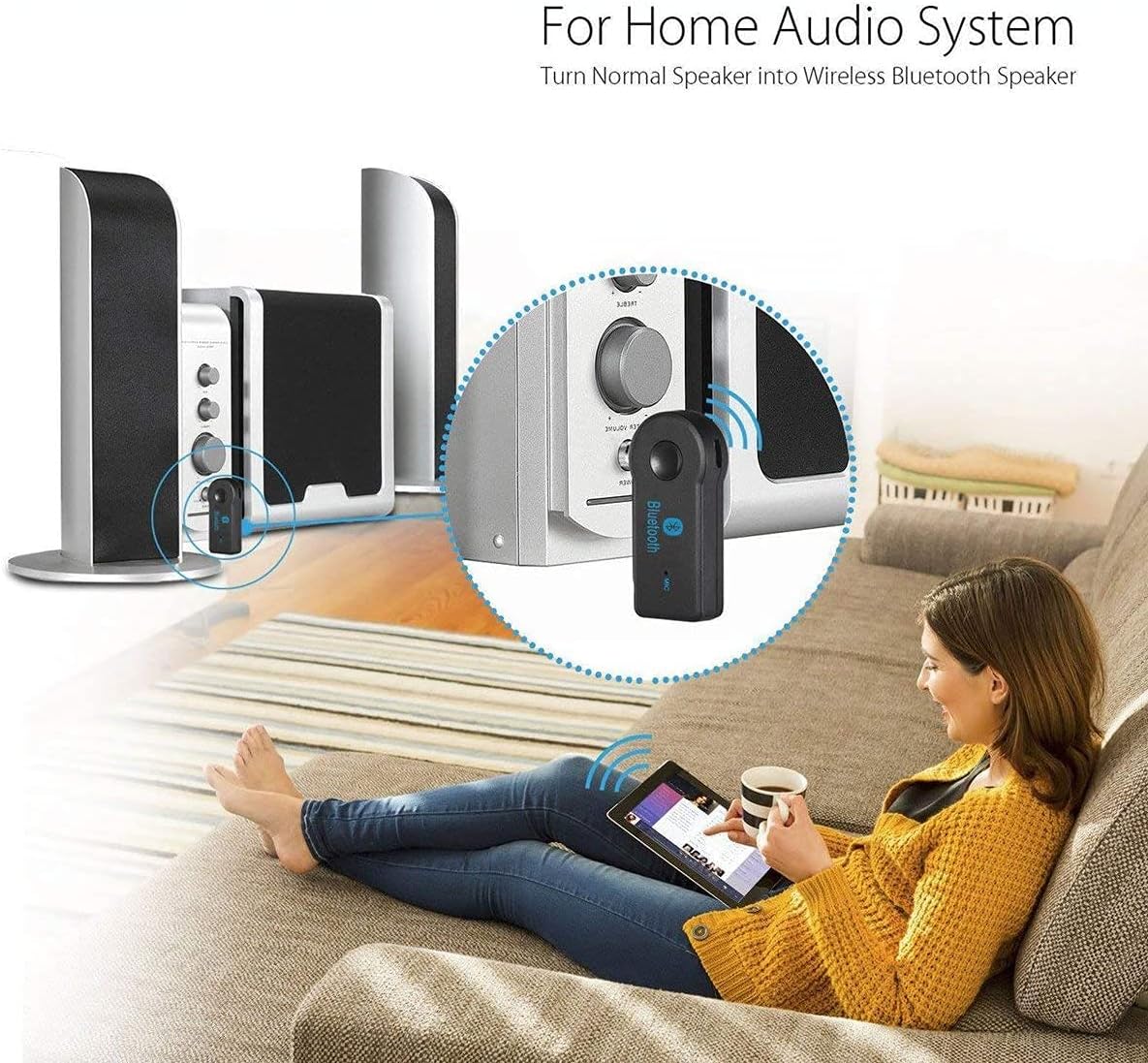
Image: The UrbanX Mini Bluetooth Receiver connected to a home stereo system, allowing wireless music playback from a tablet.
Connect the 3.5mm audio connector to the AUX input of your home stereo or speaker system. Pair the receiver with your phone to stream music wirelessly.
- Wired Headphones:

Image: The UrbanX Mini Bluetooth Receiver connected to wired earbuds, transforming them into wireless Bluetooth headphones.
Insert your wired headphones into the 3.5mm audio interface of the receiver. Pair the receiver with your phone to convert your headphones into wireless Bluetooth headphones.

Image: Diagram showing the wide compatibility of the UrbanX Mini Bluetooth Receiver with various devices such as cars, headphones, speakers, smart TVs, PCs, phones, tablets, and notebooks.
5. Operating Instructions
5.1 Power On/Off
- Power On: Long-press the Multifunction Key until the indicator light illuminates.
- Power Off: Long-press the Multifunction Key until the indicator light turns off.
5.2 Music Playback
Once the receiver is paired and connected to your audio system, you can control music playback (play, pause, skip tracks, volume) directly from your paired Bluetooth device.
5.3 Hands-Free Calling
The built-in microphone allows for convenient hands-free communication:
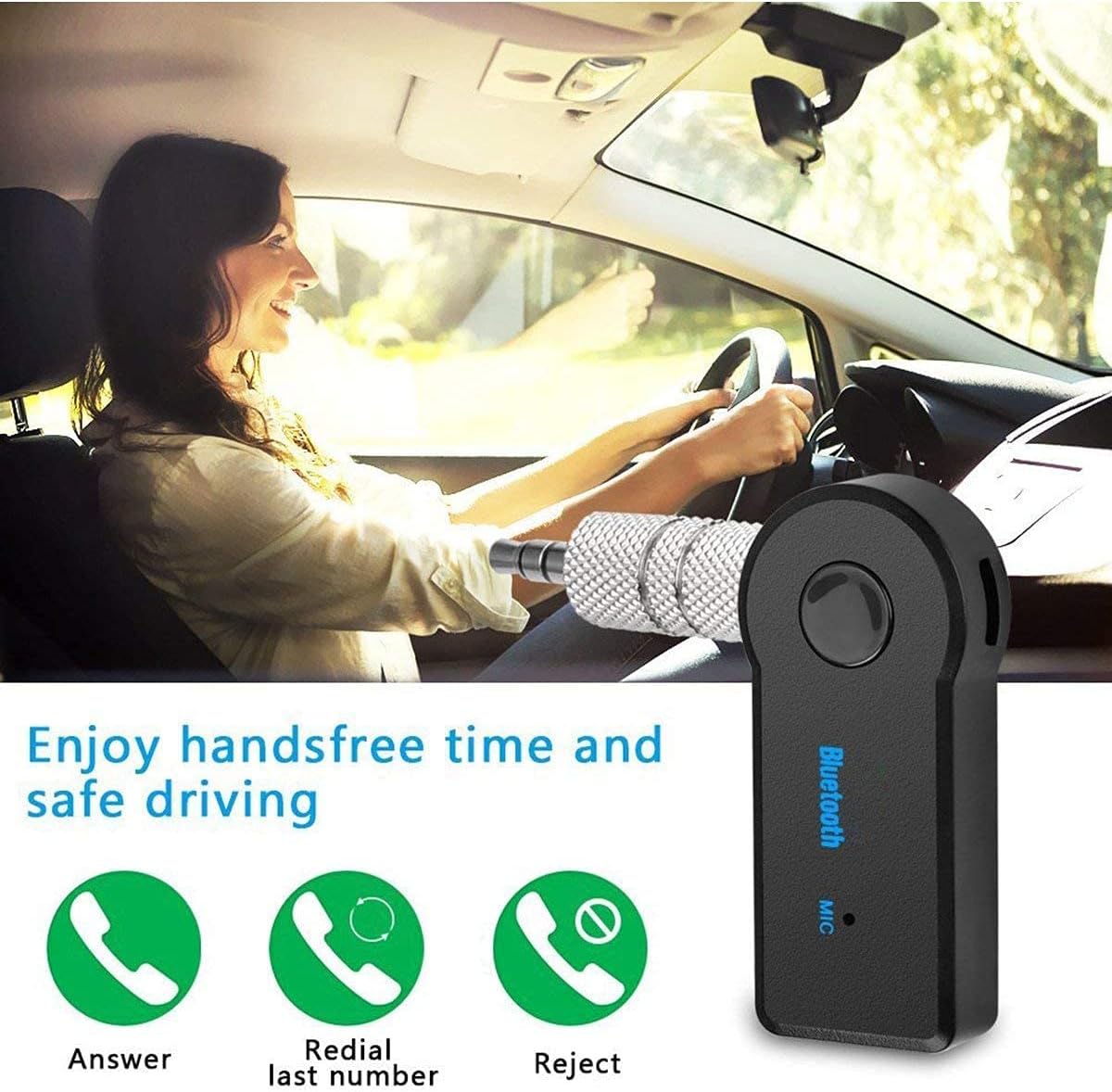
Image: Illustration of hands-free calling features, showing icons for Answer, Redial last number, and Reject call.
- Answer Call: Press the Multifunction Key once to answer an incoming call.
- Redial Last Number: Double-press the Multifunction Key to redial the last outgoing number.
- Reject Call: Long-press the Multifunction Key to reject an incoming call.
6. Maintenance
To ensure the longevity and optimal performance of your UrbanX Mini Bluetooth Receiver, please follow these maintenance guidelines:
- Keep the device clean and dry. Use a soft, dry cloth for cleaning.
- Avoid exposing the device to extreme temperatures (above 45°C / 113°F) or direct sunlight, as this can negatively affect battery life and device performance.
- Do not immerse the device in water or other liquids.
- Do not attempt to disassemble, modify, or repair the device yourself. This may void your warranty and cause damage.
- Store the device in a cool, dry place when not in use.
7. Troubleshooting
If you encounter issues with your UrbanX Mini Bluetooth Receiver, please refer to the following common problems and solutions:
- Device does not power on:
The battery may be low. Charge the device fully using the provided USB cable and a 5V DC power source. - Cannot pair with device:
Ensure the receiver is in pairing mode (flashing indicator light). Make sure Bluetooth is enabled on your mobile device and it is within the 10-meter (30ft) connection range. Try restarting both the receiver and your mobile device. - No audio or poor audio quality:
Check that the 3.5mm audio connector is fully inserted into the audio input of your speaker/car system or headphones. Ensure the volume on both the receiver and your connected device is turned up. Verify that the receiver is successfully paired and connected. - Short battery life:
Avoid exposing the device to high temperatures or direct sunlight. Ensure the device is fully charged before each use. - Input voltage too high:
Only use a 5V DC power source for charging. Using a higher voltage may damage the receiver.
8. Specifications
| Feature | Specification |
|---|---|
| Model Number | C28 |
| Bluetooth Version | V4.1 |
| Charging Voltage | DC 5V |
| Charging Time | Up to 1.5 Hours |
| Working Time | Up to 5 Hours |
| Connection Range | 10 meters (30 feet) |
| Audio Jack | 3.5mm |
| Item Weight | 1 ounce |
| Package Dimensions | 2 x 2 x 1 inches |
| Battery Type | 1 Lithium Ion battery (required) |
| Connectivity Technology | Wireless |
| Material | Composite |
9. Warranty Information
Specific warranty details for the UrbanX Mini Bluetooth Receiver (Model C28) may vary by region and retailer. Please refer to the warranty card included with your product or contact UrbanX customer support for detailed information regarding warranty coverage and terms.
10. Customer Support
For further assistance, technical support, or inquiries regarding your UrbanX Mini Bluetooth Receiver, please visit the official UrbanX website or contact their customer support team. Contact information can typically be found on the product packaging or the brand's official website.


