
Retevis RT68
Retevis RT68 Walkie Talkie User Manual
Model: RT68
1. Introduction
This manual provides detailed instructions for the safe and efficient operation of your Retevis RT68 Walkie Talkie. Please read this manual thoroughly before using the device to ensure proper function and to prevent damage. Keep this manual for future reference.

Image 1.1: Overview of the Retevis RT68 Walkie Talkie package contents, including multiple radios, a 6-way multi-unit charger, individual charging bases, and earpieces.
2. Package Contents
Verify that all items are present in your package. If any items are missing or damaged, contact your retailer.
- 10 x Retevis RT68 Two Way Radios
- 10 x Rechargeable Li-ion Batteries (1200mAh)
- 10 x Belt Clips
- 6 x Ear Hook Earpieces
- 1 x Six-Way Multi-Unit Charger
- 1 x Charger Adapter (for 6-way charger)
- 4 x USB Wall Adapters (for individual charging bases)
- 4 x Individual USB Charging Bases
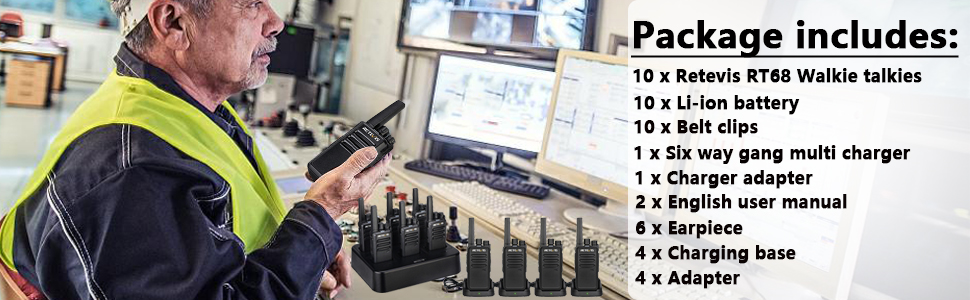
Image 2.1: Visual representation of the included components in the Retevis RT68 package.
3. Product Features
- Rugged Design: Constructed from durable PC+ABS material, designed to withstand shock and vibration in demanding environments.
- Clear Audio: Equipped with high-quality speakers for loud and clear sound reception.
- Long Battery Life: Features a 1200mAh Li-ion battery, providing up to 24 hours of operation on a full charge.
- Integrated Antenna: Non-removable, sealed antenna ensures stable transmission and durability.
- Ergonomic: Palm-sized design for comfortable handling and use.
- Water Resistant: Designed to resist water exposure.
- Multi-Unit Charging: Includes a 6-way charger for efficient simultaneous charging of multiple radios or batteries.
- Earpiece Compatibility: Comes with ear hook earpieces for private and clear communication in noisy settings.
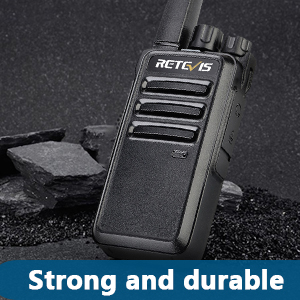
Image 3.1: Strong and durable construction.
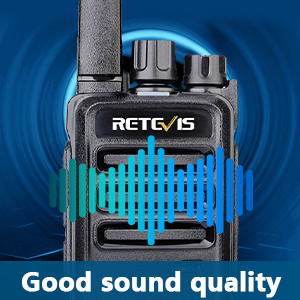
Image 3.2: Good sound quality.
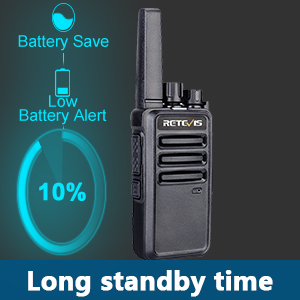
Image 3.3: Long standby time with battery save features.
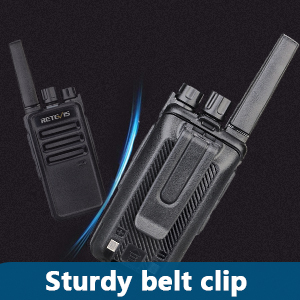
Image 3.4: Sturdy belt clip for secure attachment.

Image 3.5: Earpiece for clear communication.
4. Getting Started
4.1. Battery Installation
- Ensure the radio is powered off.
- Align the battery with the battery compartment on the back of the radio.
- Press the battery firmly until it clicks into place.
4.2. Charging the Radios
Your Retevis RT68 radios can be charged using either the 6-way multi-unit charger or individual USB charging bases.
Using the 6-Way Multi-Unit Charger:
- Connect the charger adapter to the 6-way multi-unit charger and plug it into a power outlet.
- Place the radios (with batteries installed) or individual batteries into the charging slots.
- The LED indicator for each slot will show the charging status (typically red for charging, green for fully charged).
- Charging usually takes 3-4 hours for a full charge.

Image 4.1: Retevis RT68 radios charging in the 6-way multi-unit charger.
Using Individual USB Charging Bases:
- Connect the USB charging cable to the individual charging base.
- Plug the USB cable into a USB wall adapter, power bank, laptop, or car charger.
- Place the radio into the charging base.
- The LED indicator on the base will show the charging status.
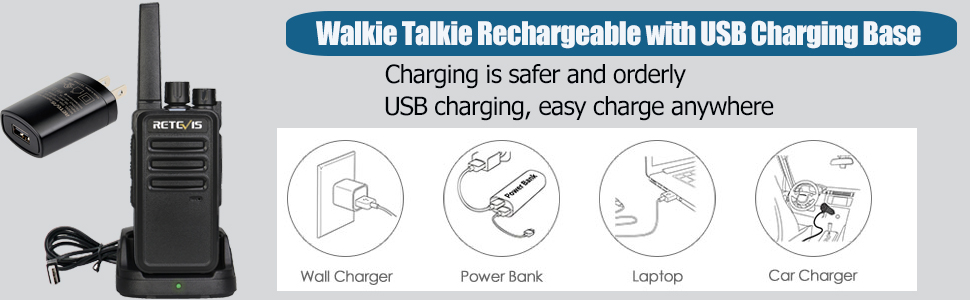
Image 4.2: Flexible charging options for individual radios.
4.3. Attaching Accessories
Belt Clip:
Slide the belt clip onto the designated slot on the back of the radio until it locks into place. This allows for convenient carrying.
Earpiece:
Plug the 2-pin connector of the earpiece into the accessory jack on the side of the radio. Adjust the ear hook for a comfortable fit. The earpiece features a Push-to-Talk (PTT) button and a microphone for hands-free communication.
5. Basic Operation
5.1. Power On/Off
Rotate the Power/Volume knob clockwise to turn the radio on. Continue rotating clockwise to increase the volume. Rotate counter-clockwise to decrease volume and turn the radio off.
5.2. Channel Selection
Rotate the Channel Selector knob to choose one of the 16 available channels. Ensure all radios intended for communication are set to the same channel.
5.3. Transmitting and Receiving
- To Transmit: Press and hold the Push-to-Talk (PTT) button on the side of the radio (or on the earpiece). Speak clearly into the microphone. Release the PTT button to stop transmitting.
- To Receive: When the PTT button is not pressed, the radio is in receive mode. You will hear incoming transmissions from other radios on the same channel.
5.4. Monitoring
Your radio may have a Monitor button (refer to your specific radio's button layout). Pressing this button allows you to listen to weak signals on the current channel, overriding the squelch function.
6. Maintenance
6.1. Cleaning
- Wipe the radio's surface with a soft, damp cloth. Do not use harsh chemicals or abrasive cleaners.
- Ensure the charging contacts are clean and free of debris for optimal charging performance.
6.2. Battery Care
- Fully charge batteries before initial use.
- Avoid overcharging or completely draining the battery, as this can reduce its lifespan.
- Store batteries in a cool, dry place when not in use for extended periods.
6.3. Storage
When storing the radios for an extended period, remove the batteries and store them separately. Store the radios in a dry, dust-free environment away from direct sunlight and extreme temperatures.
7. Troubleshooting
| Problem | Possible Cause | Solution |
|---|---|---|
| Radio does not power on | Battery is not installed correctly or is depleted. | Ensure battery is properly installed and charged. |
| Cannot transmit or receive | Radios are on different channels. Volume is too low. Out of range. | Set all radios to the same channel. Increase volume. Move closer to the other radio. |
| Poor audio quality / Static | Weak signal. Interference. | Move to an open area. Change channels if interference persists. |
| Battery not charging | Charger not connected properly. Faulty battery or charger. | Check all connections. Try a different charging slot or cable. Contact support if issue persists. |
8. Specifications
| Feature | Detail |
|---|---|
| Model Number | RT68 |
| Brand | Retevis |
| Color | Black |
| Number of Channels | 16 |
| Frequency Range | FRS |
| Voltage | 3.7 Volts |
| Battery Capacity | 1200 mAh Li-ion |
| Battery Life | Up to 24 Hours |
| Water Resistance Level | Water Resistant |
9. Safety Information
- Do not operate the radio in explosive atmospheres (e.g., flammable gases, dust particles, metallic powders).
- Do not disassemble or modify the radio. Repairs should only be performed by authorized personnel.
- Keep the radio and accessories out of reach of small children.
- Use only Retevis-approved batteries and chargers.
- Avoid exposing the radio to extreme temperatures, direct sunlight, or excessive moisture.
- If the radio emits smoke or an unusual odor, immediately turn off the power and remove the battery.
10. Warranty and Support
For warranty information or technical support, please refer to the official Retevis website or contact your point of purchase. Keep your purchase receipt as proof of purchase.
Related documentsRT68


Ask a question about this manual
Ask about setup, troubleshooting, compatibility, parts, safety, or missing instructions. Manuals+ will review the question and use this page’s manual context to help answer it.