
Easytry123 RC-970R, HT-R398, HT-S3910, TX-SR494, TX-SR393
Instruction Manual for Easytry123 Replacement Remote Control
Model Compatibility: Onkyo RC-970R, HT-R398, HT-S3910, TX-SR494, TX-SR393
Product Overview
This document provides essential information for the Easytry123 replacement infrared (IR) remote control, designed for specific Onkyo AV receivers. This remote is an aftermarket replacement and may not offer all functions of your original remote. It is crucial to verify that your original remote matches the appearance of this replacement for proper compatibility.
- This is an infrared replacement remote control.
- Ensure your current remote is identical to the one pictured for full compatibility.
- No detailed instruction manual is included with the product itself; this document serves as a general guide.
- Compatibility is primarily based on visual match and listed models.
- Functionality may vary slightly compared to the original equipment manufacturer (OEM) remote.
Setup and Initial Use
1. Battery Installation
The remote control requires two (2) AAA batteries (not included). Follow these steps to install them:
- Locate the battery compartment on the back of the remote control.
- Slide the battery compartment cover downwards or in the direction indicated by an arrow to open it.
- Insert two AAA batteries, ensuring the positive (+) and negative (-) terminals align correctly with the markings inside the compartment.
- Replace the battery compartment cover by sliding it back into place until it clicks securely.
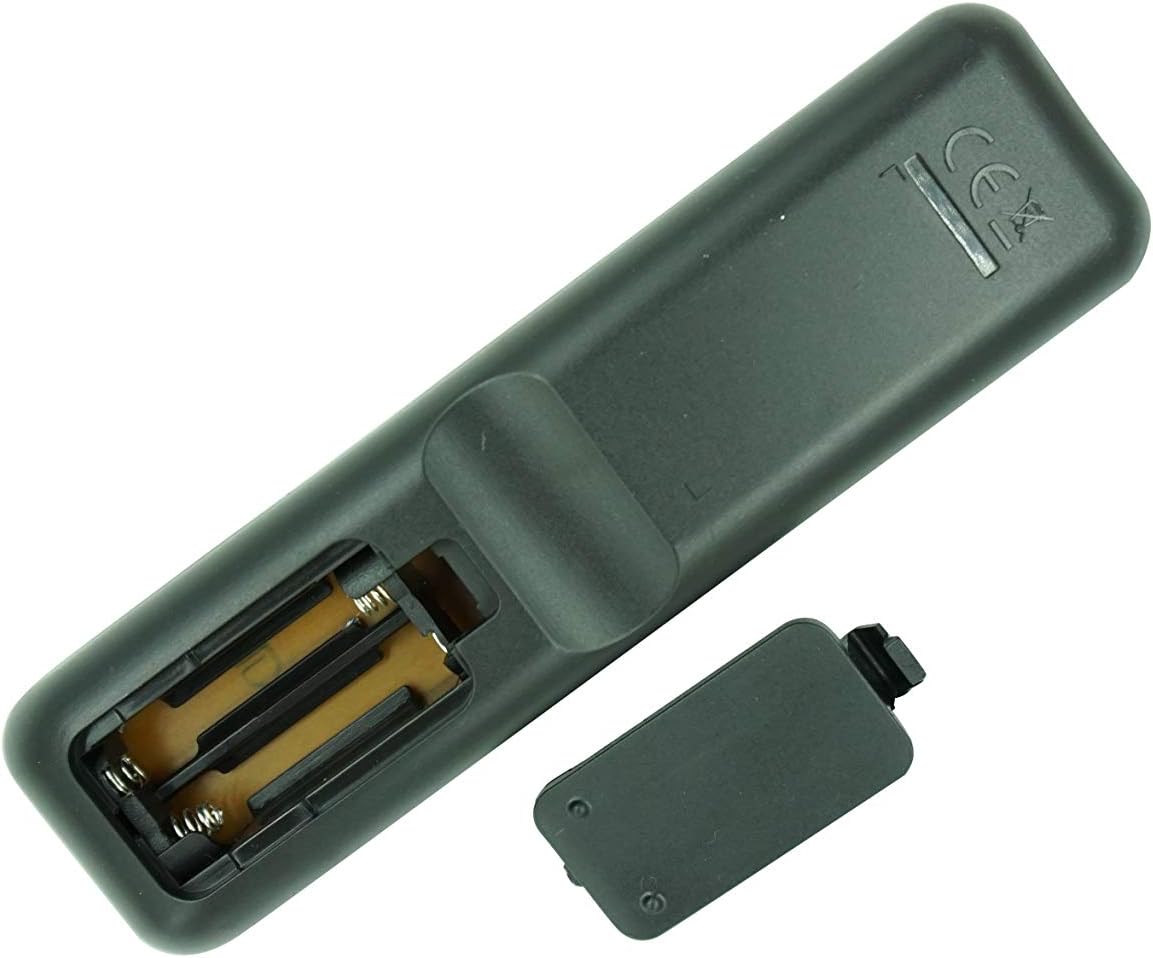
Figure 1: Rear view of the remote control with the battery cover removed, illustrating the battery insertion process. Ensure correct polarity when inserting AAA batteries.
2. Initial Use and Compatibility Check
This remote is an infrared (IR) replacement. No pairing or complex setup is typically required. Simply point the remote at your Onkyo receiver and press a button to test its functionality.
- Ensure there is a clear line of sight between the remote's IR emitter and the receiver's IR sensor.
- Confirm that your Onkyo receiver model (RC-970R, HT-R398, HT-S3910, TX-SR494, TX-SR393) is listed as compatible. If your model is not listed or your original remote looks different, full functionality is not guaranteed.
Operating Instructions
This section provides a general overview of the remote control's buttons and their typical functions. For detailed operation of your Onkyo receiver, please refer to your receiver's original instruction manual.

Figure 2: Front view of the Easytry123 replacement remote control, showing the layout of all buttons.

Figure 3: Angled view of the remote control, providing a different perspective of the button arrangement.
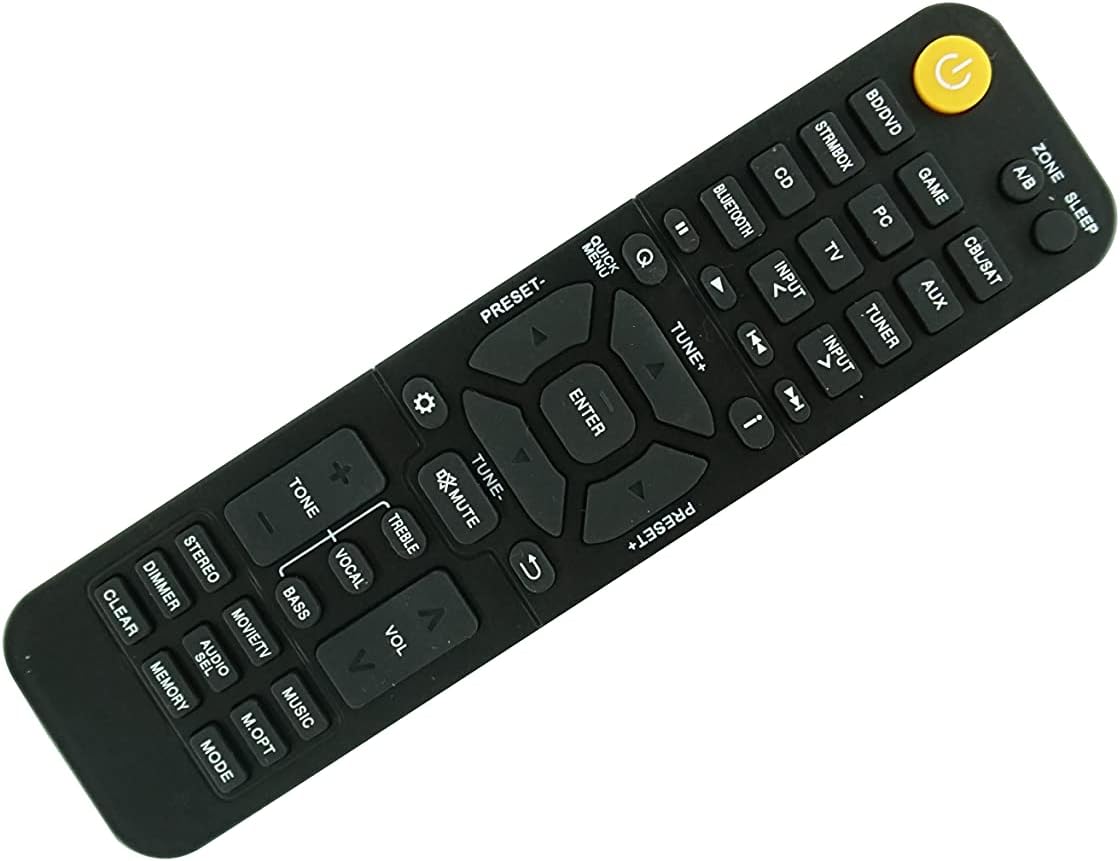
Figure 4: Second angled view of the remote control, further illustrating its design.
Button Functions Overview:
| Button Name | Typical Function |
|---|---|
| POWER (Yellow button) | Turns the receiver On/Off. |
| ZONE A/B | Selects audio output zone (if supported by receiver). |
| SLEEP | Activates sleep timer function. |
| BD/DVD, GAME, STRMBOX, PC, CD, BLUETOOTH, CBL/SAT, AUX, TV, TUNER | Input source selection buttons. |
| INPUT < / > | Cycles through available input sources. |
| Playback Controls (Play, Pause, Stop, Skip) | Controls playback of connected media devices. |
| QUICK MENU, TUNE+, TUNE-, ENTER, PRESET+, PRESET-, Navigation Arrows | Menu navigation and tuning controls. |
| MUTE | Mutes or unmutes the audio output. |
| VOL +/- | Adjusts the master volume level. |
| TONE, TREBLE, VOCAL, BASS | Audio tone and equalization adjustments. |
| STEREO, MOVIE/TV, MUSIC | Sound mode selection. |
| DIMMER, AUDIO SEL, M.OPT, CLEAR, MEMORY, MODE | Various utility and setting buttons. |
Note: The exact functionality of each button depends on your specific Onkyo receiver model and its features. Some buttons may not be active or may perform different functions than expected if your receiver does not support them or if this replacement remote has slight variations from the original.
Maintenance
Battery Replacement:
When the remote control's range decreases or it becomes unresponsive, it is likely time to replace the batteries. Follow the battery installation steps outlined in the "Setup and Initial Use" section.
- Always replace both AAA batteries at the same time.
- Do not mix old and new batteries, or different types of batteries.
- Remove batteries if the remote will not be used for an extended period to prevent leakage.
- Dispose of used batteries according to local regulations.
Cleaning:
To clean the remote control, use a soft, dry cloth. For stubborn dirt, slightly dampen the cloth with water or a mild, non-abrasive cleaner. Do not use harsh chemicals or immerse the remote in water.
Troubleshooting
| Problem | Possible Cause | Solution |
|---|---|---|
| Remote is not working or unresponsive. | Dead or incorrectly installed batteries. | Replace batteries with new AAA batteries, ensuring correct polarity. |
| Remote has limited range or intermittent response. | Weak batteries; Obstruction between remote and receiver; Remote's IR emitter or receiver's IR sensor is dirty. | Replace batteries; Ensure clear line of sight; Clean the IR emitter on the remote and the IR sensor on the receiver. |
| Certain buttons do not function. | Button not supported by your specific receiver model; Remote is not fully compatible with your receiver's original functions. | Refer to your receiver's original manual; Accept that some advanced or specific functions may not be replicated by a replacement remote. Ensure your original remote looked identical to this replacement. |
| Remote does not control the receiver at all. | Incorrect remote for your receiver model; Receiver's IR sensor is faulty. | Double-check the compatibility list and compare the remote's appearance to your original. If the remote is correct, consult your receiver's manual for troubleshooting its IR sensor. |
Product Specifications
- Brand: Easytry123
- Model Compatibility: Onkyo RC-970R, HT-R398, HT-S3910, TX-SR494, TX-SR393 4K Network AV A/V Receiver
- Connectivity Technology: Infrared (IR)
- Controller Type: Button Control
- Compatible Devices: Home Theater (Onkyo AV Receivers)
- Power Source: 2 x AAA Batteries (not included)
- Special Feature: Replacement remote, ergonomic design.
- Manufacturer: Easytry123
- Country of Origin: China
- ASIN: B095GVQL6Q
- Date First Available: May 20, 2021
Warranty Information
As a replacement product, specific warranty details are typically handled by the seller or the platform where the purchase was made. Please refer to the return and refund policies of the retailer (e.g., Amazon.com) for information regarding product defects or returns. The product description indicates a replacement policy is available.
For this specific product, the buybox winner indicates a return policy with a duration of 30 days for refund/replacement.
Customer Support
For any questions, concerns, or issues not covered in this manual, please contact the seller directly through the platform where you purchased the remote control. The manufacturer and seller for this product is Easytry123.
When contacting support, please provide your order number and a clear description of the issue.
Ask a question about this manual
Ask about setup, troubleshooting, compatibility, parts, safety, or missing instructions. Manuals+ will review the question and use this page’s manual context to help answer it.