
realme Buds Air 2 Neo
Contents
realme Buds Air 2 Neo User Manual
Model: Buds Air 2 Neo
Brand: realme
Introduction
Thank you for choosing the realme Buds Air 2 Neo Active Noise Cancelling Wireless Earbuds. This manual provides detailed instructions on how to set up, operate, and maintain your earbuds to ensure optimal performance and longevity. Please read this manual thoroughly before using the product.

Image: realme Buds Air 2 Neo earbuds in their charging case, next to a smartphone showing the realme Link app. This image illustrates the product and its companion application.
What's in the Box
The realme Buds Air 2 Neo package includes the following components:
- 2 x Earbuds (Left and Right)
- 1 x Charging Box
- 1 x Type-C Charging Cable
- 3 pairs x Earbud Silicone Tips (L/M/S)
- 1 x User Guide and Warranty Card
- 1 x Tips Card
Setup
1. Charging the Earbuds and Case
Before first use, fully charge the realme Buds Air 2 Neo and their charging case. Connect the provided Type-C charging cable to the charging port on the case and a power source. The indicator light on the case will show charging status.

Image: The realme Buds Air 2 Neo charging case open with earbuds inside, highlighting the 28-hour battery life capability.
2. Bluetooth Pairing
- Ensure the earbuds are in the charging case and the case lid is open.
- On your device (smartphone, tablet, etc.), enable Bluetooth.
- Search for "realme Buds Air 2 Neo" in the list of available Bluetooth devices.
- Select the device name to pair. A successful connection will be indicated by a sound prompt from the earbuds.
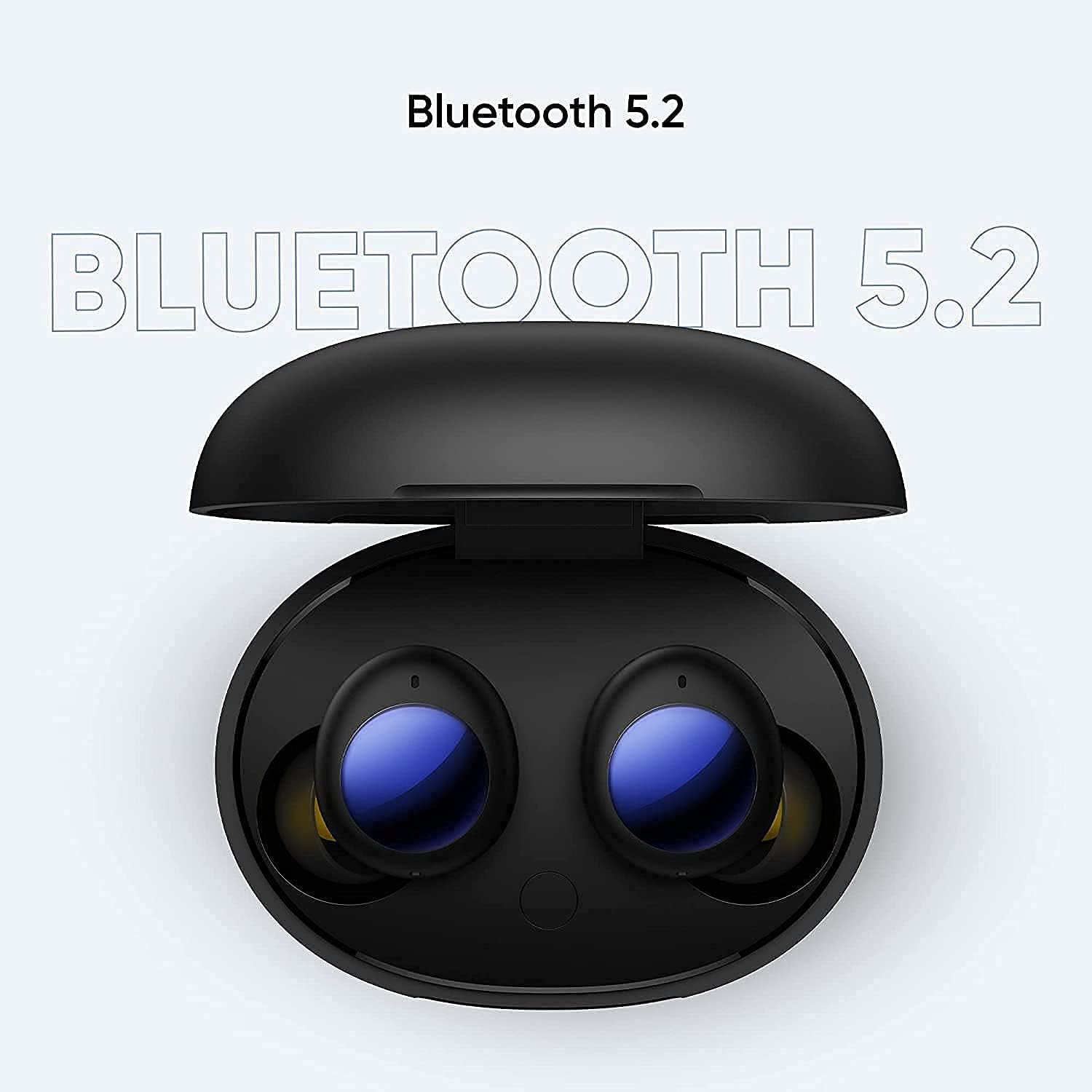
Image: The realme Buds Air 2 Neo earbuds in their open charging case, emphasizing Bluetooth 5.2 connectivity for stable pairing.
3. realme Link App Installation
For enhanced features and customization, download the realme Link app from the Google Play Store (for Android) or Apple App Store (for iOS). The app allows for firmware updates, EQ presets, volume enhancements, and sound mode switching.

Image: A graphic illustrating the realme Link app's capabilities, including firmware updates, EQ presets, volume enhancements, and sound mode switching.

Image: A visual guide detailing the four easy steps to upgrade firmware via the realme Link App: download, pair, receive notification, and click update.
Operating Instructions
Intelligent Touch Controls
The realme Buds Air 2 Neo feature intuitive touch controls on each earbud. Refer to the table below for common operations:
| Action | Function |
|---|---|
| Double-tap | Play/Pause music; Answer/End a call |
| Triple-tap | Go to next song |
| Press and hold one side | Reject call |
| Press and hold both sides | Switch Noise Cancelling mode / Transparency mode |

Image: A visual representation of the intelligent touch controls on the realme Buds Air 2 Neo, detailing actions like double-tap, triple-tap, and press-and-hold functions.
Active Noise Cancellation (ANC) and Transparency Mode
The earbuds offer Active Noise Cancellation (ANC) to reduce external noise by up to 25dB, providing an immersive audio experience. Transparency Mode allows you to hear your surroundings without removing the earbuds, useful for conversations or announcements.
Switch between ANC, Normal, and Transparency modes by pressing and holding both earbuds simultaneously, or through the realme Link app.

Image: A diagram demonstrating the effectiveness of Active Noise Cancellation, reducing ambient noise for a better listening experience.

Image: A frequency response graph illustrating the impact of Active Noise Cancellation on different noise environments.
Gaming Mode (Super Low Latency)
Activate Gaming Mode via the realme Link app for a super-low latency of 88ms, providing a more synchronized audio-visual experience for gaming and video playback.

Image: The realme Buds Air 2 Neo earbuds positioned above a smartphone displaying a game, emphasizing the 88ms super low latency feature for an improved gaming experience.
Audio Quality and Bass Boost
Equipped with a 10mm Bass Boost Driver and a Bass Boost+ algorithm, these earbuds deliver powerful bass and clear stereo sound. Customize your audio experience further using the EQ presets in the realme Link app.

Image: An exploded view of the realme Buds Air 2 Neo earbud, showcasing its internal components, particularly the 10mm Bass Boost Driver.
Maintenance
- Cleaning: Regularly clean the earbuds, especially the ear tips and charging contacts, with a soft, dry, lint-free cloth. Do not use harsh chemicals or abrasive materials.
- Water Resistance: The earbuds are IPX5 waterproof, meaning they are resistant to splashes and sweat. Do not submerge them in water or expose them to heavy rain. Ensure they are dry before placing them back in the charging case.
- Storage: When not in use, store the earbuds in their charging case to protect them and keep them charged. Store in a cool, dry place away from direct sunlight and extreme temperatures.
- Battery Care: To prolong battery life, avoid fully discharging the earbuds frequently. Charge them regularly, even if not used for extended periods.
Troubleshooting
| Problem | Possible Solution |
|---|---|
| Earbuds not pairing | Ensure earbuds are charged. Place them in the case, close and reopen the lid. Turn off and on Bluetooth on your device. Forget the device in Bluetooth settings and re-pair. |
| No sound from one earbud | Check battery level of both earbuds. Place both earbuds back in the case, close the lid, wait a few seconds, then take them out again. Clean charging contacts. |
| Low volume or poor sound quality | Adjust volume on your device. Ensure ear tips fit snugly. Clean ear tips and earbud grilles. Try different EQ settings in the realme Link app. |
| Touch controls not responding | Ensure your fingers are clean and dry. Restart the earbuds by placing them in the case and taking them out. Check for firmware updates via the realme Link app. |
| Intermittent connection | Ensure no strong interference sources nearby (e.g., Wi-Fi routers, other Bluetooth devices). Keep your device within the 10-meter Bluetooth range. Update earbud firmware. |
Specifications
- Model Name: IPX5 (Note: This appears to be a model name in the provided data, but IPX5 typically refers to water resistance rating. The actual product model is Buds Air 2 Neo.)
- Connectivity Technology: Wireless (Bluetooth 5.2)
- Noise Control: Active Noise Cancellation (ANC up to 25dB)
- Audio Driver: 10mm Bass Boost Driver
- Battery Life: Up to 28 Hours (with charging case)
- Fast Charging: 10 min charge for up to 3 hours playback
- Latency: 88ms (Gaming Mode)
- Water Resistance: IPX5 (Splash-proof)
- Control Method: Touch
- Frequency Range: 20 Hz - 20,000 Hz
- Bluetooth Range: 10 Meters
- Item Weight: 57 Grams (total)
- Product Dimensions: 2.36 x 1.73 x 1.26 inches
- Material: Plastic
Warranty and Support
For warranty information and customer support, please refer to the warranty card included in your product package or visit the official realme website. You can also find frequently asked questions and additional support resources on the realme support page.
For the latest updates and detailed product information, download the realme Link app.
Ask a question about this manual
Ask about setup, troubleshooting, compatibility, parts, safety, or missing instructions. Manuals+ will review the question and use this page’s manual context to help answer it.