
1. Introduction
Thank you for choosing the Bosch WAV28GA9II HomeProfessional Washing Machine. This manual provides essential information for the safe and efficient operation, installation, and maintenance of your appliance. Please read these instructions carefully before using the washing machine and keep them for future reference.
2. Safety Information
Always adhere to the following safety guidelines to prevent personal injury or damage to the appliance:
- Ensure the appliance is correctly installed and grounded by a qualified technician.
- Do not allow children to play with or operate the washing machine.
- Never force the door open during operation.
- Unplug the appliance from the power supply before cleaning or maintenance.
- Do not wash items that have been cleaned in, washed with, soaked in, or spotted with combustible or explosive substances such as wax, oil, paint, gasoline, degreasers, dry-cleaning solvents, kerosene, etc.
- Keep pets away from the appliance.
3. Setup and Installation
3.1 Unpacking
Carefully remove the washing machine from its packaging. Inspect for any damage during transit. The package includes 1X LAVATRICE (1X Washing Machine).
3.2 Placement
Place the washing machine on a firm, level surface. Ensure adequate space around the appliance for ventilation and maintenance. The dimensions of the product are approximately 84.8 cm (height) x 59.8 cm (width) x 84.8 cm (depth).

Side view of the Bosch WAV28GA9II washing machine, showing its compact design.

Technical drawing illustrating the width dimension of the washing machine (598mm).

Technical drawing illustrating the depth and height dimensions of the washing machine.
3.3 Connecting Water and Power
Connect the water inlet hose to a cold water tap and the drain hose to a suitable drain. Plug the power cord into a grounded electrical outlet. Refer to the detailed installation guide provided with your appliance for specific instructions.
3.4 Leveling the Appliance
Use a spirit level to ensure the washing machine is perfectly level. Adjust the feet as necessary to prevent excessive vibration during operation, especially during the spin cycle.
4. Operating Instructions
4.1 Control Panel Overview
The control panel features a program selection dial, touch controls for various options, and a digital display. Familiarize yourself with these components before first use.
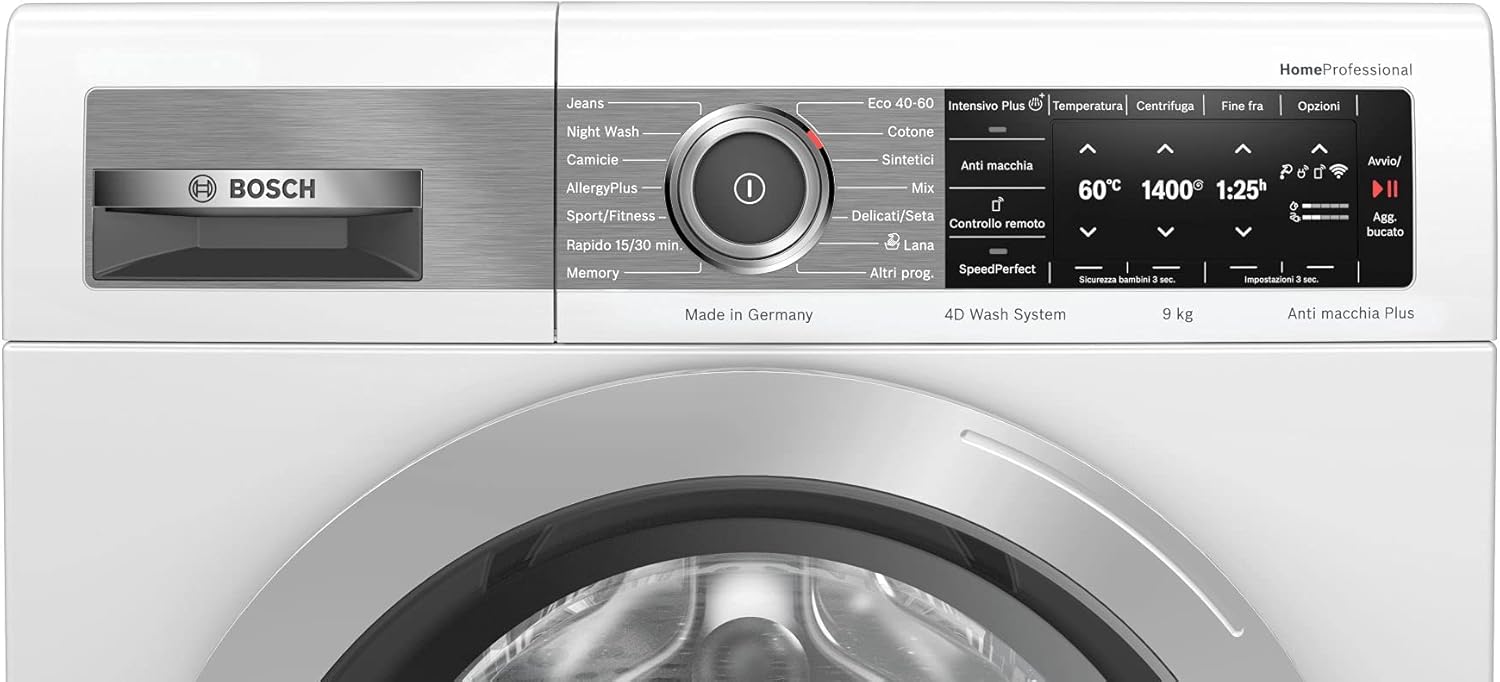
Overview of the Bosch WAV28GA9II washing machine control panel and front.

Close-up of the program selection dial on the Bosch WAV28GA9II.
4.2 Loading Laundry
Open the washing machine door and load laundry into the drum. Do not overload the machine; the maximum capacity is 9 kg. Ensure no items are caught in the door seal before closing.

The washing machine with its door open, ready for loading laundry.
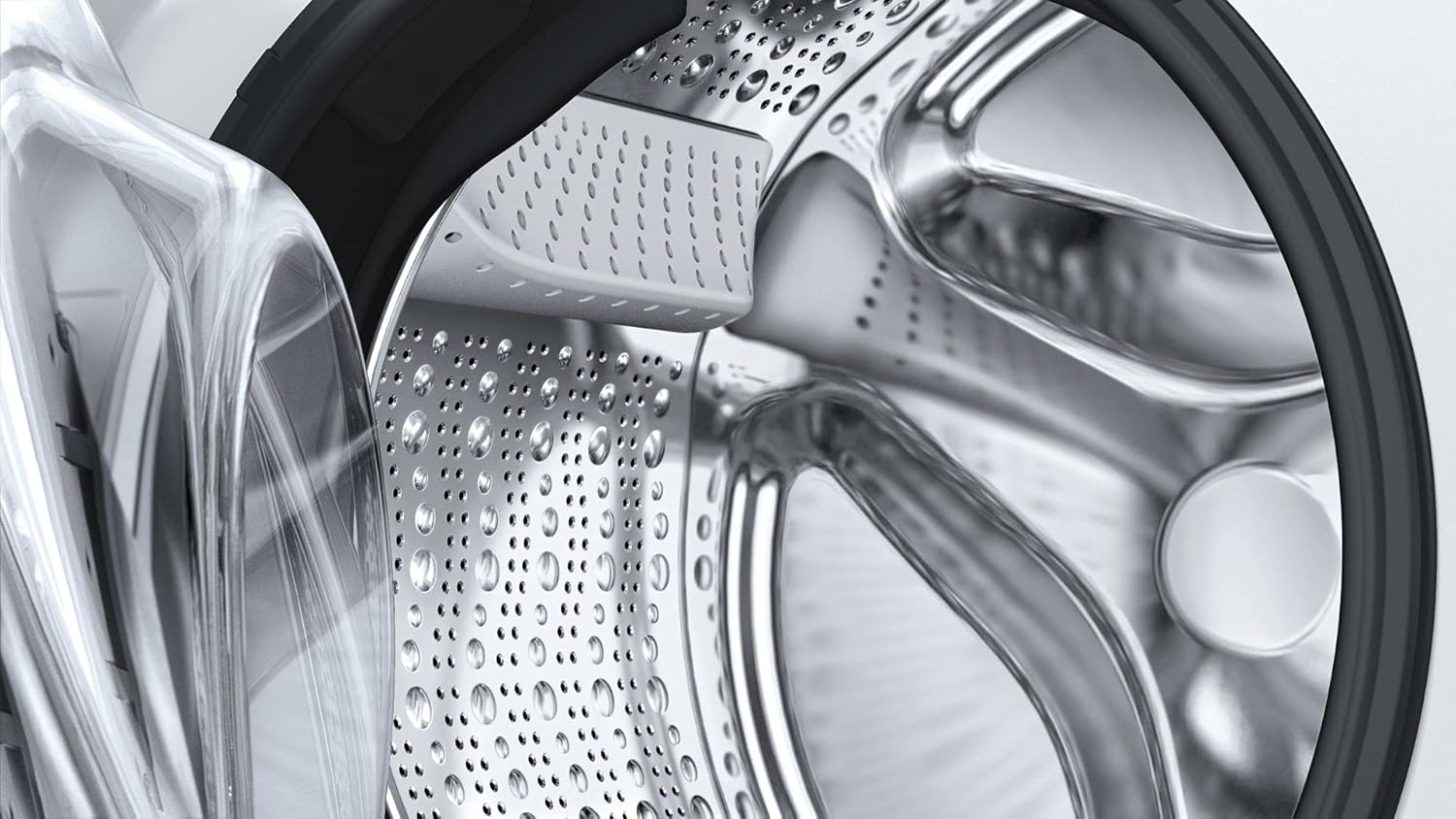
A detailed view of the interior drum of the Bosch WAV28GA9II washing machine.
4.3 Adding Detergent
Add the appropriate amount of detergent and fabric softener to the dispenser drawer. Consult your detergent packaging for recommended dosages based on load size and water hardness.
4.4 Program Selection
Turn the program selection dial to choose the desired wash program. Available programs include:
- Eco 40-60
- Cotone (Cotton)
- Sintetici (Synthetics)
- Mix
- Delicati/Seta (Delicates/Silk)
- Lana (Wool)
- Jeans
- Night Wash
- Camicie (Shirts)
- AllergyPlus
- Sport/Fitness
- Rapido 15/30 min. (Quick 15/30 min.)
- Memory
- Altri prog. (Other programs)
4.5 Special Features
- AntiStain Plus: Effectively removes 16 common and stubborn stain types without pre-treatment.
- 4D Wash System: Ensures efficient water and detergent distribution for thorough cleaning.
- Home Connect: Connect your appliance for remote control and smart features via the Home Connect app.
- EcoSilence Drive: Features a quiet and efficient inverter motor.
- AllergyPlus: A specific program designed for individuals with allergies.

The Home Connect app on a smartphone, demonstrating remote control capabilities for the washing machine.

The Bosch WAV28GA9II washing machine with laundry, highlighting its advanced wash features like AntiStain Plus.
4.6 Starting a Wash Cycle
After selecting the program and any desired options (e.g., temperature, spin speed), press the Start/Pause button to begin the cycle. The touch controls are responsive and require a firm, brief touch.
4.7 End of Cycle
The machine will signal when the cycle is complete. Open the door and remove your laundry promptly to prevent wrinkles.
5. Maintenance
5.1 Cleaning the Drum
Regularly run a drum cleaning cycle (if available) or a hot wash with no laundry and a descaling agent to prevent odors and residue buildup.
5.2 Cleaning the Detergent Dispenser
Remove the detergent dispenser drawer and rinse it under running water to remove any detergent or softener residue. Clean the housing of the dispenser as well.
5.3 Cleaning the Filter
Periodically clean the fluff filter, usually located at the bottom front of the machine. Refer to the full manual for exact location and procedure to avoid water spillage.
5.4 Care for the Exterior
Wipe the exterior surfaces with a soft, damp cloth. Avoid abrasive cleaners or solvents that could damage the finish.
6. Troubleshooting
If you encounter issues with your washing machine, consult the following common solutions:
- Machine not starting: Ensure the power cord is securely plugged in, the door is fully closed, and the Start/Pause button has been pressed correctly. Check if the child lock is activated.
- Excessive vibration during spin: Verify that the machine is perfectly level and that the transport bolts have been removed during installation. Ensure the load is balanced inside the drum.
- Water not draining: Check if the drain hose is kinked or blocked. Clean the fluff filter.
- Error codes: If an error code appears on the display, refer to the comprehensive user manual for specific meanings and troubleshooting steps.
For persistent problems, contact Bosch customer service.
7. Specifications
| Feature | Specification |
|---|---|
| Brand | Bosch |
| Model Name | WAV28GA9II |
| Product Dimensions | 84.8 x 59.8 x 84.8 cm |
| Item Weight | 72 Kilograms |
| Capacity | 9 Kilograms |
| Max Spin Speed | 1400 RPM |
| Energy Efficiency Rating | A |
| Access Location | Front Load |
| Color | White |
| Control Type | Touch |
| Operating Mode | Automatic |
8. Warranty and Support
Your Bosch WAV28GA9II washing machine comes with a standard manufacturer's warranty. Additionally, the EcoSilence Drive motor is covered by a 10-year assistance warranty. For detailed warranty terms and conditions, please refer to the warranty card included with your appliance or visit the official Bosch website.
For technical support, service requests, or spare parts, please contact Bosch customer service. You can find contact information on the Bosch website or in your product documentation. For more information about Bosch products, visit the Bosch Store.