
Introduction
This manual provides essential instructions for the safe and efficient use of your Jack & Rose Adapter, Model SY-XXJ001. Please read this manual thoroughly before using the product and retain it for future reference.
Important Safety Information
- Ensure the adapter is compatible with your device's voltage and current requirements.
- Do not expose the adapter to water, moisture, or extreme temperatures.
- Avoid dropping or subjecting the adapter to strong impacts.
- Do not attempt to disassemble or repair the adapter yourself. Contact qualified personnel for service.
- Keep out of reach of children.
- Unplug the adapter from the power outlet when not in use for extended periods.
Setup Instructions
Follow these steps to properly set up your Jack & Rose Adapter:
- Inspect the Adapter: Before use, visually inspect the adapter and its cable for any signs of damage. Do not use if damaged.
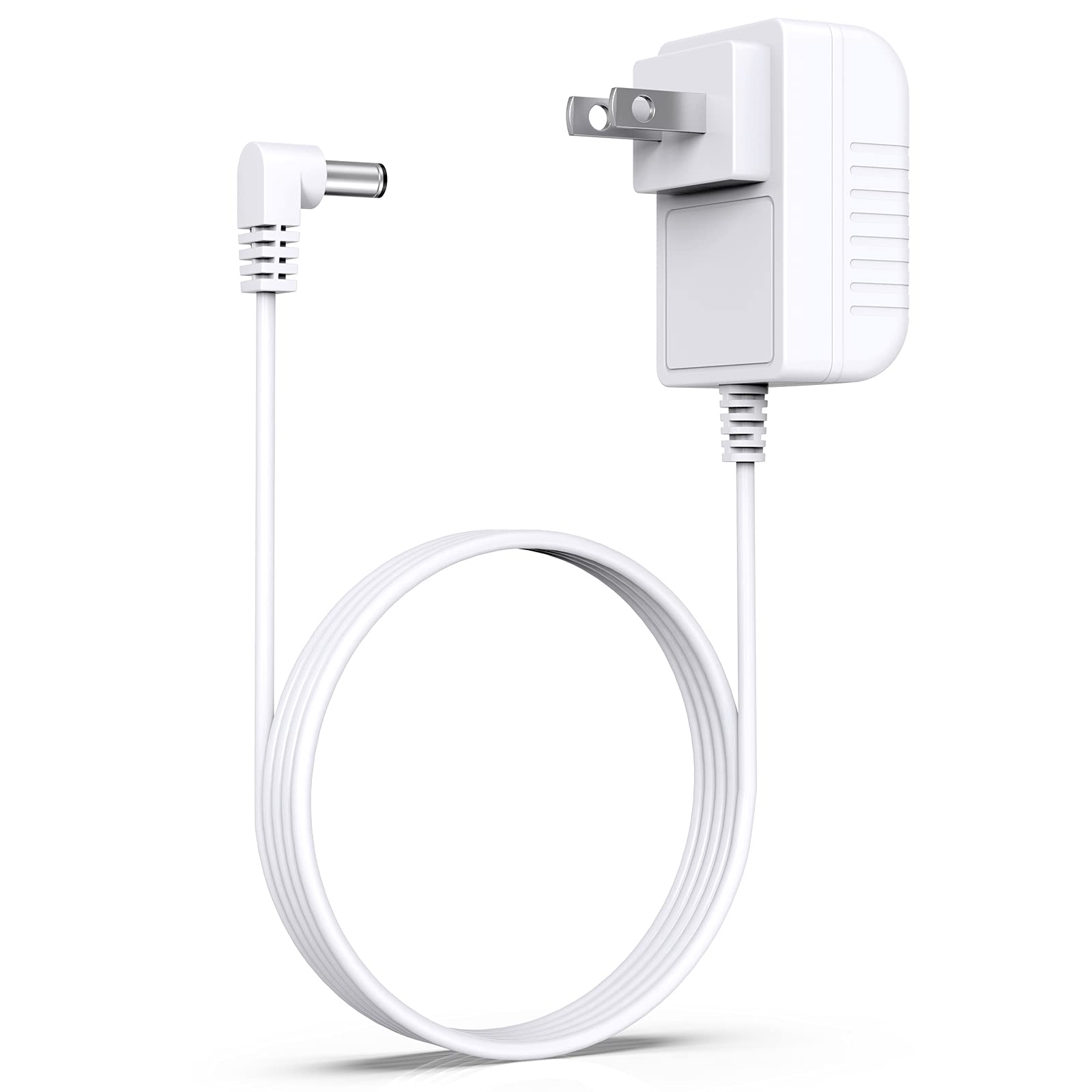
- Connect to Device: Insert the DC output plug of the adapter firmly into the power input port of your compatible diffuser or device. Ensure a snug fit.
- Connect to Power Outlet: Plug the AC input prongs of the adapter into a standard wall power outlet.
- Verify Connection: Once connected, your device should receive power. Refer to your device's manual for specific power indicators.
Operating Instructions
The Jack & Rose Adapter SY-XXJ001 is designed for simple plug-and-play operation. Once properly connected as described in the "Setup Instructions" section, the adapter will supply power to your compatible device.
- Ensure the power outlet is active.
- Confirm that your device is switched on, if applicable.
- The adapter does not have any user-operable controls. Its function is to convert AC power to DC power for your device.
Care and Maintenance
Proper care will extend the life of your adapter:
- Cleaning: Disconnect the adapter from both the power outlet and your device before cleaning. Use a soft, dry cloth to wipe the exterior. Do not use liquid cleaners or abrasive materials.
- Storage: When not in use, store the adapter in a cool, dry place, away from direct sunlight and extreme temperatures. Avoid tightly coiling the cable to prevent damage.
- Handling: Always grasp the plug when inserting or removing the adapter from an outlet or device. Do not pull on the cable.
Troubleshooting
If you encounter issues with your Jack & Rose Adapter, refer to the following common problems and solutions:
| Problem | Possible Cause | Solution |
|---|---|---|
| Device not receiving power. |
|
|
| Adapter feels unusually hot. |
|
|
If the problem persists after trying these solutions, please contact customer support.
Specifications
| Model | SY-XXJ001 |
| Manufacturer | Jack & Rose |
| Item Weight | 2.89 ounces |
| Package Dimensions | 7.28 x 3.86 x 1.81 inches |
| Batteries Required | No |
| Batteries Included | No |
| ASIN | B095C1D4DV |
| Date First Available | May 19, 2021 |
Note: Specifications are subject to change without notice.
Warranty and Support
Jack & Rose products are manufactured to high-quality standards. For information regarding warranty coverage, please refer to the warranty card included with your purchase or visit the official Jack & Rose website.
For technical support, troubleshooting assistance, or to report a problem, please contact our customer service team. Contact details can typically be found on our website or on the product packaging.
Please have your model number (SY-XXJ001) and purchase date available when contacting support.